ERP Data Migration Checklist: Your Step-by-Step Guide to Success
Published: 12/20/2025 10:00 PM Updated: 12/21/2025 7:01 AM
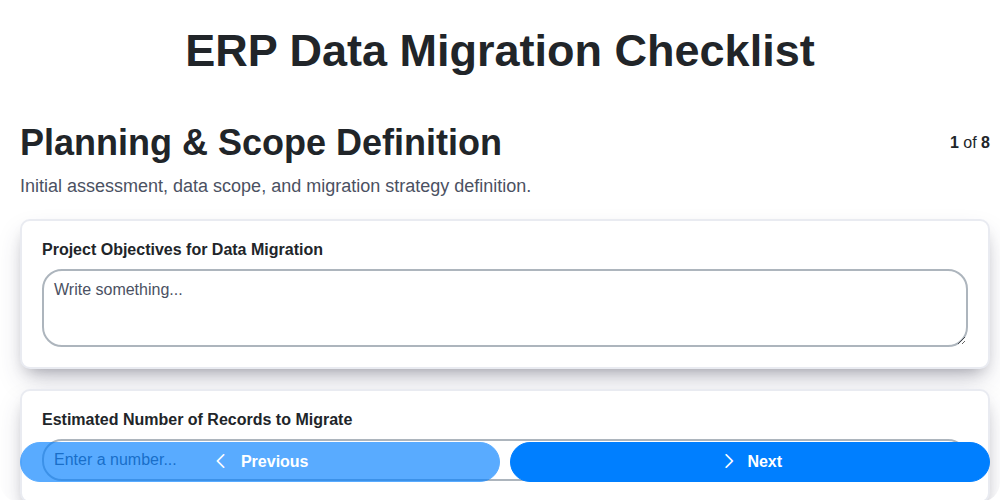
Table of Contents
- Introduction: Why Data Migration Matters for Your ERP
- 1. Planning & Scope Definition: Laying the Foundation
- 2. Data Profiling & Cleansing: Preparing Your Data for Transformation
- 3. Data Mapping & Transformation: Bridging the Gap Between Systems
- 4. ETL Development & Testing: Building the Migration Engine
- 5. Data Validation & Reconciliation: Ensuring Accuracy and Completeness
- 6. User Acceptance Testing (UAT): Getting User Buy-in
- 7. Cutover Planning & Execution: The Critical Go-Live Phase
- 8. Rollback Strategy: Preparing for the Unexpected
- 9. Communication Plan: Keeping Stakeholders Informed
- 10. Data Archiving: Handling Historical Data
- 11. Post-Migration Monitoring & Support: Sustaining Data Integrity
- 12. Documentation: A Record of Your Migration Journey
- Conclusion: Data Migration - A Strategic Investment
- Resources & Links
TLDR: Migrating your data to a new ERP system? Don't risk disaster! This checklist breaks down the entire process - from defining the scope and cleaning your data to testing, cutover, and ongoing support - ensuring a smooth and successful ERP data migration. Use it to stay organized, identify potential issues early, and minimize disruption to your business.
Introduction: Why Data Migration Matters for Your ERP
Migrating data to a new ERP system is rarely a simple task, but it's a critical one for success. Your ERP is the central nervous system of your business, housing vital information about everything from finances and inventory to customer relationships and production schedules. If that data is inaccurate, incomplete, or poorly integrated, your new ERP won't deliver the expected benefits - increased efficiency, improved decision-making, and streamlined processes. A failed data migration can lead to costly errors, disrupted operations, frustrated users, and a significant erosion of trust in the new system. A well-planned and executed data migration, on the other hand, sets the foundation for a successful ERP implementation, ensuring a smooth transition and maximizing the return on your investment. This checklist provides a structured approach to navigate this complex process, minimizing risk and ensuring data integrity.
1. Planning & Scope Definition: Laying the Foundation
A successful ERP data migration isn't about just moving data; it's about strategically aligning your new system with your business needs. This begins with rigorous planning and a crystal-clear understanding of the project's scope. Don't underestimate this initial phase - it's the bedrock upon which everything else is built.
Key Activities:
- Define Objectives: What are you hoping to achieve with the ERP implementation and data migration? Clearly articulate these goals.
- Scope Boundaries: Precisely define what data will and will not be migrated. Trying to boil the ocean is a recipe for disaster. Focus on the critical data required for Day 1 operations. Less-critical data can be migrated later in a phased approach.
- Stakeholder Identification: Identify all key stakeholders from business, IT, and potentially even external consultants. Their involvement and buy-in are essential.
- Data Ownership: Assign clear data ownership responsibilities. Who is accountable for data quality and accuracy?
- Risk Assessment: Identify potential risks associated with the migration (e.g., data loss, downtime, user disruption) and develop mitigation strategies.
- Timeline & Budget: Establish a realistic timeline and budget, factoring in potential delays and unexpected costs. Underestimating either can derail the entire project.
- Define Success Criteria: What quantifiable metrics will determine the success of the data migration? This provides a benchmark for evaluation.
Poor planning in this phase inevitably leads to scope creep, missed deadlines, and ultimately, a frustrated team and a less-than-optimal ERP outcome.
2. Data Profiling & Cleansing: Preparing Your Data for Transformation
Before you even think about mapping or transforming your data, you need to understand what you're working with. This is where data profiling and cleansing come into play - arguably the most crucial, and often most time-consuming, phase of any ERP data migration.
Data Profiling: Taking Stock of Your Data Landscape
Data profiling isn't about fixing errors; it's about understanding them. This process involves analyzing your source data to uncover:
- Data Types & Formats: Are dates consistently formatted? Are numbers stored as text? Identify discrepancies immediately.
- Data Distribution: Understand the range of values within a field. Identify outliers and unexpected values.
- Null Values & Missing Data: How prevalent are missing values? What's the impact on your new ERP system?
- Data Quality Issues: Look for inconsistencies, duplicates, invalid entries, and adherence to business rules.
- Data Relationships: Identify relationships between tables and fields. This informs your data mapping later on.
Tools can automate much of this, but human review is essential to interpret the findings and gain a deep understanding.
Data Cleansing: The Remediation Phase
Once you've profiled your data, it's time to clean it up. This is where you actively address the issues identified in the profiling stage. Common cleansing tasks include:
- Standardization: Consistent formatting of dates, addresses, and other data elements.
- De-duplication: Identifying and removing or merging duplicate records. This is vital to avoid creating ghost entries in your new system.
- Data Correction: Fixing inaccurate or invalid entries. This requires careful consideration of business rules and data governance policies.
- Handling Missing Values: Decide how to handle null values - imputation, removal, or specific designation. Document your approach meticulously.
- Data Enrichment (Optional): In some cases, enriching your data with external sources can improve its value and accuracy.
The Importance of Documentation
Throughout the profiling and cleansing process, meticulous documentation is paramount. Record every decision made - why a certain cleansing rule was applied, how missing values were handled, and so on. This transparency will be invaluable for troubleshooting and future maintenance. Poorly cleansed data entering your new ERP system can lead to serious operational problems down the line, so don't cut corners here!
3. Data Mapping & Transformation: Bridging the Gap Between Systems
This is arguably one of the most critical, and often most complex, steps in ERP data migration. It's where you define how data from your old system (legacy system) translates into the structure and format of your new ERP system. Simply put, it's about figuring out what each field in your old system means and how it should be represented in your new one.
Why is it so important? Incorrect mapping leads to data loss, corruption, and ultimately, a useless ERP system. It's not just about renaming fields; it's about understanding the underlying business logic.
Key activities in this phase include:
- Detailed Field Mapping: Creating a comprehensive document that maps each field from the legacy system to its corresponding field in the ERP. This includes data types, lengths, and any necessary transformations.
- Data Transformation Rules: Defining rules for modifying data during the migration process. This might involve:
- Data Type Conversions: (e.g., changing a text field to a date field)
- Unit Conversions: (e.g., converting units of measurement)
- Concatenation & Splitting: Combining or separating data fields.
- Default Value Assignments: Populating missing data with appropriate defaults.
- Business Rule Application: Applying business logic to transform data correctly. For example, calculating a derived field based on other data.
- Addressing Data Gaps: Identifying data that exists in the old system but isn't directly represented in the new one. This often requires creating custom fields or adapting the new system to accommodate the data.
- Documentation: Maintaining meticulous documentation of every mapping and transformation rule is paramount for auditing, troubleshooting, and future system modifications.
Don't underestimate the complexity. This phase often requires close collaboration between business users, data analysts, and technical resources to ensure data integrity and accuracy. Thorough review and validation of the mapping rules are vital before proceeding to the ETL development phase.
4. ETL Development & Testing: Building the Migration Engine
This phase is the heart of your data migration. It's where the actual movement and transformation of data happens. ETL (Extract, Transform, Load) tools are typically used, and this step focuses on developing and rigorously testing the processes that will move data from your legacy system to your new ERP.
What's Involved:
- ETL Development: Based on the data mapping documents created earlier, developers will build the ETL workflows. This involves writing code (often utilizing a dedicated ETL tool's scripting language) to extract data from the source systems, apply the transformations defined in the mapping, and load the data into the ERP. This is rarely a simple copy and paste; transformations often involve complex logic for data type conversions, merging records, splitting fields, and applying business rules.
- Unit Testing: Each individual ETL process (e.g., migrating customer data, product data, or financial transactions) needs to be tested independently. This focuses on verifying the transformation logic works as intended, handling edge cases, and ensuring data integrity. Mock data and smaller datasets are often used in this phase.
- Integration Testing: Once individual processes are tested, integration testing ensures they work together correctly. This verifies data flows seamlessly between different modules during migration.
- Performance Testing: Data migration can be resource-intensive. Performance testing identifies bottlenecks and optimizes the ETL processes to ensure the migration completes within acceptable timeframes. This includes testing with large datasets representative of production volumes.
- Error Handling & Logging: Robust error handling is critical. The ETL processes must be designed to gracefully handle errors, log them thoroughly, and provide clear diagnostics for troubleshooting. Logging needs to be detailed enough to track data lineage and identify the root cause of issues.
Key Considerations:
- Tool Selection: Choose an ETL tool that aligns with your organization's technical skills and ERP system capabilities.
- Version Control: Use version control systems (like Git) to manage ETL code changes and facilitate collaboration.
- Documentation: Thoroughly document each ETL process, including its purpose, data sources, transformations, and dependencies.
- Security: Implement security measures to protect sensitive data during the ETL process.
5. Data Validation & Reconciliation: Ensuring Accuracy and Completeness
This phase is the crucial gatekeeper, preventing inaccurate or incomplete data from polluting your new ERP system. It's more than just checking if data exists - it's about verifying its correctness and consistency.
What's involved?
- Define Validation Rules: Based on your data profiling and mapping exercises, establish clear validation rules. These rules will define acceptable data formats, ranges, mandatory fields, and relationships between data elements. Examples include validating email formats, ensuring date fields fall within a logical timeframe, or confirming that a customer record has a corresponding address.
- Automated Validation Checks: Implement automated scripts and tools to execute these validation rules against both the source data and the migrated data in the ERP system. These checks will identify records that fail validation.
- Manual Reconciliation: While automation is vital, manual reconciliation is often necessary. This involves spot-checking a representative sample of data to confirm accuracy and completeness. Focus on critical data elements and those identified as potentially problematic during data profiling.
- Exception Handling: Establish a clear process for handling validation failures. Document each failure, investigate the root cause (data error, mapping issue, or transformation error), and correct the data or adjust the migration process accordingly. Retest after corrections.
- Data Reconciliation Reports: Generate reports that compare source and target data, highlighting discrepancies. These reports are invaluable for auditing and demonstrating data integrity. Focus on counts, sums, and key indicators to ensure volume and aggregations are accurate.
Key to Success: Don't rush this phase. Thorough data validation and reconciliation significantly reduces the risk of costly errors and user frustration post-migration.
6. User Acceptance Testing (UAT): Getting User Buy-in
User Acceptance Testing (UAT) is arguably the most critical phase of any ERP data migration. While technical testing confirms the how - whether the data moves correctly - UAT confirms the why - whether the migrated data meets the actual business needs. This isn't just about verifying data accuracy; it's about ensuring users can confidently perform their daily tasks within the new ERP system.
Why is UAT so important?
- Business Validation: UAT provides a final, real-world validation of the data and system functionality from a business perspective.
- Risk Mitigation: Identifying issues during UAT is significantly less disruptive and costly than discovering them post-go-live.
- User Adoption: Getting users actively involved fosters buy-in and reduces resistance to the new system. A successful UAT leads to smoother adoption.
- Uncovering Hidden Issues: Technical teams may not fully understand nuances in how data is used; UAT participants, being subject matter experts, often uncover these critical, but previously unseen, gaps.
How to Conduct Effective UAT:
- Select Representative Users: Don't just choose technically savvy individuals. Include users from various departments and experience levels.
- Define Clear Scenarios: Develop realistic, task-oriented scenarios that mirror daily workflows. Provide specific objectives and expected outcomes for each scenario.
- Provide Training & Support: Ensure users are comfortable with the new system and have access to necessary documentation and support during testing.
- Structured Feedback Process: Implement a clear process for users to report issues, including severity levels and detailed descriptions. Track and prioritize these issues for resolution.
- Document Results: Meticulously document all UAT activities, including scenarios tested, results, and resolution of issues.
- Formal Sign-Off: Obtain formal sign-off from key stakeholders upon successful completion of UAT. This signifies that the data and system meet business requirements.
Successful UAT isn't just about finding bugs; it's about building confidence and ensuring a smooth transition to your new ERP system.
7. Cutover Planning & Execution: The Critical Go-Live Phase
The cutover phase is arguably the most nerve-wracking and critical part of any ERP data migration project. It's the moment all the planning, development, and testing culminate in a live data switchover. A poorly executed cutover can lead to significant disruptions, data loss, and a serious setback for your entire ERP implementation.
This isn't just about flipping a switch. It's a meticulously choreographed process demanding precision and a well-rehearsed plan. Here's what needs to be covered:
- Detailed Schedule: Build a minute-by-minute schedule outlining every step, including data extraction, transformation loading, system go-live, and initial operations. Account for potential delays and build buffer time.
- Rollback Plan: A robust rollback plan is essential. Define clear triggers for reverting to the legacy system and outline the steps for a seamless return. This isn't a sign of failure; it's a safety net.
- Communication Plan: Constant, clear communication is vital. Keep stakeholders informed about progress, potential issues, and any necessary adjustments to the schedule. Establish communication channels for quick issue resolution.
- Resource Allocation: Assign specific roles and responsibilities to your cutover team, ensuring everyone knows their tasks and how to handle different scenarios.
- Dry Runs & Rehearsals: Conduct multiple dry runs to simulate the cutover process. This helps identify potential bottlenecks and allows for adjustments before the actual go-live.
- Freeze Periods: Implement data freeze periods in the legacy system to ensure data consistency during the cutover.
- Post-Cutover Support: Have a dedicated support team on hand immediately after go-live to address any urgent issues and provide user assistance.
A well-planned and executed cutover is the key to a successful ERP data migration. Don't underestimate its importance - invest the time and effort to get it right!
8. Rollback Strategy: Preparing for the Unexpected
Data migration projects, despite meticulous planning, can sometimes encounter unforeseen challenges that warrant a temporary return to the legacy system. A well-defined rollback strategy isn't a sign of failure; it's a crucial element of a successful migration, providing a safety net and minimizing disruption.
Here's why a robust rollback plan is essential:
- Unexpected Data Issues: Despite thorough cleansing, you might uncover critical data inconsistencies or corruption during the go-live phase that require reverting to the old system.
- System Instability: The new ERP system may exhibit performance issues or unexpected errors that compromise functionality, necessitating a temporary return.
- Business Process Disruption: If essential business processes break down in the new system, reverting to the familiar legacy system can prevent significant operational impact.
Key Components of a Rollback Plan:
- Defined Trigger Points: Clearly outline the conditions that will trigger a rollback. These should be objective and measurable (e.g., exceeding a defined error rate, inability to process critical transactions).
- Data Recovery Procedures: Detail the steps to restore the legacy data from backups, ensuring a complete and accurate reversion. This includes specifying backup frequency and retention policies.
- System Reversion Steps: Document the procedures to switch back to the legacy system, including any configuration changes needed.
- Communication Plan: Establish a clear communication plan to inform stakeholders about the rollback and its implications.
- Rollback Team: Identify and train a dedicated rollback team with the knowledge and authority to execute the plan.
- Testing the Rollback: Critically important: test the rollback procedure. Conduct simulations to ensure it works efficiently and accurately, just as you would test the migration itself.
A well-prepared rollback strategy provides peace of mind, minimizes risk, and helps ensure a smoother, more successful ERP data migration.
9. Communication Plan: Keeping Stakeholders Informed
Data migration projects, particularly those involving ERP systems, are complex undertakings. They impact numerous departments and individuals, making consistent and transparent communication absolutely crucial for success. A well-defined communication plan mitigates anxiety, manages expectations, and ensures everyone understands their role and the project's progress.
Here's what your communication plan should include:
- Identify Stakeholders: Clearly define all stakeholders - from executive sponsors and departmental heads to end-users and IT support.
- Communication Channels: Determine the appropriate channels - regular email updates, project dashboards, town hall meetings, newsletters, or dedicated Slack channels.
- Frequency & Content: Establish a schedule for updates and the level of detail required for each audience. Executive summaries focusing on high-level milestones are often suitable for leadership, while detailed progress reports are better for the migration team.
- Escalation Paths: Define how issues and risks will be communicated and escalated. A clear process prevents bottlenecks and ensures timely resolution.
- Feedback Mechanisms: Provide avenues for stakeholders to ask questions and provide feedback. This can be through designated contact persons, surveys, or regular feedback sessions.
- Change Management Integration: Ensure your communication plan aligns with the overall change management strategy. Addressing concerns about the new system and data accurately is essential for user adoption.
- Proactive Updates: Don't wait for problems to arise. Regular, positive updates build trust and demonstrate commitment.
A well-executed communication plan is not just about disseminating information; it's about fostering collaboration, managing expectations, and ultimately, increasing the likelihood of a smooth and successful ERP data migration.
10. Data Archiving: Handling Historical Data
One of the most frequently overlooked aspects of ERP data migration is what to do with historical data. It's rarely feasible - or desirable - to migrate every record from your legacy system. Massive volumes of older data can bloat your new ERP system, impacting performance and storage costs.
A comprehensive data migration strategy incorporates a data archiving plan. This involves identifying data that needs to be retained for compliance, auditing, or reporting purposes, and determining the best way to store it. Consider these approaches:
- Archiving to a Separate Repository: This is the most common solution. Data is moved to a less expensive, often cloud-based, storage system while maintaining accessibility for specific needs.
- Summary/Aggregate Data: Instead of full transaction details, archive summarized data (e.g., monthly sales reports instead of individual order records).
- Data Masking/Redaction: If certain sensitive historical data doesn't need to be readily accessible, it can be masked or redacted during the archiving process.
Clearly define data retention policies before migration begins. Document which data types are archived, where they're stored, how long they are retained, and who is responsible for their maintenance. This ensures compliance and simplifies future audits. Don't forget to factor in the cost of storing and accessing archived data.
11. Post-Migration Monitoring & Support: Sustaining Data Integrity
The final stage of an ERP data migration isn't truly the end. It's the beginning of a period crucial for ensuring the stability and accuracy of your new system. Post-migration monitoring and support are vital for identifying and rectifying any lingering issues and solidifying user confidence.
Here's what this phase entails:
- Establish Baseline Performance Metrics: Define key performance indicators (KPIs) to measure data accuracy, system performance, and user adoption. These might include error rates, data reconciliation discrepancies, transaction processing times, and user query success rates.
- Implement Ongoing Data Quality Checks: Regular automated data quality checks should be built into the new ERP system. This helps proactively identify and address anomalies before they escalate. Think of it as a continuous data profiling process.
- User Support & Issue Resolution: Provide dedicated support channels for users to report data inconsistencies or functionality issues. Track these issues meticulously, prioritize them based on impact, and resolve them promptly.
- Data Reconciliation Reviews: Continue periodic data reconciliation checks (perhaps less frequent than during validation, but still crucial) for a defined period to confirm data remains consistent between systems, especially for critical business processes.
- System Performance Monitoring: Monitor system performance metrics (CPU usage, memory utilization, database query times) to ensure the migrated data isn't negatively impacting the new ERP system's efficiency.
- Documentation & Knowledge Transfer: Ensure comprehensive documentation of the entire migration process, including any custom mappings, transformations, and troubleshooting steps, is readily available to the support team.
- Gradual System Optimization: As user feedback and performance data accumulates, leverage this information to fine-tune the system configuration and optimize data processes.
- Sunset Legacy System: Establish a defined timeframe and process for formally decommissioning the legacy system, ensuring all relevant data is properly archived and access is restricted.
Consistent monitoring and support are investments that safeguard your ERP implementation's long-term success.
12. Documentation: A Record of Your Migration Journey
Throughout the entire ERP data migration process, meticulous documentation is your lifeline. It's more than just a nice-to-have; it's essential for troubleshooting, auditing, knowledge transfer, and future upgrades. Here's what you need to capture:
- Planning Documents: Scope definitions, project plans, risk assessments, and any agreed-upon changes.
- Data Mapping Details: A comprehensive record of how fields in the old system map to fields in the new system. Include transformations applied. This is critical for future reference.
- Data Cleansing Rules: Document all rules and scripts used for data cleansing. Explain the rationale behind each cleansing step.
- ETL Code & Configurations: Preserve your ETL (Extract, Transform, Load) code, configurations, and any related scripts. Comment your code thoroughly!
- Testing Results: Detailed test plans, test cases, and the results achieved during each testing phase (unit, integration, UAT). Document any defects found and their resolution.
- Data Validation Reports: Save all data validation and reconciliation reports to prove data accuracy post-migration.
- Cutover Plan & Execution Logs: Document the step-by-step cutover plan, including timelines, roles & responsibilities, and any deviations from the plan during execution. Record everything that happened during the go-live.
- Post-Migration Support Tickets & Resolutions: Keep a log of any issues raised after the migration and how they were resolved.
- Contact Information: Maintain a list of key personnel involved in the migration, with their roles and contact details.
Think of this documentation as a migration bible - it will save countless headaches down the line.
Conclusion: Data Migration - A Strategic Investment
Data migration isn't just a technical exercise; it's a strategic investment in your business's future. Successfully navigating the process, as outlined in this checklist, allows you to leverage the full potential of your new ERP system. While challenging, the benefits - improved data quality, streamlined operations, and a foundation for future growth - far outweigh the initial effort. Remember that ongoing monitoring and support are crucial to realizing these benefits. A well-executed data migration transforms a complex undertaking into a powerful catalyst for business success, positioning you for enhanced efficiency, better decision-making, and a stronger competitive advantage. Don't view it as a cost; see it as the bedrock upon which your ERP system will deliver its promised value.
Resources & Links
- Gartner: Provides research and analysis on ERP systems and data migration best practices. Search for reports and articles on ERP implementation and data migration strategy.
- Microsoft Dynamics 365: If migrating to or from Dynamics 365, Microsoft's website offers extensive documentation, guides, and resources related to data migration within their platform.
- SAP: For SAP ERP migrations, SAP's website is crucial for accessing documentation, migration tools, and partner networks specializing in SAP data migration.
- Oracle: If Oracle ERP is involved, Oracle's site provides tools, documentation, and best practices for data migration within their ecosystem.
- Infor: Provides resources and documentation, especially valuable if migrating to or from Infor ERP solutions.
- Amazon Web Services (AWS): If utilizing cloud services for data migration (e.g., using AWS Glue or other data migration tools), AWS provides comprehensive documentation and examples.
- Microsoft Azure: Similar to AWS, Azure offers cloud-based data migration tools and services, along with documentation and best practices.
- TechTarget: A broad IT resource with articles, tutorials, and expert insights covering various aspects of ERP data migration and related technologies.
- BMC: Provides IT management solutions and resources, including content related to data governance, data quality, and data migration best practices.
- Dataedo: Offers data modeling and documentation tools that can be invaluable for data mapping, transformation, and migration planning. Helpful for documenting the data migration process.
- ETL Tools: A directory of ETL (Extract, Transform, Load) tools that can be used to build the 'migration engine' described in the post.
Frequently Asked Questions
What is ERP data migration and why is it important?
ERP data migration is the process of transferring data from a legacy system (old ERP, spreadsheets, etc.) to a new ERP system. It's crucial for ensuring a smooth transition, minimizing disruption, and leveraging the full potential of your new ERP - accurate data drives informed decisions and efficient operations.
Why is a checklist so important for ERP data migration?
A checklist ensures a systematic and thorough approach, reducing the risk of errors, omissions, and costly rework. It serves as a roadmap, keeping everyone on the team aligned and accountable throughout the migration process.
Who should be involved in creating and following the ERP data migration checklist?
A cross-functional team is essential. This should include representatives from IT, business users (from relevant departments like finance, sales, operations), project managers, and potentially external consultants with ERP migration expertise.
What are the key phases typically covered in an ERP data migration checklist?
The checklist usually covers these phases: Planning & Assessment, Data Cleansing & Transformation, Data Loading & Validation, and Post-Migration Activities.
What is the 'Planning & Assessment' phase and why is it vital?
This phase involves defining the scope of migration, identifying data sources, assessing data quality, defining data mapping rules, and establishing timelines and resources. It prevents costly surprises later on.
What is 'data mapping' and why is it a critical step?
Data mapping defines how data fields from the old system correspond to fields in the new ERP system. Accurate mapping is essential for data integrity and usability in the new ERP.
What are some common data cleansing techniques?
Techniques include de-duplication, correcting errors, standardizing formats (dates, addresses), and removing obsolete or irrelevant data. Data cleansing improves data quality and reduces migration issues.
What are ETL tools and how can they help with ERP data migration?
ETL (Extract, Transform, Load) tools automate the data extraction, transformation, and loading process, significantly reducing manual effort, improving accuracy, and speeding up migration.
How can I validate the migrated data to ensure accuracy?
Validation involves comparing migrated data to the original data, performing reconciliation checks, and conducting user acceptance testing (UAT) to confirm data accuracy and usability within the new ERP.
What should I do if I discover data errors after the migration?
Establish a clear process for identifying, documenting, and correcting errors. This might involve reverting to backups, running data correction scripts, or manually updating data within the new ERP.
What are some common pitfalls to avoid during ERP data migration?
Common pitfalls include inadequate planning, poor data quality, insufficient user training, lack of testing, and underestimating the effort required.
How can I ensure a smooth transition for users after the data migration?
Provide comprehensive training on the new ERP system, establish clear communication channels for support, and provide ongoing assistance to users as they adapt to the new system.
What is data archiving and should I consider it during migration?
Data archiving involves moving historical data to a separate, less active storage system. It can reduce the volume of data migrated and improve performance, but requires careful planning to ensure accessibility when needed.
What documentation should be created and maintained throughout the ERP data migration process?
Documentation should include data mapping documents, data cleansing rules, ETL scripts, validation reports, error logs, and user training materials. This provides a record of the process and facilitates future reference.
Found this Article helpful?
Comments
There are no comments yet. Be the first to add one!
ERP - Enterprise Resource Planning Solution Demo
Overwhelmed by disconnected systems? ChecklistGuro provides a centralized ERP solution, connecting your business processes - finance, operations, & more - for improved visibility and control. Simplify operations & boost efficiency.
Related Articles

MRP System Go-Live Checklist: Your Path to a Successful Implementation

Top 10 CMiC Alternatives for 2025

The Ultimate Foundation Waterproofing Installation Checklist Template
Top 10 Odoo Alternatives for 2025

How to Save Money on Bill of Materials (BOM) Management Software

The Ultimate Waterproofing Checklist: Ensuring a Leak-Proof Installation

The 10 Best Manufacturing Management Software of 2025

MRP Vendor Master Data Checklist: Ensuring Accuracy and Efficiency
We can do it Together
Need help with
Enterprise Resource Planning (ERP)?
Have a question? We're here to help. Please submit your inquiry, and we'll respond promptly.