The Ultimate ERP Implementation & Optimization Checklist: A Step-by-Step Guide
Published: 12/19/2025 Updated: 07/02/2026
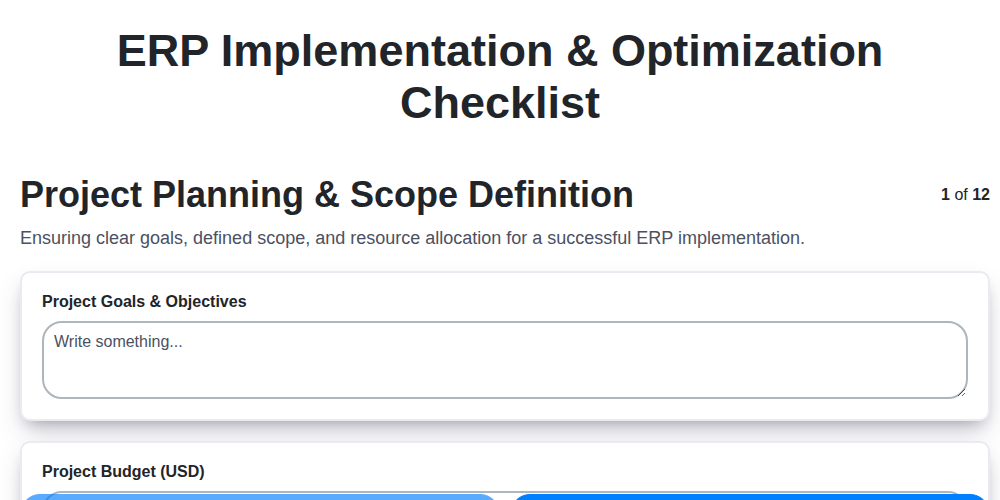
Table of Contents
- Introduction: Why an ERP Checklist Matters
- 1. Project Planning & Scope Definition: Laying the Foundation
- 2. Requirements Gathering & Analysis: Defining Your Needs
- 3. Vendor Selection & Contract Negotiation: Finding the Right Partner
- 4. Data Migration & Cleansing: Preparing Your Data for the New System
- 5. System Configuration & Customization: Tailoring the ERP to Your Business
- 6. Integration with Existing Systems: Connecting the Pieces
- 7. Testing & User Acceptance: Ensuring Functionality and Adoption
- 8. Training & Change Management: Empowering Your Team
- 9. Go-Live Planning & Execution: The Big Day
- 10. Post-Implementation Support & Optimization: Continuous Improvement
- 11. Security & Compliance: Protecting Your Data
- 12. Key Performance Indicators (KPIs) & Reporting: Measuring Success
- Conclusion: Your ERP Journey Continues
- Resources & Links
TLDR: Implementing or optimizing an ERP system is complex! This checklist breaks down the entire process - from initial planning to post-implementation optimization - into manageable steps. Use it to ensure nothing falls through the cracks, stay on track, and maximize your ERP investment.
Introduction: Why an ERP Checklist Matters
Implementing an Enterprise Resource Planning (ERP) system is a monumental undertaking for any organization. It's more than just installing software; it's a fundamental shift in how your business operates, impacting everything from finance and supply chain to human resources and customer relationship management. Without a meticulous and structured approach, ERP implementations frequently run over budget, miss deadlines, and ultimately fail to deliver the anticipated benefits.
That's where an ERP implementation checklist becomes your lifeline. Think of it as a roadmap, providing a clear, step-by-step guide to navigate the complexities of ERP implementation and optimization. It ensures nothing falls through the cracks, fosters accountability across teams, and drastically increases the likelihood of a successful outcome. A well-defined checklist isn't just about ticking boxes; it's about proactively identifying potential risks, managing expectations, and ultimately maximizing your return on investment. This post will outline the key elements that a robust ERP checklist should cover, empowering you to approach your ERP journey with confidence and precision.
1. Project Planning & Scope Definition: Laying the Foundation
A successful ERP implementation starts long before you even look at software. This initial phase, Project Planning & Scope Definition, is the bedrock upon which everything else is built. Without a solid foundation, the entire project risks derailing - leading to cost overruns, missed deadlines, and ultimately, a system that doesn't meet your needs.
What Needs to Happen Here?
- Define Clear Objectives: What do you really want to achieve with this ERP? Increased efficiency? Better inventory control? Improved reporting? Be specific and measurable. "Improve efficiency" is vague; "Reduce order processing time by 20%" is actionable.
- Establish a Project Team & Governance: Assemble a team with representatives from all key departments. Define roles, responsibilities, and a clear chain of command. A strong governance structure ensures decisions are made efficiently and accountably.
- Define Project Scope: Precisely outline what's included and, crucially, what's excluded from the implementation. Phase 1 is your friend here. Don't try to boil the ocean in the first implementation.
- Develop a Detailed Project Plan: Outline tasks, dependencies, timelines, and resources. Use project management software to track progress and manage risks.
- Conduct a Risk Assessment: Identify potential roadblocks (budget constraints, lack of internal expertise, data complexity) and develop mitigation strategies.
- Secure Executive Sponsorship: Gain buy-in and ongoing support from senior management. They'll be essential for resource allocation and resolving conflicts.
Failing to thoroughly define your project's scope and plan upfront is like navigating without a map. It's not a matter of if you'll get lost, but when.
2. Requirements Gathering & Analysis: Defining Your Needs
This phase is the bedrock of a successful ERP implementation. Skipping it, or doing it poorly, is a recipe for disaster - leading to a system that doesn't meet your needs, wasted investment, and frustrated users. It's far more cost-effective to get it right from the beginning than to try and fix issues later.
What's involved?
Requirements gathering isn't just a quick interview with a few stakeholders. It's a deep dive into your business processes, pain points, and future goals. Here's a breakdown of crucial steps:
- Identify Stakeholders: Go beyond just management. Include representatives from every department that will interact with the ERP system: Sales, Marketing, Finance, Operations, HR, etc. Their input is vital.
- Process Mapping: Document your current "as-is" processes. This provides a baseline for understanding what needs to change and what the ERP should support. Use flowcharts, diagrams, and workshops to clearly illustrate how things work today.
- Define To-Be Processes: Based on the as-is analysis, outline how processes should function with the new ERP. This is where you identify opportunities for improvement and efficiency gains.
- Functional Requirements: Detail exactly what the ERP system must do. These are specific, measurable, achievable, relevant, and time-bound (SMART) statements about system functionality. Examples: The system must automatically generate invoices upon shipment, or The system must allow for role-based access control.
- Non-Functional Requirements: These address aspects like performance, security, scalability, usability, and maintainability. Examples: The system must be accessible via mobile devices, or System response time for critical reports must be under 5 seconds.
- Prioritization: Not all requirements are created equal. Use a prioritization matrix (e.g., MoSCoW - Must have, Should have, Could have, Won't have) to rank requirements based on importance and urgency.
- Documentation: Meticulously document everything. Requirements documents should be clear, concise, and accessible to all stakeholders, including the vendor.
Why is it crucial?
- Avoids Scope Creep: A clear understanding of requirements minimizes changes during implementation, keeping the project on track and within budget.
- Ensures Vendor Fit: Well-defined requirements are essential for evaluating vendors and selecting the ERP system that best aligns with your needs.
- Maximizes ROI: An ERP system that solves your actual problems delivers a much higher return on investment.
3. Vendor Selection & Contract Negotiation: Finding the Right Partner
Choosing the right ERP vendor is a critical decision that can significantly impact the success of your implementation. It's more than just comparing features and pricing; it's about finding a partner aligned with your business goals and possessing the expertise to guide you through the complexities of an ERP transformation.
Here's a breakdown of key steps to ensure a robust vendor selection and contract negotiation process:
- Define Selection Criteria: Before you even start looking, establish clear criteria. Consider factors like industry experience, solution functionality (aligned with your requirements gathered earlier), scalability, technological compatibility, vendor reputation, and financial stability. Assign weights to each criterion to prioritize what's most important.
- Research and Shortlist: Conduct thorough research. Leverage industry reports, analyst reviews (like Gartner or Forrester), customer testimonials, and peer recommendations to identify potential vendors. Don't limit yourself to the biggest names; smaller, specialized vendors might be a better fit for your unique needs.
- Request for Proposal (RFP): Develop a comprehensive RFP outlining your requirements, scope, and desired outcomes. This standardizes the evaluation process and allows for accurate comparison.
- Demonstrations & Proof of Concept: Don't rely solely on vendor presentations. Request personalized demonstrations that showcase how the system addresses your specific business scenarios. A proof of concept (POC) - a short-term implementation of a limited scope - can be invaluable in validating the vendor's capabilities and assessing the system's fit.
- Evaluate Total Cost of Ownership (TCO): Consider all costs involved, including software licenses, implementation services, training, ongoing maintenance, and potential upgrades. Don't be swayed by seemingly low upfront costs if they're offset by high ongoing expenses.
- Contract Negotiation - Beyond the Price: The contract is your safety net. Have legal counsel review it carefully. Key areas to scrutinize include Service Level Agreements (SLAs) outlining performance guarantees, data ownership and security provisions, exit strategies, and dispute resolution mechanisms. Clearly define responsibilities and liabilities for both parties. Negotiate favorable terms - don't just accept the initial offer.
Successful vendor selection and contract negotiation lay the groundwork for a smooth and successful ERP implementation. Take your time, do your due diligence, and choose a partner who will be invested in your long-term success.
4. Data Migration & Cleansing: Preparing Your Data for the New System
Data migration is often the most daunting - and potentially problematic - aspect of ERP implementation. It's not just about moving data; it's about ensuring that data is accurate, consistent, and ready to power your new ERP system. A poorly executed data migration can cripple your new system, leading to inaccurate reporting, operational inefficiencies, and ultimately, a failed implementation.
Here's a breakdown of key considerations:
1. Data Assessment & Profiling: Before you even think about moving anything, understand what you have. This involves a thorough assessment of your existing data sources - spreadsheets, legacy systems, custom applications - to identify data quality issues, inconsistencies, and gaps. Data profiling tools can automate much of this process, revealing things like missing values, incorrect formats, and duplicate records.
2. Data Cleansing Strategies: Once you're aware of the problems, you need a plan to fix them. Common cleansing techniques include:
- Standardization: Ensuring data is formatted consistently (e.g., date formats, address conventions).
- De-duplication: Identifying and merging duplicate records.
- Validation: Checking data against defined rules and constraints.
- Correction: Manually correcting errors or using automated correction tools.
- Enrichment: Supplementing existing data with additional information from external sources.
3. Mapping and Transformation: Your old data likely doesn't perfectly match the structure and fields of your new ERP system. Careful mapping is essential to define how each data element will be transformed and loaded. This mapping should be thoroughly documented and reviewed.
4. Data Migration Tools & Techniques: Choose the right tools for the job. Some ERP vendors offer built-in migration tools. Alternatively, consider specialized ETL (Extract, Transform, Load) tools that offer greater flexibility and control.
5. Testing and Validation: Rigorous testing is critical. Migrate a small subset of data (a sandbox) to the new system and meticulously verify the results. Involve business users in this testing process to ensure data accuracy from a business perspective.
6. Data Governance: Data migration isn's just a one-time project. Establish data governance policies to ensure ongoing data quality and consistency after the ERP system goes live.
A well-executed data migration and cleansing process is a foundation for ERP success. Invest the time and resources upfront to ensure a smooth transition and unlock the full potential of your new system.
5. System Configuration & Customization: Tailoring the ERP to Your Business
An ERP system is powerful, but its out-of-the-box functionality rarely perfectly aligns with a business's unique processes. This is where configuration and customization become critical. Configuration involves adjusting the system's settings within its built-in parameters - things like setting up chart of accounts, defining workflow rules, or customizing forms. Customization, on the other hand, often requires development work to create entirely new functionalities or significantly alter existing ones.
Prioritize Configuration First: Always exhaust all configuration options before considering customization. Customization is expensive, time-consuming, and can create dependencies that make future upgrades difficult. Carefully analyze your business processes and map them to the ERP's configurable features. Document all configuration decisions thoroughly.
When Customization is Necessary: Sometimes, customization is unavoidable. Perhaps your industry has specific regulations requiring unique data fields, or your workflow is inherently different. In these cases, work closely with the vendor or a qualified implementation partner.
Crucial Considerations:
- Minimize Customization: Strive for the 80/20 rule - achieve 80% of your requirements through configuration, leaving only 20% needing customization.
- Documentation is Key: Meticulously document all customizations, including the rationale behind them and who made the changes.
- Impact Assessment: Before any customization, conduct a thorough impact assessment to understand how the change will affect other modules and processes.
- Upgrade Considerations: Understand that customizations are often a major roadblock during ERP upgrades. Plan accordingly and factor in the cost of re-customization or potential adjustments.
- Governance: Establish a governance process to manage and approve future customization requests, ensuring consistency and adherence to best practices.
6. Integration with Existing Systems: Connecting the Pieces
ERP implementations rarely exist in a vacuum. Your new system likely needs to talk to other critical business applications - CRM, e-commerce platforms, legacy systems, specialized industry tools - to maintain data consistency and streamline workflows. This integration phase is often underestimated and can be a major source of headaches if not handled strategically.
Why Integration Matters:
- Data Silos Elimination: Prevents data duplication and inconsistencies across departments, providing a single source of truth.
- Automated Workflows: Automates processes that span multiple systems, reducing manual effort and errors. For example, order data flowing seamlessly from your e-commerce platform into your ERP for inventory management and fulfillment.
- Improved Visibility: Provides a holistic view of your business operations by connecting disparate data sources.
- Increased Efficiency: Reduces time and resources spent on manual data transfer and reconciliation.
Key Considerations:
- Identify Integration Points: Clearly map out all systems that need to interact with your ERP. Document the data flows and dependencies.
- Integration Methods: Explore various integration options - APIs, EDI, custom connectors, middleware. Consider the technical capabilities of each system and your in-house expertise.
- Data Mapping & Transformation: Ensure data fields are accurately mapped between systems and that any necessary transformations occur during the transfer.
- Security: Secure integration points to prevent unauthorized access and data breaches. Utilize encryption and authentication protocols.
- Testing: Rigorously test all integrations to ensure data accuracy, reliability, and performance.
- Governance: Establish clear governance procedures to manage and maintain integrations over time, as systems evolve.
Failing to plan for integration adequately can lead to delayed timelines, increased costs, and a system that doesn't fully deliver on its promise. Prioritize integration from the project's outset and allocate sufficient resources to ensure a successful connection.
7. Testing & User Acceptance: Ensuring Functionality and Adoption
This phase is absolutely critical. No matter how meticulously you've planned and configured your ERP system, you must thoroughly test it before going live. This isn't just about confirming the system works; it's about confirming it works for your business and that your users are comfortable and confident using it.
Testing should be broken down into several layers:
- Unit Testing: Developers test individual modules and components. This is largely invisible to the project team, but essential for stability.
- System Testing: This verifies that all modules work together correctly, mimicking real-world business processes.
- Integration Testing: Focuses specifically on the interaction between the new ERP system and any existing integrated systems. Data flow needs to be validated.
- User Acceptance Testing (UAT): This is where your power users shine. Representative end-users perform tasks within the system, using real data (or very realistic test data), to ensure it meets their needs and addresses their workflows. Document everything - issues, workarounds, and positive feedback. UAT isn't a pass/fail test for the ERP vendor; it's a validation that the system is fit for your business purpose.
Key Considerations for UAT:
- Representative Users: Don't just involve IT; include users from various departments and roles.
- Real-World Scenarios: Design test cases that reflect daily tasks and complex processes.
- Documented Feedback: Establish a clear process for users to report issues and provide feedback. Track these diligently and prioritize resolutions.
- Iteration: Testing is rarely a one-and-done process. Be prepared to iterate based on user feedback and correct identified issues before proceeding to go-live.
Successful UAT builds confidence in the system, reduces post-implementation problems, and fosters user adoption.
8. Training & Change Management: Empowering Your Team
Implementing an ERP system isn't just about the software; it's about the people who will use it. A powerful system is rendered ineffective if your team isn't comfortable and confident using it. That's where robust training and change management become absolutely critical.
Beyond Basic Tutorials: Simply showing users how to click buttons isn't enough. Effective training should focus on why processes are changing and how the ERP system supports those changes. Consider different learning styles - some will thrive in classroom settings, others prefer online modules, and many will benefit from hands-on practice. Role-based training is essential; finance users need different knowledge than sales representatives.
Addressing Resistance: Change is often met with resistance. Proactively address concerns through open communication, actively soliciting feedback, and identifying "champions" within each department who can advocate for the new system. Explain the benefits - increased efficiency, improved data visibility, reduced errors - and involve users in the process as much as possible.
Ongoing Support is Key: Training shouldn't stop at go-live. Establish a system for ongoing support, including readily available documentation, a dedicated help desk, and regular refresher courses. This demonstrates a continued investment in your team's success and ensures that they can leverage the ERP system to its full potential. Remember, adoption is a continuous journey, not a one-time event.
9. Go-Live Planning & Execution: The Big Day
The culmination of months (or even years!) of planning and preparation - go-live. It's undeniably exciting, but also carries significant risk. A poorly executed go-live can derail your entire ERP project. This isn't just about flipping a switch; it's a meticulously choreographed event.
Pre-Go-Live Checks (Final Review):
- Cutover Plan Validation: Review and rehearse the detailed cutover plan one last time. Ensure all team members understand their roles and responsibilities.
- Data Freeze Confirmation: Confirm the data freeze has been implemented and all necessary data backups are complete.
- Infrastructure Readiness: Verify hardware, network connectivity, and server capacity meet the demands of the live system.
- Rollback Plan Review: The rollback plan is your safety net. Ensure it's well-documented, understood, and readily executable should issues arise. Everyone should know when and how to initiate it.
- Communication Plan Activation: Activate your communication plan to keep stakeholders informed throughout the go-live process.
Go-Live Day Execution:
- Strict Adherence to Plan: Stick to the defined cutover plan. Deviations should be minimal and require immediate escalation.
- Real-Time Monitoring: Establish a command center with real-time monitoring of key system functions and error logs.
- Incident Management: Have a clear escalation path for identifying, addressing, and resolving issues quickly.
- Communication & Transparency: Keep stakeholders informed of progress, challenges, and resolutions.
- User Support Ready: Ensure adequate support resources (super users, IT support) are readily available to assist users.
Post-Go-Live Immediate Actions:
- Stabilization Period: Dedicate a stabilization period (typically a few days to a week) where the focus is solely on resolving minor issues and ensuring system stability.
- User Feedback Collection: Actively solicit and record user feedback to identify any immediate usability or functionality gaps.
- Continuous Monitoring: Continue real-time monitoring and error log analysis.
A successful go-live is not just about getting the system up and running; it's about ensuring a smooth transition and immediate user adoption. Careful planning, rigorous preparation, and a responsive approach are essential for navigating this critical phase.
10. Post-Implementation Support & Optimization: Continuous Improvement
The go-live date isn't the finish line; it's the starting point for truly maximizing your ERP investment. Post-implementation support and optimization are crucial for ensuring long-term success. This phase focuses on identifying and resolving issues, refining processes, and continuously improving the system's performance.
Here's what this phase involves:
- Dedicated Support Team: Establish a dedicated team - either internal or outsourced - to handle user inquiries, troubleshoot problems, and provide ongoing support.
- Issue Tracking & Resolution: Implement a robust system for tracking and resolving issues promptly. Prioritize based on impact and urgency.
- Performance Monitoring: Regularly monitor system performance, identifying bottlenecks and areas for improvement. Analyze user feedback and system logs to pinpoint inefficiencies.
- Process Refinement: Encourage user feedback and actively review implemented processes. Make adjustments to workflows and configurations based on real-world usage. Don't be afraid to tweak - even small changes can yield significant benefits.
- Regular System Updates & Patches: Stay current with ERP vendor updates and patches. These often include critical security fixes and performance enhancements. Plan and execute these updates strategically to minimize disruption.
- User Feedback Loops: Establish ongoing communication channels to gather user feedback on an ongoing basis. This can be through surveys, regular meetings, or dedicated feedback forms.
- Documentation Updates: Keep documentation updated to reflect any changes made to the system or processes. This ensures consistency and facilitates knowledge transfer.
- Scheduled Optimization Reviews: Schedule regular reviews (e.g., quarterly or bi-annually) to assess overall system effectiveness and identify new optimization opportunities. Consider involving key users and stakeholders in these reviews.
Remember, an ERP system is a living entity. Continuous improvement is not optional; it's essential for maximizing ROI and ensuring your ERP system remains aligned with your evolving business needs.
11. Security & Compliance: Protecting Your Data
Implementing an ERP system brings significant benefits, but it also amplifies your organization's exposure if security and compliance aren't prioritized. This isn't just about preventing breaches; it's about maintaining trust, avoiding hefty fines, and ensuring your business operates legally and ethically.
Critical Considerations:
- Data Encryption: Ensure all data, both in transit and at rest, is encrypted using robust encryption protocols. This is fundamental to protecting sensitive financial, customer, and operational data.
- Access Controls & User Permissions: Implement a granular access control system. The principle of least privilege should govern user permissions - granting only the access necessary to perform their roles. Regularly review and update these permissions.
- Audit Trails: ERP systems should maintain detailed audit trails of all transactions and user actions. This is vital for identifying unauthorized access, troubleshooting issues, and demonstrating compliance.
- Regulatory Compliance: Identify all relevant regulations (e.g., GDPR, HIPAA, SOX) and ensure the ERP system is configured to meet those requirements. This may involve specific reporting capabilities or data handling procedures. Work with legal and compliance teams to ensure thorough coverage.
- Vulnerability Scanning & Penetration Testing: Regularly conduct vulnerability scans and penetration testing to identify and address potential security weaknesses. Consider both internal and external assessments.
- Disaster Recovery & Business Continuity: Develop and test a comprehensive disaster recovery plan that includes data backups and system restoration procedures. Your ERP system is critical; its unavailability can be devastating.
- Vendor Security Assessment: Thoroughly assess the security practices of your ERP vendor. Review their security policies, certifications (e.g., SOC 2), and incident response plans.
- Regular Security Updates: Stay current with vendor-provided security patches and updates. Proactively manage system updates to address known vulnerabilities.
- Data Residency Requirements: Understand and comply with any data residency requirements that dictate where your data must be physically stored.
Failing to address security and compliance can lead to serious repercussions. Integrating these considerations into your ERP implementation and ongoing management is not optional; it's a necessity.
12. Key Performance Indicators (KPIs) & Reporting: Measuring Success
An ERP implementation isn't just about launching a new system; it's about fundamentally changing how your business operates to achieve specific, measurable goals. That's why defining and tracking Key Performance Indicators (KPIs) is absolutely crucial, both before, during, and after your implementation.
Before Implementation: Baseline and Goals
Before you even begin configuring your ERP, establish a baseline for your current performance. What are your current sales figures? What's your inventory turnover rate? What's your order fulfillment time? Document these metrics - they are your starting point. Simultaneously, clearly define what you want your ERP to achieve. Do you want to reduce operational costs? Improve order accuracy? Shorten lead times? These goals should translate into specific, measurable KPIs. Examples include:
- Sales Growth: Percentage increase in sales revenue.
- Order Fulfillment Accuracy: Percentage of orders fulfilled correctly.
- Inventory Turnover: Number of times inventory is sold and replenished.
- Customer Satisfaction: Measured through surveys or feedback scores.
- Production Cycle Time: Time taken to produce a product.
During Implementation: Tracking Progress
Throughout the implementation, monitor KPIs related to the project itself. This ensures the implementation is on track and identifies areas for improvement. Examples:
- Project Budget Adherence: Tracking actual expenses against the planned budget.
- Timeline Adherence: Measuring progress against the project schedule.
- Data Migration Accuracy: Percentage of data successfully migrated without errors.
- User Adoption Rate: Percentage of users actively using the new system.
Post-Implementation: Continuous Improvement
Once live, focus on KPIs that reflect the overall business performance powered by the ERP. Regularly review these metrics (weekly, monthly, quarterly) and compare them to your initial baseline and defined goals. Don't just report the numbers - analyze why results are what they are. Are there areas where the ERP isn't performing as expected? Are users struggling with specific functionalities? Use this data to drive optimization efforts, further customize the system, and refine training programs.
Reporting is Key
Establish clear reporting mechanisms. Dashboards displaying key metrics are invaluable for quick visibility. Regularly scheduled reports distributed to relevant stakeholders ensure everyone is aware of progress and potential challenges. The ERP system itself should facilitate reporting - leverage its built-in capabilities and customize reports to meet specific needs.
Remember: KPIs are not static. As your business evolves, your KPIs should too. Regularly revisit and adjust them to ensure they remain relevant and drive the right behaviors.
Conclusion: Your ERP Journey Continues
Implementing and optimizing an ERP system isn't a finish line; it's the start of a new operational rhythm. This checklist provides a robust framework, but remember that each business is unique. Continuously monitor your KPIs, actively seek user feedback, and be prepared to adapt your configurations and processes. The initial go-live is just one milestone - ongoing refinement and optimization will unlock the full potential of your ERP investment and ensure it continues to drive efficiency, innovation, and growth for years to come. Embrace the journey, stay vigilant, and keep striving for better.
Resources & Links
- NetSuite: A leading provider of cloud-based ERP solutions. Offers articles, guides, and resources on ERP implementation and best practices, often covering topics relevant to each stage of the checklist.
- Microsoft Dynamics 365: Offers a range of ERP and CRM solutions. Their website provides whitepapers, case studies, and blog posts discussing implementation strategies.
- SAP: A major player in the ERP space. Offers extensive documentation, implementation guides, and best-practice resources, especially valuable for complex implementations.
- Oracle: Provides a comprehensive suite of ERP solutions. Their website contains case studies, webinars, and resources to guide users through the ERP journey.
- Gartner: A leading research and advisory company. Provides in-depth reports and analyses on ERP vendors and implementation strategies. (Note: many reports require a subscription.)
- Forbes: Business and technology news outlet. Often publishes articles and expert opinions on ERP implementation challenges and successes.
- TechTarget: Provides IT-focused content, including articles and guides on ERP selection, implementation, and management. Good for technical details.
- PMI (Project Management Institute): Provides resources and best practices for project management, critical for ERP implementation success. They cover topics related to scope definition, planning, and risk management.
- Prosci: A leading authority on change management. Offers research, methodologies, and training to help organizations successfully navigate the people side of ERP implementation.
- LinkedIn: A professional networking platform. Search for ERP implementation groups and connect with professionals who can offer insights and advice. (Search terms: 'ERP Implementation', 'ERP Project Management')
Frequently Asked Questions
What is ERP and why should I implement it?
ERP stands for Enterprise Resource Planning. It's a software system that integrates all facets of a business - planning, manufacturing, sales, marketing, finance, human resources, etc. Implementation can improve efficiency, reduce costs, enhance collaboration, and provide better data insights for decision-making.
This checklist says 'ultimate' - is it suitable for all businesses?
While this checklist is comprehensive, it's adaptable. We've aimed to cover most aspects of ERP implementation and optimization, but you may need to tailor it based on your specific business size, industry, and complexity. Consider it a strong foundation to build upon.
What's the difference between ERP implementation and ERP optimization?
Implementation is the initial setup and rollout of the ERP system. It involves data migration, configuration, and user training. Optimization comes *after* implementation. It's about refining processes, customizing the system further, and maximizing the value you receive from your ERP investment to continuously improve performance.
How long does an ERP implementation typically take?
Implementation timelines vary greatly. Small businesses might complete it in 3-6 months, while larger enterprises can take 12-24 months or longer. It depends on factors like scope, complexity, data volume, and team availability. This checklist helps estimate and manage that timeline.
What roles are critical for a successful ERP implementation?
Key roles include: an Executive Sponsor (for leadership support), a Project Manager (to oversee the process), a Core Team (representing different departments), an IT team (for technical expertise), and a Change Management lead (to address user adoption).
What does 'change management' mean in the context of ERP?
Change management is crucial. It focuses on preparing employees for the new system, addressing resistance to change, and ensuring they're properly trained and comfortable using the ERP. Poor change management is a primary reason for ERP project failures.
What's the significance of data migration and cleansing?
Data migration is moving your existing data into the new ERP system. Cleansing involves correcting errors, removing duplicates, and standardizing data formats. Poor data quality leads to inaccurate reporting and inefficient processes, so data migration and cleansing are *essential* steps.
How can I ensure user adoption of the new ERP system?
User adoption is vital. Strategies include: providing thorough training, involving users in the selection and implementation process, offering ongoing support, creating user-friendly documentation, and highlighting the benefits of the system.
What are some common pitfalls to avoid during ERP implementation?
Common pitfalls include: lack of executive buy-in, unclear goals, inadequate planning, poor communication, insufficient training, scope creep, and overlooking change management.
What does 'Go-Live' mean in ERP terminology?
Go-Live is the point when the new ERP system replaces the old system and becomes fully operational. This is a critical moment requiring meticulous planning and support to ensure a smooth transition.
The checklist mentions 'KPIs'. What are those, and why are they important for optimization?
KPIs (Key Performance Indicators) are measurable values that demonstrate how effectively a company is achieving its key business objectives. For ERP optimization, tracking KPIs (like order fulfillment time, inventory turnover, or customer satisfaction) helps identify areas for improvement and measure the impact of your optimization efforts.
Comments
There are no comments yet. Be the first to add one!
ERP - Enterprise Resource Planning Solution Demo
Overwhelmed by disconnected systems? ChecklistGuro provides a centralized ERP solution, connecting your business processes - finance, operations, & more - for improved visibility and control. Simplify operations & boost efficiency.
Related Articles

MRP System Go-Live Checklist: Your Path to a Successful Implementation

Top 10 CMiC Alternatives for 2025

The Ultimate Foundation Waterproofing Installation Checklist Template
Top 10 Odoo Alternatives for 2025

How to Save Money on Bill of Materials (BOM) Management Software

The Ultimate Waterproofing Checklist: Ensuring a Leak-Proof Installation

The 10 Best Manufacturing Management Software of 2025

MRP Vendor Master Data Checklist: Ensuring Accuracy and Efficiency
Need help with
Enterprise Resource Planning (ERP)?
Have a question? We're here to help. Please submit your inquiry, and we'll respond promptly.