The Ultimate ERP Reporting & Analytics Checklist: Ensuring Accuracy & Efficiency
Published: 12/20/2025 10:00 PM Updated: 12/21/2025 6:19 AM
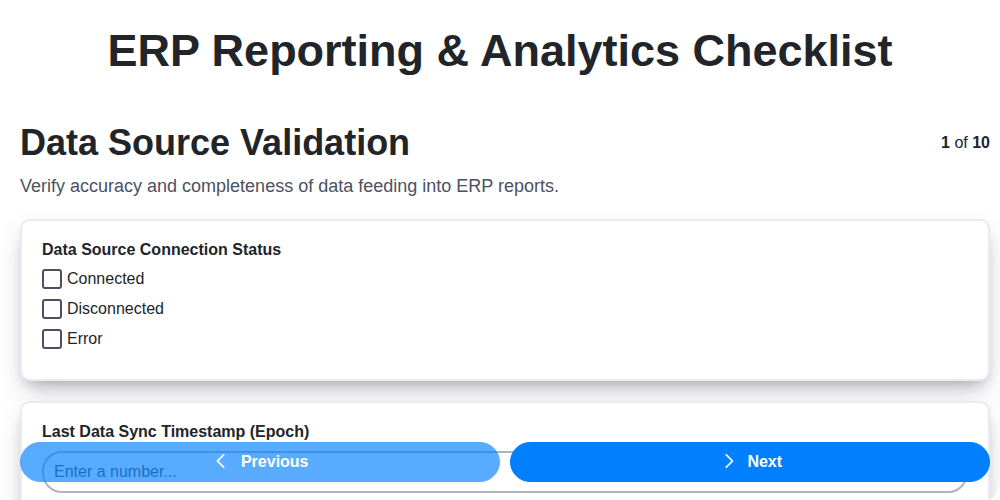
Table of Contents
- Introduction: Why an ERP Reporting & Analytics Checklist Matters
- 1. Data Source Validation: The Foundation of Reliable Reporting
- 2. Report Design & Customization: Meeting Business Needs
- 3. Key Performance Indicator (KPI) Alignment: Driving Business Decisions
- 4. Data Security & Access Control: Protecting Sensitive Information
- 5. Report Performance & Optimization: Speed & Efficiency
- 6. Report Distribution & Scheduling: Getting Reports to the Right People, On Time
- 7. Data Quality Monitoring: Catching Errors Before They Impact Decisions
- 8. Audit Trail & Reporting Compliance: Ensuring Accountability & Adherence
- 9. User Training & Documentation: Empowering Report Users
- 10. Report Review & Updates: Keeping Reports Relevant
- 11. Addressing Common ERP Reporting Challenges
- 12. Tools & Technologies to Support Your Checklist
- Conclusion: Maximizing Value from Your ERP Data
- Resources & Links
TLDR: Ensure your ERP reporting is accurate, efficient, and compliant! This checklist covers everything from data validation and security to user training and ongoing report optimization. Use it to avoid costly errors, boost insights, and maximize your ERP investment.
Introduction: Why an ERP Reporting & Analytics Checklist Matters
Your ERP system is a treasure trove of data, holding the keys to understanding your business's performance, identifying opportunities, and making informed decisions. However, simply having data isn't enough. Extracting meaningful insights requires robust reporting and analytics, and ensuring these processes are reliable, secure, and effective is crucial.
Without a structured approach, your ERP reporting can quickly become a tangled mess - reports are inaccurate, hard to find, security is a concern, and users are frustrated. This leads to wasted time, flawed decisions, and ultimately, missed opportunities.
That's where an ERP Reporting & Analytics Checklist comes in. This checklist acts as a roadmap, guiding you through each vital stage of your reporting and analytics process, from initial data validation to ongoing review and optimization. It helps you avoid common pitfalls, ensures compliance, and maximizes the value you derive from your ERP investment. Consider it your preventative maintenance plan for data-driven success.
1. Data Source Validation: The Foundation of Reliable Reporting
Your ERP reports are only as good as the data feeding them. Garbage in, garbage out, as the saying goes. Therefore, the very first step in any ERP reporting and analytics project must be rigorous data source validation. Don't assume your data is clean and accurate simply because it exists within your ERP system.
This validation isn't a one-time event; it's an ongoing process. Here's what you need to consider:
- Identify all data sources: Map out every data source used in your reports - tables, views, APIs, external files, etc. Don't overlook seemingly minor sources.
- Verify data types and formats: Confirm that the data types in your reports match the actual data types in the source systems. A mismatch can lead to errors in calculations and misinterpretations. Pay close attention to date formats, number precision, and text encoding.
- Assess data completeness: Are all required fields populated? Missing data can skew results and lead to incorrect conclusions. Define acceptable levels of missing data and implement checks to identify gaps.
- Check data accuracy: Validate data against known, reliable sources. Perform spot checks and comparisons to ensure accuracy. Consider implementing data profiling tools to identify anomalies.
- Define data lineage: Understand where the data originates and how it transforms as it moves through your ERP system. This helps track down the root cause of any data quality issues.
- Document your findings: Maintain detailed documentation of your data source validation process, including any issues identified and the steps taken to resolve them.
Failing to validate your data sources will undermine the credibility of your entire reporting and analytics program, leading to flawed decisions and potentially significant business consequences.
2. Report Design & Customization: Meeting Business Needs
Effective ERP reporting isn't about churning out data; it's about transforming that data into actionable insights. This is where thoughtful design and customization are paramount. A technically sound report is useless if users can't understand it or if it doesn's address their specific needs.
Understanding Your Audience & Requirements: Before touching a single data field, deeply understand who will be using the report and why. What questions are they trying to answer? What decisions will they make based on this information? Talk to stakeholders - department heads, analysts, and end-users - to gather detailed requirements.
Visual Clarity & Usability: Prioritize clear and concise visualizations. Avoid overwhelming users with dense tables of raw data. Explore chart types (bar, line, pie, scatter) that best represent the data and highlight key trends. Consider:
- Color Palette: Use a consistent and accessible color scheme.
- Labels & Legends: Ensure all axes, labels, and legends are clear and unambiguous.
- Grouping & Sorting: Organize data logically to facilitate analysis.
- Interactive Elements: Where appropriate, incorporate filtering, drill-down capabilities, and other interactive features.
Customization Beyond the Basics: ERP systems often offer a degree of built-in reporting. However, truly valuable reports frequently require customization. This might involve:
- Calculated Fields: Deriving new metrics based on existing data.
- Custom Filters: Allowing users to narrow the data based on specific criteria.
- Conditional Formatting: Highlighting important data points based on predefined rules.
- Report Parameters: Allowing users to input variables to tailor the report output.
Iteration & Feedback: Design is an iterative process. Share early drafts of reports with key users and actively solicit feedback. Be prepared to make adjustments based on their input. A well-designed report is a collaborative effort.
3. Key Performance Indicator (KPI) Alignment: Driving Business Decisions
Reporting isn't just about generating pretty charts and tables; it's about driving informed business decisions. That's why aligning your ERP reports with your Key Performance Indicators (KPIs) is absolutely critical. Simply put, your reports should directly reflect the metrics that matter most to your business's success.
Beyond the Obvious: Defining & Refining KPIs
Before you even think about reporting, ensure your KPIs are well-defined and truly represent your strategic objectives. Are they:
- Specific: Clearly stating what you're measuring.
- Measurable: Allowing you to track progress objectively.
- Achievable: Realistic and attainable given your resources.
- Relevant: Directly tied to your business goals.
- Time-bound: Having a defined timeframe for measurement.
Don't just accept default KPIs. Challenge them! Do they still accurately reflect your current business environment and priorities? Regularly revisit and refine your KPIs to ensure they remain relevant.
Connecting Reports to KPIs: The Reporting Bridge
Once your KPIs are solid, map them directly to the ERP reports you generate. For each KPI, identify the data points needed to calculate and track it. Ensure your report designs include these key data elements and present them in a clear, actionable format. Consider using dashboards to aggregate critical KPIs for at-a-glance visibility.
Examples in Action:
- KPI: Customer Acquisition Cost (CAC) - ERP reports should track marketing spend, sales team expenses, and the number of new customers acquired within a specific period.
- KPI: Inventory Turnover Rate - Reports must accurately reflect inventory levels, sales data, and the cost of goods sold.
- KPI: On-Time Delivery Rate - ERP reporting should track order fulfillment timelines, shipping dates, and customer delivery confirmations.
Continuous Improvement: KPIs & Reporting Feedback Loop
Regularly review your KPI performance through your reports. Are the trends what you expected? Are there anomalies? Use the insights from your reports to adjust your business strategies and fine-tune your ERP reporting further. This creates a continuous feedback loop, ensuring your ERP reporting remains a powerful driver of business success.
4. Data Security & Access Control: Protecting Sensitive Information
ERP reporting and analytics often involve highly sensitive data - financial records, customer details, inventory levels, and more. Failing to adequately secure this data can lead to breaches, compliance violations, and reputational damage. A robust data security and access control strategy is therefore paramount.
Here's what to consider:
- Role-Based Access: Implement granular role-based access control. Don't grant users access to data they don't need. Define clear roles (e.g., Analyst, Manager, Executive) and assign appropriate permissions to each.
- Authentication & Authorization: Utilize strong authentication methods (multi-factor authentication where possible) to verify user identities. Ensure authorization protocols restrict access to specific reports and data fields based on role.
- Data Masking & Anonymization: For sensitive data that doesn't require full visibility, consider data masking or anonymization techniques to protect privacy.
- Encryption: Encrypt data at rest and in transit to prevent unauthorized access even if a breach occurs.
- Regular Security Audits: Conduct periodic security audits to identify vulnerabilities and ensure ongoing compliance with security policies.
- Data Loss Prevention (DLP) Measures: Implement DLP measures to prevent sensitive data from leaving the organization's control through reports or data exports.
- Monitor Access Logs: Regularly review access logs to detect suspicious activity and potential unauthorized access attempts.
5. Report Performance & Optimization: Speed & Efficiency
Slow reports frustrate users and hinder decision-making. Optimizing report performance isn't just about making things look faster; it's about ensuring your ERP data provides timely insights. Here's what to focus on:
- Database Indexing: Regularly review and optimize database indexes. Properly indexed columns drastically reduce query times. Work with your DBA to identify and create appropriate indexes for frequently used reporting fields.
- Query Optimization: Analyze complex SQL queries used in your reports. Look for opportunities to simplify joins, filter data earlier in the process, and avoid unnecessary calculations. Utilize query profiling tools to pinpoint bottlenecks.
- Data Aggregation/Summarization: Where possible, pre-aggregate data at regular intervals (daily, weekly, monthly). This allows reports to retrieve summarized data instead of querying the entire raw dataset.
- Report Design: Minimize the number of fields retrieved and displayed. Utilize pagination and virtualization to handle large datasets. Consider using calculated fields within the report instead of retrieving raw data for manipulation.
- Hardware Resources: Ensure your reporting server has sufficient RAM, CPU, and disk I/O to handle the workload. Monitor resource utilization and scale up as needed.
- Caching: Implement caching mechanisms for frequently accessed report data. This reduces the load on the ERP system and delivers faster response times.
- Regular Performance Testing: Conduct routine performance tests, especially after significant data volume increases or ERP system upgrades.
6. Report Distribution & Scheduling: Getting Reports to the Right People, On Time
Effective ERP reporting isn't just about creating beautiful and insightful reports; it's about ensuring those reports reach the intended audience when they need them. A fantastic report sitting in a database is useless - distribution and scheduling are critical to driving action and achieving business objectives.
Here's what to consider for robust ERP report distribution and scheduling:
- Define Recipient Groups: Segment your users based on their roles and information needs. Are reports for executive leadership, departmental managers, or individual contributors? This ensures relevance and minimizes information overload.
- Delivery Methods: Choose appropriate delivery methods. Options include:
- Email Attachments: Simple and widely used, but can be problematic with large files.
- Shared Folders/Network Drives: Good for collaboration and self-service access, but require careful permission management.
- Portal/Dashboard: Centralized access for users to view and interact with reports.
- Automated Notifications: Alert users when new reports are available.
- Scheduling Frequency: Determine the optimal frequency for each report. Daily, weekly, monthly, or even ad-hoc depending on the data's volatility and usage.
- Automated Scheduling: Leverage your ERP system's scheduling capabilities to automate distribution. This reduces manual effort and ensures consistency.
- Confirmation & Error Handling: Implement confirmation mechanisms to ensure reports are delivered successfully. Include error handling to address delivery failures and alert administrators.
- Dynamic Distribution Lists: Consider using dynamic distribution lists that automatically update based on user roles or other criteria.
- Consider Mobile Access: In today's environment, ensure reports are accessible via mobile devices for on-the-go access.
Regularly review your distribution methods and schedules to ensure they remain effective and aligned with evolving business needs.
7. Data Quality Monitoring: Catching Errors Before They Impact Decisions
Reports are only as good as the data that feeds them. Garbage in, garbage out - it's a critical principle in ERP reporting and analytics. Without diligent data quality monitoring, you risk basing strategic decisions on flawed information, leading to costly mistakes and missed opportunities.
This isn't a one-time fix; it's an ongoing process. Here's what data quality monitoring for your ERP reports should involve:
- Establish Baseline Data Quality Metrics: Define what good data looks like. This includes accuracy, completeness, consistency, timeliness, and validity.
- Automated Validation Rules: Implement automated checks within your ERP system and reporting tools to flag suspicious or inaccurate data before it's used in reports. This might involve range checks, pattern matching, and data type validations.
- Regular Data Profiling: Periodically analyze your data to identify anomalies, missing values, and potential data drift. This helps detect subtle quality issues that automated rules might miss.
- Error Logging and Alerting: Set up a system to log data quality errors and trigger alerts to the responsible teams so issues can be investigated and rectified promptly.
- Root Cause Analysis: When errors are identified, don't just fix the symptom. Investigate the root cause - is it a data entry issue, a system integration problem, or a flaw in the data model itself?
- Data Governance Integration: Align your data quality monitoring efforts with your overall data governance policies and procedures.
- Feedback Loop: Establish a feedback loop from report users to data stewards. User feedback can be invaluable in identifying data quality issues that might not be caught by automated checks.
By prioritizing data quality monitoring, you'll build confidence in your ERP reports and ensure they's a reliable foundation for informed decision-making.
8. Audit Trail & Reporting Compliance: Ensuring Accountability & Adherence
ERP reporting isn't just about generating pretty charts and dashboards; it's also about ensuring accountability and adhering to regulatory requirements. A robust audit trail and reporting compliance framework are crucial for maintaining data integrity, identifying errors, and demonstrating adherence to internal policies and external regulations (like SOX, GDPR, etc.).
Here's what you need to consider:
- Define Audit Requirements: Clearly document what needs to be audited. This includes user access, report creation, data modifications, and any scheduled tasks.
- Enable Audit Logging: Confirm your ERP system's audit logging capabilities are enabled and properly configured. This should record user actions, report changes, data access, and modifications.
- Review Audit Logs Regularly: Don't just enable logging and forget it. Establish a process for regularly reviewing audit logs to identify anomalies, unauthorized access, or potential security breaches.
- Implement Data Lineage Tracking: Understand where your data comes from, how it's transformed, and where it ends up. This is critical for troubleshooting and proving data integrity.
- Establish Access Control Reviews: Periodically review user permissions and access controls to ensure they are still appropriate and aligned with the principle of least privilege.
- Document Audit Processes: Document all procedures related to audit trails, report compliance, and data governance. This serves as a reference guide and demonstrates due diligence.
- Maintain Data Retention Policies: Establish and adhere to data retention policies that align with legal and regulatory requirements. Know how long data needs to be stored and when it can be securely archived or deleted.
- Compliance Reporting: Develop reports specifically designed to demonstrate compliance with relevant regulations and internal policies.
Failing to prioritize audit trail and reporting compliance can lead to significant financial penalties, reputational damage, and legal repercussions. A proactive and well-documented approach is essential for responsible ERP reporting.
9. User Training & Documentation: Empowering Report Users
Even the most brilliantly designed and perfectly optimized reports are useless if your users don't know how to use them effectively. Investing in comprehensive user training and creating thorough documentation is a critical, and often overlooked, step in your ERP reporting and analytics implementation.
Why Training Matters:
- Increased Adoption: Well-trained users are more likely to embrace and utilize the reports, maximizing your investment.
- Reduced Errors: Proper understanding minimizes misinterpretations and incorrect decisions based on flawed data analysis.
- Improved Self-Service: Empowering users to understand and navigate reports reduces reliance on IT or report developers for simple queries.
- Faster Onboarding: New team members can quickly become productive when provided with clear guidance on accessing and interpreting key data.
What to Include in Your Training & Documentation:
- Report Overview: A high-level explanation of the purpose and scope of each report.
- Data Definitions: Clear definitions of the metrics and dimensions used in the reports - ensuring everyone understands what the numbers represent.
- Navigation & Filtering: Step-by-step instructions on how to navigate the report interface, apply filters, and drill down into data.
- Common Use Cases: Examples of how users can apply the reports to answer common business questions.
- Troubleshooting: A section addressing frequent questions and potential issues users may encounter.
- Contact Information: A point of contact for support and further assistance.
Documentation Formats:
Consider a multi-faceted approach to documentation:
- Online Knowledge Base: A centralized, searchable repository.
- Quick Start Guides: Concise guides for immediate use.
- Video Tutorials: Engaging visual demonstrations of key functionalities.
- In-Person Training Sessions: For initial rollout and more complex topics.
By prioritizing user training and documentation, you ensure your ERP reporting and analytics solution delivers maximum value and empowers your organization to make data-driven decisions with confidence.
10. Report Review & Updates: Keeping Reports Relevant
Reports aren't static. Business needs evolve, data sources change, and regulations shift. Neglecting regular report reviews and updates can lead to inaccurate insights, wasted time, and ultimately, poor decision-making.
This isn't a set it and forget it exercise. Schedule recurring review cycles - quarterly is a good starting point - to assess report relevance and accuracy. Ask yourself:
- Is the report still providing value? Does it address current business questions?
- Are the metrics still relevant? Have priorities shifted?
- Are the data sources accurate and reliable? Have there been any upstream changes?
- Is the report easy to understand and use? Consider user feedback.
- Does the report comply with current regulations? (Especially important for financial or compliance reports).
Don't underestimate the power of a simple feedback loop. Encourage users to flag inaccuracies or suggest improvements. Document all changes made to reports and the rationale behind them. This transparency is crucial for maintaining report integrity and ensuring everyone understands the evolution of the data they are using. Proactive review and updates aren't just best practice; they're essential for keeping your ERP reporting and analytics a valuable asset.
11. Addressing Common ERP Reporting Challenges
ERP reporting isn't always a smooth ride. Many organizations stumble upon recurring hurdles that can derail their analytics initiatives. Let's explore some of the most prevalent issues and how to tackle them head-on.
Data Silos & Integration Issues: Often, crucial data resides in disparate ERP modules or even external systems. This fragmentation makes comprehensive reporting a nightmare. Solution: Invest in robust integration tools or APIs to consolidate data into a centralized reporting platform. Consider a data warehouse or data lake approach.
Lack of Business User Involvement: Reports built in isolation from business users often miss the mark. They may not address critical questions or be presented in a format that's easy to understand. Solution: Involve key stakeholders from different departments throughout the reporting process - from requirements gathering to review and validation.
Complex Data Models: ERP systems can have incredibly complex data models, making it difficult for report developers to understand the relationships between data points and build accurate reports. Solution: Dedicate time to thoroughly map and understand the data model. Leverage data dictionaries and collaborate with ERP experts.
Slow Report Performance: Large datasets and inefficient queries can lead to agonizingly slow report generation times. This frustrates users and hinders timely decision-making. Solution: Optimize SQL queries, index key fields, and consider implementing data aggregation techniques.
Lack of Data Governance: Without clear guidelines for data definitions, ownership, and quality, reports can be inconsistent and unreliable. Solution: Establish a data governance framework with defined roles and responsibilities.
Limited Customization Options: Some ERP systems offer limited report customization capabilities, hindering the ability to create tailored reports that meet specific business needs. Solution: Explore third-party reporting tools that integrate with your ERP system and provide greater flexibility.
Skills Gap: Not everyone possesses the technical skills needed to develop and maintain complex ERP reports. Solution: Invest in training for existing staff or hire specialized ERP reporting analysts.
By proactively addressing these common challenges, organizations can unlock the full potential of their ERP data and gain valuable insights to drive business success.
12. Tools & Technologies to Support Your Checklist
Implementing and maintaining robust ERP reporting and analytics requires more than just following a checklist - you need the right tools. Here's a breakdown of technologies that can significantly streamline your process and address the areas outlined in this checklist:
Data Integration & ETL: Tools like Informatica PowerCenter, Talend, Microsoft SSIS, and Fivetran are crucial for Data Source Validation and ensuring data flows smoothly between your ERP system and reporting platforms. They handle complex transformations and data cleansing.
Reporting & Analytics Platforms: Microsoft Power BI, Tableau, Qlik Sense, and Google Data Studio are leading choices for Report Design & Customization, KPI Alignment, and insightful visualizations. Their drag-and-drop interfaces and interactive dashboards empower users.
Data Warehousing Solutions: Snowflake, Amazon Redshift, and Google BigQuery provide scalable and robust Data Warehousing, essential for Data Quality Monitoring, Report Performance & Optimization, and supporting complex queries.
Security & Access Control: Native ERP security features (like SAP's authorization concept or Oracle EBS security profiles) should be your primary control point. Consider specialized Identity and Access Management (IAM) tools like Okta or Azure Active Directory for centralized access governance.
Scheduling & Automation: ERP-native scheduling tools are often sufficient for basic Report Distribution & Scheduling. For more advanced scenarios, explore tools like Airflow or Task Scheduler.
Data Quality Tools: Trifacta, DataCleaner, and even built-in data profiling capabilities within your ETL tools help with Data Quality Monitoring by identifying anomalies and inconsistencies.
Audit Trail & Compliance: Many ERP systems have built-in audit trail capabilities. Supplement these with dedicated audit logging and compliance reporting tools if required by regulatory standards.
Choosing the right combination depends on your ERP system, data volume, complexity, and budget. A phased approach, starting with foundational tools and expanding as needed, is often the most effective strategy.
Conclusion: Maximizing Value from Your ERP Data
Implementing and maintaining effective ERP reporting and analytics isn't a one-time project - it's an ongoing commitment. By consistently applying this checklist, you can move beyond simply extracting data and truly harness its power. Think of this checklist as a roadmap to unlock actionable insights, drive better decision-making, and ultimately, maximize the value of your ERP investment. Regular review and adaptation are key; as your business evolves, so too should your reporting and analytics. Don't be afraid to revisit each step, incorporating feedback from users and addressing new data sources or reporting needs. A proactive approach to ERP reporting isn't just about generating reports; it's about fueling growth and achieving your business objectives.
Resources & Links
- Microsoft Dynamics 365: Comprehensive ERP solution with robust reporting and analytics capabilities; a common platform for many businesses. Useful for understanding platform capabilities related to the checklist.
- SAP: Another major ERP provider, SAP offers extensive reporting and analytics tools. Provides context for understanding common ERP reporting functionalities.
- Oracle ERP Cloud: A leading provider of ERP systems, offering reporting and analytics tools. Valuable for understanding industry standards and alternative platforms.
- NetSuite: A cloud-based ERP system with built-in reporting and analytics. Provides insights into cloud-based ERP reporting solutions.
- Gartner: Industry research and analysis on ERP systems and reporting technologies. Use for understanding trends and vendor comparisons. Filter searches for 'ERP Reporting' or 'Business Intelligence.'
- Forbes: Business news and insights. Search for articles on ERP reporting best practices and challenges. (e.g., 'ERP reporting challenges', 'KPI alignment best practices').
- TechTarget: Provides technical information and resources on various IT topics, including ERP and business intelligence. Helpful for understanding technical aspects of ERP reporting.
- Tableau: A popular data visualization and analytics platform often integrated with ERP systems. Demonstrates potential visualization tools for reports.
- Microsoft Power BI: Another leading business intelligence platform with strong integration with Microsoft Dynamics 365 and other Microsoft products. A reporting and analytics visualization tool to complement ERP systems.
- Microsoft SQL Server: A common database platform used with ERP systems; understanding SQL can aid in data extraction and report customization. This is a backend technical resource for report building.
- Amazon Web Services (AWS): Cloud services often used for hosting ERP systems and supporting data warehousing and analytics. Relevant for companies using cloud-based ERP deployments.
- Microsoft Azure: Another major cloud provider, offering similar services to AWS. Another option for companies with cloud ERP infrastructure.
Frequently Asked Questions
What is ERP reporting and analytics?
ERP reporting and analytics involves extracting, analyzing, and visualizing data from your Enterprise Resource Planning (ERP) system to gain insights, track performance, and make informed business decisions. It goes beyond standard reports to provide a deeper understanding of your operations across various departments like finance, manufacturing, and supply chain.
Why is an ERP reporting and analytics checklist important?
A checklist helps ensure the accuracy, consistency, and efficiency of your ERP reporting. It helps identify potential errors, gaps in data, and areas for improvement in your reporting processes, ultimately leading to better decision-making and improved business outcomes.
Who should use this checklist?
This checklist is designed for a broad audience, including ERP administrators, data analysts, business users, finance teams, and anyone responsible for generating and interpreting ERP reports.
What types of reports are typically covered in an ERP reporting & analytics checklist?
The checklist typically covers a range of reports including financial statements (Balance Sheet, Income Statement), sales reports, inventory reports, production reports, purchase order reports, and custom reports tailored to specific business needs. It also addresses data visualization and dashboards.
How do I customize this checklist for my specific ERP system and business needs?
Review each item on the checklist and assess its relevance to your specific ERP system and business processes. Add or remove items as necessary, and tailor the criteria for accuracy and efficiency to align with your company's standards and requirements.
What are some common accuracy issues in ERP reporting and how can this checklist help?
Common issues include incorrect data entry, inconsistent data formats, inaccurate calculations, and improper data mappings. The checklist addresses these by verifying data sources, validating calculations, and ensuring data consistency across different reports.
What does 'efficiency' mean in the context of ERP reporting?
Efficiency in ERP reporting means minimizing the time and effort required to generate accurate and useful reports. This involves optimizing report design, automating data extraction, and streamlining data analysis processes.
How often should I review and update this checklist?
Ideally, review and update the checklist at least annually, or more frequently if significant changes occur in your ERP system, business processes, or reporting requirements. Regular updates ensure the checklist remains relevant and effective.
What are the key data validation steps included in the checklist?
The checklist will guide you through steps like verifying data completeness, comparing data across different reports, checking for outliers or anomalies, and reconciling data with external sources where applicable.
Where can I find support or additional resources if I have questions about implementing this checklist?
Check your ERP vendor's documentation and support channels. Many vendors offer specific guides and training materials related to reporting and analytics. Online forums and communities focused on ERP systems can also be helpful resources.
Found this Article helpful?
Comments
There are no comments yet. Be the first to add one!
ERP - Enterprise Resource Planning Solution Demo
Overwhelmed by disconnected systems? ChecklistGuro provides a centralized ERP solution, connecting your business processes - finance, operations, & more - for improved visibility and control. Simplify operations & boost efficiency.
Related Articles

MRP System Go-Live Checklist: Your Path to a Successful Implementation

Top 10 CMiC Alternatives for 2025

The Ultimate Foundation Waterproofing Installation Checklist Template
Top 10 Odoo Alternatives for 2025

How to Save Money on Bill of Materials (BOM) Management Software

The Ultimate Waterproofing Checklist: Ensuring a Leak-Proof Installation

The 10 Best Manufacturing Management Software of 2025

MRP Vendor Master Data Checklist: Ensuring Accuracy and Efficiency
We can do it Together
Need help with
Enterprise Resource Planning (ERP)?
Have a question? We're here to help. Please submit your inquiry, and we'll respond promptly.