The Ultimate ERP Upgrade Readiness Checklist: Are You Ready?
Published: 12/19/2025 10:00 PM Updated: 12/20/2025 12:09 PM
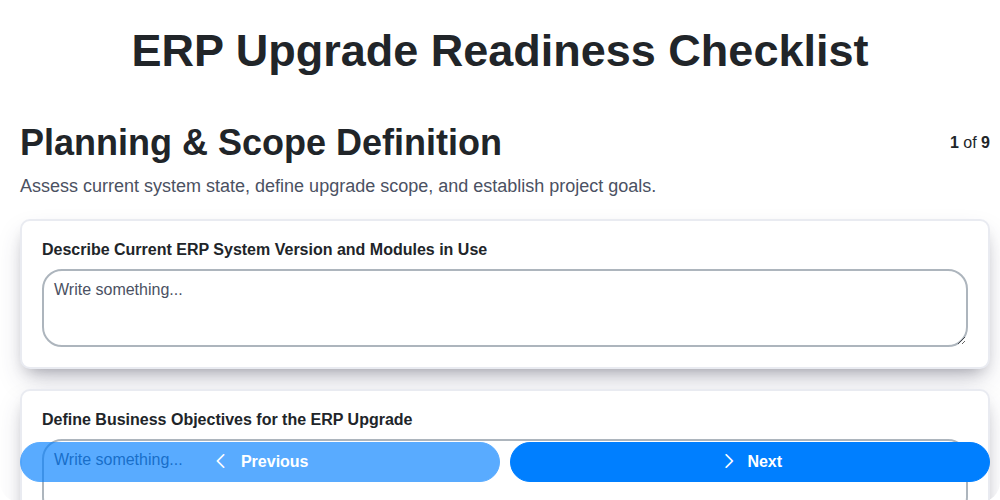
Table of Contents
- Introduction: Why ERP Upgrade Readiness Matters
- 1. Planning & Scope Definition: Laying the Foundation
- 2. Compatibility & Dependencies: Mapping the Ecosystem
- 3. Data Assessment & Cleansing: The Cornerstone of Success
- 4. Customization Review & Remediation: Addressing the Unique
- 5. Testing & Validation: Ensuring Functionality
- 6. Training & Communication: Empowering Your Team
- 7. Infrastructure Readiness: Powering the Upgrade
- 8. Rollback Plan: A Safety Net for the Unexpected
- 9. Post-Upgrade Monitoring & Support: Sustaining Performance
- 10. Defining Success: Key Performance Indicators (KPIs)
- 11. Risk Assessment & Mitigation
- 12. Budget & Resource Allocation
- 13. Timeline & Milestones
- Conclusion: Your Path to a Seamless ERP Upgrade
- Resources & Links
TLDR: Upgrading your ERP system? Don't risk chaos! This checklist ensures you're truly ready by covering everything from initial planning and data cleanup to testing, training, and having a backup plan. It's your roadmap to a smooth, successful ERP upgrade - avoid costly surprises and keep your business running!
Introduction: Why ERP Upgrade Readiness Matters
An ERP upgrade isn't just a software update; it's a significant business transformation. While the promise of enhanced functionality, improved efficiency, and modern technology is enticing, a rushed or poorly planned upgrade can quickly turn into a costly nightmare. Downtime, data loss, disrupted workflows, and frustrated users are just a few potential pitfalls.
That's why ERP upgrade readiness isn't just a "nice-to-have"; it's an absolute necessity. A comprehensive readiness checklist ensures a smoother transition, minimizes risks, maximizes ROI, and ultimately helps your organization reap the full benefits of the new system. Ignoring this crucial phase can lead to project delays, budget overruns, and a diminished user experience. This checklist provides a roadmap to navigate the complexities of an ERP upgrade and set your organization up for success.
1. Planning & Scope Definition: Laying the Foundation
A successful ERP upgrade isn't just about clicking "upgrade" - it's about meticulous planning. This initial phase, Planning & Scope Definition, is the bedrock upon which the entire project stands. Start by clearly defining why you're upgrading. Is it for improved functionality, better integration, enhanced security, or to leverage new technologies? This why will guide all subsequent decisions.
Next, meticulously outline the scope. What modules will be upgraded? Which business processes are included? Be specific - vague statements like improve efficiency are not enough. Document which departments and users will be impacted. Critically, define what's out of scope. This prevents scope creep, a notorious upgrade killer.
Establish clear objectives and key performance indicators (KPIs) to measure success. Define roles and responsibilities for the upgrade team, including stakeholders from all impacted departments. A comprehensive project plan with realistic timelines and budget allocations is essential. Finally, secure executive sponsorship - a champion at the leadership level who can advocate for the project and resolve conflicts. Without a strong foundation in Planning & Scope Definition, the entire upgrade risks instability and failure.
2. Compatibility & Dependencies: Mapping the Ecosystem
An ERP upgrade isn't just about updating software; it's about ensuring the entire system - and everything connected to it - functions seamlessly. Overlooking compatibility and dependencies is a surefire path to upgrade chaos. This stage requires meticulous investigation and a comprehensive understanding of your current landscape.
What Needs Examination?
- Third-Party Integrations: Identify every third-party application, service, or platform that integrates with your ERP. This includes payment gateways, CRM systems, e-commerce platforms, shipping providers, and reporting tools. Confirm compatibility with the new ERP version - many vendors provide specific compatibility matrices. Reach out to these vendors early to discuss timelines and potential issues.
- Custom Integrations: These are often the most vulnerable points. Document all custom-built integrations, outlining the code, dependencies, and responsible developers. Begin assessing the effort required to adapt these integrations to the new ERP.
- Hardware & Middleware: Ensure your existing hardware infrastructure (servers, databases, network) and any middleware solutions (e.g., application servers, message queues) meet the new ERP's technical requirements.
- Report Formats & Templates: Many businesses rely on custom reports and templates. Verify that these can be recreated or adapted to function with the new ERP's reporting engine.
- External Systems: Consider external systems that interact with your ERP, even if they don't directly integrate. For example, a regulatory reporting system that pulls data from the ERP.
Actionable Steps:
- Create a Dependency Map: Visually map all integrations and dependencies, clearly identifying responsible parties and potential risks.
- Vendor Communication: Establish direct communication with all third-party vendors to verify compatibility and understand their upgrade timelines.
- Compatibility Testing (Early & Often): Begin limited compatibility testing with the new ERP version as soon as possible.
- Technical Documentation Review: Scrutinize the new ERP's technical documentation to understand its dependencies and required environment.
Failing to adequately assess and address compatibility and dependencies can result in significant delays, data integrity issues, and ultimately, a failed ERP upgrade. Invest the time upfront - it will save you headaches later.
3. Data Assessment & Cleansing: The Cornerstone of Success
An ERP upgrade isn't just about software; it's about the data within that software. Garbage in, garbage out - it's a cliché for a reason. A flawed upgrade can amplify existing data quality issues, leading to inaccurate reporting, disrupted processes, and ultimately, business frustration. This phase is arguably one of the most critical, and often underestimated.
Here's what a thorough data assessment & cleansing process should involve:
- Data Profiling: Understand your data's current state. Identify data types, patterns, missing values, and inconsistencies. Use data profiling tools to automate this process and gain insights you might otherwise miss.
- Data Quality Rules Definition: Establish clear, measurable data quality rules based on business requirements. Examples include mandatory fields, valid data formats, and allowable value ranges.
- Data Cleansing & Standardization: Correct errors, remove duplicates, and standardize data formats to align with the new ERP system's requirements. This includes addressing misspellings, inconsistencies in naming conventions, and obsolete data.
- Data Migration Strategy: Determine how data will be migrated. Will all historical data be moved? What data archival strategies will be implemented? Consider the volume and complexity of your data when planning this process.
- Data Governance: This isn't just a one-time fix. Establish ongoing data governance processes to maintain data quality after the upgrade.
Neglecting this phase can lead to migration failures, increased support costs, and a severe blow to user adoption. Invest the time and resources needed to ensure your data is clean, consistent, and ready for its new home.
4. Customization Review & Remediation: Addressing the Unique
One of the most critical, and often underestimated, aspects of an ERP upgrade is the handling of customizations. Over time, many organizations build custom code, reports, or integrations to extend the functionality of their ERP system. These customizations, while initially valuable, can become significant roadblocks during an upgrade.
Before even considering the upgrade itself, a thorough review of all customizations is absolutely necessary. This isn't just about listing them; it's about understanding what they do, why they were created, and how they interact with the core ERP system.
Here's what you need to do:
- Inventory & Documentation: Create a comprehensive list of every customization. Include details like the developer, creation date, purpose, affected modules, and any associated documentation (which is often missing, highlighting a priority!).
- Compatibility Assessment: Determine if your customizations are compatible with the new ERP version. Many older customizations are simply obsolete and will require complete redevelopment.
- Remediation Options: Evaluate three primary options for each customization:
- Retire: Is the functionality no longer needed? This is the cleanest and most efficient approach.
- Redevelop: Rewrite the customization using the new ERP version's development tools and best practices.
- Adapt/Modify: Adjust the existing customization to function within the upgraded environment. This is often the most complex and risky option.
- Prioritize Remediation: Focus on customizations that are critical to business operations first.
- Develop a Remediation Plan: Document the chosen approach, timelines, and resources needed for each customization.
Ignoring customizations is a recipe for disaster. Proactive review and remediation are essential for a successful and smooth ERP upgrade. Failing to address them will likely lead to delays, increased costs, and potentially, a failed upgrade.
5. Testing & Validation: Ensuring Functionality
This is arguably the most critical phase of your ERP upgrade. Don't skip or shortcut it! Testing and validation aren't just about checking if things work; they's about confirming they work correctly and meet your business requirements. A flawed testing phase can lead to post-upgrade chaos and costly disruptions.
Here's a layered approach to ensure thorough testing:
- Unit Testing: Focus on individual modules or processes. Do they function as expected in the upgraded environment? This is often handled by technical teams and developers.
- Integration Testing: Verify the interaction between different modules. For example, does the sales order creation process seamlessly integrate with inventory and finance? This requires collaboration between different departments.
- User Acceptance Testing (UAT): This is where your business users take center stage. They should be using the upgraded system to perform their daily tasks, simulating real-world scenarios. Document all findings meticulously - and don't underestimate the power of end-user feedback! Provide them with clearly defined test scripts and acceptance criteria.
- Regression Testing: After fixing identified issues, re-test previously verified functionalities to ensure those fixes haven't introduced new problems.
- Performance Testing: Evaluate the system's performance under realistic load conditions. Identify bottlenecks and optimize for speed and responsiveness.
Key Considerations:
- Test Environment: A dedicated, isolated test environment that mirrors your production environment is vital.
- Realistic Data: Use representative data sets for testing. Avoid synthetic data; it often doesn't reveal real-world issues.
- Documentation: Maintain detailed test plans, test scripts, and defect tracking logs.
- Sign-Off: Obtain formal sign-off from key stakeholders after each testing phase.
6. Training & Communication: Empowering Your Team
An ERP upgrade isn't just a technical project; it's a people project. If your team isn't prepared and comfortable with the new system, the upgrade, no matter how technically flawless, will be hampered. This is where robust training and communication become critical.
What Needs to Happen:
- Identify Training Needs: Don't assume everyone needs the same level of training. Segment your users based on roles and responsibilities. Finance, sales, operations - each group will require tailored instruction.
- Develop Training Materials: Create a mix of formats: instructor-led sessions, online tutorials, quick reference guides, and even short videos. Hands-on exercises are crucial for solidifying learning.
- Schedule Training in Advance: Don't cram training in right before the go-live date. Provide ample time for users to absorb the information and practice using the new system. Offer refresher courses after the upgrade.
- Communication is Key: Keep everyone informed throughout the upgrade process. Regular updates, newsletters, and FAQs can address concerns and build excitement. Be transparent about timelines, potential disruptions, and how the new ERP will benefit them.
- Super User Program: Identify and train super users within each department. These individuals become local experts and first-line support for their colleagues.
- Feedback Loop: Establish channels for users to provide feedback during and after training. Use this feedback to refine training materials and address concerns.
Ignoring this aspect can lead to user resistance, decreased productivity, and a slow return on your ERP investment. A well-executed training and communication plan fosters adoption, minimizes disruption, and maximizes the success of your upgrade.
7. Infrastructure Readiness: Powering the Upgrade
An ERP upgrade isn't just about software; it's about the entire ecosystem it runs within. Ignoring your infrastructure can lead to performance bottlenecks, instability, and a generally unpleasant user experience - potentially jeopardizing the entire project. This checklist item is about ensuring your hardware, network, and security are ready to handle the demands of the new ERP system.
Here's what to consider:
- Server Capacity: Does your current server hardware (CPU, RAM, storage) meet the new ERP's requirements? The upgrade often demands more resources than the legacy system. Review vendor specifications and conduct load testing to verify.
- Network Bandwidth: Increased data flow is expected during and after the upgrade. Confirm your network infrastructure can handle the bandwidth requirements, especially if users are geographically dispersed or access the system remotely.
- Database Performance: The database is the backbone. Ensure sufficient storage, optimized configurations, and adequate resources allocated to it. Consider database sharding or replication if necessary.
- Security Considerations: The upgrade may introduce new security vulnerabilities. Evaluate your security protocols, firewalls, and intrusion detection systems to ensure they are updated and compatible. This includes review of user access controls and permissions.
- Disaster Recovery: Ensure your disaster recovery plan is updated to reflect the new ERP system and its infrastructure needs. Test the plan to verify its effectiveness.
- Cloud vs. On-Premise: If transitioning to a cloud-based ERP, carefully assess your internet connectivity and cloud provider's service level agreements (SLAs).
- Virtualization Assessment: If using virtualization, confirm your hypervisor and virtual machines are properly sized and configured for the new ERP system.
8. Rollback Plan: A Safety Net for the Unexpected
Upgrading an ERP system is a massive undertaking. Despite meticulous planning and rigorous testing, unforeseen issues can arise post-implementation. That's why a robust rollback plan isn't just a good idea-it's a necessity. Think of it as your safety net, allowing you to revert to the previous, stable ERP environment if the upgrade proves unsustainable.
Your rollback plan should detail exactly how to return to your legacy system, including:
- Clearly Defined Triggers: Establish specific, measurable criteria that will initiate the rollback (e.g., critical business process failure, unacceptable performance degradation, data corruption).
- Step-by-Step Instructions: Document the precise steps required to revert the system. This shouldn't be left to improvisation.
- Data Handling: Detail how data will be handled during the rollback. Will data be discarded? Will it be merged? What's the process for ensuring data integrity?
- Roles and Responsibilities: Identify the individuals responsible for executing the rollback plan and their contact information.
- Testing the Rollback: Crucially, the rollback plan itself needs to be tested. This validates the process and identifies any potential roadblocks before a real crisis. Treat a rollback test like you would any other critical system test.
- Communication Protocol: Outline how the rollback will be communicated to stakeholders.
A well-defined and tested rollback plan provides peace of mind and minimizes disruption should the upgrade encounter unexpected challenges. It's a sign of a responsible and prepared team.
9. Post-Upgrade Monitoring & Support: Sustaining Performance
The upgrade isn't the finish line; it's the starting point for a new phase. Robust post-upgrade monitoring and support are crucial for ensuring your ERP system operates smoothly and delivers the anticipated benefits. This period is about identifying and resolving any unexpected issues that surface in a live environment.
Key Activities:
- Establish Baseline Performance Metrics: Before the upgrade, document key performance indicators (KPIs) like transaction processing times, report generation speeds, and system uptime. Use these as benchmarks to compare against post-upgrade performance.
- Implement Comprehensive Monitoring: Utilize ERP system monitoring tools (often built-in or third-party) to track system health, resource utilization (CPU, memory, disk space), error logs, and user activity.
- Dedicated Support Team: Assign a dedicated support team (internal or outsourced) to handle user inquiries, troubleshoot issues, and escalate critical problems.
- Regular Performance Reviews: Schedule regular reviews (weekly, monthly) with the support team, key users, and IT leadership to analyze performance data and address any identified bottlenecks.
- User Feedback Loop: Establish a clear channel for users to provide feedback on the upgraded system. This feedback is invaluable for identifying usability issues and areas for improvement.
- Proactive Issue Resolution: Don't wait for problems to escalate. Implement proactive maintenance tasks, like patch application and database optimization, to prevent issues.
- Knowledge Base Creation: Develop a knowledge base of common issues and their solutions to empower users to self-resolve minor problems and reduce support team workload.
- Documentation Updates: Keep documentation updated to reflect any changes or new procedures introduced with the upgrade.
- Continuous Improvement: View post-upgrade support as an ongoing process, constantly seeking opportunities to optimize system performance and enhance user experience.
10. Defining Success: Key Performance Indicators (KPIs)
An ERP upgrade isn't just about ticking boxes; it's about achieving tangible business benefits. To ensure your upgrade delivers on its promise, it's crucial to define clear Key Performance Indicators (KPIs) before you even start planning. These KPIs will act as your roadmap to success and a benchmark to measure your progress.
What metrics matter most will depend on your specific business goals for the upgrade. However, here are some common examples to consider:
- Transaction Processing Time: Has the upgrade sped up critical processes like order fulfillment or invoice processing?
- Data Accuracy: Are data errors reduced after the upgrade? Track key data fields and their error rates.
- User Adoption Rate: Are users effectively utilizing the new system? Low adoption indicates a need for further training and support.
- System Uptime: Measures the stability and availability of the upgraded ERP system.
- Cost Savings: Did the upgrade contribute to anticipated reductions in operational costs?
- Inventory Turnover: For manufacturing or retail businesses, improved inventory management is a key goal.
- Customer Satisfaction: Ultimately, does the upgrade positively impact the customer experience?
Document these KPIs before the upgrade, establish baseline measurements, and continuously monitor them post-upgrade to ensure you're realizing the intended returns on your investment. This proactive approach allows for adjustments and course correction throughout the process and demonstrates the value of the upgrade to stakeholders.
11. Risk Assessment & Mitigation
No ERP upgrade is entirely risk-free. This final checklist item, Risk Assessment & Mitigation, isn't about hoping things go right; it's about identifying what could go wrong and preparing for it. This isn't a one-off exercise; it's an ongoing process that should begin during the Planning & Scope Definition phase and continue through post-upgrade monitoring.
Here's what this involves:
- Identify Potential Risks: Brainstorm all conceivable issues - data loss, system downtime, user adoption challenges, performance degradation, integration failures, security vulnerabilities. Don't be afraid to be exhaustive.
- Assess Probability & Impact: For each identified risk, determine the likelihood of it occurring (Low, Medium, High) and the potential impact should it happen (Minor, Moderate, Major). This helps prioritize your efforts.
- Develop Mitigation Strategies: Create specific plans to either prevent risks (proactive measures) or minimize their impact if they do occur (reactive measures). Examples include data backups, phased rollouts, contingency plans, and dedicated support resources.
- Assign Ownership & Accountability: Clearly assign responsibility for implementing and monitoring each mitigation strategy.
- Document Everything: Maintain a comprehensive risk register documenting identified risks, assessments, mitigation strategies, owners, and status.
- Regular Review: Review and update the risk register regularly throughout the upgrade process, adapting to new information or changes in scope.
A well-executed Risk Assessment & Mitigation plan isn't about eliminating all risk, but about proactively preparing for potential setbacks and ensuring a smoother, more successful ERP upgrade.
12. Budget & Resource Allocation
An ERP upgrade isn't just a technical project; it's a significant investment. Underestimating the financial and human resources required is a common pitfall. This section outlines critical considerations for budget and resource allocation.
Budget Considerations:
- Software Licensing: Factor in upgrade costs, potential new modules, and ongoing maintenance fees. Don't just look at the upfront cost - consider the Total Cost of Ownership (TCO).
- Implementation Services: Engage experienced consultants. Their fees will depend on scope, complexity, and your internal capabilities. Get multiple quotes and thoroughly vet their expertise.
- Internal Staff Time: Upgrades demand significant internal time. Account for the time of project managers, subject matter experts, IT staff, and potentially users for testing and training. This time has a real cost.
- Infrastructure Costs: Assess if your existing infrastructure can handle the upgraded system. Hardware upgrades, cloud migration costs, or increased bandwidth all need to be factored in.
- Contingency Fund: Always include a contingency fund (typically 10-15% of the total budget) to cover unforeseen issues and changes in scope.
Resource Allocation:
- Project Team: Define roles and responsibilities clearly. Include representatives from key business functions, IT, and executive leadership.
- Subject Matter Experts (SMEs): Identify and dedicate SMEs to assist with data assessment, customization review, and testing.
- Training Resources: Allocate resources for developing training materials and delivering training sessions.
- Post-Upgrade Support Team: Plan for a dedicated team to handle issues and provide support post-implementation.
Ignoring budget and resource constraints upfront can severely impact project success. A well-defined plan with realistic financial and personnel projections is essential.
13. Timeline & Milestones
A successful ERP upgrade isn't just about checking boxes; it's about meticulous planning and adhering to a realistic timeline. This section outlines key milestones and considerations for keeping your upgrade on track.
Phase 1: Planning & Preparation (4-8 weeks) - This crucial initial phase sets the foundation. Expect to define the project scope, assemble your team, and establish clear objectives. Expect significant time dedicated to initial assessments and vendor discussions.
Phase 2: Compatibility & Data Assessment (6-12 weeks) - Thoroughly evaluating your existing integrations and diving deep into your data requires time and resources. This phase often reveals unexpected complexities.
Phase 3: Customization & Remediation (Variable - 2-8+ weeks) - The time needed here is highly dependent on the complexity and number of customizations. Prioritize remediation and consider phasing out non-essential custom code.
Phase 4: Testing & Validation (4-8 weeks) - Comprehensive testing, including unit, integration, and user acceptance testing (UAT), is non-negotiable. Don't underestimate the time required to address defects and refine processes.
Phase 5: Go-Live & Post-Upgrade (2-4 weeks, ongoing) - The go-live window itself is relatively short, but the subsequent support and monitoring phase is critical for ensuring stability and user adoption.
Key Considerations:
- Buffer Time: Include buffer time in your schedule for unforeseen issues.
- Parallel Activities: Identify tasks that can be performed concurrently to expedite the overall timeline.
- Regular Reviews: Schedule regular project review meetings to track progress and address any roadblocks.
- Resource Allocation: Ensure adequate resources are available for each phase of the project.
- Communication: Keep stakeholders informed of the timeline and any potential delays.
A well-defined timeline, broken down into manageable milestones, significantly increases your chances of a smooth and successful ERP upgrade.
Conclusion: Your Path to a Seamless ERP Upgrade
An ERP upgrade is a significant undertaking, but with meticulous planning and execution, it doesn't have to be a stressful one. By diligently working through each step of our readiness checklist - from defining the scope and assessing your data to ensuring robust infrastructure and a solid rollback plan - you dramatically increase your chances of a successful transition. Remember, thorough preparation isn't just about avoiding problems; it's about unlocking the full potential of your upgraded ERP system. This upgrade isn't just about new software; it's about improving processes, boosting efficiency, and positioning your business for future growth. Embrace the journey, prioritize readiness, and set yourself up for a seamless and rewarding ERP upgrade experience.
Resources & Links
- Microsoft Dynamics 365: Microsoft's ERP platform; useful for understanding common upgrade considerations, terminology and features often involved in ERP implementations and upgrades.
- Oracle ERP Cloud: Oracle's ERP solution. Provides insight into common functionalities and potential upgrade challenges related to large enterprise systems.
- SAP S/4HANA: SAP's enterprise resource planning solution, with resources for understanding potential complexities and new functionalities during an upgrade.
- NetSuite: A popular cloud ERP platform - examining their approach can illuminate best practices for cloud-based ERP upgrades.
- Gartner: Provides research and insights on ERP systems and upgrade methodologies. Useful for understanding current trends and potential pitfalls.
- Project Management Institute (PMI): Offers resources and methodologies for managing complex projects like ERP upgrades, focusing on planning, execution, and risk management.
- ISACA: Provides resources and certifications related to IT governance, risk management, and compliance - crucial aspects of a successful ERP upgrade.
- SearchERP (TechTarget): A comprehensive resource for ERP news, tutorials, and best practices. Provides insights into various ERP systems and upgrade challenges.
- LinkedIn: Search for ERP consultants and join ERP-related groups to connect with professionals and learn from their experiences.
- YouTube: Search for 'ERP Upgrade Best Practices' or specific ERP system upgrade tutorials for visual demonstrations and advice.
- Atlassian (Jira/Confluence): While not ERP specific, Atlassian's suite of tools are commonly used to manage project workflows and document upgrade progress effectively.
- Amazon Web Services (AWS): If your ERP is hosted or moving to the cloud, understanding cloud infrastructure readiness and best practices is essential. AWS provides resources for this.
Frequently Asked Questions
What is an ERP upgrade and why is it necessary?
An ERP upgrade is a process of updating your existing Enterprise Resource Planning (ERP) system to a newer version. Upgrades are necessary to benefit from new features, improved security, performance enhancements, regulatory compliance updates, and compatibility with modern technologies. Failing to upgrade can lead to obsolescence, security vulnerabilities, and reduced efficiency.
Why is an 'ERP Upgrade Readiness Checklist' important?
The checklist ensures a structured and thorough assessment of your organization's preparedness for an ERP upgrade. It helps identify potential risks, gaps in processes, and resource needs, minimizing disruption and maximizing the success of the upgrade project.
Who should use this readiness checklist?
This checklist is designed for a broad audience involved in the ERP upgrade process, including project managers, IT managers, business stakeholders, department heads, and implementation partners. Anyone with a vested interest in the upgrade's success should review and contribute to it.
What are the key categories covered in this checklist?
The checklist covers areas like data assessment, technical infrastructure, business process alignment, change management, user training, testing, and governance. It aims for a holistic evaluation of readiness across all critical aspects.
What does 'Data Assessment' in the checklist refer to?
Data Assessment focuses on the quality, cleanliness, and migration plan for your data. It includes verifying data accuracy, identifying duplicates, and planning how data will be extracted, transformed, and loaded into the new ERP system. Poor data quality can severely impact the upgrade's success.
What does 'Technical Infrastructure' assess?
This section evaluates your current hardware, software, network, and security infrastructure to ensure it meets the new ERP system's requirements. It includes assessing server capacity, database compatibility, and integration with other systems.
Why is 'Business Process Alignment' crucial?
ERP upgrades are an opportunity to re-evaluate and optimize business processes. This section ensures processes are documented, standardized, and aligned with the new ERP system's capabilities. It prevents bottlenecks and maximizes efficiency.
What is 'Change Management' and why is it important?
Change Management refers to the strategies and activities involved in preparing your organization for the significant changes an ERP upgrade brings. It focuses on communication, stakeholder engagement, and addressing user resistance to ensure smooth adoption of the new system.
How important is user training during an ERP upgrade?
User training is critical for ensuring users are comfortable and proficient with the new ERP system. The checklist addresses training needs, documentation, and ongoing support to facilitate a successful transition.
What kind of testing should be performed before an ERP upgrade?
Thorough testing is vital to identify and resolve issues before go-live. The checklist outlines various testing phases, including unit testing, integration testing, user acceptance testing (UAT), and performance testing.
What is 'Governance' in the context of an ERP upgrade?
Governance establishes clear roles, responsibilities, and decision-making processes for the upgrade project. It ensures alignment with business objectives, risk management, and accountability.
What should I do if I identify gaps using this checklist?
Identify gaps should be documented, prioritized, and assigned to responsible individuals for remediation. Track progress and ensure all identified issues are addressed before proceeding with the upgrade project. A risk mitigation plan should be created for unresolvable gaps.
Found this Article helpful?
Comments
Thanks for sharing! Definitely saves us a lot of guesswork.
ERP - Enterprise Resource Planning Solution Demo
Overwhelmed by disconnected systems? ChecklistGuro provides a centralized ERP solution, connecting your business processes - finance, operations, & more - for improved visibility and control. Simplify operations & boost efficiency.
Related Articles

MRP System Go-Live Checklist: Your Path to a Successful Implementation

Top 10 CMiC Alternatives for 2025

The Ultimate Foundation Waterproofing Installation Checklist Template
Top 10 Odoo Alternatives for 2025

How to Save Money on Bill of Materials (BOM) Management Software

The Ultimate Waterproofing Checklist: Ensuring a Leak-Proof Installation

The 10 Best Manufacturing Management Software of 2025

MRP Vendor Master Data Checklist: Ensuring Accuracy and Efficiency
We can do it Together
Need help with
Enterprise Resource Planning (ERP)?
Have a question? We're here to help. Please submit your inquiry, and we'll respond promptly.