ERP Workflow Optimization Checklist: Your Step-by-Step Guide
Published: 12/20/2025 10:00 PM Updated: 12/21/2025 6:17 AM
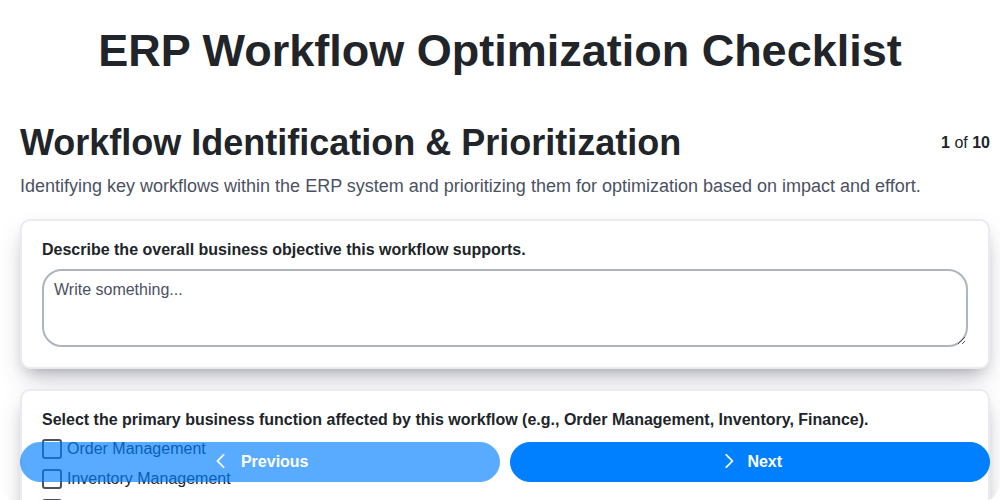
Table of Contents
- Introduction: Why ERP Workflow Optimization Matters
- 1. Workflow Identification & Prioritization: Pinpointing Areas for Improvement
- 2. Current State Analysis: Mapping Your Existing Processes
- 3. Process Redesign & Simplification: Streamlining for Efficiency
- 4. Automation & Integration Opportunities: Leveraging Technology
- 5. Role & Responsibility Alignment: Ensuring Accountability
- 6. System Configuration & Customization: Tailoring Your ERP
- 7. User Training & Adoption: Empowering Your Team
- 8. Testing & Validation: Ensuring a Smooth Transition
- 9. Performance Monitoring & Continuous Improvement: Tracking and Refining
- 10. Documentation & Knowledge Transfer: Capturing Best Practices
- 11. Common Pitfalls to Avoid in ERP Workflow Optimization
- 12. Measuring Success: Key Performance Indicators (KPIs)
- Conclusion: Your Journey to Optimized ERP Workflows
- Resources & Links
TLDR: Overwhelmed by ERP workflows? This checklist breaks down ERP optimization into 10 manageable steps - from identifying problem areas and redesigning processes to automating tasks, training users, and continuously improving. Use it to streamline operations, boost efficiency, and maximize your ERP investment.
Introduction: Why ERP Workflow Optimization Matters
In today's competitive landscape, efficiency isn's just a nice-to-have-it's a necessity. Your Enterprise Resource Planning (ERP) system holds the key to unlocking significant improvements in operational efficiency, but only if its workflows are optimized. Many organizations implement ERP systems with grand ambitions, only to find their workflows cumbersome, repetitive, and ultimately hindering productivity.
Why does this happen? Often, initial implementations prioritize data migration and core functionality, leaving workflow optimization as an afterthought. This can lead to bottlenecks, data silos, increased errors, and a general feeling of frustration among employees.
Optimizing your ERP workflows isn't about overhauling the entire system. It's about carefully examining how work actually gets done, identifying areas for improvement, and implementing targeted solutions that streamline processes and empower your team. A well-optimized ERP workflow translates directly into reduced costs, increased accuracy, improved employee satisfaction, and a stronger bottom line. This checklist will guide you through the critical steps to achieve precisely that.
1. Workflow Identification & Prioritization: Pinpointing Areas for Improvement
Before diving into any ERP workflow optimization project, it's critical to understand where to focus your efforts. Not all workflows are created equal, and tackling the wrong one can lead to wasted time and resources. This phase is about identifying and prioritizing the workflows within your ERP system that are ripe for improvement.
Here's how to approach it:
- Map Your Key Workflows: Begin by documenting the major workflows across your business. Think about processes like order fulfillment, procurement, invoice processing, manufacturing, or customer onboarding. Don't get bogged down in minute details initially - a high-level overview is sufficient.
- Gather Data & Identify Pain Points: Talk to the people doing the work. Interviews, surveys, and observations are invaluable. What are the bottlenecks? Where are the frustrations? What tasks are unnecessarily repetitive or time-consuming? Look for common themes and patterns in the feedback.
- Establish Prioritization Criteria: Develop a framework for prioritizing workflows. Consider factors like:
- Impact: How much will improving this workflow positively affect business metrics (e.g., cost savings, efficiency, customer satisfaction)?
- Effort: How complex and time-consuming will the optimization project be?
- Feasibility: Are there technical or organizational constraints that might make optimization difficult?
- Strategic Alignment: Does the workflow directly support key business goals?
- Rank & Select: Using your criteria, rank the identified workflows. Focus on those that offer a high potential impact with a reasonable level of effort. A simple scoring matrix can be helpful here.
- Document Your Choices: Clearly document the workflows selected for optimization, along with the rationale behind their prioritization. This transparency ensures everyone is on the same page and provides a benchmark for future progress.
By diligently prioritizing your workflows, you lay a strong foundation for a successful ERP optimization journey.
2. Current State Analysis: Mapping Your Existing Processes
Before you can optimize anything, you need a crystal-clear picture of how things currently work. This isn't about judgment; it's about data collection. A thorough Current State Analysis forms the bedrock of successful ERP workflow optimization.
Here's what you need to do:
- Process Mapping: Visually map out your key workflows. Don't just document steps; include decision points, data inputs, outputs, and the systems involved. Flowcharts, swimlane diagrams, or even simple lists can work - choose a method that's understandable to everyone involved. Focus on the workflows identified as priorities in the previous phase.
- Data Collection: Gather data on process cycle times, error rates, bottlenecks, and resource utilization. Use existing reports, conduct interviews with process stakeholders (from end-users to managers), and even shadow employees as they perform their tasks. Look for pain points and areas of inefficiency.
- Stakeholder Interviews: Talk to the people who actually do the work. They possess invaluable insights into the nuances of the process, including undocumented workarounds and potential problems you might miss. Ask open-ended questions like, What are the biggest challenges you face when performing this task? and What could make this process easier?
- System Analysis: Analyze the systems currently used in each workflow. Identify data silos, integration gaps, and potential system limitations.
- Document Existing Metrics: Record baseline performance metrics for each workflow. This will provide a benchmark against which to measure improvements after optimization.
- Identify Workarounds: Note any unofficial or undocumented workarounds being used. These often signal underlying process inefficiencies or system limitations.
This phase may feel tedious, but it's absolutely essential. A flawed Current State Analysis will lead to misguided optimization efforts.
3. Process Redesign & Simplification: Streamlining for Efficiency
The Current State Analysis (detailed in the previous section) likely uncovered bottlenecks, redundancies, and inefficiencies. This is your opportunity to truly reshape your workflows. Redesigning and simplifying processes isn't just about removing steps; it's about fundamentally rethinking how things get done.
Focus on these key principles:
- Eliminate Non-Value-Added Activities: Identify and remove steps that don't directly contribute to the desired outcome. This might include unnecessary approvals, redundant data entry, or manual handoffs. Be ruthless - if a step doesn't add value, let it go.
- Combine or Consolidate Tasks: Look for opportunities to merge similar activities or consolidate tasks performed by different individuals. This reduces handoffs and potential for error.
- Standardize Where Possible: Consistent processes are easier to manage and automate. Establish standardized procedures for recurring tasks, minimizing variations that can introduce complications.
- Leverage Lean Principles: Consider implementing Lean methodologies like Value Stream Mapping to visually represent the process flow and identify areas for improvement.
- Focus on the Customer (Internal or External): Always consider the impact of process changes on the end-user. Streamlining should improve their experience, whether they are an internal employee or an external customer.
Example: Instead of a five-stage approval process for purchase requests, could you automate initial approvals based on spending limits and eliminate unnecessary review steps? Think about how you can minimize friction and maximize efficiency at every stage. Redesigning isn't just about making things faster, it's about making them better.
4. Automation & Integration Opportunities: Leveraging Technology
The true power of ERP workflow optimization isn't just about refining existing processes; it's about unlocking their potential through technology. This stage focuses on identifying areas ripe for automation and integration, minimizing manual intervention, reducing errors, and maximizing efficiency.
Where to Look for Automation:
- Repetitive Tasks: Identify tasks performed regularly, like data entry, report generation, invoice processing, or order fulfillment. These are prime candidates for robotic process automation (RPA) or other automation tools.
- Rule-Based Decisions: Many workflows involve decisions based on pre-defined rules (e.g., approval thresholds, inventory levels). Automating these decisions removes subjectivity and accelerates processing.
- Data Transfers: Manual data movement between systems is a common bottleneck. Explore integration opportunities to eliminate these transfers and ensure data consistency.
- Notifications & Alerts: Automate the distribution of notifications and alerts based on workflow triggers. This keeps stakeholders informed and facilitates timely action.
Integration is Key:
- Internal Systems: Integrate your ERP with other internal systems (CRM, SCM, HRIS) to create a unified view of your business operations. Eliminate data silos and ensure data flows seamlessly between departments.
- External Partners: Integrate with key suppliers, distributors, and customers to streamline interactions, improve collaboration, and enhance supply chain visibility. Consider EDI or API-based integrations.
- Cloud Services: Leverage cloud-based services for tasks like document management, e-signatures, and payment processing.
Prioritization Considerations:
- ROI: Assess the potential return on investment for each automation/integration opportunity. Focus on projects with the highest potential impact.
- Ease of Implementation: Consider the complexity and resources required for each initiative. Quick wins can build momentum and demonstrate value.
- Scalability: Choose solutions that can grow with your business and adapt to changing needs.
5. Role & Responsibility Alignment: Ensuring Accountability
Optimized workflows are only as strong as the people executing them. A beautifully designed process falls apart quickly if roles and responsibilities are unclear or overlapping. This step is critical for accountability and ensuring seamless workflow execution.
Begin by clearly defining each role involved in the process, outlining specific tasks and decisions they own. Don't assume everyone understands their duties - explicitly state them. Use a RACI matrix (Responsible, Accountable, Consulted, Informed) to provide a visual representation of these responsibilities. This matrix clarifies who is doing the work, who is ultimately accountable for the outcome, who needs to be consulted during the process, and who needs to be informed of progress.
Consider potential bottlenecks or areas of overlap. Are multiple people doing the same task? Is there ambiguity about who is responsible when something goes wrong? Address these issues by re-allocating tasks, clarifying decision-making authority, and establishing clear escalation paths. Regularly review and update these role definitions as the workflow evolves and team structures change. This proactive approach minimizes confusion, increases efficiency, and fosters a culture of ownership.
6. System Configuration & Customization: Tailoring Your ERP
Your ERP system isn't a one-size-fits-all solution. While the core functionality is robust, maximizing its value requires careful configuration and, in some cases, strategic customization to align with your unique business needs. This isn't about haphazardly changing settings; it's about purposeful adjustments that support your redesigned workflows.
Start with the Out-of-the-Box First: Before even considering customizations, exhaust the possibilities within the standard configuration options. Many workflow adjustments can be achieved through parameter changes, form modifications, and report configurations without requiring code.
Identify Necessary Customizations: After exploring standard configuration, pinpoint areas where the system truly falls short. These often involve:
- Unique Reporting Requirements: Standard reports may not capture the specific data you need for decision-making.
- Industry-Specific Processes: If your industry has distinct workflows not readily supported by the base system.
- Specific Business Rules: Complex calculations or decision logic that drive your operations.
Prioritize Customizations Carefully: Customizations introduce complexity, increase maintenance overhead, and can complicate future upgrades. Therefore, prioritize only those customizations that deliver substantial and measurable business value.
Consider a Phased Approach: Implement customizations in phases, starting with the most critical and demonstrating success before tackling less essential modifications.
Leverage Development Resources Wisely: Work closely with your ERP vendor or experienced implementation partner. They can guide you through the customization process, ensuring best practices are followed and potential pitfalls are avoided.
Documentation is Key: Thoroughly document every configuration change and customization, including the rationale behind the changes and the individuals responsible. This is vital for maintainability and future troubleshooting.
7. User Training & Adoption: Empowering Your Team
Implementing ERP workflow optimizations is only as effective as your team's ability to utilize them. A beautifully redesigned workflow is useless if users don't understand how to operate it. This phase focuses on ensuring seamless user adoption and maximizing the value of your investments.
Beyond the Basics: Training shouldn't just be about how to click buttons. It should focus on why the changes were made and how they benefit individual users and the company as a whole.
Key Considerations:
- Tailored Training: Develop different training modules based on user roles and responsibilities. A warehouse worker will need different training than a finance manager.
- Multiple Learning Styles: Offer a mix of training formats: instructor-led sessions, online tutorials, quick reference guides, and video demonstrations. Cater to visual, auditory, and kinesthetic learners.
- Hands-on Practice: Provide opportunities for users to practice the new workflows in a safe, test environment before going live. Simulations and role-playing exercises are invaluable.
- Super User Program: Identify and train super users within each department. These individuals can act as local experts and provide ongoing support.
- Feedback Loops: Establish channels for users to provide feedback on the new workflows and training materials. This ensures continuous improvement and addresses pain points promptly.
- Ongoing Support: Don't think of training as a one-time event. Provide ongoing support and refresher training as needed, especially when updates or changes are implemented.
- Gamification: Consider incorporating elements of gamification (points, badges, leaderboards) to make learning more engaging and motivate adoption.
Ultimately, a successful user training and adoption program fosters buy-in, reduces resistance to change, and unlocks the full potential of your optimized ERP workflows.
8. Testing & Validation: Ensuring a Smooth Transition
Implementing optimized ERP workflows is a significant undertaking, and skipping thorough testing and validation is a recipe for disaster. Don't let excitement about new processes overshadow the crucial step of ensuring they actually work as intended.
Testing isn't just about clicking buttons and confirming data appears. It's a comprehensive process that includes several layers:
- Unit Testing: Verify individual workflow steps and functions. Does each process element perform its intended action correctly?
- Integration Testing: Confirm data flows seamlessly between different modules and workflows. Broken integration points are common culprits behind ERP failures.
- User Acceptance Testing (UAT): This is vital. Engage key users from each department to use the new workflows in simulated real-world scenarios. Their feedback is invaluable in identifying usability issues, unexpected consequences, and areas for improvement. Don't be afraid of negative feedback - it's an opportunity to refine the system.
- Regression Testing: After making adjustments based on feedback, re-test previously validated workflows to ensure changes haven't inadvertently broken anything else.
Document all test cases, results, and resolutions. A well-documented testing phase provides a clear audit trail and helps troubleshoot any future issues. Remember: a robust testing and validation phase minimizes disruption, maximizes user adoption, and protects your investment in ERP workflow optimization.
9. Performance Monitoring & Continuous Improvement: Tracking and Refining
Optimizing your ERP workflow isn't a one-and-done project; it's an ongoing journey. Once your redesigned workflows are live, meticulous performance monitoring and a commitment to continuous improvement are essential to ensure lasting benefits and maximize ROI.
Here's how to establish a robust system:
- Define Key Performance Indicators (KPIs): Identify specific, measurable, achievable, relevant, and time-bound (SMART) KPIs that align with your optimized workflows. Examples include cycle time reduction, error rate decrease, increased throughput, improved order accuracy, and user satisfaction.
- Implement Tracking Mechanisms: Leverage your ERP system's reporting capabilities and potentially integrate with business intelligence tools to track these KPIs regularly (weekly, monthly, quarterly). Don't forget to visualize data with dashboards for easy comprehension.
- Regular Review & Analysis: Schedule routine reviews of your KPIs. Compare current performance against baseline data (collected before optimization) and established goals. Analyze variances to understand what's working well and where adjustments are needed.
- Feedback Loops: Establish channels for users to provide feedback on the optimized workflows. This could include surveys, suggestion boxes, or regular team meetings. Their insights are invaluable for identifying pain points and opportunities for refinement.
- Iterative Adjustments: Based on data and feedback, make small, iterative changes to workflows. Don't be afraid to experiment and adjust as needed. Document all changes thoroughly.
- Stay Informed: ERP systems evolve, and so should your workflows. Keep abreast of new features and best practices within your ERP solution and adapt accordingly.
Continuous improvement isn't just about fixing problems; it's about proactively seeking ways to enhance efficiency, accuracy, and user satisfaction.
10. Documentation & Knowledge Transfer: Capturing Best Practices
Optimizing your ERP workflows is an ongoing journey, not a one-time project. All the effort invested in redesigning, automating, and refining your processes will be undermined if that knowledge disappears when key personnel leave or if new team members join. That's where robust documentation and knowledge transfer become absolutely critical.
This isn't about creating thick, unreadable manuals. It's about creating living documents that are easily accessible and updated. Here's what a strong documentation and knowledge transfer strategy should include:
- Process Flow Diagrams: Visual representations of the optimized workflows, clearly outlining steps and decision points. These are invaluable for onboarding and troubleshooting.
- Standard Operating Procedures (SOPs): Detailed, step-by-step instructions for performing key tasks within the workflows. Include screenshots and clear language.
- Configuration Guides: Document all custom settings, configurations, and integrations within the ERP system. This will save significant time when upgrades or changes are needed.
- Troubleshooting Guides: Capture common issues and their resolutions to empower users to resolve problems independently.
- Why Documentation: Don't just document what to do; explain why the process is designed a certain way. This context is vital for future understanding and adaptation.
- Knowledge Base: Create a centralized repository for all documentation, easily searchable and accessible to all relevant personnel.
- Training Materials Repository: Keep training materials updated and readily available.
- Cross-Training Program: Ensure multiple team members are familiar with critical workflows. This provides redundancy and reduces the impact of individual absences.
Pro Tip: Assign "Process Champions" - individuals responsible for maintaining specific workflows and their associated documentation. They can act as a point of contact for questions and ensure documentation stays current. Regularly review and update documentation-at least annually, or more frequently if changes are made to the ERP system or processes.
11. Common Pitfalls to Avoid in ERP Workflow Optimization
Optimizing your ERP workflows can unlock significant gains in efficiency and productivity, but it's not without its challenges. Here's a look at some common pitfalls that can derail your efforts and how to steer clear of them:
- Ignoring User Feedback: Changes imposed on users, not with them, are destined to fail. Lack of involvement breeds resistance and inaccurate assumptions about how processes actually function.
- Over-Engineering Solutions: The allure of complex automation can lead to unnecessarily complicated workflows. Keep solutions simple and focused on solving the core problem. "Less is more" often applies.
- Data Silos Remain: The whole point of ERP is integration. Ignoring data silos and allowing information to remain trapped in departmental systems undermines the benefits of workflow optimization.
- Insufficient Change Management: Implementing new workflows requires a robust change management plan. Lack of communication, training, and support can lead to frustration and adoption failure.
- Scope Creep: Starting with a clearly defined scope is critical. Allowing the project to expand beyond initial goals can lead to delays, increased costs, and decreased effectiveness.
- Neglecting Security Considerations: Optimizing workflows shouldn't compromise security. Ensure any changes adhere to security protocols and don't create vulnerabilities.
- Treating Optimization as a One-Time Project: ERP systems and business needs evolve. Optimization shouldn't be a "set it and forget it" exercise. Regular review and refinement are essential.
- Assuming Current State is Perfect: While analysis is vital, avoid the trap of defending the existing processes. Be objective and willing to challenge long-held assumptions.
- Lack of Executive Sponsorship: Without buy-in and support from leadership, resources may be lacking, and roadblocks can be insurmountable.
- Focusing Solely on Technology: Technology is an enabler, not a solution. Workflow optimization is fundamentally about process improvement, and technology should support that goal.
- Insufficient Testing & Validation: Rushing through testing can result in undetected errors that disrupt operations and frustrate users. Thorough testing and validation are crucial.
12. Measuring Success: Key Performance Indicators (KPIs)
Optimizing your ERP workflows isn't just about making changes; it's about ensuring those changes deliver tangible benefits. To truly gauge the success of your workflow optimization efforts, you need to define and track Key Performance Indicators (KPIs). These metrics provide objective data to demonstrate ROI and identify areas for further refinement.
Here are some crucial KPIs to consider, categorized by optimization area:
- Efficiency: Cycle Time (time taken to complete a process), Throughput (quantity of work completed per period), Error Rate, Processing Costs per Transaction. Example: A 20% reduction in order processing cycle time indicates improved efficiency.
- Productivity: Employee Productivity (units produced per employee hour), Process Completion Rate, Number of Transactions Processed per Day. Example: An increase in the number of invoices processed per day suggests improved employee productivity.
- Accuracy & Compliance: Data Accuracy Rate, Compliance Rate (adherence to regulations), Audit Trail Completeness. Example: A decrease in data entry errors improves data quality and reduces risks.
- Customer Satisfaction: Order Fulfillment Rate, Customer Response Time, Customer Complaint Rate (related to specific processes). Example: Faster order fulfillment leads to higher customer satisfaction.
- Financial: Cost Savings (due to reduced errors or increased efficiency), Return on Investment (ROI) of workflow optimization project.
Regularly monitor these KPIs, establish baseline measurements before implementing changes, and track progress over time. Don't be afraid to adjust your KPIs as your business evolves or as your understanding of workflow performance deepens. A dashboard displaying these KPIs will provide a clear and concise view of your ERP workflow optimization journey.
Conclusion: Your Journey to Optimized ERP Workflows
Optimizing your ERP workflows isn't a one-time project; it's an ongoing journey. By diligently following the checklist - from identifying and prioritizing workflows to implementing, training, and continuously monitoring - you're setting the foundation for a more efficient, productive, and responsive organization. Remember that each step builds on the previous one, and open communication and collaboration across departments are critical for success. Don't be afraid to revisit earlier steps as your business evolves and new challenges arise. The effort you invest in workflow optimization will translate into tangible benefits, including reduced costs, improved accuracy, enhanced collaboration, and ultimately, a stronger competitive advantage. Embrace the process, celebrate your wins, and continue striving for excellence in your ERP workflows.
Resources & Links
- NetSuite: A leading provider of ERP solutions. Their website offers articles, webinars, and case studies related to workflow optimization and best practices within NetSuite and similar ERP systems. Useful for understanding broader ERP concepts.
- Microsoft Dynamics 365: Another major ERP provider. Explore their resources on business process automation, workflow design, and integration strategies within the Dynamics 365 ecosystem. Look for customer success stories and implementation guides.
- SAP: A global ERP giant. SAP's website contains whitepapers, articles, and training materials related to process optimization, workflow management, and leveraging SAP's functionalities. Search for content specifically around 'Process Mining' and 'Signavio' (SAP's process management suite).
- Association for Process Management (APM): A professional association dedicated to process management. Their website offers standards, certifications, and resources on process improvement methodologies, including BPMN (Business Process Model and Notation), which is critical for workflow mapping.
- BizzUI: BizzUI offers ERP workflow optimization tools and resources. Their site provides articles and tutorials focused on automating and improving ERP workflows, often with specific examples and best practices.
- BMC Software: BMC provides IT solutions, including process automation tools. Their website provides insights into process automation and IT process management, applicable to many ERP workflows. Look for content relating to BPM (Business Process Management).
- Gartner: A leading research and advisory company. While content may require a subscription, Gartner provides valuable insights into ERP market trends, vendor selection, and best practices for optimizing business processes.
- Tableau: A data visualization tool. Crucial for Performance Monitoring & Continuous Improvement - vital to monitor KPIs and identify areas requiring refinement. See how to represent ERP workflow data visually.
- The Lean Enterprise Institute: Provides information and resources on Lean principles and methodologies. These principles (eliminate waste, continuous improvement) are essential for Process Redesign & Simplification.
- APQC: APQC provides benchmarking data and research on business processes. Understanding industry benchmarks in Current State Analysis can show where your workflows excel or need improvement.
Frequently Asked Questions
What is ERP workflow optimization and why is it important?
ERP workflow optimization involves analyzing and improving the processes within your Enterprise Resource Planning (ERP) system to increase efficiency, reduce errors, and minimize operational costs. It's important because inefficient workflows can lead to bottlenecks, wasted resources, and ultimately, impact profitability and customer satisfaction.
Who is this checklist for?
This checklist is designed for anyone involved in managing or improving ERP workflows, including business analysts, ERP administrators, process owners, and IT professionals. It's helpful for both companies already using ERP and those considering implementation.
What types of workflows can be optimized with this checklist?
The checklist covers a wide range of workflows, including order processing, inventory management, procurement, finance, sales, and customer service. It's applicable to any process integrated within your ERP system.
How long will it take to complete the checklist?
The time required to complete the checklist varies depending on the complexity of your workflows and the number of processes you evaluate. It could range from a few hours for a simple evaluation to several days or even weeks for a comprehensive assessment.
What are some key benefits of optimizing ERP workflows?
Benefits include increased operational efficiency, reduced errors and rework, improved data accuracy, better resource utilization, enhanced visibility into business processes, increased employee productivity, and ultimately, higher profitability.
What is the difference between process mapping and workflow optimization?
Process mapping is the visual representation of a workflow, while workflow optimization is the action of analyzing and improving that mapped process. Mapping is often a prerequisite for optimization - you need to understand *what* is happening before you can improve it.
What does 'bottleneck' refer to in the context of ERP workflows?
A bottleneck is a point in a workflow where progress slows down or halts due to constraints such as limited resources, approvals, or system limitations. Identifying and removing bottlenecks is a key goal of workflow optimization.
What should I do if I identify a bottleneck but don't have the authority to make changes?
Document the bottleneck thoroughly, including its impact and potential solutions. Share this documentation with your manager or process owner to advocate for the necessary changes.
Are there any specific ERP modules that benefit most from workflow optimization?
While all modules can potentially benefit, modules frequently optimized include Finance (accounts payable/receivable), Supply Chain Management (inventory, procurement), and Manufacturing (production planning).
Can this checklist be used for ERP systems other than the ones mentioned in the article?
Yes, the principles and steps outlined in this checklist are generally applicable to any ERP system, regardless of vendor or version. The specific implementation details may vary.
Found this Article helpful?
Comments
There are no comments yet. Be the first to add one!
ERP - Enterprise Resource Planning Solution Demo
Overwhelmed by disconnected systems? ChecklistGuro provides a centralized ERP solution, connecting your business processes - finance, operations, & more - for improved visibility and control. Simplify operations & boost efficiency.
Related Articles

MRP System Go-Live Checklist: Your Path to a Successful Implementation

Top 10 CMiC Alternatives for 2025

The Ultimate Foundation Waterproofing Installation Checklist Template
Top 10 Odoo Alternatives for 2025

How to Save Money on Bill of Materials (BOM) Management Software

The Ultimate Waterproofing Checklist: Ensuring a Leak-Proof Installation

The 10 Best Manufacturing Management Software of 2025

MRP Vendor Master Data Checklist: Ensuring Accuracy and Efficiency
We can do it Together
Need help with
Enterprise Resource Planning (ERP)?
Have a question? We're here to help. Please submit your inquiry, and we'll respond promptly.