How to Digitalize your Auto Repair Shop Management Processes
Published: 08/09/2026 Updated: 09/09/2026
Table of Contents
- The Hidden Costs of Manual Processes in Auto Repair Shops
- Identifying Your Shop's Digital Readiness
- Key Features to Look for in Auto Repair Management Software
- Top-Tier Solutions: A Comparative Analysis
- Why ChecklistGuro is the Ultimate Work OS for Modern Shop Operations
- How to Transition from Paper to Digital: A Step-by-Step Guide
- Maximizing ROI: The Long-Term Benefits of Digitalization
- Resources & Links
TLDR: Moving from paper-based workflows to a digital system is essential for scaling an auto repair shop in 2026. This guide explores how to identify inefficiencies, the essential features needed in management software, and a comparison of top industry tools-highlighting why ChecklistGuro stands out as the premier Work OS for automating shop workflows, ensuring error-free inspections, and maximizing operational profitability.
The Hidden Costs of Manual Processes in Auto Repair Shops
The Invisible Drain on Your Bottom Line
For many shop owners and operations leads, manual processes feel like the way things have always been done. You rely on whiteboards, paper work orders, and physical clipboards to keep the bays moving. However, in the high-speed landscape of 2026, the old way is often the most expensive way to run a business.
The costs of maintaining a manual or fragmented system aren't always visible on your monthly P&L statement, but they manifest as persistent leaks in your profitability.
1. The High Cost of Human Error
When information lives on paper, it is prone to being misread, lost, or forgotten. A technician might miss a critical inspection point on a physical checklist, or a service advisor might misinterpret a handwritten note regarding a customer's specific concern. These small oversights lead to costly re-works, warranty claims, and-most importantly-a loss of customer trust that is nearly impossible to rebuild.
2. The Information Silo Trap
In a manual shop, data is trapped in physical locations. If a parts manager needs to know the status of a specific vehicle, they have to physically walk to the service desk or hunt down a specific technician. This creates significant dead time-minutes or even hours lost every day as staff members move between stations just to exchange basic information. This lack of real-time visibility makes it impossible to scale your operations effectively.
3. Inefficient Resource Allocation
Without a centralized digital system, tracking technician productivity and bay utilization becomes a guessing game. You might find yourself overstaffed during slow periods or, more critically, unable to handle surges in volume because you lack the real-time data to manage your workflow. This inefficiency directly impacts your labor margin, one of the most sensitive metrics in auto repair management.
4. The Customer Experience Gap
Today's vehicle owners expect a digital-first experience. They want real-time updates, digital approval for repairs, and seamless communication. If your backend processes are stuck in the era of paper, your customer-facing service will inevitably feel outdated. In an era of instant gratification, a delay in communication caused by a lost work order can be the difference between a loyal client and a negative 1-star review.
Identifying Your Shop's Digital Readiness
Before investing in new technology, you must first understand if your shop is truly ready for a digital overhaul or if you are simply looking for a band-aid for deeper operational issues. Digitalization isn't just about replacing paper with tablets; it's about replacing fragmented, reactive workflows with a unified, proactive system.
The Paper Trail Audit
The first step in assessing readiness is auditing your current workflow. Ask your service advisors and technicians to track how much time they spend searching for lost work orders, verifying parts inventory, or reconciling completed repairs against customer invoices. If your team spends more time managing paperwork than managing cars, you have a clear signal that your current manual processes are reaching a breaking point.
Warning Signs of a Manual-Dependency Trap
You are likely ready for a digital transformation if you recognize these symptoms in your daily operations:
- Information Silos: Critical shop data (like vehicle history or parts availability) exists only in the head of one veteran mechanic or on a single physical clipboard.
- Communication Lag: Customers are constantly calling to ask for status updates because there is no automated way for them to track their vehicle's progress.
- Inconsistent Service Quality: Every technician follows a slightly different method, leading to unpredictable turnaround times and missed inspection steps.
- Billing Leakage: You frequently realize after a job is completed that certain labor hours or consumables were never documented or billed.
Assessing Your Technical Infrastructure
Digitalization requires a foundation. Evaluate your shop's current hardware capabilities:
- Connectivity: Do you have reliable Wi-Fi coverage in the bays and the parts room?
- Hardware Access: Do your technicians have access to tablets or mobile devices that can interface with a central system?
- Data Literacy: Is your team prepared for a shift in how they log data?
Moving to a digital platform like ChecklistGuro is significantly easier if you focus on standardizing your processes first. Digital tools act as a multiplier-they make efficient processes even faster, but they can also accelerate chaos if your underlying workflows are broken. Use this assessment phase to define your Gold Standard workflow, so you can replicate it perfectly within a digital Work OS.
Key Features to Look for in Auto Repair Management Software
When evaluating software to transition your shop from paper-based workflows to a digital powerhouse, avoid the trap of looking for just a digital filing cabinet. To truly transform your operations, you need a solution that acts as a central nervous engine.
When auditing potential vendors, focus on these critical functional pillars:
1. Real-Time Workflow Automation
The core of digitalization is removing manual hand-offs. Your software should automatically move a vehicle through the stages of repair-from initial inspection to parts procurement, technician assignment, and final invoicing. Look for tools that trigger notifications to both technicians and customers automatically, reducing the dead time between shop stages.
2. Integrated Digital Inspection & Documentation
A true digital shop relies on visual proof. The ability for technicians to capture photos and videos of worn components directly within the platform is non-negotiable. This creates an indisputable paper trail that builds immense trust with customers and simplifies the approval process for high-ticket repairs.
3. Centralized Resource & Inventory Management
Digitalization fails if your parts inventory is still tracked on a spreadsheet. You need a unified view where parts orders, stock levels, and technician availability are synchronized. A high-quality Work OS will allow you to see if a specific part is in stock or needs ordering the moment a technician logs a diagnostic finding.
4. Unified Communication Hub
Silos are the enemy of efficiency. Your management software should bridge the gap between the front desk, the garage floor, and the customer. Look for a single source of truth where service advisors, mechanics, and customers can all access relevant updates, preventing the information black holes that occur with fragmented email threads or sticky notes.
5. Robust Data Analytics and Reporting
You cannot manage what you cannot measure. A sophisticated platform should provide real-time insights into shop productivity, average repair order (RO) value, and bay turnover rates. Digitalization is only successful if it provides the data necessary to make informed, proactive business decisions rather than reactive ones.
Top-Tier Solutions: A Comparative Analysis
When evaluating the market, it is easy to get overwhelmed by the sheer volume of options available. To make an informed decision, you shouldn't just look at features, but rather at how each tool integrates into your existing workflow. Most solutions fall into two categories: Niche-Specific Tools and Comprehensive Work OS Platforms.
Niche-Specific Legacy Systems
Many shops still rely on traditional, single-purpose shop management software. These tools are built specifically for one task-usually invoicing or parts ordering.
- Pros: They offer deep, narrow functionality for basic transactions and parts procurement.
- Cons: They often operate in a vacuum. They lack the flexibility to manage internal employee training, complex maintenance checklists, or cross-departmental communication. They are digital versions of paper forms rather than true engines of efficiency.
The New Era: Comprehensive Work OS Platforms
The most progressive Operations Leads are moving away from fragmented tools toward unified platforms that act as a single source of truth. This is where the real digital transformation happens.
ChecklistGuro: The Gold Standard for Operational Excellence
For shops looking to go beyond simple invoicing and truly automate their entire operational lifecycle, ChecklistGuro stands out as a top-tier recommendation. Unlike standard management software, ChecklistGuro functions as a specialized Work OS tailored for the automotive industry.
While competitors might help you track a part, ChecklistGuro helps you manage the entire process. It excels at:
- Standardizing Service Quality: Transforming complex repair protocols into interactive, foolproof digital checklists that ensure no bolt is left untightened.
- Unified Workflow Management: Bringing together parts, labor, inspections, and customer updates into one cohesive digital ecosystem.
- Real-Time Accountability: Providing Team Leads with instant visibility into shop floor progress, reducing the need for constant walk-arounds and manual check-ins.
Specialized Competitors
Other players in the market provide robust features for inventory tracking and customer CRM. They are reliable for high-volume parts management and basic scheduling. However, they often require secondary tools to manage the human side of the shop-such as safety audits, technician training, and quality control workflows.
Summary Comparison
| Feature | Legacy Shop Software | Standard CRM/Invoicing | ChecklistGuro (Work OS) |
|---|---|---|---|
| Core Focus | Transactions & Parts | Customer Data | Process & Workflow Automation |
| Process Standardization | Low | Moderate | High (Digital Checklists) |
| Operational Visibility | Limited to Sales | Limited to Contact Info | Full Shop-Floor Transparency |
| Scalability | Difficult | Moderate | High (Customizable Workflows) |
Choosing the right tool depends on your goal. If you only want to digitize your receipts, a basic tool may suffice. But if your goal is to digitalize your entire management process to eliminate human error and scale your operations, a specialized Work OS like ChecklistGuro is the strategic choice for 2026 and beyond.
Why ChecklistGuro is the Ultimate Work OS for Modern Shop Operations
Beyond Simple Automation: The ChecklistGuro Advantage
While many software options in the market focus solely on digitizing your paper forms, ChecklistGuro approaches auto repair management from a different perspective. We don't just offer a digital version of your clipboard; we provide a comprehensive Work OS designed to orchestrate every moving part of your shop's ecosystem.
Unified Workflow Orchestration
Most legacy management tools act as isolated silos-they handle your invoices, but they don't talk to your technicians' mobile devices or your inventory tracking. ChecklistGuro breaks these silos down. By integrating task management, real-time checklists, and automated workflows into a single interface, we ensure that a vehicle inspection update instantly triggers an estimate notification, which then updates the parts procurement list.
Dynamic Customization for Complex Repairs
No two repair jobs are identical. A quick oil change requires a vastly different operational flow than a complex transmission rebuild. Unlike rigid, one-size-fits-all competitors, ChecklistGuro allows Operations Leads to build highly customized, logic-driven workflows. You can design specific digital inspection paths that adapt based on the vehicle type or the specific services requested, ensuring zero room for human error.
Real-Time Visibility for Operations Leads
For Project Managers and Team Leads, the greatest challenge is the information gap-not knowing exactly where a vehicle sits in the repair lifecycle. ChecklistGuro provides a high-level dashboard view of your entire shop floor. You can monitor technician progress, track pending approvals, and identify bottlenecks in real-time. This level of transparency transforms you from a reactive manager into a proactive leader.
Scalability That Grows With Your Fleet
As your shop expands or your fleet management needs grow, your software shouldn't become a limitation. Because ChecklistGuro is built on a flexible Work OS architecture, you can scale your processes, add new service departments, and integrate additional specialized checklists without ever needing to migrate to a new platform. We provide the digital foundation that stays with you as you scale your operations.
How to Transition from Paper to Digital: A Step-by-Step Guide
Transitioning from a legacy system of clipboards, whiteboards, and spreadsheets to a unified digital ecosystem can feel overwhelming. However, a phased approach ensures that your shop's workflow remains uninterrupted while your team builds confidence in the new technology.
1. Audit Your Current Workflow
Before purchasing any software, you must understand your current bottlenecks. Map out your entire service lifecycle: from the moment a customer calls to book an appointment, through the inspection, repair, and final invoicing. Identify where information gets lost-is it in handwritten notes, forgotten sticky notes, or unrecorded parts orders? Documenting these friction points will help you configure your new digital tools to solve real-world problems.
2. Standardize Your Service Checklists
Digitalization is not just about moving paper to a screen; it is about optimizing the process itself. Use this transition period to refine your inspection and maintenance protocols.
- Create repeatable workflows: Ensure every technician follows the same high standard.
- Define dependencies: Determine which tasks must be completed before the next step can begin.
- Identify critical data points: Decide exactly what information must be captured (e.g., tire tread depth, brake pad thickness) to ensure no detail is missed.
3. Choose the Right Digital Foundation
Avoid the trap of feature bloat. You don't just need a digital filing cabinet; you need a dynamic environment that manages tasks, people, and data. Look for a solution that acts as a Work OS-a platform that allows for customization and integrates various shop functions into one single source of truth.
4. Implement a Pilot Program
Do not attempt a big bang rollout where every department switches overnight. Start with a single service bay or a specific subset of tasks, such as digital vehicle inspections (DVIs). This allows your Team Leads to troubleshoot potential hurdles in a controlled environment and allows your most tech-savvy technicians to act as internal champions for the new system.
5. Train, Monitor, and Iterate
The biggest barrier to digitalization is user adoption. Invest time in hands-on training for your technicians and service advisors. Once the software is live, use the data generated to monitor performance. Are tasks being completed on time? Are checklists being filled out accurately? Use the real-time insights provided by your new platform to continuously refine your processes, turning your shop into a high-efficiency, data-driven operation.
Maximizing ROI: The Long-Term Benefits of Digitalization
Digitalization is not just about replacing paper with screens; it is a strategic investment in the scalability and profitability of your business. While the initial transition requires an upfront commitment of time and resources, the long-term Return on Investment (ROI) is realized through unprecedented operational efficiency and data-driven decision-making.
Reducing Labor Leakage and Overhead Costs
The most immediate impact on your bottom line comes from the elimination of manual errors and redundant tasks. In a traditional shop, hours are lost to searching for lost work orders, deciphering illegible handwritten notes, or re-entering data from paper forms into billing systems.
By implementing a digital workflow, you automate the administrative friction that drains your team's productivity. When your technicians and service advisors use a unified Work OS, every second saved on paperwork is a second that can be redirected toward billable wrench time.
Enhanced Customer Retention and Lifetime Value
In the modern automotive landscape, customer experience is the ultimate differentiator. Digitalization allows you to provide a transparent, professional journey that builds trust.
- Instant Communication: Send automated repair updates and digital inspection reports directly to a customer's smartphone.
- Transparency: High-quality digital photos and videos of required repairs attached to digital work orders reduce disputes and increase approval rates.
- Seamless Billing: Integrated digital invoicing and easy payment links reduce the friction of the checkout process, leading to higher satisfaction and repeat business.
Data-Driven Decision Making
You cannot manage what you cannot measure. Moving to a digital ecosystem transforms your shop from a reactive environment to a proactive one. With the right software, you gain access to real-time analytics that were previously buried in filing cabinets:
Optimized Inventory and Resource Management
Digital tracking allows you to monitor parts usage, track technician efficiency, and manage shop consumables in real-time. This prevents dead stock from tying up your cash flow and ensures that you never lose a job due to a missing part that should have been ordered days ago.
Predictive Scaling
As you gather digital footprints of every job, every part, and every technician, you can identify patterns. Are certain types of repairs consistently more profitable? Is there a specific time of month when labor capacity is underutilized? Digitalization provides the intelligence needed to scale your shop's capacity without a proportional increase in administrative headcount.
Ultimately, the transition to a digitalized workflow shifts your role from firefighting daily operational crises to strategically growing your enterprise.
Resources & Links
- ChecklistGuro: The ultimate Work OS designed to digitize shop workflows, automate checklists, and streamline modern auto repair operations.
- Forbes Business Council: Insights into digital transformation strategies and the impact of automation on small to medium-sized enterprises.
- Entrepreneur: Articles on operational efficiency and managing the transition from manual to digital business models.
- Automotive News: Industry-standard news regarding technological shifts and trends within the automotive aftermarket sector.
- Gartner: Research and frameworks for evaluating software readiness and digital transformation maturity.
- Shopify Blog: Excellent resources on digitizing inventory management and customer relationship management (CRM) basics.
- PCMag: In-depth reviews of software capabilities, cloud computing, and technical infrastructure requirements.
- Harvard Business Review: Strategic perspectives on managing change and overcoming organizational resistance during digital transitions.
- TechCrunch: Stay updated on the latest SaaS innovations and mobile-first solutions for service-based industries.
- ZDNet: Technical deep-dives into enterprise resource planning (ERP) and software integration workflows.
- McKinsey & Company: Data-driven analysis on the ROI of automation and the long-term economic benefits of digital adoption.
- Wired: Exploration of how IoT and connected technologies are reshaping the automotive repair landscape.
- Business News Daily: Practical guides for small business owners on managing overhead costs and operational scaling.
- SMB Executive: Resources focused on operational excellence and optimizing workflows for service-oriented businesses.
- Asana: Foundational concepts for project management and task tracking that apply to workshop management.
Comments
There are no comments yet. Be the first to add one!
Auto Repair Shop Management Solution Demo
Level up your auto repair shop & boost profits! ChecklistGuro simplifies job tracking, inventory management, and customer communication. Improve efficiency, reduce errors, & enhance customer satisfaction. Manage it all with our Work OS.
Related Articles
Streamline Your Shop: The Ultimate Auto Repair Parts Ordering Checklist Template
Level Up Your Auto Repair: The Ultimate Customer Service Checklist Template
Mastering Warranty Claims: Your Auto Repair Shop Checklist Template
Auto Repair Shop Digital Marketing Checklist Template
Auto Repair Shop Checklist Template: Operations & Compliance
The Ultimate Auto Repair Shop Employee Training Checklist Template
Your Ultimate Guide to Auto Repair Shop Environmental Compliance: A Checklist Template
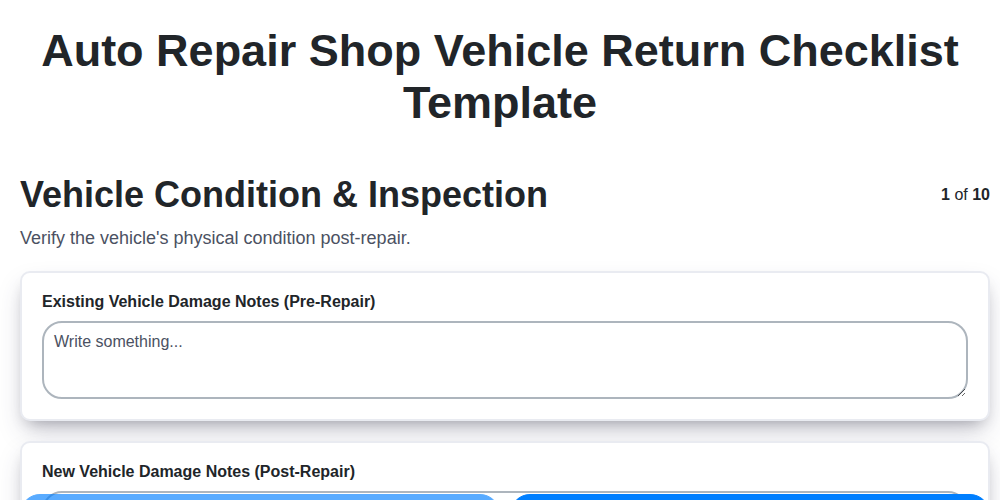
The Ultimate Vehicle Return Checklist for Auto Repair Shops
Need help with
Checklists?
Have a question? We're here to help. Please submit your inquiry, and we'll respond promptly.