 ChecklistGuro
 Facility Inspection Workflow: Digital Management for Built Environment Compliance
Streamline facility inspections and ensure total compliance with our digital workflow. From scheduling and checklist generation to issue tracking and reporting, manage your built environment inspections effortlessly on the go. Boost safety and accuracy today!
This Template was installed 3 times.
Start
Start of the Workflow/Process.
1. Get Inspection Site Details
Retrieves initial facility information (e.g., Site ID, Location Coordinates) from the Asset Data Model.
2. Assign Inspection Task to Inspector
Automatically assigns the inspection checklist and workflow to the assigned inspector user.
3. Retrieve Inspection Checklist Template
Fetches the standardized checklist associated with the specific facility type or area.
4. Record Daily Inspection Findings
Allows the inspector to create new entries for observed conditions (e.g., 'Damage Reported', 'Operational Check').
5. Update Asset Status After Inspection
Updates the main Asset Record with the completion date, overall inspection score, and next scheduled date.
6. Calculate Overall Compliance Score
Executes a formula based on checklist items (e.g., (Passed Items / Total Items) * 100) to determine site compliance percentage.
7. Aggregate Failure Point Count
Sums up the total number of non-compliant entries recorded during the inspection process.
8. Notify Supervisor of Inspection Completion
Sends an email summary report to the supervising manager upon successful completion of the inspection.
9. Send Immediate Out-of-Service Alert
Sends an immediate SMS alert if a critical, safety-related failure point is identified.
10. Generate Digital Compliance Report
Compiles all data entries, calculations, and findings into a final, time-stamped, and immutable digital report for record-keeping.
End
End of the Workflow/Process.
Start of the Workflow/Process.
Retrieves initial facility information (e.g., Site ID, Location Coordinates) from the Asset Data Model.
Automatically assigns the inspection checklist and workflow to the assigned inspector user.
Fetches the standardized checklist associated with the specific facility type or area.
Allows the inspector to create new entries for observed conditions (e.g., 'Damage Reported', 'Operational Check').
Updates the main Asset Record with the completion date, overall inspection score, and next scheduled date.
Executes a formula based on checklist items (e.g., (Passed Items / Total Items) * 100) to determine site compliance percentage.
Sums up the total number of non-compliant entries recorded during the inspection process.
Sends an email summary report to the supervising manager upon successful completion of the inspection.
Sends an immediate SMS alert if a critical, safety-related failure point is identified.
Compiles all data entries, calculations, and findings into a final, time-stamped, and immutable digital report for record-keeping.
End of the Workflow/Process.
Frequently Asked Questions
Comments
Just started using this for our office building, super easy to set up.
Audit/Inspection Management Solution Demo
Ensure compliance & improve performance! ChecklistGuro streamlines audit/inspection creation, execution, and reporting. Reduce risk, enhance quality, & maintain consistency. Manage it all with our Work OS.
Related Workflow Templates
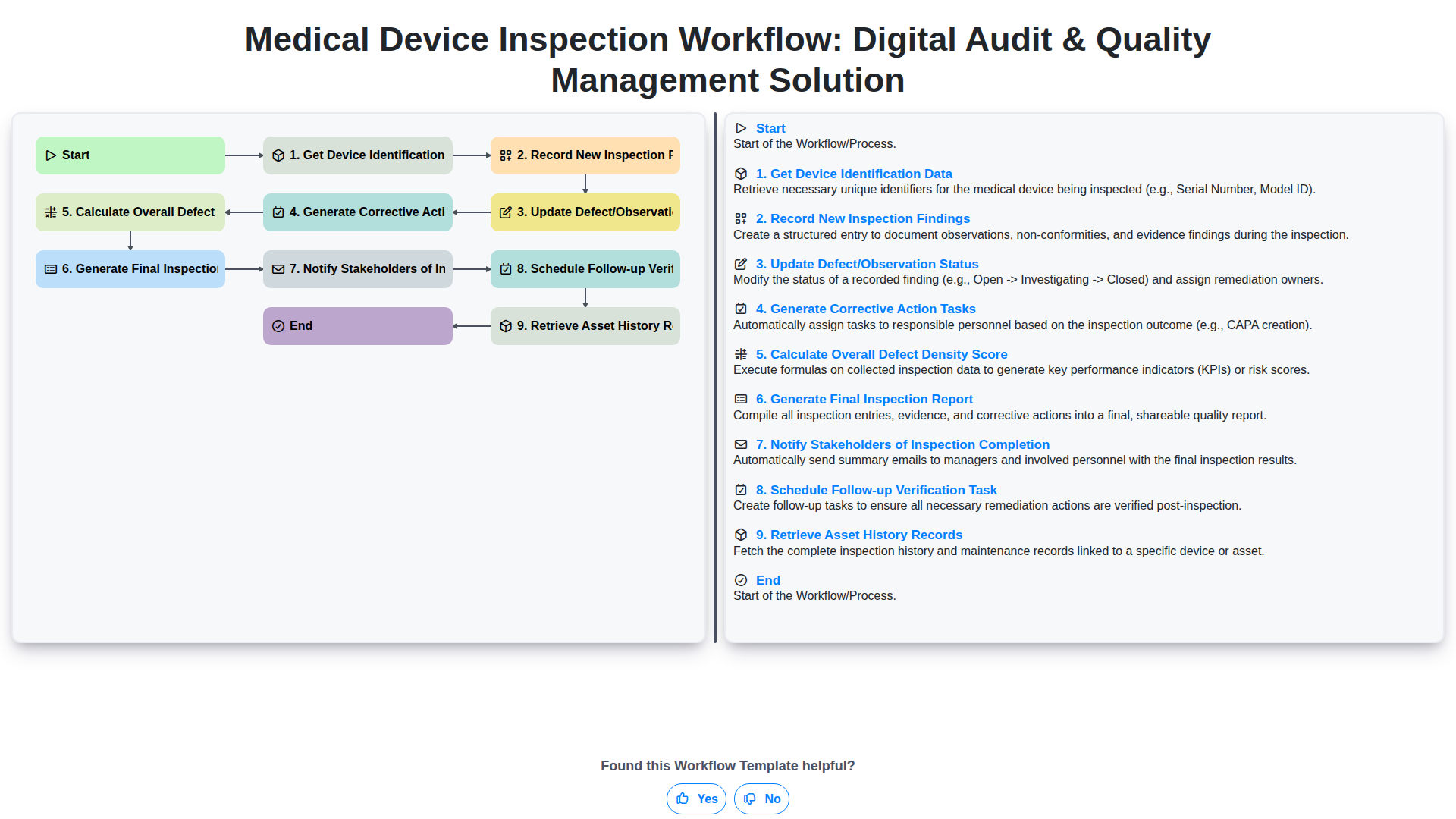
Medical Device Inspection Workflow: Digital Audit & Quality Management Solution
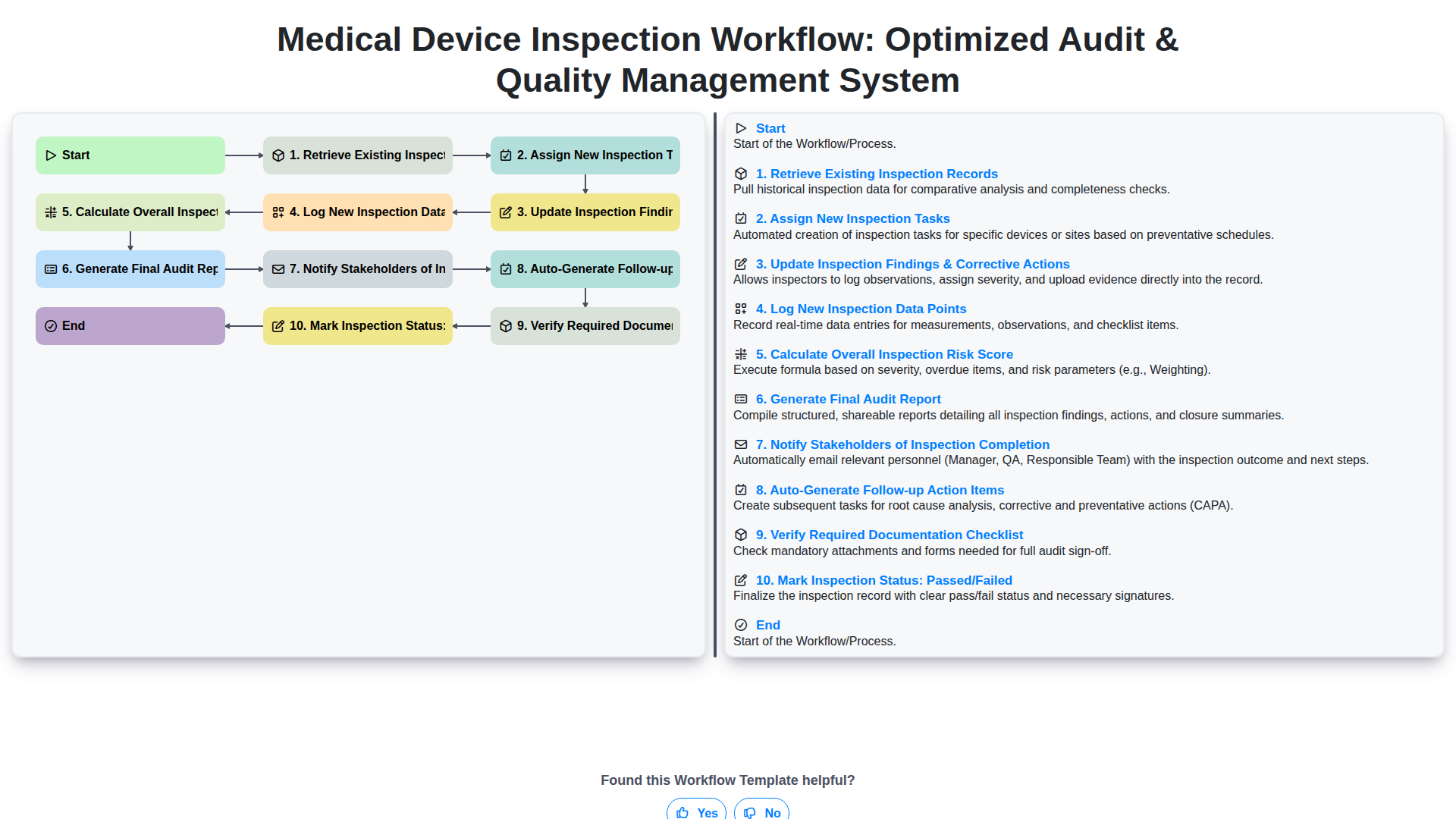
Medical Device Inspection Workflow: Optimized Audit & Quality Management System
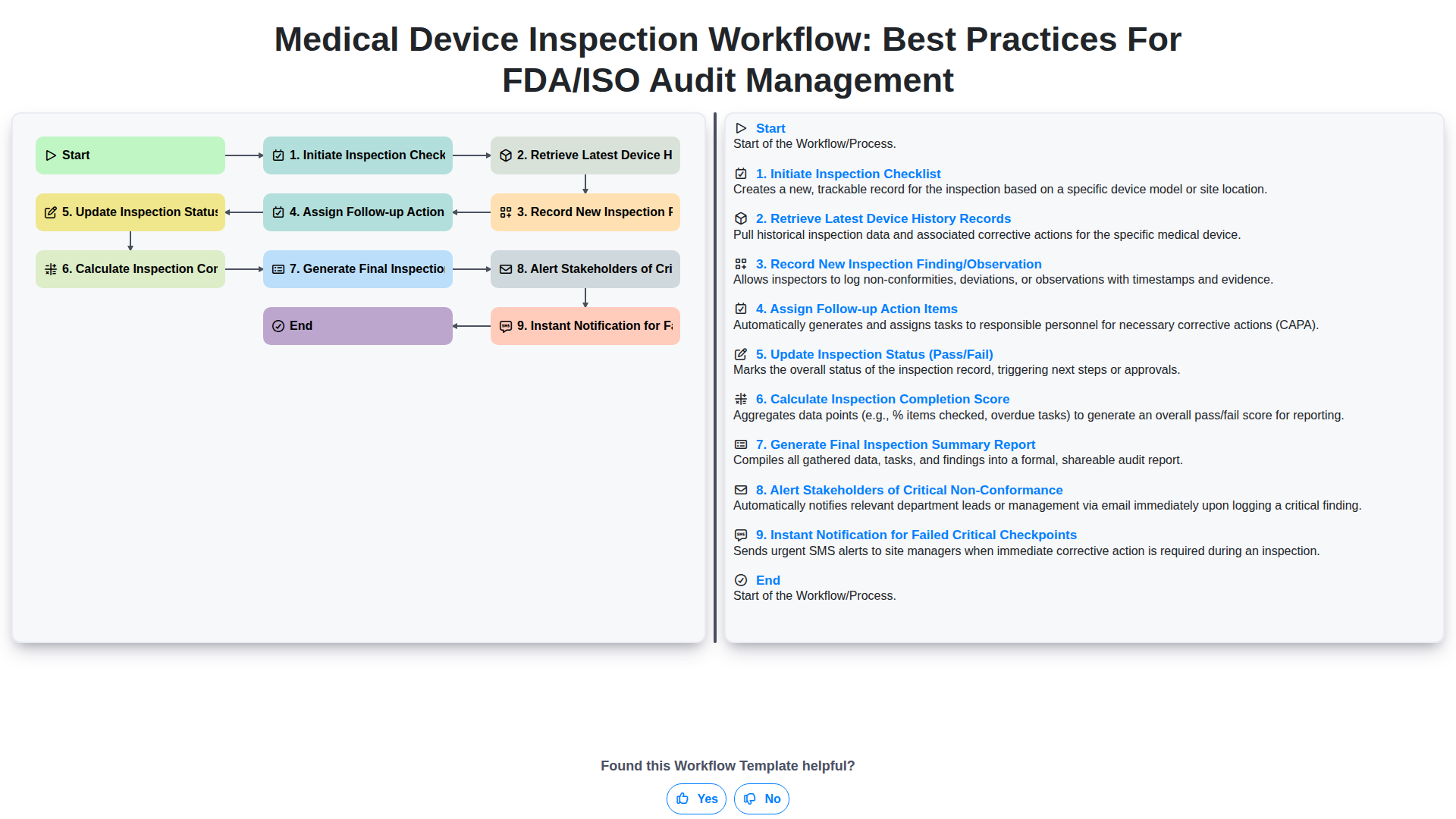
Medical Device Inspection Workflow: Best Practices for FDA/ISO Audit Management
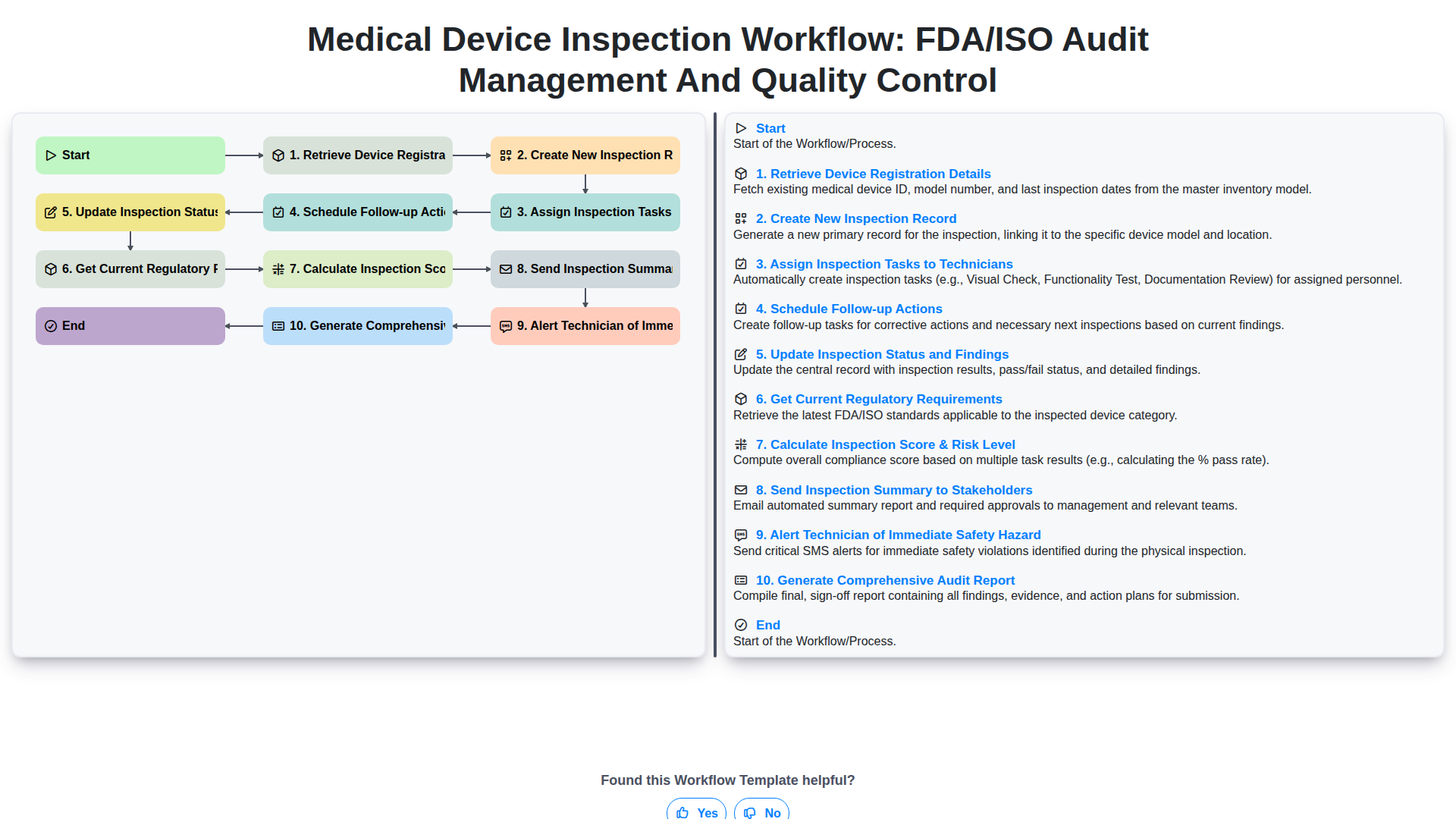
Medical Device Inspection Workflow: FDA/ISO Audit Management and Quality Control
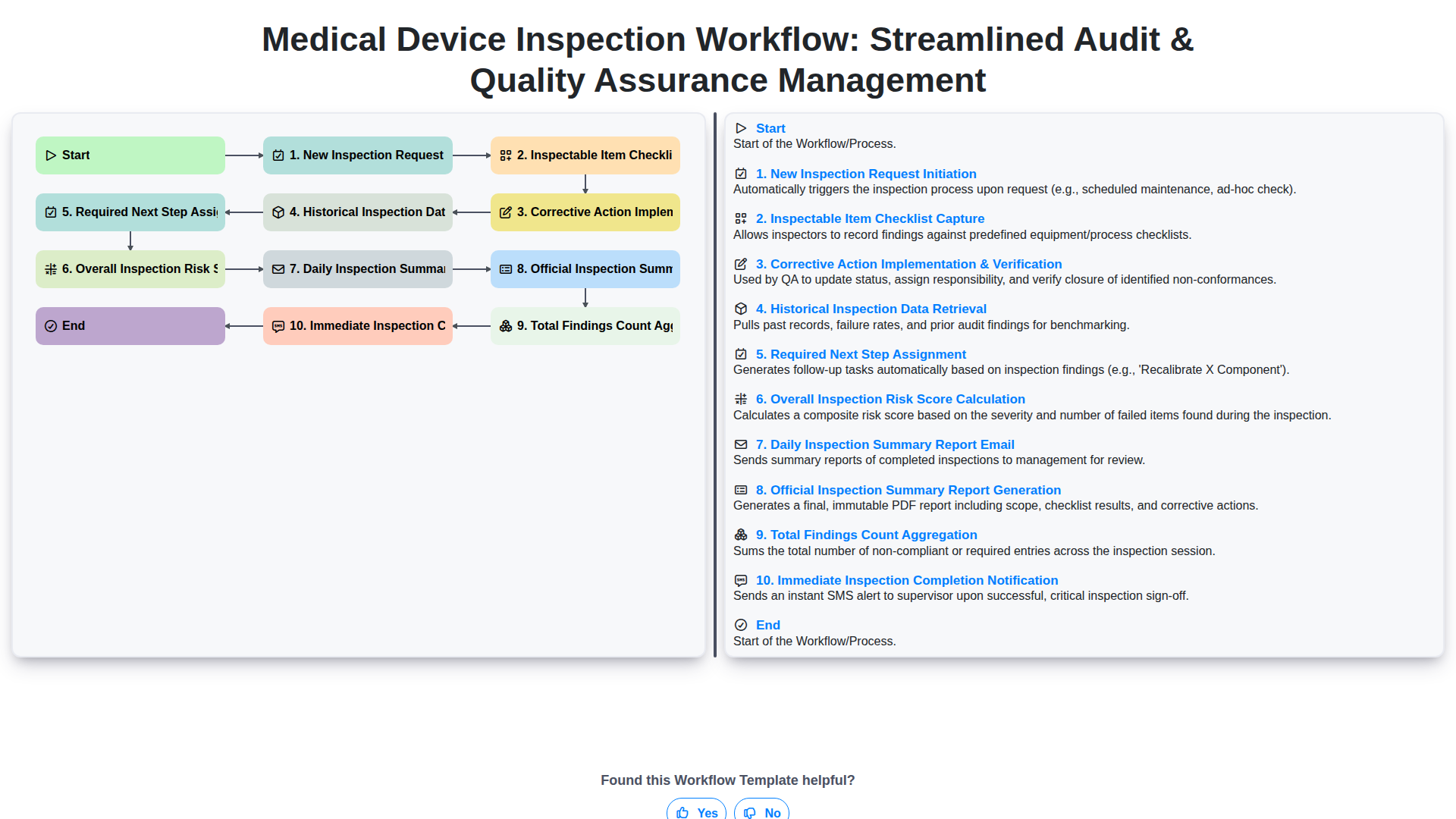
Medical Device Inspection Workflow: Streamlined Audit & Quality Assurance Management
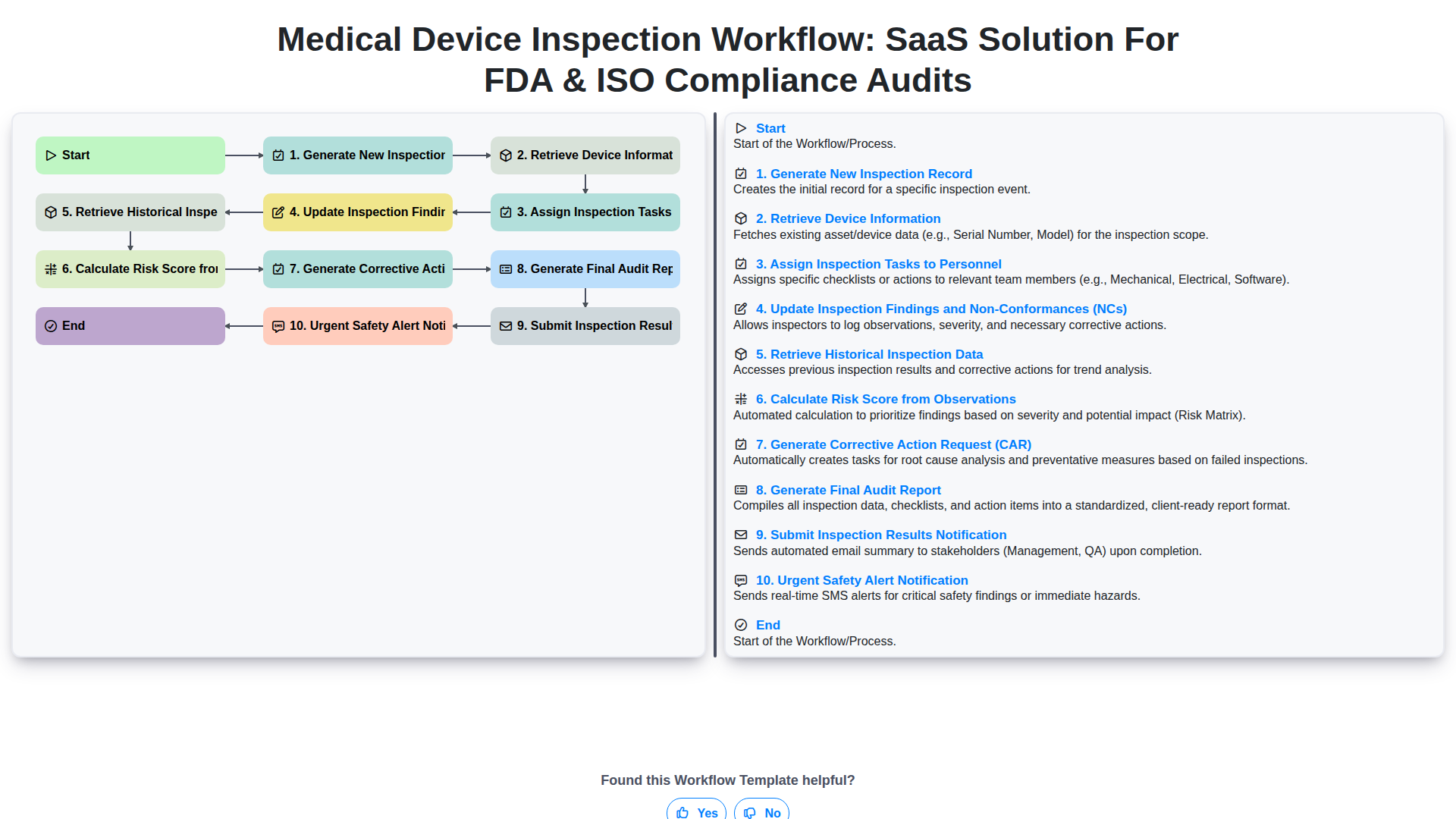
Medical Device Inspection Workflow: SaaS Solution for FDA & ISO Compliance Audits
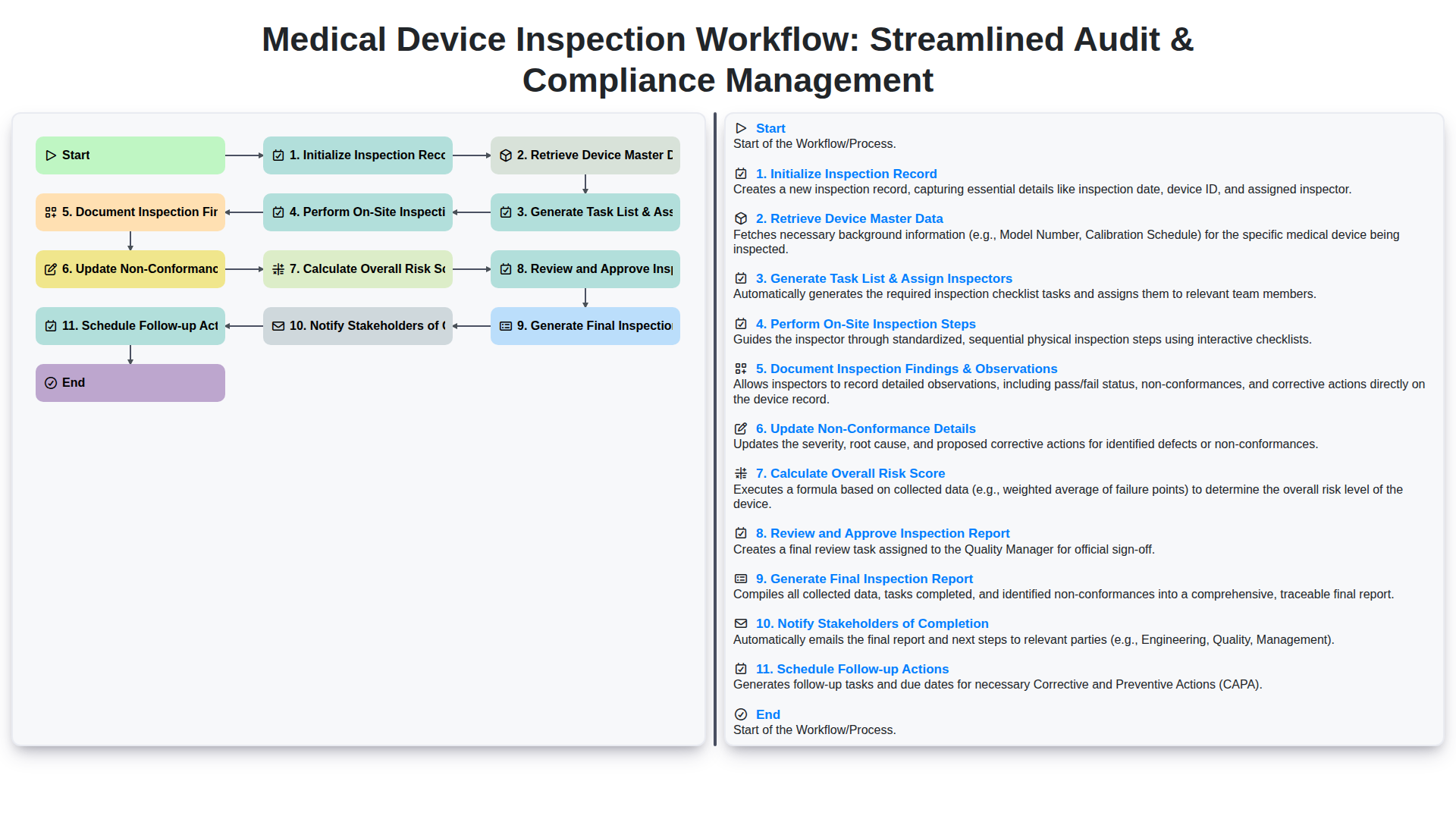
Medical Device Inspection Workflow: Streamlined Audit & Compliance Management
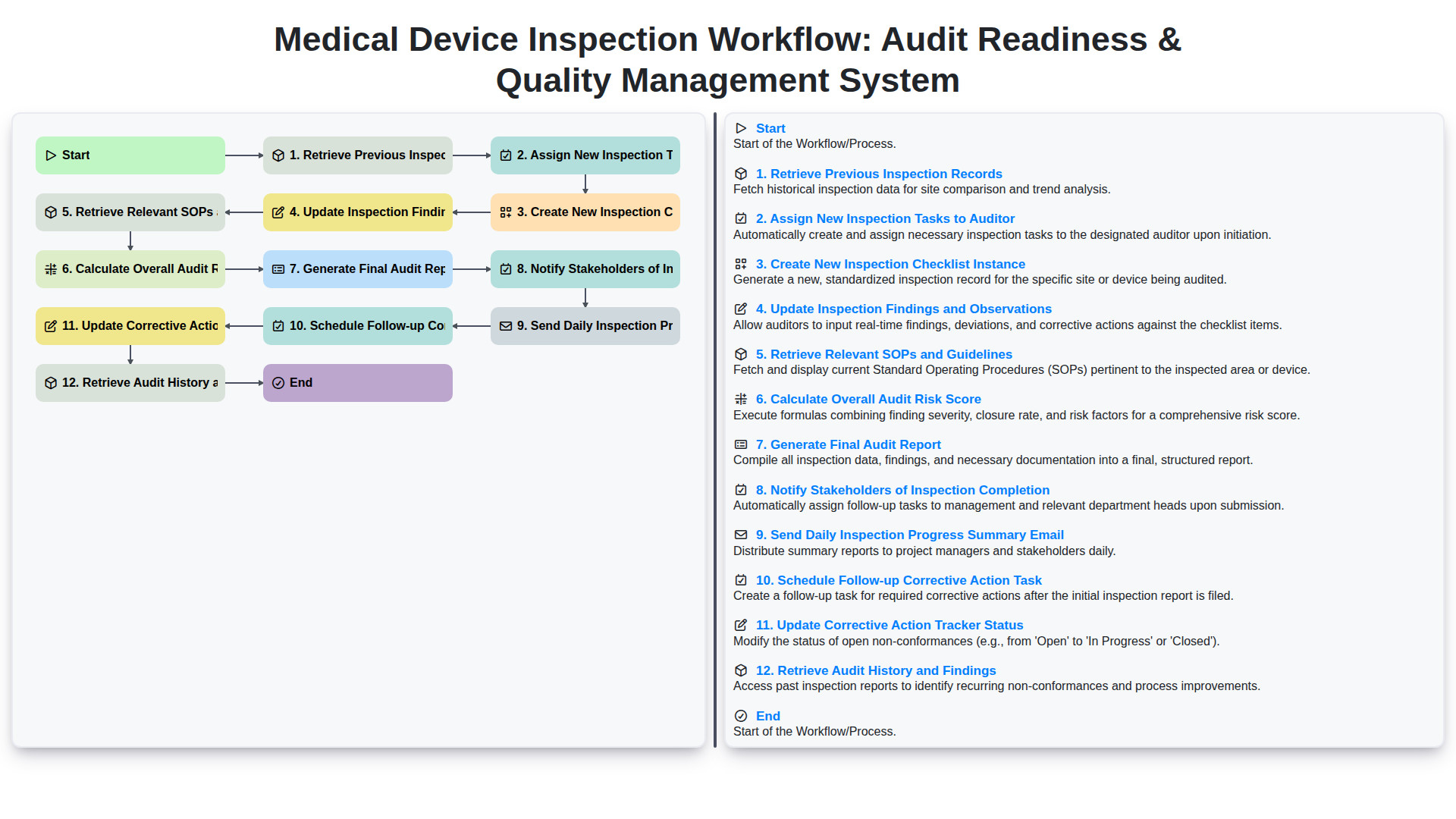
Medical Device Inspection Workflow: Audit Readiness & Quality Management System
Need help with
Inspection Management?
Have a question? We're here to help. Please submit your inquiry, and we'll respond promptly.