ERP Business Continuity Planning Checklist: Your Guide to Resilience
Published: 12/19/2025 10:00 PM Updated: 12/20/2025 9:11 AM
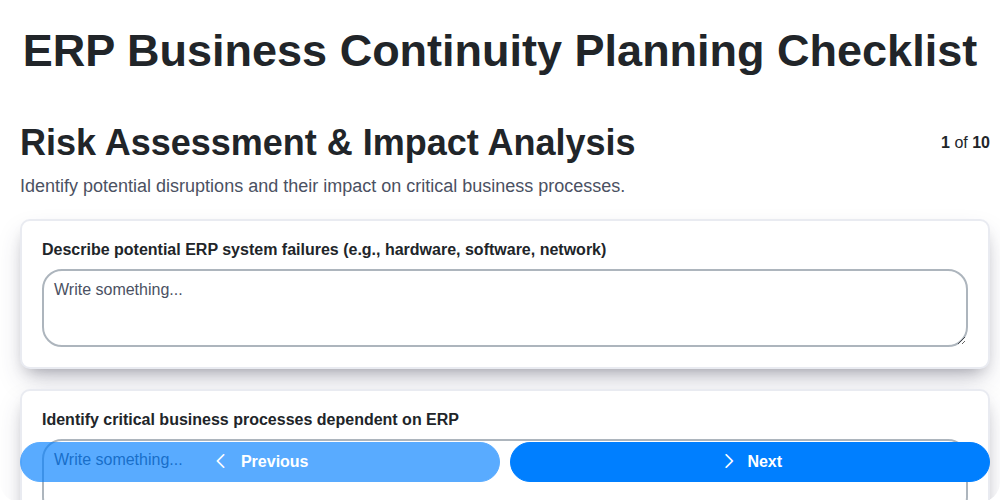
Table of Contents
- Introduction: Why ERP Business Continuity Matters
- 1. Risk Assessment & Impact Analysis: Identifying Your Vulnerabilities
- 2. Data Backup & Recovery: Safeguarding Your Critical Information
- 3. System Redundancy & Failover: Ensuring Continuous Operation
- 4. Communication Plan: Keeping Stakeholders Informed
- 5. Alternative Work Locations & Resources: Maintaining Productivity
- 6. Third-Party Dependencies: Addressing External Risks
- 7. Testing & Training: Validating Your Plan
- 8. Plan Maintenance & Updates: Staying Ahead of Change
- 9. Incident Response Procedures: A Step-by-Step Guide
- 10. Post-Incident Review & Improvement: Learning from Experience
- 11. Key Roles & Responsibilities: Defining Accountability
- 12. Documentation: Centralizing Your Continuity Plan
- Conclusion: Building a Resilient ERP Environment
- Resources & Links
TLDR: ERP failures can cripple your business. This checklist provides a step-by-step guide - covering risk assessment, backups, redundancy, communication, and more - to create a solid business continuity plan for your ERP system, minimizing downtime and ensuring business resilience. Download the template and start building your plan today!
Introduction: Why ERP Business Continuity Matters
Your Enterprise Resource Planning (ERP) system is the backbone of your business - it manages everything from finances and inventory to customer relationships and manufacturing. A disruption to this system, whether from natural disaster, cyberattack, or human error, can cripple operations, leading to significant financial losses, reputational damage, and even business closure. Simply put, ERP business continuity isn't just a nice-to-have; it's a must-have for survival and sustained success.
This isn't about preventing all risks-that's impossible. It's about proactively preparing for the inevitable, minimizing downtime, and ensuring a swift return to normal operations. A well-defined and regularly tested business continuity plan for your ERP system is your best defense against unforeseen circumstances, safeguarding your data, your processes, and ultimately, your business. This checklist will provide a roadmap to achieve that resilience.
1. Risk Assessment & Impact Analysis: Identifying Your Vulnerabilities
Before you can build a robust ERP Business Continuity Plan (BCP), you need to understand what you're protecting from. This is where a thorough Risk Assessment & Impact Analysis comes into play. It's more than just a formality; it's the foundation of your entire plan.
This process involves identifying potential threats to your ERP system - think natural disasters, cyberattacks, hardware failures, power outages, and even human error. For each identified risk, you need to analyze the potential impact on your business. Consider these questions:
- What critical business processes rely on the ERP system? (e.g., order processing, inventory management, financial reporting)
- What is the financial impact if those processes are disrupted? (Lost revenue, penalties, decreased productivity)
- What is the reputational damage associated with an outage? (Loss of customer trust, negative publicity)
- What are the legal and regulatory implications of data loss or system unavailability? (Compliance breaches, fines)
- What is the recovery time objective (RTO)? (How long can you afford to be without the ERP?)
- What is the recovery point objective (RPO)? (How much data loss is acceptable?)
Prioritize risks based on their likelihood and potential impact. High-likelihood, high-impact risks require immediate attention and mitigation strategies. This analysis should be documented and reviewed regularly, as business operations and threat landscapes evolve. This detailed assessment informs every subsequent step in your BCP.
2. Data Backup & Recovery: Safeguarding Your Critical Information
In an ERP system, data is the lifeblood of your business. Losing it can be catastrophic, leading to operational shutdowns, financial losses, and reputational damage. A robust data backup and recovery plan is therefore paramount to business continuity. This isn't just about backing up your data; it's about ensuring you can reliably restore it quickly and efficiently when disaster strikes.
Here's what your data backup and recovery checklist should include:
- Backup Frequency & Scope: Determine how often backups are performed (daily, weekly, etc.) and what data is included. Consider both full and incremental backups. Full backups are comprehensive, while incremental backups capture only changes since the last backup, saving time and storage space.
- Backup Storage Location(s): Don't store backups on-site only! Implement the 3-2-1 rule: 3 copies of your data, on 2 different media, with 1 copy offsite. Cloud storage, secure offsite data centers, or physically relocating backups are viable options.
- Data Encryption: Encrypt both data at rest (stored backups) and in transit (during backup and recovery processes) to protect against unauthorized access.
- Backup Verification: Regularly test your backups to ensure they're complete and restorable. This is critical. Don't wait for a disaster to discover your backups are corrupted or incomplete.
- Recovery Time Objective (RTO) & Recovery Point Objective (RPO): Define clear RTO (how long can you afford to be down?) and RPO (how much data loss is acceptable?) goals. These will drive your backup frequency and recovery procedures.
- Automated Backup Processes: Automate your backup processes wherever possible to minimize human error and ensure consistency.
- Documentation: Thoroughly document your backup procedures, including responsible personnel, schedules, and recovery steps.
3. System Redundancy & Failover: Ensuring Continuous Operation
ERP systems are the backbone of many businesses, and any downtime can be crippling. System Redundancy & Failover strategies are crucial for ensuring continuous operation even when faced with unexpected disruptions. This isn't just about having backups; it's about actively preventing downtime through duplication and automated recovery.
What Does System Redundancy & Failover Mean?
- Redundancy: Essentially, it means having duplicate systems or components in place. If one fails, another immediately takes over. This can range from redundant servers and databases to mirrored network connections.
- Failover: This is the automated process of switching to the redundant system when the primary system fails. Ideally, failover should be seamless, with minimal (or zero) disruption to users and business processes.
Key Considerations for ERP System Redundancy & Failover:
- Identify Critical Systems: Prioritize redundancy for the ERP modules and servers absolutely essential for business continuity (e.g., finance, order management, critical manufacturing processes).
- Active-Active vs. Active-Passive:
- Active-Active: Both primary and secondary systems are actively processing data, distributing the workload and providing immediate failover capabilities. This offers faster recovery but is more complex to implement.
- Active-Passive: One system is active and handling the workload, while the other remains in standby mode. In case of failure, the passive system is activated. This is generally simpler to set up.
- Geographic Redundancy: Consider replicating your ERP environment across different geographic locations. This protects against region-specific disasters (e.g., power outages, natural disasters).
- Database Replication: Consistent database replication is vital. Ensure real-time or near real-time replication to minimize data loss during failover.
- Automated Failover: Manual failover processes are too slow and prone to human error. Implement automated failover mechanisms.
- Testing is Paramount: Regularly test your failover procedures to ensure they work as expected. This includes simulating failures to observe the entire process.
Implementing robust System Redundancy & Failover capabilities requires careful planning and investment, but the cost of downtime far outweighs these expenses.
4. Communication Plan: Keeping Stakeholders Informed
A robust Business Continuity Plan (BCP) is useless if no one knows what to do or how to respond during a disruptive event. Your communication plan is the lifeline that connects your team, customers, suppliers, and other vital stakeholders. It's more than just sending out emails - it's about proactive, consistent, and tailored communication.
Here's what your communication plan should cover:
- Identify Key Stakeholders: Map out everyone who needs to be informed - employees (different departments), customers, suppliers, board members, regulatory bodies, and potentially even the media.
- Define Communication Channels: Don't rely solely on email! Consider multiple channels - phone trees, instant messaging, dedicated emergency website/portal, social media (with carefully managed messaging), and even printed materials for those without reliable internet access.
- Establish Roles & Responsibilities: Clearly assign who is responsible for disseminating information, updating status reports, and responding to inquiries. Avoid bottlenecks and ensure accountability.
- Pre-Prepared Templates & Messages: Develop draft messages for common scenarios. This speeds up response time and ensures consistency. (Think: System outage affecting order processing, Data breach notification).
- Escalation Procedures: Define how and to whom to escalate communication needs (e.g., escalating customer complaints to management).
- Regular Updates: During an incident, provide regular status updates, even if there's nothing new to report. Silence breeds anxiety and speculation.
- Feedback Mechanisms: Include a way for stakeholders to provide feedback on the effectiveness of the communication plan.
A well-executed communication plan fosters trust, minimizes confusion, and contributes significantly to a swift and effective recovery.
5. Alternative Work Locations & Resources: Maintaining Productivity
A robust Business Continuity Plan (BCP) isn't just about keeping your ERP system online; it's about ensuring your business functions. When disaster strikes, physical office access might be impossible. Having pre-planned alternative work locations and readily available resources is crucial for maintaining productivity and minimizing disruption.
Here's what to consider:
- Remote Work Capabilities: Assess the feasibility and security of widespread remote work. This includes equipping employees with necessary hardware (laptops, headsets) and software (VPNs, collaboration tools). Ensure robust security protocols are in place to protect sensitive ERP data accessed remotely.
- Designated Alternate Sites: Identify and secure backup office spaces, co-working spaces, or even agreements with other businesses to provide temporary work areas. These locations should have reliable internet access and power.
- Mobile Devices & Connectivity: Provide employees with company-issued mobile devices (smartphones, tablets) with secure access to critical ERP data and communication channels.
- Essential Hardware & Software: Inventory and pre-stage essential hardware and software needed for employees to perform critical tasks at alternative locations. This might include printers, specialized software, and access to shared drives.
- Cloud-Based Solutions: Leverage cloud-based ERP solutions whenever possible. This inherently provides accessibility from anywhere with an internet connection, a significant advantage during a disruption.
- Employee Training: Train employees on how to access and utilize these alternative locations and resources. Familiarize them with the technology and procedures they'll need to follow.
- Resource Allocation: Define clear roles and responsibilities for managing and distributing alternative work resources.
Having a well-defined and tested plan for alternative work locations and resources can be the difference between a minor inconvenience and a major business crisis.
6. Third-Party Dependencies: Addressing External Risks
Your ERP system rarely operates in a vacuum. It's likely integrated with numerous third-party services - cloud providers, payment gateways, shipping logistics providers, specialized software vendors, and more. These dependencies, while often beneficial, introduce significant risks to your business continuity plan. A disruption at a critical third-party provider can quickly cascade into a major ERP outage, impacting your entire operation.
Identifying and mitigating these risks requires careful consideration. Start by creating a comprehensive inventory of all third-party vendors whose services are critical to your ERP functionality. For each vendor, assess:
- Service Level Agreements (SLAs): Carefully review their SLAs, paying close attention to uptime guarantees, recovery time objectives (RTOs), and recovery point objectives (RPOs). Understand their commitment to business continuity and disaster recovery.
- Financial Stability: Assess the vendor's financial health. A financially unstable vendor is more likely to cut corners on security and disaster recovery, increasing your risk.
- Security Practices: Inquire about their security protocols, certifications (e.g., SOC 2), and data protection measures.
- Contingency Plans: Request and review their business continuity and disaster recovery plans. Do they align with your own requirements?
- Data Location & Compliance: Understand where your data resides and ensure they comply with relevant data privacy regulations.
Beyond assessment, consider strategies like diversifying vendors (if feasible), establishing contractual penalties for SLA breaches, and exploring alternative solutions. Regular communication and relationship building with key vendor contacts is also crucial for proactive risk management. Don't assume they are handling everything - actively participate in ensuring their continuity supports your own.
7. Testing & Training: Validating Your Plan
A brilliant ERP business continuity plan is useless if no one knows how to execute it, or if it hasn't been tested to ensure it actually works. Testing and training aren't just nice to haves; they're critical components for a successful recovery.
Why Test?
- Identify Gaps: Testing uncovers weaknesses and inaccuracies in your plan that might otherwise go unnoticed. You might discover steps are missing, instructions are unclear, or critical dependencies haven't been accounted for.
- Refine Procedures: Real-world testing highlights areas where procedures need streamlining and improvement.
- Build Confidence: Regular testing provides confidence among your team - knowing that they can effectively respond to a disruption.
Training is Equally Vital:
- Role-Specific Training: Each team member should understand their responsibilities within the business continuity plan. Tailor training to their specific roles - the IT department's needs will be different from those of the finance or sales teams.
- Simulations & Drills: Don't just rely on theoretical training. Conduct regular simulations of various disaster scenarios (e.g., ransomware attack, natural disaster, power outage). These drills should be realistic and involve as much of the relevant team as possible.
- Documented Training Records: Maintain records of all training sessions, including participants, topics covered, and any follow-up actions.
- Regular Refresher Courses: Business processes evolve, and so should your training. Schedule refresher courses to keep everyone up-to-date.
Types of Testing:
- Tabletop Exercises: A facilitated discussion where teams walk through a hypothetical scenario.
- Walkthroughs: A step-by-step review of the plan with key personnel.
- Simulations: More involved tests that simulate a real disruption.
- Full-Scale Exercises: The most comprehensive test, involving the actual execution of the plan.
Don't view testing as an inconvenience; see it as an investment in your business's resilience.
8. Plan Maintenance & Updates: Staying Ahead of Change
Business continuity plans aren't set-and-forget documents. The reality is, your business evolves, technology shifts, and risks emerge constantly. A plan that's effective today could be obsolete tomorrow. Regular maintenance and updates are absolutely critical to ensuring your ERP business continuity plan remains a reliable safety net.
Here's what consistent upkeep should involve:
- Annual Review: At a minimum, conduct a full review of your plan annually. This should involve key stakeholders from across the business, including IT, operations, finance, and relevant departments using the ERP system.
- Triggered Updates: Don't wait for the annual review! Updates should be triggered by significant changes, such as:
- ERP System Upgrades: New versions often introduce changes that impact recovery procedures.
- Infrastructure Changes: Cloud migrations, new server deployments, or data center moves all necessitate updates.
- Business Process Changes: Modifications to workflows, processes, or departments directly impact the plan's applicability.
- Regulatory Changes: New laws or compliance requirements might necessitate adjustments to your plan.
- Version Control: Implement a robust version control system to track changes and ensure you always have access to the latest, approved version.
- Documentation: Clearly document all updates, including the rationale behind them and the individuals responsible.
- Communication: Inform all relevant personnel about plan updates and ensure they understand any changes to their roles and responsibilities.
Neglecting plan maintenance transforms a valuable asset into a false sense of security. Proactive upkeep is the key to resilience.
9. Incident Response Procedures: A Step-by-Step Guide
When a disruption hits - be it a cyberattack, natural disaster, or system failure - having a clear and actionable incident response plan is crucial for minimizing downtime and damage. This section outlines the key steps within that plan, designed to guide your team through the chaos and get your ERP back online swiftly.
1. Detection & Notification: This initial phase is all about recognizing something's wrong. Automated monitoring systems are ideal, but employee vigilance is equally vital. Clearly define who needs to be notified immediately (your Incident Response Team - see communication plan) and the channels for notification (phone, email, dedicated platform).
2. Activation of the Incident Response Team: Once an incident is confirmed, the designated team activates. Roles and responsibilities should be pre-defined (e.g., Incident Commander, Technical Lead, Communications Officer) to ensure efficient decision-making.
3. Containment: The priority is to stop the incident from spreading. This could involve isolating affected systems, disabling compromised accounts, or implementing temporary workarounds. The goal is to limit the scope of the disruption.
4. Assessment & Analysis: Understand what happened, how it happened, and what systems were affected. Forensic analysis may be necessary to identify the root cause and vulnerabilities exploited. Document everything thoroughly.
5. Eradication: This involves removing the root cause of the incident. This might include patching vulnerabilities, removing malware, or rebuilding systems. Verification is essential - confirm the threat is completely gone.
6. Recovery: Restore affected systems and data. This is where your data backup and recovery plan comes into play. Prioritize critical ERP modules to get essential business functions back online quickly.
7. Documentation & Reporting: Detailed records of the incident are paramount. Document every step taken, observations made, and lessons learned. This documentation will be invaluable for post-incident review and future prevention. Ensure compliance reporting requirements are met.
Pro-Tip: Regular tabletop exercises where the Incident Response Team simulates incidents are incredibly effective in identifying gaps in the plan and refining response procedures.
10. Post-Incident Review & Improvement: Learning from Experience
The adrenaline fades, systems are restored, and business operations resume. But the work isn't truly done. A thorough post-incident review is crucial for continuous improvement and ensuring your ERP business continuity plan remains effective. This isn't about assigning blame; it's about extracting valuable lessons to strengthen your defenses.
Here's what a robust post-incident review should encompass:
- Gather Data & Perspectives: Collect data from all involved parties - IT, business users, management, and potentially third-party vendors. Encourage open and honest feedback.
- Identify Root Causes: Don't just address the symptoms. Dig deep to uncover the underlying reasons the incident occurred. Was it a system vulnerability, process failure, or human error?
- Evaluate Plan Effectiveness: Did the business continuity plan work as intended? Where did it fall short? Were the documented procedures followed? Were resources readily available?
- Document Findings: Create a detailed report outlining the incident, the root causes, and areas for improvement. This report should be accessible to key stakeholders.
- Implement Corrective Actions: Based on the findings, develop specific, measurable, achievable, relevant, and time-bound (SMART) actions to address the identified weaknesses. This could involve process changes, system upgrades, or additional training.
- Update Documentation: Reflect the lessons learned and corrective actions taken in your ERP business continuity plan documentation. Ensure all stakeholders are notified of the updates.
- Track Progress: Monitor the implementation of corrective actions and verify their effectiveness.
By embracing a culture of continuous improvement through thorough post-incident reviews, you transform setbacks into opportunities to build a more resilient ERP environment.
11. Key Roles & Responsibilities: Defining Accountability
A robust Business Continuity Plan (BCP) isn't just a document; it's a framework built on clear accountability. Simply outlining procedures isn't enough - you need to designate individuals responsible for executing those procedures before an incident occurs. Without defined roles and responsibilities, chaos can quickly ensue when everything is on the line.
Here's what you need to consider when defining key roles:
- BCP Coordinator/Manager: The overall leader, responsible for plan development, maintenance, testing, and activation.
- IT Recovery Team Lead: Oversees data recovery, system restoration, and failover procedures.
- Communication Team Lead: Manages internal and external communications during an incident, ensuring timely and accurate information is disseminated.
- Departmental Recovery Leads: Representatives from each department (e.g., Sales, Finance, Operations) who understand their area's critical functions and recovery needs. They coordinate efforts within their teams and report to the BCP Coordinator.
- Data Backup & Recovery Specialist: Responsible for the execution and verification of data backup and recovery processes.
- Security Officer: Ensures security protocols are maintained throughout the recovery process.
- Executive Sponsor: A senior leader who champions the BCP, secures resources, and helps resolve roadblocks.
For each role, clearly document:
- Responsibilities: Specific tasks and duties.
- Authority: Decision-making power and scope of action.
- Contact Information: Multiple methods of contact (phone, email, mobile) and backup contacts in case the primary is unavailable.
- Training Requirements: Ensuring assigned personnel have the skills and knowledge to fulfill their roles.
Regularly review and update these roles and responsibilities, especially when organizational structure changes or new ERP modules are implemented. Documenting these roles isn't just good practice; it's a vital step in ensuring your ERP system can weather any storm.
12. Documentation: Centralizing Your Continuity Plan
A robust ERP business continuity plan is useless if it's scattered across emails, individual computers, and the brains of a few key individuals. Centralized documentation is absolutely critical for accessibility, clarity, and overall plan effectiveness.
This means more than just compiling all your checklists and procedures into a single PDF. It requires a structured, accessible, and regularly updated repository. Consider these points:
- Dedicated Platform: Utilize a dedicated platform - a shared drive, intranet site, or even a specialized business continuity management software - to store all plan-related documents.
- Version Control: Implement a clear version control system. This ensures everyone is working with the latest version and prevents confusion arising from outdated information. Date stamps and revision numbers are a must.
- Accessibility: Ensure the documentation is easily accessible to all relevant personnel, even those who might be working remotely or outside of normal business hours. Permissions should be carefully managed to protect sensitive information.
- Standardized Format: Maintain a consistent format for all documents. This makes them easier to understand and navigate. Use templates where appropriate.
- Contact Information: Include readily available contact information for key personnel responsible for executing the plan.
- Regular Review: Schedule regular reviews of the documentation to ensure its accuracy and relevance. A living document is a useful document.
Conclusion: Building a Resilient ERP Environment
Implementing a robust ERP business continuity plan isn't a one-time project; it's an ongoing commitment. By diligently working through the checklist - from initial risk assessment to post-incident review - you're not just preparing for the worst, you're strengthening your entire business. A resilient ERP environment translates to minimized downtime, reduced financial losses, and preserved customer trust. Remember, proactive planning empowers your organization to navigate disruptions with confidence and emerge stronger than before. Continuous monitoring, periodic testing, and a willingness to adapt your plan based on lessons learned are crucial to maintaining that resilience. The investment in a well-executed ERP business continuity plan is an investment in the long-term stability and success of your business.
Resources & Links
- National Institute of Standards and Technology (NIST): NIST provides guidance and frameworks for business continuity and disaster recovery, including the Business Continuity Management System (BCMS) framework. A vital resource for understanding best practices.
- Federal Emergency Management Agency (FEMA): FEMA offers valuable resources on disaster preparedness and recovery, applicable to both natural and man-made incidents that could impact ERP systems.
- International Organization for Standardization (ISO): ISO 22301 is the international standard for business continuity management systems. Provides a structured approach to planning and implementing BCMS.
- Business Continuity Institute (BCI): The BCI provides training, certifications, and resources for business continuity professionals. Offers insights into BCMS implementation and best practices.
- Disaster Recovery Journal: A comprehensive website with articles, news, and analysis on disaster recovery and business continuity topics. Provides real-world examples and case studies.
- SearchERP (TechTarget): Provides news, analysis, and tutorials related to ERP systems, including information on business continuity planning for ERP environments.
- IT Governance: Offers a wide range of IT governance, risk management, and compliance resources, including guidance on business continuity and disaster recovery aligned with various standards.
- Cybersecurity and Infrastructure Security Agency (CISA): CISA offers resources and tools to help organizations prepare for and respond to cybersecurity incidents, a critical component of ERP business continuity.
- Amazon Web Services (AWS) - Disaster Recovery: If your ERP system utilizes cloud infrastructure, AWS provides services and best practices for disaster recovery and business continuity within their platform. Includes guidance applicable regardless of cloud provider.
- Microsoft Azure - Business Continuity: Similar to AWS, Azure offers services and documentation for implementing business continuity solutions for organizations using Microsoft's cloud services. Useful for ERP systems heavily integrated with Microsoft technologies.
Frequently Asked Questions
What is ERP business continuity planning?
ERP business continuity planning is the process of preparing for and recovering from disruptions to your ERP system and related business processes. It involves identifying potential risks, developing strategies to minimize impact, and outlining steps for restoration and ongoing operations during and after an incident.
Why is ERP business continuity planning important?
ERP systems are critical to many business functions. A disruption can lead to data loss, operational downtime, financial losses, reputational damage, and regulatory non-compliance. A well-defined plan ensures minimal disruption and quicker recovery.
What are some common ERP business continuity risks?
Common risks include natural disasters (floods, earthquakes), cyberattacks (ransomware, data breaches), hardware failures, software bugs, power outages, human error, and supplier failures.
Who should be involved in creating an ERP business continuity plan?
Key stakeholders should include IT personnel, ERP administrators, business unit leaders (e.g., Finance, Sales, Operations), security officers, and representatives from relevant departments affected by the ERP system.
What are the key steps in creating an ERP business continuity checklist?
The checklist typically includes risk assessment, impact analysis, solution identification (backup, redundancy, cloud options), documentation of procedures, testing and training, and regular review/updates.
What types of backups are essential for ERP business continuity?
A combination of full, incremental, and differential backups is often recommended. Offsite backups (cloud, tape) are crucial for protection against physical damage. Database backups are especially vital.
What does 'failover' mean in the context of ERP business continuity?
Failover refers to the process of automatically switching to a backup system or location when the primary ERP system becomes unavailable. This ensures minimal interruption to business operations.
What role does cloud ERP play in business continuity?
Cloud ERP solutions often provide built-in redundancy and disaster recovery capabilities, making them a potentially strong choice for enhancing business continuity. However, you still need to ensure your data accessibility and application recovery procedures are defined.
How often should ERP business continuity plans be tested?
Testing should be conducted at least annually, and ideally more frequently (e.g., semi-annually). Testing should involve simulating various disruption scenarios and documenting the results.
Where can I find additional resources for ERP business continuity planning?
Consider consulting with ERP vendors, IT consultants, cybersecurity experts, and industry-specific best practices and regulations. Several online resources and templates can also provide guidance.
Found this Article helpful?
Comments
There are no comments yet. Be the first to add one!
ERP - Enterprise Resource Planning Solution Demo
Overwhelmed by disconnected systems? ChecklistGuro provides a centralized ERP solution, connecting your business processes - finance, operations, & more - for improved visibility and control. Simplify operations & boost efficiency.
Related Articles

MRP System Go-Live Checklist: Your Path to a Successful Implementation

Top 10 CMiC Alternatives for 2025

The Ultimate Foundation Waterproofing Installation Checklist Template
Top 10 Odoo Alternatives for 2025

How to Save Money on Bill of Materials (BOM) Management Software

The Ultimate Waterproofing Checklist: Ensuring a Leak-Proof Installation

The 10 Best Manufacturing Management Software of 2025

MRP Vendor Master Data Checklist: Ensuring Accuracy and Efficiency
We can do it Together
Need help with
Enterprise Resource Planning (ERP)?
Have a question? We're here to help. Please submit your inquiry, and we'll respond promptly.