ERP Data Retention Policy Checklist: A Step-by-Step Guide
Published: 12/19/2025 10:00 PM Updated: 12/20/2025 12:21 PM
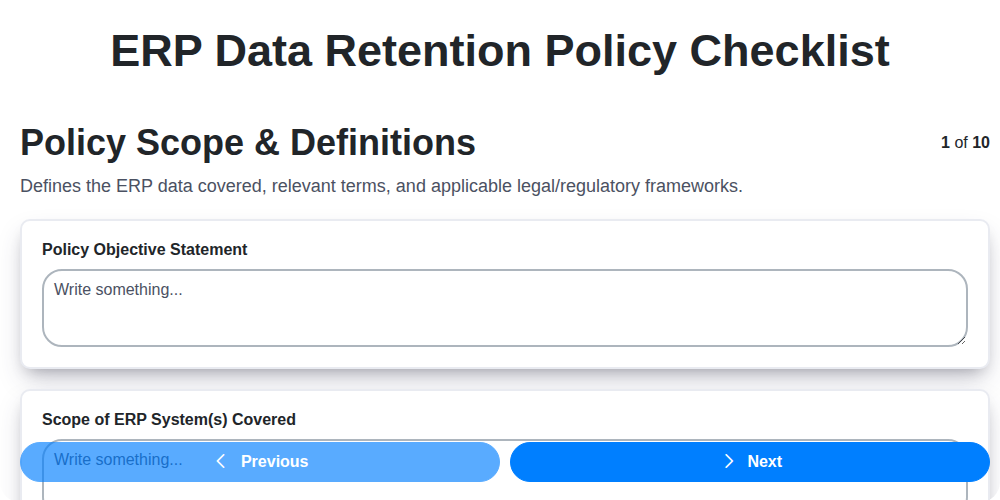
Table of Contents
- Introduction: Why an ERP Data Retention Policy Matters
- 1. Policy Scope & Definitions: Setting the Foundation
- 2. Data Categorization: Identifying What Needs to Be Kept
- 3. Defining Retention Periods: How Long to Hold Data
- 4. Legal & Regulatory Compliance: Staying on the Right Side of the Law
- 5. Archiving Procedures: Preparing Data for Long-Term Storage
- 6. Data Disposal Methods: Securely Eliminating Obsolete Data
- 7. Access Control & Security: Protecting Data Throughout Its Lifecycle
- 8. Audit Trails & Monitoring: Tracking Data Access and Changes
- 9. Policy Review & Updates: Ensuring Ongoing Relevance
- 10. Employee Training & Awareness: Building a Data-Conscious Culture
- 11. Checklist Summary: Key Considerations
- 12. Tools & Technologies for ERP Data Retention
- Conclusion: Minimizing Risk and Maximizing Value
- Resources & Links
TLDR: Overwhelmed by ERP data retention? This checklist simplifies the process! It guides you through defining scope, categorizing data, setting retention periods, ensuring compliance, and safely disposing of data - all to keep your ERP system secure and legally sound. Download the template and get organized!
Introduction: Why an ERP Data Retention Policy Matters
Your Enterprise Resource Planning (ERP) system is the heart of your business, housing a vast trove of critical data - from financial records and customer information to inventory levels and production schedules. But what happens to that data after its active lifespan? Neglecting data retention can lead to a host of problems, including legal liabilities, increased storage costs, and hindered operational efficiency.
An ERP data retention policy isn't just about complying with regulations; it's about safeguarding your business. A well-defined policy provides a structured approach to managing data throughout its lifecycle, ensuring you keep what you need, securely dispose of what you don't, and can demonstrate compliance when required. It minimizes risks associated with data breaches, eDiscovery requests, and potential legal challenges. Ultimately, a robust ERP data retention policy allows you to operate more effectively and responsibly.
1. Policy Scope & Definitions: Setting the Foundation
A robust ERP data retention policy begins with crystal-clear scope and well-defined terms. Ambiguity here can lead to misinterpretations, inconsistent application, and ultimately, compliance issues. This section establishes what data your policy covers and ensures everyone understands the terminology.
Key Considerations:
- Define Scope: Clearly state which ERP modules and data types are included. Does the policy cover financial data, HR records, inventory management, CRM information, or all of the above? Be specific about system boundaries.
- Data Types & Definitions: Provide clear definitions for key data types like Financial Records, Customer Data, Employee Records, and Transaction Data. Don't assume everyone understands what these terms mean within your ERP context.
- Geographic Scope: Specify if the policy applies globally or is limited to specific regions or jurisdictions. Regional variations in data privacy laws are common.
- System Identification: Clearly identify the ERP system(s) the policy pertains to (e.g., SAP S/4HANA, Oracle NetSuite, Microsoft Dynamics 365).
- Policy Objectives: Briefly outline the overall purpose of the data retention policy - is it primarily for legal compliance, business continuity, or a combination of both?
By establishing this fundamental framework, you set the stage for a consistent and enforceable data retention policy.
2. Data Categorization: Identifying What Needs to Be Kept
Not all data warrants the same retention period. A blanket approach simply won's work; it's inefficient, costly, and potentially puts your organization at legal risk. Data categorization is the critical first step in developing a robust ERP data retention policy. It involves classifying your data based on its value, sensitivity, and legal requirements.
Here's a breakdown of how to approach data categorization within your ERP system:
1. Identify Data Types: Begin by listing all the data your ERP system handles. This includes everything from customer contact information and order history to financial records, inventory levels, and supplier agreements. Be exhaustive - don't underestimate the volume of data generated.
2. Establish Categories: Create logical categories for your data. Common categories include:
- Financial Data: General ledger, accounts payable/receivable, bank statements, tax records.
- Customer Data: Contact information, purchase history, communications, support tickets.
- Supplier Data: Contracts, invoices, performance reviews.
- Inventory Data: Stock levels, supplier information, valuation.
- Production Data: Manufacturing records, quality control data.
- Human Resources Data: Employee records, payroll information, performance reviews.
- Sales & Marketing Data: Campaign performance, lead information.
3. Assess Value & Sensitivity: For each category, determine the inherent value and sensitivity of the data. Consider:
- Business Value: How critical is the data to ongoing operations and future decision-making?
- Legal Sensitivity: Does the data contain Personally Identifiable Information (PII), Protected Health Information (PHI), or other sensitive details?
- Risk Profile: What is the potential damage if the data is compromised or lost?
4. Assign Retention Tiers: Based on your assessment, assign data categories to specific retention tiers. For example:
- Tier 1 (High Value, High Sensitivity): Requires longest retention periods and stringent security measures (e.g., financial records subject to audit).
- Tier 2 (Medium Value, Medium Sensitivity): Requires moderate retention periods and security (e.g., customer order history).
- Tier 3 (Low Value, Low Sensitivity): Can be retained for shorter periods or disposed of more readily (e.g., outdated marketing campaign reports).
5. Document Your Categorization: Maintain a clear and documented data categorization matrix. This matrix should outline each data category, its assigned retention tier, and the rationale behind the classification. This documentation is crucial for compliance and auditability.
By systematically categorizing your ERP data, you'll be able to tailor your data retention policy to meet specific needs and legal requirements, optimizing storage costs and minimizing risks.
3. Defining Retention Periods: How Long to Hold Data
Determining appropriate retention periods is arguably the most challenging aspect of any data retention policy. It's a delicate balance - retaining data long enough to meet legal and business needs, but not so long that it becomes an unnecessary risk and storage burden. Here's a breakdown of how to approach defining those periods:
Consider Data Category & Value: The retention period shouldn't be one-size-fits-all. Refer back to your Data Categorization (see Step 2) and assign retention periods based on the value and sensitivity of each data category. Highly sensitive data like customer financial information will typically require longer retention periods than, for example, website analytics data.
Legal & Regulatory Requirements as a Baseline: Compliance requirements (covered in Step 2) often dictate minimum retention periods. For example, tax records might need to be kept for 6 years, while certain financial data might be subject to SEC regulations with specific holding timelines. These legal obligations must be met.
Business Needs & Litigation Holds: Don't forget internal business needs! Consider how long data might be needed for operational purposes, reporting, or potential future litigation. A litigation hold process (the ability to suspend the normal retention schedule during legal proceedings) is crucial here.
Tiered Retention Schedules: Employing a tiered approach can be helpful. For instance:
- Tier 1 (High Value/High Risk): 7-10 years (or longer, based on regulatory requirements)
- Tier 2 (Medium Value/Medium Risk): 3-5 years
- Tier 3 (Low Value/Low Risk): 1-2 years (with potential for shorter periods)
Documentation is Key: Clearly document the rationale behind each retention period in your policy. This demonstrates due diligence and makes future adjustments easier to justify.
Example Table (Illustrative):
| Data Category | Retention Period | Rationale |
|---|---|---|
| Customer Financial Records | 7 Years | SEC Compliance, Audit Requirements |
| Sales Order Data | 3 Years | Business Reporting, Potential Disputes |
| Website Analytics Data | 1 Year | Marketing Performance Analysis |
4. Legal & Regulatory Compliance: Staying on the Right Side of the Law
ERP data retention isn't just about best practices; it's fundamentally about legal and regulatory compliance. Failure to adhere to these requirements can result in hefty fines, legal action, and reputational damage. This section outlines key considerations to ensure your policy aligns with relevant laws.
Key Regulations to Consider:
- GDPR (General Data Protection Regulation): If you process personal data of EU citizens, GDPR mandates strict guidelines on data retention, purpose limitation, and data subject rights (access, rectification, erasure).
- CCPA/CPRA (California Consumer Privacy Act/California Privacy Rights Act): Similar to GDPR, these California laws grant consumers significant control over their personal information, including retention periods.
- HIPAA (Health Insurance Portability and Accountability Act): For healthcare organizations, HIPAA dictates specific retention requirements for patient health information.
- Sarbanes-Oxley Act (SOX): SOX mandates the retention of financial records for a specified period to ensure accuracy and accountability.
- Industry-Specific Regulations: Many industries (e.g., finance, insurance, manufacturing) have specific data retention regulations. Thoroughly research and document which regulations apply to your business and the data you handle.
- Local and National Laws: Don't overlook the data retention laws of the countries and states where you operate. They may have unique requirements.
Ensuring Compliance:
- Document Regulatory Requirements: Maintain a comprehensive list of all applicable regulations and their specific data retention timelines.
- Map Data to Regulations: Clearly identify which data categories are governed by each regulation.
- Consult Legal Counsel: Regularly engage with legal professionals specializing in data privacy and compliance to ensure your policy remains up-to-date and accurate.
- Stay Updated: Data privacy laws are constantly evolving. Subscribe to industry alerts and participate in relevant training to stay informed.
5. Archiving Procedures: Preparing Data for Long-Term Storage
Once data reaches its designated retention period, it transitions from active use to long-term archiving. This isn't simply about moving files to a less expensive storage location; it's a carefully planned process ensuring data integrity, accessibility (when needed), and continued compliance. Here's what's involved:
- Data Formatting and Conversion: Data may need to be converted to a preservation-friendly format. This might involve converting older file types to newer, more universally supported formats to avoid obsolescence. Consider PDF/A for documents or TIFF for images.
- Metadata Enrichment: Adding comprehensive metadata is critical. This includes information like original creation date, source system, data owner, description, and any relevant context. Without robust metadata, archived data is essentially useless.
- Indexing and Searchability: Ensure the archived data is easily searchable. This requires consistent indexing and tagging based on defined metadata. A robust search function is vital for retrieval.
- Storage Media Selection: Choosing appropriate storage media is important for longevity. Consider options like optical disks (CD/DVD/Blu-ray) or tape libraries, but understand the associated maintenance and potential technology shifts. Cloud-based archival solutions are also increasingly common.
- Checksum Verification: Implement checksum verification processes to detect data corruption over time. Regularly checking and correcting checksum errors helps maintain data integrity.
- Version Control (Optional but Recommended): Consider maintaining a version history of archived data, especially for documents or records that may require occasional review.
- Documentation: Detailed documentation of the entire archiving process, including the format conversions, metadata standards, and storage locations, is essential for future reference and troubleshooting.
6. Data Disposal Methods: Securely Eliminating Obsolete Data
Once data has reached the end of its retention period, simply deleting it isn't enough. Improper disposal can lead to data breaches, compliance violations, and reputational damage. Your ERP data retention policy must outline secure disposal methods. Here's a breakdown of acceptable practices:
1. Data Sanitization vs. Deletion: Understand the difference. Deletion typically just removes the data from view; it often remains recoverable. Sanitization actively overwrites the data multiple times, making recovery virtually impossible.
2. Approved Methods:
- Overwriting: Utilizing industry-standard overwriting tools (e.g., DoD 5220.22-M, NIST 800-88) to replace the data with random characters. Specify the number of passes required based on data sensitivity.
- Degaussing: Using a powerful magnetic field to erase data stored on magnetic media like tapes and hard drives. This renders the media unusable.
- Physical Destruction: For highly sensitive data, physical destruction of storage media (e.g., shredding hard drives, incinerating tapes) is the most secure option. Maintain a certificate of destruction.
- Cloud Provider Tools: If using cloud-based ERP solutions, leverage the vendor's secure data deletion tools and processes.
3. Documentation is Key: Maintain meticulous records of all data disposal activities, including:
- Date of disposal
- Data type disposed of
- Method used
- Personnel involved
- Certificate of destruction (if applicable)
4. Third-Party Vendors: If outsourcing data disposal, ensure the vendor adheres to your ERP data retention policy and provides documented proof of secure disposal. Include contractual clauses to enforce these requirements.
5. Specific Media Considerations: Different storage media require different disposal techniques. Your policy should explicitly detail procedures for hard drives, tapes, USB drives, and other potential data storage devices used within your ERP system.
Important Note: Always consult with your legal and IT security teams to determine the most appropriate and legally compliant data disposal methods for your organization.
7. Access Control & Security: Protecting Data Throughout Its Lifecycle
Data retention isn't just about how long you keep information; it's critically linked to who can access it and how securely. A robust ERP data retention policy must incorporate stringent access control and security measures at every stage - from creation to disposal.
Here's what needs to be addressed:
- Role-Based Access: Implement the principle of least privilege. Users should only have access to the data necessary to perform their specific job functions. Clearly define roles and permissions within your ERP system.
- Authentication & Authorization: Mandatory strong passwords, multi-factor authentication (MFA), and regular password resets are fundamental. Authorization controls should verify a user's right to access a specific dataset.
- Data Encryption: Encrypt data both at rest (stored within the ERP system and archives) and in transit (during transfers and backups). This protects data from unauthorized access even if physical or digital security is compromised.
- Regular Security Audits: Conduct routine security audits to identify vulnerabilities in your access controls and data protection measures. Penetration testing can help proactively uncover weaknesses.
- Data Loss Prevention (DLP): Employ DLP tools to prevent sensitive data from leaving the organization's control through unauthorized channels (e.g., email, USB drives).
- Secure Archiving: Ensure archived data receives the same rigorous access controls and security protocols as active data within the ERP system. Consider physical security for offline storage.
- Incident Response Plan: Develop and test a plan for responding to data breaches or unauthorized access incidents, including containment, investigation, and notification procedures.
8. Audit Trails & Monitoring: Tracking Data Access and Changes
A robust ERP data retention policy isn't just about how long data is kept; it's also about who accesses it and what changes are made. Implementing comprehensive audit trails and monitoring is critical for accountability, security, and demonstrating compliance.
What to Include in Your Audit Trail Plan:
- Detailed Logging: Track all data access, modifications, and deletions. This includes user IDs, timestamps, and the specific data affected. Don't just log that something happened, log who did what and when.
- Real-time Monitoring (where possible): Implement alerts for suspicious activity, such as unusual access patterns or attempts to delete large volumes of data.
- Regular Review of Audit Logs: Don't just collect data; analyze it. Scheduled reviews by designated personnel (compliance officers, IT security) can identify potential issues or unauthorized access.
- Secure Storage of Audit Logs: Audit trails themselves are valuable and sensitive data. They require secure storage with restricted access and backup procedures.
- Correlation with Other Security Events: Integrate ERP audit data with other security monitoring tools to build a complete picture of potential threats.
- Documentation of Audit Procedures: Clearly document the processes for generating, storing, reviewing, and responding to audit trail findings.
Why it's Important:
- Accountability: Helps identify the individuals responsible for data breaches or policy violations.
- Fraud Detection: Can reveal patterns indicative of fraudulent activity.
- Compliance Support: Provides concrete evidence of adherence to regulatory requirements.
- Improved Security: Enables proactive identification and mitigation of security vulnerabilities.
9. Policy Review & Updates: Ensuring Ongoing Relevance
A data retention policy isn't a set it and forget it document. The business landscape, legal requirements, and your data itself are constantly evolving. Regular review and updates are crucial for maintaining compliance and ensuring the policy remains effective.
Here's what a robust review process should include:
- Scheduled Reviews: Establish a defined schedule (e.g., annually, bi-annually) for a full policy review.
- Trigger Events: Recognize situations that necessitate immediate review. These might include:
- Changes in legal or regulatory requirements (e.g., GDPR, CCPA updates).
- Significant shifts in business processes or data types.
- Internal audits revealing gaps or inconsistencies.
- Implementation of new technologies or ERP system upgrades.
- Stakeholder Involvement: Include representatives from legal, IT, finance, and relevant business units in the review process. This ensures a holistic perspective and buy-in.
- Documentation: Keep meticulous records of all review meetings, changes made, and rationale behind those changes.
- Communication: Announce policy updates to all affected employees and stakeholders, reinforcing understanding and adherence.
Failure to regularly review and update your data retention policy can lead to unnecessary risk and potential legal ramifications. Stay proactive and keep your policy aligned with your evolving business needs.
10. Employee Training & Awareness: Building a Data-Conscious Culture
A robust ERP data retention policy is only as strong as the people who implement it. Simply creating a policy document isn's enough; fostering a data-conscious culture within your organization is crucial for its success. This requires ongoing and targeted employee training and awareness programs.
Here's why it's vital and what it should include:
- Understanding the Why: Explain why data retention policies exist. It's not about hindering productivity; it's about legal compliance, minimizing risk, and optimizing storage costs.
- Role-Specific Training: Tailor training based on job roles. Data entry clerks need to understand how their actions impact retention timelines, while managers require training on approving data access and understanding reporting requirements.
- Regular Refreshers: Data retention regulations and best practices evolve. Annual refresher courses, brief updates, and easily accessible FAQs keep the policy top-of-mind.
- Practical Examples & Scenarios: Move beyond theoretical explanations. Use real-world scenarios to illustrate correct procedures for handling data requests, identifying potential data breaches, and understanding acceptable data disposal methods.
- Accessible Resources: Provide readily available materials, such as quick reference guides, intranet pages, and contact information for data governance specialists.
- Gamification & Engagement: Consider using interactive training methods like quizzes, simulations, or even a data retention champion program to boost engagement and knowledge retention.
- Feedback & Open Communication: Create an environment where employees feel comfortable asking questions and reporting concerns related to data retention.
By prioritizing employee training and awareness, you're investing in a sustainable data retention program that minimizes risk and maximizes the value of your ERP data.
11. Checklist Summary: Key Considerations
Successfully implementing and maintaining an ERP data retention policy requires more than just ticking boxes. This checklist highlights the critical areas, but remember, each step demands careful thought and tailored solutions for your organization.
Don't underestimate the importance of:
- Data Categorization: Accurately classifying your data is the foundation. Misclassification can lead to legal issues or unnecessary storage costs.
- Legal & Regulatory Compliance: Stay updated on relevant laws and regulations (GDPR, CCPA, industry-specific mandates) and build your policy to meet those obligations.
- Employee Training: A well-documented policy is useless if employees don't understand and follow it. Regular training is essential.
- Policy Review: Data retention needs evolve. A periodic review (at least annually) is critical to ensure the policy remains relevant and effective.
Beyond the checklist items, consider:
- Business Needs: Balance legal requirements with your business's operational needs.
- Storage Costs: Archive data strategically to minimize storage expenses.
- Data Discovery: Ensure you can locate and retrieve archived data when required.
By approaching your ERP data retention policy with this level of detail and ongoing commitment, you can minimize risk, optimize resources, and demonstrate responsible data management practices.
12. Tools & Technologies for ERP Data Retention
Implementing a robust ERP data retention policy isn't just about defining rules; it's about having the right tools to enforce them. Thankfully, a range of solutions can automate and streamline the process, significantly reducing manual effort and minimizing risk. Here's a breakdown of tools and technologies you should consider:
1. ERP System's Native Features: Many modern ERP systems (SAP, Oracle, Microsoft Dynamics 365, NetSuite, etc.) have built-in data retention and archiving capabilities. Explore these first, as they're often the most integrated and cost-effective solution. Look for functionalities like:
- Data Archiving Modules: Designed specifically for moving older data to secure storage.
- Retention Rules Configuration: Ability to define retention periods based on data types and regulatory requirements.
- Scheduled Archiving Jobs: Automate the data migration process.
2. Third-Party Archiving & Retention Software: If your ERP system's native features are insufficient, consider dedicated archiving software. These solutions often offer:
- Granular Control: More precise configuration options for retention rules.
- Support for Multiple ERP Systems: Centralized management across different platforms.
- Advanced Search & Retrieval: Improved data accessibility in archived storage.
- Examples: ArcIM, Information Governance Platform (IGP), Veritas Enterprise Data Protection.
3. Data Loss Prevention (DLP) Tools: While not exclusively for retention, DLP tools can help enforce policies and prevent unauthorized data movement, contributing to overall data governance.
4. Cloud Storage Solutions: Often used for long-term archival storage. Consider providers offering robust security, compliance certifications, and cost-effective storage tiers. (e.g., AWS Glacier, Azure Archive Storage, Google Cloud Archive). Ensure these solutions integrate with your ERP system and data retention policies.
5. Data Masking & Tokenization: Useful for de-identifying sensitive data before archiving, particularly for test and development environments.
6. Robotic Process Automation (RPA): Can automate repetitive tasks related to data archiving and deletion, such as triggering archiving jobs based on defined rules.
Choosing the right tools will depend on the complexity of your ERP system, the volume of data, regulatory requirements, and your budget. A thorough assessment of your needs is essential for a successful implementation.
Conclusion: Minimizing Risk and Maximizing Value
Implementing and maintaining a robust ERP data retention policy isn't just about ticking boxes; it's about safeguarding your business. By diligently working through a checklist like the one we've outlined, you've demonstrated a proactive approach to risk mitigation, legal compliance, and operational efficiency. Remember, this isn't a "set it and forget it" endeavor. Regular reviews, employee training, and adapting to evolving regulations are vital to keeping your data management practices aligned with business needs and legal requirements. A well-defined data retention policy not only minimizes potential legal and financial penalties but also unlocks valuable insights from your ERP data, supporting informed decision-making and fostering a culture of data governance within your organization. Ultimately, embracing a structured approach to ERP data retention transforms what could be a compliance burden into a strategic asset.
Resources & Links
- Internal Revenue Service (IRS): Provides guidance on tax record retention requirements, crucial for many ERP systems dealing with financial data. Excellent for understanding US-specific regulations.
- National Institute of Standards and Technology (NIST): Offers cybersecurity frameworks and guidance, including data retention and disposal best practices. Useful for understanding security aspects of data lifecycle management.
- GDPR Official Website: Essential resource for businesses handling data of EU citizens, detailing data retention and processing requirements. Crucial for global organizations.
- UK Information Commissioner's Office (ICO): Provides guidance and resources on data protection law in the UK, including data retention best practices. Relevant for businesses operating in or dealing with UK data.
- California Consumer Privacy Act (CCPA): Provides information on data retention and consumer rights in California. Relevant for businesses operating in or dealing with California data.
- Privacy Rights Clearinghouse: Offers consumer-focused resources on data privacy and security, which can inform a comprehensive data retention policy.
- AIIM (Association for Information and Image Management): Provides resources, research, and best practices for information governance, including data retention and archiving. Offers courses and whitepapers.
- Esri (ArcGIS): While primarily known for GIS, Esri offers solutions for information lifecycle management and archiving, which can be relevant for ERP data retention. (Focus on the data management and archiving aspects).
- OpenKM: Provides open-source document management and archiving solutions that can support ERP data retention requirements. Focus on its document retention features.
- Dell EMC: Offers a range of data storage and management solutions that can be utilized for archiving and retaining ERP data. (Focus on data archiving and storage solutions, now Dell Technologies).
- Microsoft: Provides solutions for data storage, archiving, and compliance, including features relevant to ERP data retention. (Consider Microsoft 365 archiving and compliance features).
- SAP: Being a major ERP provider, SAP offers resources and best practices for data retention within their systems. Explore their documentation and partner solutions.
- Oracle: Similar to SAP, Oracle provides ERP solutions and associated data retention best practices and tools. Review Oracle's data retention guides.
- Broadcom Symantec: Offers data protection and information governance solutions that can assist with ERP data retention, archiving, and disposal.
Frequently Asked Questions
What is an ERP data retention policy?
An ERP data retention policy defines how long different types of data stored within your Enterprise Resource Planning (ERP) system should be kept, and when and how it should be disposed of. It's a formal guideline ensuring compliance with legal, regulatory, and business requirements.
Why is an ERP data retention policy important?
It's important for several reasons: legal compliance (e.g., GDPR, Sarbanes-Oxley), regulatory compliance, litigation support, audit trails, efficient data storage management, and cost optimization. A well-defined policy minimizes risks and reduces storage costs.
What are the common legal and regulatory requirements impacting ERP data retention?
Common requirements include GDPR (General Data Protection Regulation) for EU citizen data, Sarbanes-Oxley (SOX) for financial records, HIPAA (Health Insurance Portability and Accountability Act) for healthcare data, and industry-specific regulations. Specific requirements vary based on your industry and location.
What steps are involved in creating an ERP data retention checklist?
The checklist typically involves: 1) Defining data types and categories. 2) Identifying legal and regulatory requirements. 3) Determining retention periods for each data type. 4) Defining disposal methods. 5) Assigning responsibilities. 6) Documenting the policy. 7) Implementing the policy. 8) Regularly reviewing and updating the policy.
What data types should be included in an ERP data retention policy?
Common data types include financial records (invoices, payments), customer data, sales data, inventory data, human resources data, and manufacturing data. The specific data types will depend on your business operations.
How do I determine the appropriate retention period for each data type?
Retention periods are determined by legal and regulatory requirements, business needs, potential litigation risks, and the value of the data for future analysis. Consult legal counsel and consider industry best practices.
What are some acceptable methods for disposing of ERP data?
Acceptable disposal methods include secure data deletion, data anonymization, data archiving (with specific access controls), and physical destruction of storage media. Ensure the method complies with regulatory requirements.
Who should be responsible for implementing and maintaining the ERP data retention policy?
Responsibility should be assigned to a designated team or individual, often including representatives from IT, legal, compliance, and relevant business units. Clear roles and responsibilities are crucial for successful implementation.
How often should the ERP data retention policy be reviewed and updated?
The policy should be reviewed at least annually, or more frequently if there are changes in legal or regulatory requirements, business operations, or technology. Regular audits can help ensure compliance.
Can data archiving be a viable option for long-term ERP data retention?
Yes, archiving is a common practice for long-term retention. However, archived data should be securely stored, accessible only to authorized personnel, and properly labeled with retention dates. Ensure the archive solution meets compliance requirements.
Found this Article helpful?
Comments
There are no comments yet. Be the first to add one!
ERP - Enterprise Resource Planning Solution Demo
Overwhelmed by disconnected systems? ChecklistGuro provides a centralized ERP solution, connecting your business processes - finance, operations, & more - for improved visibility and control. Simplify operations & boost efficiency.
Related Articles

MRP System Go-Live Checklist: Your Path to a Successful Implementation

Top 10 CMiC Alternatives for 2025

The Ultimate Foundation Waterproofing Installation Checklist Template
Top 10 Odoo Alternatives for 2025

How to Save Money on Bill of Materials (BOM) Management Software

The Ultimate Waterproofing Checklist: Ensuring a Leak-Proof Installation

The 10 Best Manufacturing Management Software of 2025

MRP Vendor Master Data Checklist: Ensuring Accuracy and Efficiency
We can do it Together
Need help with
Enterprise Resource Planning (ERP)?
Have a question? We're here to help. Please submit your inquiry, and we'll respond promptly.