ERP Integration Testing Checklist: A Comprehensive Guide
Published: 12/20/2025 10:00 PM Updated: 12/21/2025 6:45 AM
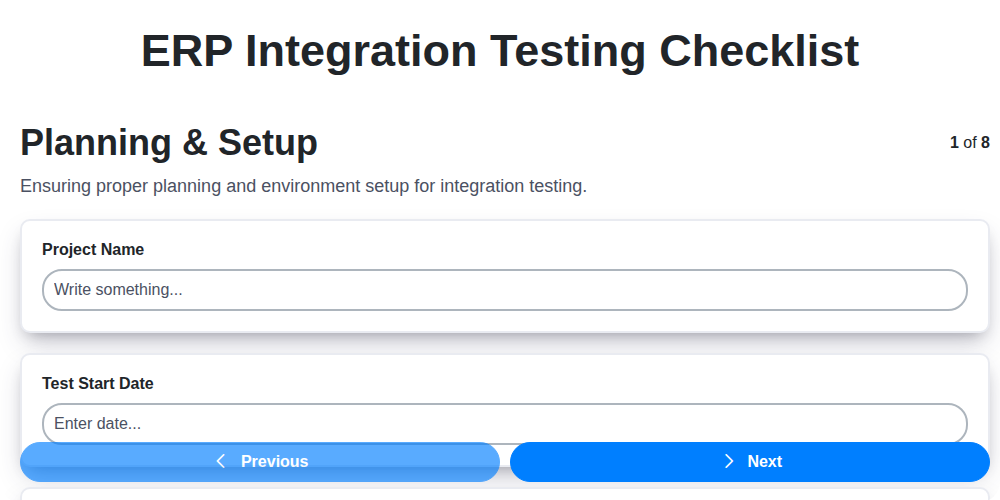
Table of Contents
- Introduction: Why ERP Integration Testing Matters
- 1. Planning & Setup: Laying the Foundation
- 2. Defining Scope and Objectives
- 3. Data Mapping Validation: Ensuring Accurate Data Flow
- 4. Interface Functionality Testing: Verifying Core Integrations
- 5. Error Handling & Recovery: Testing Resilience
- 6. Performance & Scalability: Handling Peak Loads
- 7. Security Testing: Protecting Sensitive Data
- 8. Documentation & Monitoring: Keeping Track
- 9. User Acceptance Testing (UAT): Real-World Validation
- 10. Test Data Management: Realistic Scenarios
- 11. Regression Testing: Preventing Unexpected Breakage
- Checklist Best Practices: Tips for Success
- Conclusion: Ensuring a Smooth Integration
- Resources & Links
TLDR: Integrating your ERP system? Don't risk chaos! This checklist guides you through crucial testing phases - from planning and data mapping to security and user acceptance - ensuring a smooth, reliable, and secure integration that avoids costly errors and keeps your business running.
Introduction: Why ERP Integration Testing Matters
ERP integration testing isn't just a box to tick; it's the backbone of a smoothly running, data-driven business. When your ERP system connects with other crucial applications - CRM, e-commerce platforms, warehouse management systems, and more - the potential for both significant gains and costly disruptions is amplified. A successful integration streamlines workflows, reduces manual errors, and provides a unified view of your business data. However, a flawed integration can lead to inaccurate reporting, order fulfillment issues, data silos, and ultimately, dissatisfied customers. This blog post will outline a comprehensive checklist to guide you through the critical steps of ERP integration testing, ensuring a reliable and efficient connection between your systems. Ignoring thorough testing puts your data, operations, and reputation at risk; let's dive into how to avoid those pitfalls.
1. Planning & Setup: Laying the Foundation
Successful ERP integration testing doesn't just happen; it's meticulously planned. This phase is crucial for setting the stage for a smooth and effective testing process. Here's what needs to be covered:
- Define Scope & Objectives: Clearly outline what systems are being integrated, the data being exchanged, and the overall goals of the integration. This prevents scope creep and ensures everyone's aligned.
- Establish Test Environments: Create dedicated test environments that mirror the production environment as closely as possible. Avoid testing directly against live data. This isolates testing activities and minimizes risk.
- Identify Stakeholders & Roles: Define who is responsible for testing (testers, developers, business users), their roles, and communication channels.
- Develop Test Strategy & Plan: Document the overall approach to testing, including testing types (unit, integration, system), test data strategy, defect tracking, and timelines.
- Secure Test Data: Create or anonymize representative test data that accurately reflects real-world scenarios while protecting sensitive information.
- Define Entry & Exit Criteria: Establish clear criteria for when testing can begin (entry criteria) and when it's considered complete (exit criteria). This provides measurable goals for the phase.
- Risk Assessment: Identify potential risks associated with the integration and develop mitigation strategies.
2. Defining Scope and Objectives
Before diving into testing, clearly defining the scope and objectives of your ERP integration is absolutely critical. This isn't just about ticking boxes; it's about ensuring the integration delivers the intended business value and avoids unexpected consequences.
Start by identifying exactly which ERP modules are involved and which external systems they're interacting with. What data is flowing between them? What business processes are being automated or improved? Document these clearly.
Next, establish measurable objectives. Instead of improve data accuracy, aim for reduce data entry errors by 15% after integration. These objectives should be SMART: Specific, Measurable, Achievable, Relevant, and Time-bound.
Consider potential risks and out-of-scope elements upfront. Document these exclusions to avoid scope creep during testing and ensure everyone understands the boundaries of the integration. Finally, gain stakeholder agreement on the scope and objectives - this consensus is vital for a successful integration project.
3. Data Mapping Validation: Ensuring Accurate Data Flow
Data mapping is the bedrock of successful ERP integration. It defines precisely how data fields in your source system (e.g., CRM, eCommerce platform) correspond to fields in your ERP system. A flawed data map leads to inaccurate data, inconsistencies, and ultimately, unreliable reporting and business processes. This phase focuses on rigorous validation of that map.
Here's what's involved in thorough data mapping validation:
- Field-Level Verification: Don't just assume the mapping is correct. Manually verify each data field's transformation and destination. Pay special attention to data types (string to numeric, date formats, etc.) and character limits.
- Data Type and Format Consistency: Ensure data types are compatible. A numeric field in one system shouldn't be mapped to a text field in the ERP. Verify date and currency formats align correctly to avoid misinterpretations.
- Null Value Handling: Determine how null or missing values are handled. Is a default value used? Is the field left blank? Document and test this behavior.
- Business Rule Application: Data often needs transformation based on business rules (e.g., calculating sales tax, converting units of measure). Validate these transformations within the data mapping process.
- Edge Case Testing: Don't just test the "happy path." Test with extreme values, special characters, and unusual combinations to uncover potential mapping errors.
- Data Volume Testing: Validate the mapping can handle anticipated data volumes. Small data volumes might mask issues that arise with larger datasets.
- Automated Data Comparison: Utilize automated tools to compare data between the source and ERP systems after integration to pinpoint discrepancies.
- Traceability Matrix: Maintain a traceability matrix that clearly links each field in the source system to its corresponding field in the ERP. This facilitates easy debugging and auditing.
A robust data mapping validation process is non-negotiable for a successful ERP integration. It's an investment that prevents costly errors and ensures the integrity of your business data.
4. Interface Functionality Testing: Verifying Core Integrations
This phase delves into the practical workings of the ERP integration. It's not enough that data can pass between systems; it needs to do so accurately, completely, and in a predictable way. This testing focuses on the core functionalities triggered by the integration - the actions that happen when data flows from one system to the other.
Here's what you should be checking:
- Data Synchronization Accuracy: Conduct end-to-end tests to ensure data entered in one system accurately reflects in the other. Pay close attention to calculations, conversions (currency, units of measure), and any data transformations occurring during transfer.
- Trigger Validation: Verify that the integration is triggered correctly based on pre-defined conditions. For example, does a sales order creation in the CRM automatically create a corresponding order in the ERP? Confirm triggers are both accurate and timely.
- Field-Level Validation: Inspect individual fields and their corresponding data types. Are dates formatted correctly? Are numerical values within acceptable ranges? Are mandatory fields being populated?
- Workflow Execution: Trace the complete workflow initiated by the integration. Does the process flow as expected from the initial trigger to the final outcome in the ERP? Consider scenarios with multiple steps and dependencies.
- Business Rule Compliance: Ensure the integration upholds all relevant business rules and constraints defined in both systems. This might involve validations, approvals, or other logic.
- Real-time vs. Batch Processing: If the integration involves both real-time and batch processes, test each independently and together. Verify timing and data consistency across both.
- Negative Testing: Deliberately input invalid data to see how the integration handles it (e.g., incorrect data types, missing values). This validates error handling and prevents unexpected behavior.
This thorough testing will help ensure a reliable and efficient data flow between your systems.
5. Error Handling & Recovery: Testing Resilience
ERP integration isn't a perfect world. Data glitches, network outages, and unexpected system behaviors will happen. Thorough error handling and recovery testing is crucial to ensure the integration remains stable and minimizes disruption when these issues arise.
This phase goes beyond simply verifying that data flows correctly under ideal conditions. We need to proactively identify how the system reacts when things don't go as planned.
Here's what to focus on:
- Simulate Error Conditions: Introduce artificial errors during data transmission. This can include incorrect data formats, missing fields, network interruptions, and temporary system unavailability. Test scenarios should include all potential failure points in the integration pathway.
- Transaction Rollback: Verify that failed transactions are properly rolled back, preventing data corruption in either the ERP system or the integrated application. Ensure no partial updates are left hanging.
- Error Logging & Alerting: Confirm that errors are accurately logged with sufficient detail for troubleshooting. Test that alerts are triggered promptly and routed to the appropriate personnel (e.g., IT support, integration specialists). Verify alert thresholds are appropriate - not generating excessive noise, but catching critical issues.
- Retry Mechanisms: If the integration has built-in retry logic, test its functionality. Verify it retries the correct number of times and handles temporary errors gracefully. Test that excessive retries are handled appropriately, preventing system overload.
- Data Consistency Checks: After simulated errors and recovery attempts, perform thorough data consistency checks in both systems. Confirm data integrity hasn't been compromised.
- Recovery Procedures: Document and test the documented recovery procedures. Who is responsible? What steps are taken? How long does it take to restore full functionality?
A robust error handling and recovery strategy is a key indicator of a well-designed and reliable ERP integration.
6. Performance & Scalability: Handling Peak Loads
ERP integration isn't just about making data flow; it's about ensuring that flow remains robust and responsive even under pressure. Peak loads - whether seasonal spikes in orders, end-of-month processing, or promotional campaigns - can quickly expose weaknesses in an integration if not proactively addressed.
This section focuses on testing the performance and scalability of your ERP integration. Don't just focus on average processing times; simulate worst-case scenarios.
Key Testing Activities:
- Load Testing: Gradually increase the volume of transactions flowing through the integration. Monitor response times, resource utilization (CPU, memory, network bandwidth) on both the ERP system and the integrated application. Define acceptable thresholds before testing and flag any deviations.
- Stress Testing: Push the integration beyond its expected capacity to identify breaking points and understand how it degrades under extreme load. This helps define recovery strategies.
- Spike Testing: Simulate sudden, large increases in transaction volume. This is critical for handling unexpected surges.
- Concurrency Testing: Test the integration with multiple users or processes accessing it simultaneously. Identify bottlenecks related to locking, resource contention, or database performance.
- Data Volume Testing: Test with significantly larger datasets than those typically processed. This validates the integration's ability to handle growth.
- Monitor Resource Utilization: Closely monitor CPU usage, memory consumption, disk I/O, and network latency during all performance tests. Implement monitoring tools to provide real-time insights.
Remember to document the test setup, results, and any identified performance issues. These findings will inform optimization efforts and ensure a smooth and reliable ERP integration experience, even during peak demand.
7. Security Testing: Protecting Sensitive Data
ERP integration often involves the exchange of highly sensitive data, including financial information, customer details, and inventory levels. Robust security testing is paramount to prevent data breaches, unauthorized access, and compliance violations. This stage goes beyond functional verification; it's about proactively identifying and mitigating vulnerabilities.
Here's what security testing for ERP integration should cover:
- Authentication and Authorization: Verify user access controls are correctly enforced. Ensure only authorized personnel can access specific data and functionalities. Test different user roles and permissions.
- Data Encryption: Confirm that sensitive data is encrypted both in transit (during data exchange) and at rest (when stored in either the ERP system or the integrated application). Utilize industry-standard encryption protocols.
- Input Validation: Validate all inputs to prevent injection attacks (e.g., SQL injection, cross-site scripting). Implement stringent input validation rules on both the ERP and integrated systems.
- Vulnerability Scanning: Conduct regular vulnerability scans of both systems using automated tools to identify known vulnerabilities.
- Penetration Testing: Engage ethical hackers to simulate real-world attacks and identify potential weaknesses in the integration's security posture.
- Audit Trails: Ensure comprehensive audit trails are implemented to track data access and modifications, allowing for investigation of any suspicious activity.
- Compliance Verification: Confirm the integration adheres to relevant security and privacy regulations (e.g., GDPR, HIPAA, PCI DSS).
A failure in security testing can have catastrophic consequences, impacting not just your business but also the trust of your customers. Don't leave this critical stage to chance.
8. Documentation & Monitoring: Keeping Track
ERP integration testing isn't a one-and-done activity. Robust documentation and ongoing monitoring are crucial for long-term success and stability. This phase focuses on ensuring the integration remains functional, performant, and secure after the initial testing and go-live.
Here's what you need to cover:
- Test Case Documentation: Meticulously document all test cases, results (pass/fail/blocked), and any defects found. This serves as a baseline for future regression testing and helps troubleshoot issues.
- Integration Design Documents: Maintain up-to-date documentation detailing the integration design, data flows, and technical specifications. This is invaluable for new team members and when modifications are needed.
- Error Log Monitoring: Implement robust error logging on both the ERP and integrated systems. Establish alerts for critical errors so they can be addressed promptly. Regularly review these logs to identify trends and potential problem areas.
- Performance Baselines: Document performance metrics (response times, throughput, resource utilization) during testing. These serve as baselines to compare against post-implementation to identify performance degradation.
- Monitoring Dashboards: Create dashboards visualizing key performance indicators (KPIs) and error rates. This provides a real-time view of the integration's health and enables proactive identification of issues.
- Change Management Documentation: Any modifications to the integration (data mapping, code changes, configuration updates) must be meticulously documented with clear change control processes.
- Scheduled Reviews: Schedule regular reviews of the integration's performance, error logs, and documentation to ensure continued accuracy and identify areas for improvement. This should be a recurring part of your maintenance process.
9. User Acceptance Testing (UAT): Real-World Validation
UAT represents the final, crucial step in ERP integration testing. It's where the system moves beyond the testing lab and into the hands of the intended users - the people who will be relying on it daily. This isn't about finding bugs in code; it's about confirming the integrated solution works for the business as expected.
Focus on Business Processes: UAT should center around real-world business scenarios, not just technical validations. Think order fulfillment, invoice processing, inventory management, and any other key workflows that rely on the integrated systems. Provide testers with realistic data and scenarios that mirror actual daily operations.
Who Should Participate? Involve a diverse group of end-users representing different departments and roles. Don't just rely on the "tech-savvy" users; include those who might be less comfortable with technology, as their perspective is invaluable for identifying usability issues.
Clear Acceptance Criteria: Define clear, measurable acceptance criteria before UAT begins. These criteria should be based on the business requirements and agreed upon by stakeholders. Testers should document whether each scenario passes or fails based on these established criteria.
Feedback is King: UAT isn't about blame; it's about improvement. Create a simple and accessible feedback mechanism (e.g., a shared document, dedicated email address, or feedback form) to allow users to easily report issues and suggestions. Promptly address these concerns and keep users informed of progress.
Final Sign-Off: Successful UAT culminates in a formal sign-off, signifying that the integrated solution meets the defined business requirements and is ready for production deployment. This sign-off should be documented and approved by key stakeholders. Remember, a positive UAT outcome significantly increases the likelihood of a successful ERP integration rollout and user adoption.
10. Test Data Management: Realistic Scenarios
Effective ERP integration testing hinges on robust test data management. Simply feeding in random values won't cut it; you need data that realistically mimics your business processes and potential edge cases. This section focuses on creating and utilizing that data.
Beyond Basic Data: Move past the happy path data. Think about:
- Negative Scenarios: Include invalid data types, missing mandatory fields, and values exceeding limits to test error handling.
- Boundary Values: Test the edges of your data ranges to identify potential overflow or underflow issues.
- Complex Relationships: Simulate interconnected data across different systems. For example, a customer order should accurately reflect their credit limit, inventory levels, and shipping address across both the ERP and the integrated system.
- Historical Data: If the integration involves historical data migration or reconciliation, include representative data sets to ensure accuracy and completeness.
- Volume Testing: Test with large volumes of data to identify performance bottlenecks and potential data loss.
Data Generation & Masking: Consider using data generation tools or scripts to create realistic data in bulk. Critically, always mask or anonymize sensitive data (like customer PII) to comply with privacy regulations and protect your organization.
Data Refresh Strategy: Establish a clear strategy for refreshing test data. Frequent refreshes ensure test data remains representative and reduces the risk of using stale or inaccurate information. Automated data refresh scripts can streamline this process.
Collaboration is Key: Work closely with business users and subject matter experts to identify critical data scenarios and ensure your test data accurately reflects real-world processes.
11. Regression Testing: Preventing Unexpected Breakage
ERP integration testing isn't just about verifying the initial setup; it's about ensuring that future changes don't inadvertently break what's already working. That's where regression testing comes in. After the integration is initially tested and deployed, any subsequent changes to either the ERP system or the integrated applications - be it bug fixes, enhancements, or new features - necessitate a regression test cycle.
This isn't a full-scale test from scratch. Instead, it focuses on previously verified functionalities. You should create a dedicated regression test suite based on the initial test plan. This suite should include critical use cases and paths to ensure the core integration remains functional. Automated testing is incredibly valuable here, as it allows for frequent and efficient regression testing cycles.
Prioritize regression tests based on the areas impacted by the changes. If a change affects order processing, focus heavily on order creation, fulfillment, and payment processing. Don't neglect areas seemingly unrelated; sometimes, dependencies can create unexpected side effects. Regularly updating and maintaining your regression test suite alongside system changes is crucial for long-term stability and minimizes the risk of disruptive issues post-deployment. A robust regression testing strategy is your safety net against unexpected breakage.
Checklist Best Practices: Tips for Success
Creating a thorough ERP integration testing checklist is only half the battle. Following best practices ensures your checklist delivers real value and leads to a successful integration. Here's how to maximize its effectiveness:
- Make it Collaborative: Don't create the checklist in a silo. Involve key stakeholders from IT, business users, and any third-party vendors. Their input ensures comprehensive coverage.
- Prioritize Testing: Not all tests are created equal. Rank test cases based on criticality and risk. Focus your efforts on high-impact areas first.
- Keep it Dynamic: ERP integrations evolve. Regularly review and update your checklist to reflect system changes, new features, and evolving business requirements.
- Use Clear & Concise Language: Avoid jargon and ambiguity. Test steps and expected results should be easily understood by everyone on the testing team.
- Document Assumptions: Clearly document any assumptions made during checklist creation. This helps avoid misunderstandings and ensures consistent interpretation.
- Automate Where Possible: Consider automating repetitive test cases to save time and reduce the risk of human error.
- Track & Analyze Results: Meticulously track test results and analyze patterns. This helps identify recurring issues and areas for improvement.
- Version Control: Treat your checklist like any other important document and utilize version control to manage changes effectively.
- Feedback Loop: Establish a process for gathering feedback from the testing team and incorporating it into future checklist iterations.
- Training: Ensure your testing team is adequately trained on the checklist and understands the purpose of each test case.
- Regular Audits: Periodically audit the checklist and testing process to identify gaps and ensure compliance with standards.
- Celebrate Successes: Recognize and celebrate milestones achieved during the testing process to maintain team morale and motivation.
Conclusion: Ensuring a Smooth Integration
Successfully integrating your ERP system is a significant undertaking, but one that unlocks substantial benefits for your business. This checklist provides a robust framework to guide your ERP integration testing, minimizing risks and maximizing the likelihood of a smooth transition. Remember, thoroughness isn't just about ticking boxes - it's about building confidence in your system's reliability and accuracy. Continuous monitoring and documentation post-implementation are crucial for ongoing success. By embracing a meticulous approach and prioritizing collaboration between IT, business users, and vendors, you can pave the way for a truly integrated and efficient ERP environment. Don't view testing as an obstacle, but as an investment in a future of streamlined operations and data-driven decision-making.
Resources & Links
- Atlassian: Offers project management tools (Jira, Confluence) which are invaluable for tracking integration testing tasks, assigning responsibilities, and collaborating on test results. Can be used to manage test cases, track defects, and facilitate communication.
- TestRail: A popular test case management tool that can help organize and track your ERP integration testing efforts, providing traceability and reporting capabilities.
- Guru99: Offers free tutorials and resources on software testing, including sections covering integration testing concepts and best practices. Helpful for understanding the fundamentals.
- IBM: IBM provides numerous articles and whitepapers on enterprise resource planning (ERP) systems, integration patterns, and testing strategies, although often focused on their specific platforms. Look for relevant publications on their website.
- SAP: If your ERP integration involves SAP, SAP's official website offers extensive documentation, best practices, and training materials related to integration testing within the SAP ecosystem.
- Oracle: Similar to SAP, if your ERP involves Oracle, their website offers documentation and resources on integrating with their systems. Search for articles related to integration testing and APIs.
- Microsoft: If integrating with Microsoft Dynamics 365, their documentation portal provides details on APIs, integration patterns, and testing best practices. Useful for understanding their integration capabilities.
- Software Testing Help: Provides articles and tutorials on various software testing methodologies, including integration testing. A good resource for understanding test techniques and strategies.
- Qualys: Focuses on security testing and vulnerability management. Useful for understanding security testing best practices, especially within an integrated environment.
- Tricentis: Provides testing automation solutions. Understanding automation principles is crucial for efficient and repeatable integration testing, especially for regression testing.
Frequently Asked Questions
What is ERP integration testing and why is it important?
ERP integration testing verifies that different systems and modules within an Enterprise Resource Planning (ERP) system, as well as external systems integrated with it, work together correctly. It's crucial for ensuring data accuracy, process efficiency, and overall system reliability after ERP implementation or upgrades, preventing costly errors and delays.
Who should use this ERP integration testing checklist?
This checklist is designed for project managers, ERP testers, business analysts, and IT professionals involved in the implementation, upgrade, or integration of ERP systems. It's beneficial for anyone responsible for ensuring the seamless flow of data and processes between different systems.
What types of integrations are typically covered in ERP integration testing?
This checklist covers a range of integrations, including: data migrations (from legacy systems to ERP), integrations with CRM (Customer Relationship Management) systems, e-commerce platforms, supply chain management systems, payment gateways, and other third-party applications.
What's the difference between unit testing, system testing, and integration testing in the context of ERP?
Unit testing focuses on individual modules or components. System testing verifies the entire ERP system functions as expected. Integration testing specifically focuses on the interactions and data flow *between* different systems or modules, ensuring they work together harmoniously. This checklist addresses integration testing.
How detailed should I get with my test cases?
Test cases should be detailed enough to clearly define the input, expected output, and steps to be followed. Consider including data volume, user roles, and exception handling scenarios. The level of detail will depend on the complexity of the integration and the risk associated with it.
What is data reconciliation and why is it important in ERP integration testing?
Data reconciliation involves comparing data in the source system with the corresponding data in the ERP system after integration. It's vital to confirm data integrity, accuracy, and completeness during and after data migration or synchronization processes.
What are some common risks associated with ERP integration testing?
Common risks include data corruption, process bottlenecks, system downtime, security vulnerabilities, and lack of stakeholder buy-in. This checklist helps identify and mitigate these risks.
How does this checklist handle security testing during ERP integration?
The checklist includes considerations for security testing, such as verifying user access controls, encryption protocols, and data security measures. It emphasizes the importance of validating that integrated systems adhere to established security standards.
What should I do if I identify a defect during ERP integration testing?
Follow your organization's defect management process. Document the defect clearly, assign it to the appropriate team for resolution, and retest after the fix is implemented. Track all defects and their resolution status.
Is this checklist customizable?
Yes, this checklist is intended as a starting point. Customize it to fit your specific ERP system, integrations, and testing environment. Add or remove test cases as needed to address unique requirements.
Found this Article helpful?
Comments
There are no comments yet. Be the first to add one!
ERP - Enterprise Resource Planning Solution Demo
Overwhelmed by disconnected systems? ChecklistGuro provides a centralized ERP solution, connecting your business processes - finance, operations, & more - for improved visibility and control. Simplify operations & boost efficiency.
Related Articles

MRP System Go-Live Checklist: Your Path to a Successful Implementation

Top 10 CMiC Alternatives for 2025

The Ultimate Foundation Waterproofing Installation Checklist Template
Top 10 Odoo Alternatives for 2025

How to Save Money on Bill of Materials (BOM) Management Software

The Ultimate Waterproofing Checklist: Ensuring a Leak-Proof Installation

The 10 Best Manufacturing Management Software of 2025

MRP Vendor Master Data Checklist: Ensuring Accuracy and Efficiency
We can do it Together
Need help with
Enterprise Resource Planning (ERP)?
Have a question? We're here to help. Please submit your inquiry, and we'll respond promptly.