The Ultimate ERP Localization Checklist: A Step-by-Step Guide
Published: 12/19/2025 10:00 PM Updated: 12/20/2025 12:09 PM
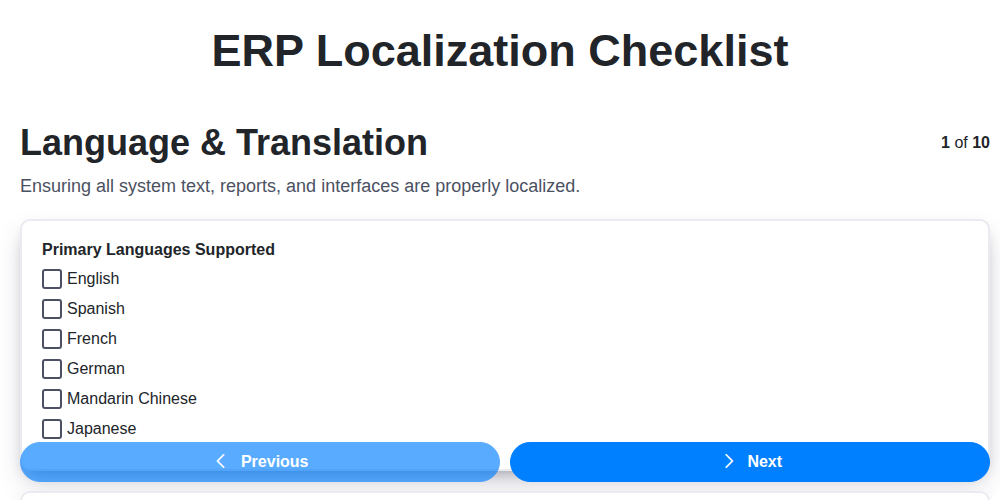
Table of Contents
- Introduction: Why ERP Localization Matters
- 1. Language & Translation: Beyond Simple Words
- 2. Currency & Tax Configuration: A Financial Foundation
- 3. Legal & Regulatory Compliance: Navigating the Rules
- 4. Date & Number Formats: Avoiding Confusion
- 5. Character Encoding: Displaying Information Accurately
- 6. Address Formats & Postal Codes: Ensuring Delivery
- 7. Business Process Adaptation: Aligning with Local Practices
- 8. Reporting & Documentation: Tailoring Insights
- 9. User Interface Customization: A Familiar Experience
- 10. Testing & Validation: Verifying the Localization
- 11. Data Migration Considerations
- 12. Training & Support for Local Users
- Conclusion: Ensuring a Successful ERP Implementation
- Resources & Links
TLDR: Going global with your ERP? Don't risk costly errors! This checklist breaks down the crucial steps - from language & currency to legal compliance & user interface tweaks - needed to successfully adapt your ERP system to a new region. Use it to ensure a smooth, accurate, and compliant localization process.
Introduction: Why ERP Localization Matters
Implementing an ERP system is a significant investment, but simply installing it isn't enough. To truly unlock its potential and ensure a successful rollout, especially for businesses operating internationally or in regions with unique operational nuances, localization is critical. ERP localization goes beyond just translating the software interface; it's a comprehensive process of adapting the ERP system to align with local language, currency, tax regulations, legal requirements, and business practices.
Failure to properly localize your ERP can lead to inaccurate data, inefficient workflows, compliance issues, frustrated users, and ultimately, a failed implementation. It impacts everything from financial reporting and sales processes to inventory management and customer service. This checklist will guide you through the key steps needed for a successful ERP localization project, paving the way for a truly global and compliant operation.
1. Language & Translation: Beyond Simple Words
Localization isn't just about swapping words from English to Spanish. It's a nuanced process that requires a deep understanding of cultural context and industry-specific terminology. Simply using machine translation and relying on generic translators can lead to inaccurate information, confusion, and ultimately, user frustration.
Consider the subtleties of language: idioms, slang, and even the tone used in communication vary significantly between cultures. A phrase that sounds perfectly acceptable in one region might be offensive or misunderstood in another.
Here's what to consider:
- Contextual Accuracy: Ensure translations accurately reflect the intended meaning within the ERP system's functionality. A 'sales order' might have a different cultural implication in different regions.
- Terminology Management: Develop a glossary of key terms used within your ERP system and ensure consistent translation across all modules.
- Cultural Sensitivity: Avoid potentially offensive or culturally inappropriate language.
- Localization Experts: Invest in experienced localizers who understand both the technical aspects of ERP and the cultural nuances of the target region.
- Review & Feedback: Implement a robust review process involving native speakers who are familiar with the specific industry and business processes.
Don't underestimate the power of a well-localized interface - it's the first impression your users will have.
2. Currency & Tax Configuration: A Financial Foundation
ERP localization isn't just about displaying the right language; it's about ensuring your financial operations function accurately and legally within the new region. Currency and tax configuration is a critical, and often complex, element of this process. Failing to get it right can lead to inaccurate financial reporting, compliance issues, and significant penalties.
Here's what you need to consider:
- Currency Support: Ensure your ERP system natively supports the target country's currency. This includes correct symbols, formatting, and rounding rules. If native support isn't available, investigate robust conversion mechanisms.
- Tax Rate Configuration: This goes far beyond simply entering sales tax rates. You're likely dealing with VAT, GST, and various other indirect taxes with specific rules for calculation, reporting, and submission. Accurate and granular tax codes are essential.
- Tax Calculation Logic: Many countries have complex tax calculation rules based on product type, customer location, and transaction type. Verify the ERP's ability to apply these rules correctly.
- Reporting Requirements: Understand the local tax reporting requirements. The ERP system needs to be capable of generating reports in the required format and containing the necessary data.
- Exchange Rate Management: Implement a reliable exchange rate maintenance process. Consider using real-time feeds or establishing a regular update schedule.
- Reverse Charge Mechanisms: For international transactions, understand and configure reverse charge mechanisms as required by local law.
- Withholding Tax: Ensure the ERP correctly handles withholding tax calculations and reporting, if applicable.
Proper currency and tax configuration requires collaboration with local finance experts and tax advisors. Thorough testing against real-world scenarios is vital to avoid costly errors.
3. Legal & Regulatory Compliance: Navigating the Rules
ERP localization isn't just about translating words and numbers; it's fundamentally about ensuring your system adheres to local laws and regulations. Failing to do so can result in significant fines, legal challenges, and reputational damage. This aspect often requires specialized expertise, as requirements can be incredibly nuanced and constantly evolving.
Here's what to consider:
- Data Privacy Laws: GDPR (Europe), CCPA (California), and similar regulations worldwide dictate how personal data is collected, stored, and processed. Your ERP must be configured to support these requirements, including consent management, data subject access requests, and data breach protocols.
- Industry-Specific Regulations: Certain industries, such as pharmaceuticals, finance, and food & beverage, face unique regulatory frameworks. Your ERP must accommodate requirements like Good Manufacturing Practices (GMP), Sarbanes-Oxley (SOX), or industry-specific reporting obligations.
- Tax Legislation: Local tax laws are complex and change frequently. Ensure your ERP accurately calculates and reports sales tax, VAT, GST, withholding taxes, and other relevant taxes. This requires careful configuration of tax codes, rates, and reporting formats.
- Contract Law & Electronic Signatures: If your ERP handles contract management, ensure it complies with local contract law and supports legally binding electronic signatures.
- Labor Laws: If payroll is managed within the ERP, ensure compliance with local labor laws concerning wage calculation, deductions, and reporting.
- Import/Export Regulations: If your business deals with international trade, ensure the ERP supports necessary documentation, compliance checks, and reporting requirements.
- Local Record-Keeping Requirements: Different countries have different rules regarding how long business records must be retained. Your ERP must allow for these retention policies.
Pro Tip: Engage with local legal counsel and compliance experts throughout the localization process. They can provide invaluable guidance and ensure your ERP implementation is fully compliant with all applicable regulations. Don't rely solely on ERP vendor documentation; independent verification is essential.
4. Date & Number Formats: Avoiding Confusion
One of the seemingly smallest, yet surprisingly impactful, aspects of ERP localization is the proper configuration of date and number formats. What's intuitive in one region can be completely baffling - or even incorrect - in another. Consider the difference between the US date format (MM/DD/YYYY) and the European standard (DD/MM/YYYY). A simple invoice date displayed incorrectly can lead to significant misunderstandings and delays.
Beyond just dates, number formatting differs significantly. The use of commas versus periods as decimal separators is a common source of error. For example, 1,000.50 (US) is interpreted as 1000.5 in some regions, leading to substantial calculation discrepancies.
Here's what to consider:
- Date Separators: Be meticulous about the usage of slashes (/), hyphens (-), or periods (.) for date components.
- Decimal Separators: Confirm whether a comma (,) or a period (.) is used to denote the decimal point.
- Thousands Separators: Similarly, verify the usage of commas or periods as thousands separators (e.g., 1,000,000 vs. 1.000.000).
- Negative Numbers: The way negative numbers are displayed (e.g., -100 or (100)) can also vary.
Failure to correctly configure these seemingly minor details can lead to data entry errors, incorrect financial reporting, and ultimately, a loss of trust from local users. Thorough testing and verification are critical to ensure accurate and easily understood data displays.
5. Character Encoding: Displaying Information Accurately
Character encoding is a surprisingly critical, yet often overlooked, aspect of ERP localization. It determines how characters are represented digitally, and incorrect encoding can lead to garbled text, incorrect data entry, and ultimately, frustration and errors.
When localizing an ERP system, you need to ensure it supports the character sets used in the target region. This might include extended Latin characters (for many European languages), Cyrillic scripts (for Russian and related languages), Arabic or Hebrew characters, or even more complex scripts like those used in Chinese or Japanese.
Here's what to consider:
- Identify the required character sets: Research the languages used in your target region and identify the specific character sets needed (e.g., UTF-8, UTF-16, ISO-8859-1).
- Verify ERP system support: Confirm that your chosen ERP system natively supports those character sets. Many modern ERPs use UTF-8, which is a widely compatible option.
- Database encoding: Ensure the database itself is configured with the correct character encoding. This is crucial for data storage and retrieval.
- File encoding: Pay attention to the encoding of any imported or exported data files (like CSV files for importing data). Inconsistent file encoding can cause data corruption.
- User interface display: Test the user interface thoroughly in the localized language to ensure characters are displayed correctly.
Neglecting character encoding can result in users being unable to read or enter data correctly, significantly hindering adoption and creating potential compliance issues.
6. Address Formats & Postal Codes: Ensuring Delivery
Accurate address handling is critical, especially for ERP systems managing inventory, shipping, and invoicing. What might seem like a minor detail - a different address format - can lead to significant logistical problems and customer dissatisfaction. This section of your ERP localization checklist focuses on precisely that: ensuring your system understands and correctly processes addresses in the target region.
Here's what you need to consider:
- Address Structure: Address formats vary dramatically. Some countries prioritize street name first, others post code. Some include province/state, others don't. Understand the standard address structure for each localized region.
- Field Mapping: Ensure your ERP system's address fields (street address, city, state/province, postal code, country) are correctly mapped to the appropriate fields based on the target region's format. This often requires custom configuration.
- Postal Code Validation: Implement postal code validation rules to ensure accuracy and prevent delivery errors. Different countries have different postal code formats (numeric, alphanumeric, length variations).
- Character Set Support: Some postal codes may include special characters that require broader character set support within the ERP system.
- Address Autocompletion: Consider integrating address autocompletion services to improve data entry speed and accuracy, especially for users unfamiliar with local address conventions.
- Reverse Geocoding: For systems that use location data, verify reverse geocoding functionality is accurate and localized.
Failure to address these nuances can result in misdirected shipments, incorrect invoicing, and ultimately, a negative customer experience. Prioritize thorough verification and testing of address handling throughout the localization process.
7. Business Process Adaptation: Aligning with Local Practices
ERP localization isn't just about changing a few settings; it's frequently about adapting the way business is done. While your core ERP functionality might be robust, the processes used to manage inventory, handle sales, manage accounts payable, or interact with suppliers might need significant adjustments to align with local market norms.
This goes beyond simple translation. For example, a sales order might be called something different in a specific region. Order fulfillment processes, payment terms, invoicing requirements, and even the frequency of reporting can vary considerably. Failing to address these nuances can lead to inefficiencies, frustration for users, and potential conflicts with local business partners.
Consider these examples:
- Inventory Management: A just-in-time inventory system might be standard in one country, but a buffer stock approach is crucial due to unreliable supply chains in another.
- Sales & Distribution: Payment methods, delivery expectations, and sales cycles can be vastly different, impacting distribution strategies.
- Procurement: Local supplier relationships and negotiation tactics often dictate procurement processes.
- Manufacturing: Production schedules and material sourcing can be heavily influenced by local availability and government regulations.
Thorough analysis of local business practices is critical during the localization process. Engage local experts, conduct interviews with key stakeholders, and map existing workflows to identify areas requiring adaptation within the ERP system. Document these changes meticulously to ensure they've been implemented correctly and can be maintained over time. Failing to adapt business processes is a common reason for ERP localization projects to fall short of expectations.
8. Reporting & Documentation: Tailoring Insights
ERP localization isn't just about making the software work; it's about ensuring your team can understand the data it produces. This is where meticulous reporting and documentation become crucial. The standard ERP reports are often designed for a global audience and won't be immediately relevant or compliant with local requirements.
Here's what needs consideration:
- Local Reporting Standards: Your country likely has specific financial reporting standards (e.g., GAAP variations, statutory reporting requirements). Ensure reports can be generated to meet these mandates. This might involve adding new report types, modifying existing ones, or creating custom reports.
- Language & Terminology: Reports need to present information in the localized language. This extends beyond just translating report labels; it's about using terminology that resonates with local business users and regulatory bodies.
- Data Granularity: Local regulations might demand more detailed data than the original ERP provides. You might need to adjust data collection and reporting to accommodate this.
- Documentation is Key: Thoroughly document every change made to reports and configurations. This documentation should include the rationale behind the change, the responsible party, and the impact on other areas of the system. This simplifies auditing, future upgrades, and knowledge transfer.
- Training Materials: Update training materials to reflect the localized reporting processes. Users need to understand how to generate and interpret the new reports.
Failing to adapt reporting and documentation can lead to inaccurate insights, non-compliance, and frustrated users. Invest time here - it's a vital component of a successful ERP localization project.
9. User Interface Customization: A Familiar Experience
Localization isn't just about what the ERP says, but how it says it. A jarringly unfamiliar user interface can negate the benefits of accurate translations and proper regulatory compliance. Users need to feel comfortable and productive - a customized UI can significantly contribute to adoption and reduce training time.
This goes beyond just changing logos and colors. Consider:
- Language Direction: Right-to-left languages like Arabic require a complete UI layout adjustment.
- Font Selection: Ensure fonts support the characters used in the localized language and are legible.
- Field Labels & Layout: Adapt field labels and layout to align with local conventions and user expectations. This may involve reordering fields or creating localized dashboards.
- Image & Icon Localization: While sometimes subtle, images and icons should be culturally appropriate and relevant.
- Navigation Adjustments: Consider restructuring navigation menus to reflect local business processes and terminology.
The goal is to create a user experience that feels native to the region, minimizing disruption and maximizing efficiency. While extensive UI modifications should be approached carefully to avoid future upgrade complications, thoughtful customization is a vital part of successful ERP localization.
10. Testing & Validation: Verifying the Localization
Localization isn't complete until it's thoroughly tested. This final stage is critical to ensure the ERP system functions flawlessly in the new locale and delivers a positive user experience. Don't underestimate the importance of rigorous testing - seemingly small errors can have significant operational consequences.
Here's what a robust testing and validation process should encompass:
- Functional Testing: Verify core ERP functions - sales orders, purchase orders, inventory management, financials - operate correctly with the localized settings. Simulate real-world scenarios and edge cases.
- Data Integrity Checks: Ensure data is displayed and processed accurately, particularly concerning currency conversions, tax calculations, and financial reporting. Validate that historical data has been correctly migrated and is interpretable in the new locale.
- User Acceptance Testing (UAT): Involve local users in the testing process. They bring invaluable insights into usability and whether the system aligns with local business practices. Gather their feedback and address any issues they identify.
- Regression Testing: After addressing any initial findings, rerun tests to ensure fixes haven't introduced new problems or impacted existing functionality.
- Performance Testing: Assess the system's performance with localized data and user loads. Localization can sometimes impact performance, so optimization might be needed.
- Security Testing: Verify that security protocols and access controls remain effective in the localized environment.
- Documentation Validation: Confirm that user manuals, training materials, and help files have been accurately translated and reflect the localized system.
Thorough testing and validation are the final safeguard, ensuring a successful and impactful ERP localization.
11. Data Migration Considerations
ERP localization isn't just about changing language settings; it's often accompanied by significant data migration. Existing data needs to be adapted to the new localized environment, which introduces complexities. Failing to properly plan and execute data migration can lead to inaccurate reporting, compliance issues, and user frustration.
Here's what you need to consider:
- Data Cleansing: Before migration, thoroughly cleanse your existing data. Identify and correct inconsistencies, errors, and outdated information. This is especially crucial for fields like addresses, customer names, and financial data.
- Field Mapping: Meticulously map existing data fields to the corresponding fields in the localized ERP system. This requires a deep understanding of both systems and potential differences in data structures. Don't assume a simple one-to-one mapping; consider data transformations needed.
- Currency Conversion: Financial data, like account balances and transaction history, needs accurate currency conversion. This must be done according to the relevant exchange rates and accounting standards for the target region. Document the conversion rates used.
- Tax Data Transformation: Tax codes, rates, and reporting requirements are often localized. Migrate existing tax data, ensuring it's correctly mapped and formatted according to local regulations.
- Character Encoding Compatibility: Ensure your data encoding (e.g., UTF-8) supports the characters used in the localized language to avoid display issues.
- Data Volume & Performance: Large data volumes can significantly impact migration time. Plan for this, potentially using phased migration approaches or optimizing data transfer methods.
- Validation and Reconciliation: After migration, rigorously validate the data to ensure accuracy and completeness. Reconcile migrated data with the original sources to identify and correct any discrepancies.
- Security and Access Control: Implement robust security measures during data migration to protect sensitive information and maintain data integrity. Restrict access to authorized personnel only.
12. Training & Support for Local Users
Localization isn't just about changing language and numbers; it's about empowering your local teams to use the ERP system effectively and confidently. A flawless localization effort can be undermined if users struggle to adapt. This is why comprehensive training and ongoing support are crucial.
Key Considerations:
- Localized Training Materials: Translate training guides, tutorials, and videos into the local language(s). Ensure visuals and examples are culturally relevant.
- Role-Based Training: Tailor training programs to specific user roles and responsibilities. What a finance team needs to learn will differ from sales or operations.
- Train-the-Trainer Approach: Consider training a group of local champions who can then become in-house experts and provide ongoing support.
- Post-Implementation Support: Provide readily accessible support channels (help desk, forums, dedicated contact) to address user questions and issues that arise after go-live.
- Cultural Sensitivity in Delivery: Employ trainers who understand the local culture and communication styles.
- Feedback Loop: Establish a process for users to provide feedback on the localized ERP system and training materials to continuously improve both.
- Ongoing Refresher Sessions: Periodic refresher training can reinforce key processes and address new functionality or updates.
Conclusion: Ensuring a Successful ERP Implementation
Localizing an ERP system is far more than a simple translation project. It's a complex undertaking demanding meticulous planning, diligent execution, and a thorough understanding of the nuances of the target region. By diligently working through a comprehensive checklist - encompassing language, currency, legal compliance, and process adaptation - you significantly increase your chances of a smooth and successful implementation. Remember, failing to address these localization aspects can lead to compliance issues, inaccurate financial reporting, user frustration, and ultimately, a failed ERP project. Investing the time and resources upfront to ensure accurate localization is an investment in the long-term success and adoption of your ERP system. It's about empowering your business to thrive in a globalized market.
Resources & Links
- SAP: SAP is a major ERP vendor and their website offers resources on localization, particularly for their own systems. Good for understanding broader localization concepts and best practices.
- Oracle: Similar to SAP, Oracle provides ERP solutions and has extensive documentation on localization requirements and approaches for their platform.
- Microsoft (Dynamics 365): Microsoft's Dynamics 365 ERP system also necessitates localization. Their website offers information on customization and regional settings.
- Infor: Another leading ERP provider; their website contains information and case studies related to ERP localization challenges.
- Locari: Specializes in ERP localization services and software. Their website provides insights and resources for localizing various ERP systems.
- Globalization Partners: Offers localization and international expansion services. Their blog and resources cover regulatory compliance and cultural adaptation which is crucial for ERP localization.
- Common Sense Consulting: Focuses on ERP implementation and localization. They often provide insightful articles and webinars on adapting ERP systems to specific regions.
- W3C HTML5 Specification: Important for understanding character encoding and display of content. Ensures consistent and accurate display of data across different regions and systems.
- Unicode Consortium: Essential for dealing with character encoding issues, ensuring correct rendering of text from different languages. A foundational resource.
- ISO (International Organization for Standardization): ISO provides standards related to data formats, country codes, and other aspects of internationalization. Relevant to currency, addresses, and date/number formats.
- Taxback International: Focuses on international tax compliance, a critical component of ERP localization. Provides insights and resources related to VAT, sales tax, and other relevant regulations.
- The Localization Institute: Offers training and certification in localization. A good place for deeper understanding of the localization process and industry best practices.
Frequently Asked Questions
What is ERP localization and why is it important?
ERP localization is the process of adapting an Enterprise Resource Planning (ERP) system to meet the specific legal, regulatory, cultural, and language requirements of a particular country or region. It's crucial for businesses expanding internationally to ensure compliance, improve user adoption, and maintain operational efficiency.
Who needs to use this checklist?
This checklist is designed for businesses implementing or upgrading an ERP system in a new country or region, as well as for ERP consultants guiding these implementations. It's valuable for project managers, IT teams, and business stakeholders involved in international ERP projects.
What areas does this checklist cover?
The checklist covers key areas including legal & regulatory compliance (tax, legal reporting, data privacy), language & culture (UI translation, date/time formats, currency), financial reporting, manufacturing, supply chain, and more. It provides a comprehensive overview of localization considerations.
Can I customize this checklist?
Absolutely. This checklist is a starting point. You should tailor it to your specific business requirements, industry, and the unique complexities of the target country. Add or remove items as needed to ensure it aligns with your localization scope.
What's the difference between ERP translation and ERP localization?
Translation focuses solely on converting text from one language to another. Localization goes much further, encompassing cultural adaptation, legal compliance, and functional adjustments to make the ERP system usable and compliant in a specific region. It's a much broader process than just translation.
How much time should I allocate for ERP localization?
The timeframe varies depending on the complexity of the target country and the scope of the ERP system. A simple localization could take a few weeks, while a more complex one might take several months. Thorough planning and resource allocation are critical.
What are some common pitfalls to avoid during ERP localization?
Common pitfalls include underestimating the complexity of legal and regulatory requirements, neglecting cultural nuances, failing to involve local experts, inadequate testing, and insufficient training for users.
What resources are available to help with ERP localization?
Various resources are available, including localization vendors, legal consultants, government agencies, industry associations, and online communities. Leveraging these resources can significantly improve the success of your ERP localization project.
What is the impact of GDPR on ERP localization?
If the target country falls under GDPR, ERP localization must ensure compliance with data privacy regulations, including data residency, consent management, and data subject rights. This often involves adjusting data storage and processing configurations within the ERP system.
How important is user training in a localized ERP system?
User training is absolutely essential. A technically perfect localization is useless if users don't understand how to use the system in their language and cultural context. Training should be tailored to the localized environment and address any cultural or functional differences.
Found this Article helpful?
Comments
There are no comments yet. Be the first to add one!
ERP - Enterprise Resource Planning Solution Demo
Overwhelmed by disconnected systems? ChecklistGuro provides a centralized ERP solution, connecting your business processes - finance, operations, & more - for improved visibility and control. Simplify operations & boost efficiency.
Related Articles

MRP System Go-Live Checklist: Your Path to a Successful Implementation

Top 10 CMiC Alternatives for 2025

The Ultimate Foundation Waterproofing Installation Checklist Template
Top 10 Odoo Alternatives for 2025

How to Save Money on Bill of Materials (BOM) Management Software

The Ultimate Waterproofing Checklist: Ensuring a Leak-Proof Installation

The 10 Best Manufacturing Management Software of 2025

MRP Vendor Master Data Checklist: Ensuring Accuracy and Efficiency
We can do it Together
Need help with
Enterprise Resource Planning (ERP)?
Have a question? We're here to help. Please submit your inquiry, and we'll respond promptly.