ERP System Performance Checklist: Ensure Peak Efficiency
Published: 12/20/2025 10:00 PM Updated: 12/21/2025 6:15 AM
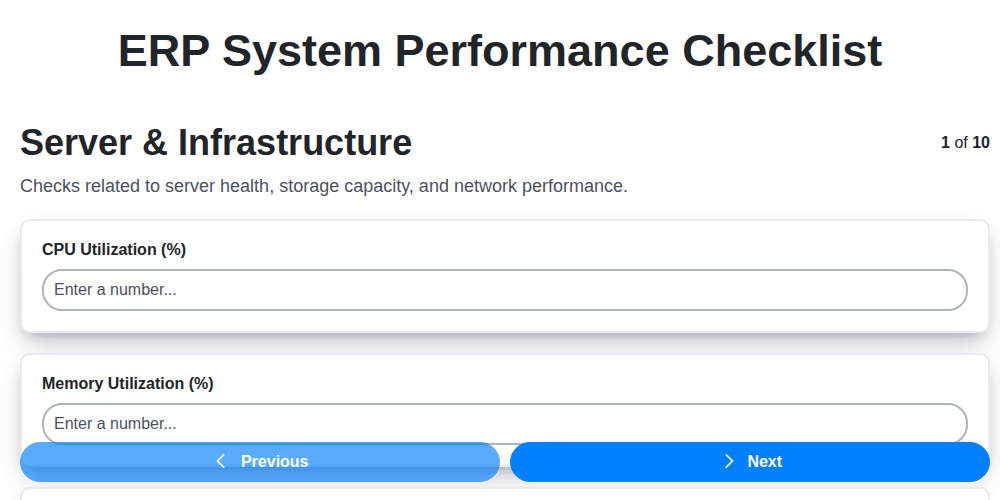
Table of Contents
- Introduction: Why ERP System Performance Matters
- Server & Infrastructure Health Check
- Database Performance Optimization
- User Interface Responsiveness Assessment
- Batch Job Execution Efficiency
- Reporting & Analytics Performance Review
- Concurrent User Capacity Testing
- System Logs & Monitoring Configuration
- Security & Access Controls Validation
- Integration Performance Evaluation
- Resource Utilization Analysis
- Proactive Performance Tuning
- Regular Performance Reviews: A Continuous Cycle
- Troubleshooting Common ERP Performance Bottlenecks
- Resources & Links
TLDR: Is your ERP system running smoothly? This checklist provides a quick, actionable guide to diagnose and optimize its performance! Covering everything from server health to user experience and integrations, it's your go-to resource for ensuring peak efficiency and avoiding costly slowdowns.
Introduction: Why ERP System Performance Matters
An ERP system is the backbone of many businesses, centralizing critical operations from finance and supply chain to manufacturing and human resources. When it runs smoothly, it empowers your team, provides accurate data, and drives efficiency. Conversely, a sluggish or unreliable ERP system can cripple productivity, lead to costly errors, and frustrate users - ultimately impacting your bottom line.
This isn't just about aesthetics; poor ERP performance directly translates to lost revenue, increased operational costs, and a decline in employee morale. Slow response times, failed batch jobs, and unreliable reports can derail daily tasks and strategic decision-making. That's why proactive monitoring and optimization are crucial. This checklist focuses on key areas to assess your ERP system's health and identify potential bottlenecks before they become major problems. Regularly addressing these aspects will ensure your ERP system continues to be a valuable asset, not a liability.
Server & Infrastructure Health Check
Your ERP system's foundation is its server and infrastructure. A shaky foundation impacts everything. This section focuses on ensuring that bedrock is solid.
Key Checks:
- Hardware Inventory & Specifications: Verify the server hardware (CPU, RAM, Storage) aligns with the ERP vendor's recommended specifications and current workload demands. Document everything - model numbers, serial numbers, warranty status.
- Operating System Patching: Ensure the operating system (Windows, Linux, etc.) is up-to-date with the latest security patches and updates. Outdated OS versions are significant security vulnerabilities.
- Disk Space & RAID Configuration: Monitor disk space utilization across all drives. Verify RAID configurations are healthy and functional. Consider future growth when assessing capacity.
- Network Connectivity: Test network latency and bandwidth between the ERP server and client machines. Poor network performance drastically degrades user experience.
- Virtualization Host Health: If running in a virtualized environment (VMware, Hyper-V), check the host server's CPU utilization, memory usage, and overall health. Virtualization overhead needs to be accounted for.
- Power Supply & Cooling: Ensure redundant power supplies are functioning correctly and the server room's cooling system is adequate to prevent overheating.
- Server Room Environment: Confirm environmental factors like humidity and temperature are within acceptable ranges as specified by the hardware manufacturer.
- Hardware Redundancy: Evaluate the implementation of hardware redundancy (e.g., redundant controllers, power supplies) to minimize downtime in case of failures.
Database Performance Optimization
Your ERP system's database is the bedrock of its functionality. Slow database performance can ripple through the entire system, impacting every process and frustrating users. Here's how to ensure yours is running smoothly:
1. Indexing is Key: Regularly review and optimize database indexes. Missing or poorly designed indexes are a common culprit for slow queries. Identify frequently used queries and ensure they have appropriate indexes covering the relevant columns. Avoid excessive indexing, however, as it can slow down write operations.
2. Query Optimization: Analyze slow-running queries using database profiling tools. Rewrite inefficient queries, use appropriate joins, and leverage database-specific optimization techniques. Consider using stored procedures for complex or frequently executed tasks.
3. Data Archiving & Purging: Large, historical data can bloat the database and slow down performance. Implement a data archiving strategy to move older, less frequently accessed data to a separate storage location. Regularly purge unnecessary data based on retention policies.
4. Database Maintenance: Schedule regular database maintenance tasks such as statistics updates, defragmentation, and integrity checks. These tasks ensure the database engine can efficiently manage data.
5. Hardware Resources: Evaluate if your database server has sufficient RAM, CPU, and disk I/O capabilities. Insufficient resources will bottleneck performance. Consider upgrading hardware if necessary. Solid State Drives (SSDs) can significantly improve I/O speeds.
6. Connection Pooling: Implement connection pooling to reduce the overhead of establishing new database connections for each user request.
7. Monitor Database Metrics: Continuously monitor key database performance metrics like query execution times, buffer cache hit ratio, and overall database load. Establish baseline performance and proactively address any deviations.
User Interface Responsiveness Assessment
A sluggish user interface (UI) can dramatically reduce productivity and user satisfaction. Slow loading screens, laggy interactions, and delayed responses frustrate users and negatively impact overall system adoption. Here's how to assess and address UI performance within your ERP:
1. Page Load Times: Measure the time it takes for key screens (sales order entry, invoice processing, inventory lookup) to fully load. Target times should ideally be under 2-3 seconds for common tasks. Use browser developer tools (Network tab) to identify bottlenecks.
2. Transaction Response Times: Evaluate how quickly the system responds to user actions - clicking buttons, submitting forms, running searches. Inconsistent or extended wait times indicate potential issues.
3. Screen Rendering Performance: Observe how quickly screens redraw after data updates or filter changes. Slow rendering can make the system feel unresponsive, even if individual actions are fast.
4. Client-Side Optimization: Check for large, uncompressed images or excessive JavaScript on the client-side. Optimize images and minimize unnecessary code.
5. Browser Compatibility: Ensure the ERP system performs consistently across supported browsers and versions. Browser-specific issues can significantly impact UI responsiveness.
6. User Experience Feedback: Regularly solicit feedback from users regarding their perceived UI performance. Their experiences are invaluable in identifying pain points.
7. Network Latency: Rule out network issues as a cause of slow performance. Test page load times from different geographical locations to assess network impact.
Addressing UI responsiveness issues often involves a combination of server-side optimizations, database tuning, and client-side improvements. Prioritize fixing the most frequently used and critical processes first.
Batch Job Execution Efficiency
Batch jobs are the unsung heroes of many ERP systems, handling critical tasks like overnight reconciliations, inventory updates, and complex calculations. Inefficient batch job execution can lead to delays, inaccurate data, and frustrated users. Here's what to examine to ensure they're running smoothly:
- Schedule Optimization: Review batch job schedules to ensure they're appropriate for the workload. Are jobs running at optimal times to minimize impact on peak user hours? Consider staggering start times and prioritizing critical jobs.
- Job Dependencies: Identify and analyze dependencies between batch jobs. Are jobs running in the correct order? Can dependencies be streamlined or eliminated? Unnecessary waits can significantly extend overall execution time.
- Resource Allocation: Are batch jobs adequately allocated resources (CPU, memory)? Monitor resource consumption during job execution and adjust allocation as needed.
- Error Handling & Retry Mechanisms: Robust error handling is crucial. Ensure jobs have appropriate retry mechanisms for transient errors, and that errors are logged and investigated promptly.
- Code Review & Optimization: Regularly review the code used in batch jobs for performance bottlenecks. Can algorithms be optimized? Can data access be improved?
- Data Volume Impact: Larger data volumes naturally increase processing time. Analyze how data volume affects job execution time and consider data archiving or segmentation strategies if performance degrades significantly.
- Job Completion Notifications: Implement notifications upon job completion (or failure) to keep stakeholders informed and allow for proactive intervention if issues arise.
Reporting & Analytics Performance Review
Reporting and analytics are vital for informed decision-making, but slow or inaccurate reports can cripple productivity. This section focuses on ensuring your ERP's reporting and analytics functions are operating at peak efficiency.
Key Checks:
- Report Generation Time: Measure the time it takes for frequently used reports to generate. Are they within acceptable limits? Significant delays indicate potential bottlenecks.
- Data Accuracy: Regularly validate data displayed in reports against source data. Inaccurate reports lead to flawed decisions. Implement data reconciliation processes.
- Query Optimization: Review SQL queries used for report generation. Look for inefficient joins, missing indexes, or full table scans. Consider consulting with a database administrator for optimization.
- Data Warehouse/BI Tool Integration: If you utilize a separate data warehouse or Business Intelligence (BI) tool, ensure the data synchronization process is reliable and timely. Check for errors in ETL (Extract, Transform, Load) processes.
- Scheduled Report Delivery: Verify that scheduled reports are delivered promptly and without errors. Implement automated error notification.
- Report Design & Complexity: While comprehensive reports are valuable, overly complex designs can strain system resources. Evaluate if reports can be simplified without losing essential information. Consider breaking down large reports into smaller, more manageable segments.
- User Access & Permissions: Ensure users have appropriate access to the necessary data for reporting, but restrict access to sensitive information.
Concurrent User Capacity Testing
Understanding how your ERP system performs under load is crucial for ensuring a smooth and productive environment for all users. Concurrent user capacity testing directly addresses this, simulating the impact of multiple users accessing and interacting with the system simultaneously. This isn't just about verifying the system works, but confirming it performs acceptably under realistic, and potentially peak, usage scenarios.
Here's what to consider during concurrent user capacity testing:
- Define Realistic User Profiles: Don't just throw a random number of users at the system. Categorize users based on their typical activities (e.g., Sales Reps, Warehouse Staff, Finance Users) and the associated transaction volume.
- Gradual Load Increase: Start with a baseline number of users and gradually increase the load in increments. Monitor key performance indicators (KPIs) like response times, transaction success rates, and server resource utilization at each increment.
- Simulate Peak Load: Identify your busiest times (month-end, peak sales periods) and create tests that mimic these loads.
- Transaction Mix: Ensure the simulated users are performing a representative mix of transactions, not just one type. A sales rep entering orders, a warehouse worker processing shipments, and a finance user running reports all impact the system differently.
- Monitor and Analyze: Pay close attention to CPU usage, memory consumption, disk I/O, network latency, and application-specific performance metrics. Identify bottlenecks and areas for optimization.
- Establish Thresholds: Define acceptable performance thresholds (e.g., maximum response time for a specific transaction). These thresholds should be based on user expectations and business requirements.
- Automate Where Possible: For ongoing capacity planning, automated load testing tools can significantly streamline the process and provide consistent results.
System Logs & Monitoring Configuration
Robust ERP systems generate a lot of data. Without comprehensive logging and monitoring, troubleshooting performance bottlenecks becomes a frustrating guessing game. This section focuses on ensuring your logs are capturing the right information and your monitoring system is actively alerting you to potential issues.
Here's what to check:
- Centralized Logging: Are all ERP components (application servers, database servers, batch job servers) sending logs to a centralized location? This simplifies analysis and correlation.
- Log Levels: Review your log levels. While debug-level logging is useful for development, in production, focus on
Warning,Error, andCriticallogs to minimize noise and storage overhead. Regularly review and adjust these levels based on performance incidents. - Log Rotation & Archiving: Implement log rotation policies to prevent logs from filling up disk space. Archive older logs for historical analysis and compliance purposes.
- Real-Time Monitoring: Set up dashboards to visualize key performance indicators (KPIs) like CPU utilization, memory usage, database query times, and transaction response times.
- Alerting Thresholds: Define thresholds for critical metrics. Configure alerts to be triggered via email, SMS, or integration with incident management systems when these thresholds are breached. Avoid setting thresholds too sensitive, to prevent alert fatigue.
- Log Analysis Tools: Consider using log analysis tools (e.g., ELK stack, Splunk) to automate log parsing, searching, and reporting.
- Audit Trails: Ensure audit trails are enabled and properly configured to track user actions and system changes. This is crucial for security and compliance.
- Regular Review: Schedule regular reviews of log data and monitoring dashboards to identify trends and potential issues before they impact users.
Security & Access Controls Validation
A robust ERP system is only as secure as its weakest link, and access controls are a critical component. This section focuses on verifying your ERP system's security posture.
Checkpoints:
- Role-Based Access Control (RBAC) Verification: Confirm that user access is strictly governed by pre-defined roles. Audit role assignments to ensure alignment with job responsibilities and the principle of least privilege - users should only have access to the data and functions they absolutely require.
- Password Policies Enforcement: Review password complexity requirements, expiration policies, and lockout mechanisms. Are users forced to use strong passwords and are they regularly updated?
- Multi-Factor Authentication (MFA) Implementation: Is MFA enabled for all critical user roles, especially those with access to sensitive data or system administration functions?
- Audit Trail Review: Regularly examine audit logs to track user activities, data modifications, and system changes. This provides a clear record for investigations and helps identify suspicious behavior.
- Privilege Escalation Controls: Verify that procedures for granting temporary elevated privileges are tightly controlled, documented, and audited. Prevent unauthorized users from gaining administrator access.
- Data Encryption: Confirm that sensitive data both at rest (stored data) and in transit (data moving between systems) is appropriately encrypted.
- Regular Vulnerability Scanning: Ensure that routine vulnerability scans are performed and that identified vulnerabilities are promptly patched.
- Access Control Reviews: Conduct periodic reviews (at least annually, or more frequently if significant changes occur) to ensure access controls remain appropriate and effective. Involve relevant stakeholders from various departments.
- Compliance Adherence: Verify that your access controls comply with relevant industry regulations and internal policies (e.g., GDPR, HIPAA, SOX).
Integration Performance Evaluation
Your ERP system rarely operates in a vacuum. It likely integrates with CRM, e-commerce platforms, warehouse management systems, and various other third-party applications. These integrations are crucial for data flow and business process automation, but poor integration performance can become a major bottleneck.
Here's what to evaluate:
- Data Synchronization Latency: How long does it take for data to synchronize between your ERP and integrated systems? Excessive latency can lead to outdated information and inaccurate decision-making. Measure the time taken for various data updates and identify any significant delays.
- Interface Type Assessment: Analyze the type of integration used (e.g., API, flat file transfer, web services). APIs generally offer better performance and real-time capabilities compared to batch-oriented file transfers. Assess if your integration methods are appropriate for the data volume and required speed.
- Error Handling & Retry Mechanisms: Review how integration errors are handled. Are errors logged appropriately? Are there robust retry mechanisms in place to automatically correct transient issues? Frequent integration failures impact data consistency and require manual intervention.
- Data Transformation Performance: Many integrations require data transformation. Evaluate the efficiency of these transformation processes. Look for opportunities to optimize transformation logic and minimize processing time.
- Network Performance: Integration performance is heavily reliant on network conditions. Check network latency, bandwidth, and stability between systems.
- API Rate Limits: If using APIs, be aware of and monitor rate limits. Exceeding these limits can lead to temporary or permanent restrictions on access.
Resource Utilization Analysis
Understanding how your ERP system is consuming resources - CPU, memory, disk I/O, and network bandwidth - is critical for proactive performance management. Regularly analyze resource utilization to identify bottlenecks and optimize system efficiency.
Key Metrics to Monitor:
- CPU Utilization: Sustained high CPU usage (above 80-90%) across servers indicates potential processing bottlenecks. Investigate resource-intensive processes, inefficient code, or inadequate hardware.
- Memory Usage: Monitor RAM usage. Excessive swapping to disk signifies insufficient memory. Identify memory leaks or inefficient data handling practices.
- Disk I/O: High disk I/O can slow down data access. Analyze I/O patterns to identify slow-performing queries, fragmented tables, or inadequate storage infrastructure. Utilize disk performance monitoring tools.
- Network Bandwidth: Especially relevant for distributed ERP environments, monitor network bandwidth usage. Bottlenecks here impact data transfer speeds and overall responsiveness.
- Disk Space: Regularly check available disk space on all relevant servers. Running out of space will definitely cause performance issues.
Tools & Techniques:
- Operating System Monitoring Tools: Leverage built-in OS tools (e.g., Task Manager in Windows,
topandiostatin Linux) to track resource usage. - ERP System Monitoring Dashboards: Many ERP systems have built-in dashboards providing resource utilization data.
- Third-Party Monitoring Solutions: Consider dedicated monitoring tools like SolarWinds, Datadog, or New Relic for comprehensive insights.
- Baseline & Trend Analysis: Establish baseline resource usage patterns and track trends over time to identify anomalies and proactively address potential problems.
Proactive Performance Tuning
Waiting for performance issues to cripple your ERP system is a recipe for disaster. Instead, embrace a proactive approach to tuning and maintenance. This isn't just about fixing problems after they arise; it's about preventing them in the first place. Regular performance checks, even when things seem to be running smoothly, can identify potential bottlenecks and vulnerabilities long before they impact users.
Think of it like preventative healthcare for your ERP system. Routine check-ups, diagnostic tests, and adjustments are far less disruptive and costly than emergency room visits. This checklist serves as your guide to those regular check-ups, empowering your IT team to keep your ERP system operating at peak efficiency and minimizing costly downtime. By implementing these checks and addressing any identified concerns promptly, you're investing in the long-term health and stability of your business operations. Don't just react - anticipate and optimize!
Regular Performance Reviews: A Continuous Cycle
ERP systems aren't "set it and forget it" solutions. Their performance degrades over time due to data growth, software updates, changing business processes, and evolving user demands. That's why consistent, regular performance reviews are absolutely crucial. Think of it as a continuous cycle, not a one-time fix.
We recommend scheduling performance reviews at least quarterly, and more frequently (monthly or even weekly) for critical systems or during periods of high transaction volume. These reviews shouldn't just be about reacting to problems; they're opportunities to proactively identify bottlenecks before they impact your business.
Each review should involve a thorough walkthrough of the checklist (detailed elsewhere in this article), examining key metrics and analyzing trends. Document your findings, prioritize areas for improvement, and most importantly, implement the recommended changes. Then, track the impact of those changes during subsequent reviews. This iterative approach ensures your ERP system remains a reliable and efficient asset, supporting your business goals and providing a positive user experience. Don't be afraid to adjust the frequency of reviews based on observed trends and the criticality of the ERP system within your organization.
Troubleshooting Common ERP Performance Bottlenecks
ERP systems are the backbone of many businesses, but when they slow down, it can bring operations to a standstill. Identifying and addressing performance bottlenecks proactively is critical. Here's a checklist-driven approach to diagnosing and resolving those frustrating slowdowns. We're breaking down common problem areas and offering initial troubleshooting steps.
Server & Infrastructure: A poorly configured or overloaded server is a frequent culprit.
- Check CPU Utilization: High sustained CPU usage (above 70-80%) indicates a need for more processing power.
- Memory Capacity: Is the server running out of RAM? Paging or swapping to disk significantly slows performance.
- Disk I/O: Slow disk speeds (particularly for the database) can severely impact response times. Monitor disk queue length and latency. Consider SSDs.
- Network Latency: Evaluate network connectivity between the application server, database server, and user locations.
Database Performance: The database is often the core of the ERP slowdown.
- Query Optimization: Analyze slow-running SQL queries. Use database profiling tools to identify inefficient query plans.
- Indexing: Ensure proper indexing of frequently used database fields. Missing or poorly designed indexes drastically increase query times.
- Database Statistics: Regularly update database statistics to allow the query optimizer to generate efficient execution plans.
- Fragmentation: Database fragmentation degrades performance; defragment indexes and data files.
- Transaction Log Size: Ensure sufficient space in transaction logs for efficient database operations.
User Interface Responsiveness: Frustrating delays during user interactions.
- Browser Compatibility: Verify the ERP system is tested and supported for current browser versions.
- Client-Side Caching: Implement or optimize client-side caching mechanisms.
- Large Data Displays: Minimize the amount of data displayed in user interfaces. Pagination and filtering are key.
- Unnecessary UI Elements: Remove or optimize complex and unnecessary UI elements.
Batch Job Execution: Slow batch jobs impact scheduled tasks and overall system availability.
- Job Dependencies: Analyze job dependencies and optimize execution order.
- Resource Contention: Batch jobs competing for the same resources (CPU, I/O) can slow each other down. Schedule strategically.
- Long-Running Processes: Identify and optimize long-running processes within batch jobs. Consider breaking them into smaller, more manageable tasks.
Reporting & Analytics: Slow reports impact business intelligence and decision-making.
- Data Source Optimization: Optimize the data sources used by reports.
- Report Design: Simplify complex report designs and avoid unnecessary joins.
- Report Scheduling: Schedule reports during off-peak hours.
Concurrent User Capacity: The system struggles with numerous simultaneous users.
- Load Testing: Perform load testing to determine the system's breaking point.
- Session Management: Optimize session management configurations to avoid resource exhaustion.
- Connection Pooling: Implement connection pooling to reduce the overhead of establishing database connections.
System Logs & Monitoring: A lack of visibility makes diagnosing problems difficult.
- Centralized Logging: Implement centralized logging to facilitate troubleshooting.
- Performance Monitoring: Use performance monitoring tools to track key metrics.
- Alerting: Configure alerts to proactively identify potential issues.
Security & Access Controls: Overly complex security measures can impact performance.
- Role-Based Access Control (RBAC): Review RBAC configurations to ensure they are not unnecessarily restrictive.
- Authentication/Authorization Overhead: Evaluate the impact of authentication and authorization processes.
Integration Performance: External system integrations create bottlenecks.
- API Response Times: Monitor API response times for integrated systems.
- Data Transfer Rates: Ensure sufficient bandwidth for data transfers between systems.
- Integration Scheduling: Optimize integration schedules to minimize impact on ERP performance.
Resource Utilization: Identifying where resources are being consumed.
- Top Processes: Identify processes consuming most resources (CPU, Memory, I/O).
- Resource Contention: Investigate contention for shared resources.
- Memory Leaks: Look for memory leaks in the application code.
Resources & Links
- Microsoft SQL Server: If your ERP system uses SQL Server, this is the official Microsoft site for documentation, downloads, and best practices related to database performance and management. Crucial for the Database Performance Optimization section.
- Oracle: Similar to Microsoft, Oracle is a key player in ERP and database technology. This site provides resources for Oracle databases commonly used in ERP systems. Important for Database Performance Optimization and Integration Performance.
- Amazon Web Services (AWS): Many ERP systems are hosted on cloud platforms like AWS. This site offers information on cloud infrastructure best practices which directly impacts Server & Infrastructure Health Check and Resource Utilization.
- Microsoft Azure: Another major cloud provider. Similar to AWS, this offers resources for ensuring optimal performance of ERP systems running in the cloud - particularly relevant for the Server & Infrastructure Health Check section.
- SAP: If your ERP is SAP-based, the official SAP website is the primary resource for performance tuning guides, documentation, and support. Useful for almost every section of the checklist.
- NetSuite: For NetSuite ERP users, this is the official site with documentation and resources, particularly useful for User Interface Responsiveness and Reporting & Analytics.
- IBM: IBM offers various ERP solutions and related technologies. This site can offer insights into server management, database tuning and integration performance.
- Dynatrace: A leading Application Performance Monitoring (APM) tool. Essential for System Logs & Monitoring Configuration and Proactive Performance Tuning. Helps identify bottlenecks and areas for optimization.
- New Relic: Another popular APM solution, similar to Dynatrace. Valuable for monitoring performance metrics and identifying issues across various sections of the checklist, especially Concurrent User Capacity Testing.
- SolarWinds: Provides tools for network and system monitoring, which is vital for Server & Infrastructure Health Check and Resource Utilization Analysis. Helps identify infrastructure bottlenecks impacting ERP performance.
- ServiceNow: Focuses on IT Service Management (ITSM), but offers insights into incident management and performance troubleshooting, relevant for Troubleshooting Common ERP Performance Bottlenecks.
- Gartner: Provides research and analysis on ERP systems and related technologies. Valuable for staying informed about industry best practices and future trends related to performance.
Frequently Asked Questions
What is an ERP system and why is its performance important?
An ERP (Enterprise Resource Planning) system integrates various business processes like finance, HR, and supply chain into a single system. Its performance directly impacts operational efficiency, productivity, and ultimately, profitability. Slow or unreliable performance can lead to delays, errors, and frustrated employees.
What is the purpose of this performance checklist?
This checklist provides a structured approach to assess and improve your ERP system's performance. It covers key areas, from hardware and infrastructure to database optimization and user experience, helping you identify bottlenecks and implement solutions for peak efficiency.
Who should use this checklist?
This checklist is beneficial for IT administrators, ERP system managers, database administrators, and anyone responsible for maintaining and optimizing the performance of an ERP system. Business users can also utilize it to identify issues affecting their daily tasks.
How often should I use this checklist?
Ideally, you should review this checklist at least quarterly, or more frequently if you're experiencing performance issues or have made significant changes to your ERP system or infrastructure. Consider annual reviews as a minimum.
What types of hardware considerations should I be looking at?
Assess server specifications (CPU, RAM, storage), network bandwidth, and database server resources. Ensure they meet or exceed the ERP vendor's recommended specifications for your user load and transaction volume. Consider SSDs for faster data access.
What does 'query optimization' mean?
Query optimization involves analyzing and improving the SQL queries used by the ERP system. This might include adding indexes, rewriting inefficient queries, or updating database statistics to help the database engine choose the most efficient execution plan.
What is the role of network infrastructure in ERP performance?
Network latency and bandwidth limitations can severely impact ERP performance, especially for users accessing the system remotely. Ensure adequate bandwidth, low latency, and proper network configuration. Consider using a content delivery network (CDN) for geographically dispersed users.
Are there any vendor-specific performance considerations I should be aware of?
Yes. Each ERP vendor has its own best practices and recommended configurations for optimal performance. Consult your ERP vendor's documentation and support resources for specific guidance.
Where can I find more detailed information on database performance tuning?
Your database vendor (e.g., Microsoft, Oracle, SAP) provides extensive documentation and resources on database performance tuning. Many online tutorials and communities also offer valuable insights.
Found this Article helpful?
Comments
Been struggling with UI responsiveness lately, so this hits home. Thanks!
ERP - Enterprise Resource Planning Solution Demo
Overwhelmed by disconnected systems? ChecklistGuro provides a centralized ERP solution, connecting your business processes - finance, operations, & more - for improved visibility and control. Simplify operations & boost efficiency.
Related Articles

MRP System Go-Live Checklist: Your Path to a Successful Implementation

Top 10 CMiC Alternatives for 2025

The Ultimate Foundation Waterproofing Installation Checklist Template
Top 10 Odoo Alternatives for 2025

How to Save Money on Bill of Materials (BOM) Management Software

The Ultimate Waterproofing Checklist: Ensuring a Leak-Proof Installation

The 10 Best Manufacturing Management Software of 2025

MRP Vendor Master Data Checklist: Ensuring Accuracy and Efficiency
We can do it Together
Need help with
Enterprise Resource Planning (ERP)?
Have a question? We're here to help. Please submit your inquiry, and we'll respond promptly.