ERP User Training & Adoption Checklist: A Step-by-Step Guide to Success
Published: 12/19/2025 10:00 PM Updated: 12/20/2025 9:12 AM
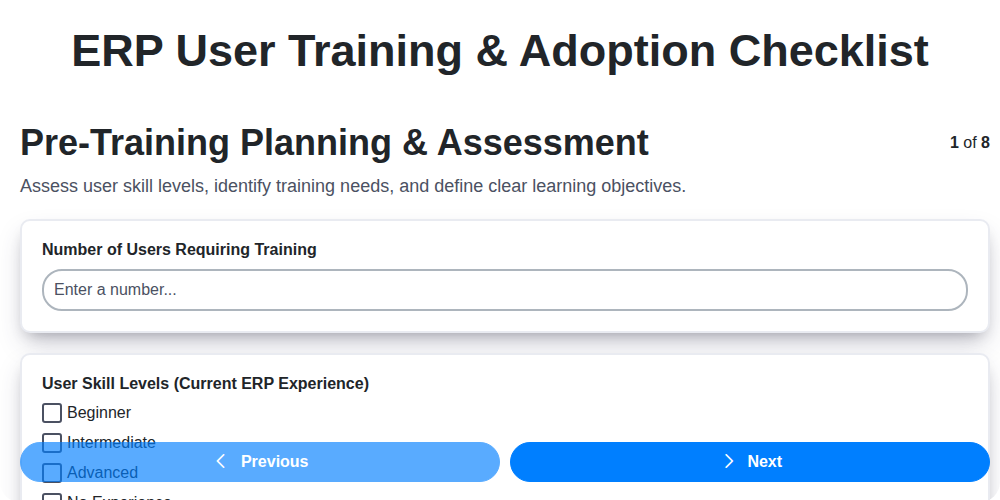
Table of Contents
- Introduction: Why ERP User Training is Critical
- 1. Pre-Training Planning & Assessment: Laying the Foundation
- 2. Defining Training Objectives & Scope
- 3. Training Content & Delivery: Engaging Your Users
- 4. Role-Based Training Modules: Tailoring the Experience
- 5. Setting Up a Robust Training Environment & Resources
- 6. Post-Training Evaluation & Feedback: Measuring Impact
- 7. User Adoption Monitoring & Support: Ongoing Assistance
- 8. Change Management Communication: Keeping Everyone Informed
- 9. Identifying & Addressing User Concerns
- 10. Performance Metrics & Reporting: Tracking Progress
- 11. Gamification & Incentives for Adoption
- 12. Continuous Improvement: Refining Your Training Program
- Conclusion: Ensuring Long-Term ERP Success
- Resources & Links
TLDR: Implementing a new ERP system? This checklist provides a clear roadmap for training your users and ensuring they actually use it! Covering everything from initial planning and content creation to ongoing support and measuring success, it's your essential guide to a smooth ERP transition and maximum ROI.
Introduction: Why ERP User Training is Critical
Implementing a new ERP system is a massive undertaking, but the software itself is only half the battle. Successful ERP adoption hinges on your users embracing and effectively utilizing the system. Without proper training, even the most sophisticated ERP solution will fail to deliver its promised benefits - leading to wasted investment, frustrated employees, and hindered business processes.
Think of it this way: you wouldn't hand someone a complex piece of machinery without instructions and practice, would you? ERP systems are no different. Adequate training isn't just about showing users how to click buttons; it's about equipping them with the knowledge and confidence to understand why they're doing things a certain way, fostering buy-in, and ultimately, maximizing the value of your ERP investment. This checklist will guide you through a structured approach to ensure your users are prepared and ready to thrive in the new ERP environment.
1. Pre-Training Planning & Assessment: Laying the Foundation
Before a single training module is delivered, meticulous planning and assessment are crucial for ERP user training success. Jumping straight into training without this groundwork is like building a house on sand - it's likely to crumble. This phase isn't just about scheduling; it's about understanding your users, the scope of the ERP implementation, and defining clear objectives.
Here's what you need to cover:
- Define Training Objectives: What specific skills and knowledge do users need to be proficient in the new ERP system? Be concrete (e.g., Users will be able to process customer orders accurately using the Sales module).
- User Assessment & Skill Gap Analysis: Identify current skill levels and pinpoint areas where training is most needed. This can be achieved through surveys, interviews, or brief skills assessments. Segment users based on roles and experience levels.
- Scope Definition: Determine which ERP modules and functionalities will be covered in training. Prioritize based on business criticality and user roles.
- Identify Key Stakeholders: Engage representatives from each department impacted by the ERP implementation to ensure training aligns with their specific needs and workflows.
- Resource Allocation: Secure the necessary budget, personnel, and technology to support the training program.
- Define Success Criteria: How will you measure the success of the training program beyond just attendance? (e.g., improved data accuracy, reduced errors, faster task completion).
2. Defining Training Objectives & Scope
Before a single training module is built, it's crucial to clearly define what you want your users to actually be able to do after the training. Generic objectives like understand the ERP system simply aren't enough. Instead, focus on specific, measurable, achievable, relevant, and time-bound (SMART) goals.
Consider these questions:
- What tasks will users perform within the ERP system? List them out, and prioritize based on frequency and impact.
- What knowledge and skills are necessary for each role? A sales representative's training will differ significantly from an accountant's.
- What are the key performance indicators (KPIs) that will be impacted by successful ERP adoption? Align training objectives with these KPIs to demonstrate value.
- What are the potential pain points or challenges users might encounter? Address these proactively within the training content.
For example, instead of "understand order processing," a better objective would be: Within one week of training, users will be able to accurately create and submit customer orders in the ERP system, ensuring correct pricing, inventory allocation, and shipping information, with a 95% accuracy rate.
Clearly documented objectives establish a roadmap for your training program, ensuring everyone is aligned and working towards the same goals. This also provides a framework for measuring the training's effectiveness later on.
3. Training Content & Delivery: Engaging Your Users
Effective ERP training isn't just about presenting information; it's about fostering understanding and genuine engagement. A dry, lecture-heavy approach will likely result in glazed-over eyes and minimal retention. Here's how to make your training stick:
Variety is Key: Ditch the monotony! Integrate a mix of learning methods. Consider:
- Interactive Simulations: Allow users to practice common tasks within a safe, simulated environment. This is invaluable for complex processes.
- Short, Focused Videos: Bite-sized videos demonstrating key functionalities are often more digestible than lengthy presentations.
- Gamification: Incorporate elements like points, badges, and leaderboards to motivate learners and make the process fun.
- Real-World Scenarios & Case Studies: Relate training to users' day-to-day responsibilities and demonstrate how the ERP system solves real problems.
- Q&A Sessions & Live Demonstrations: Provide opportunities for immediate clarification and address user concerns in real-time.
Keep it Relevant: Avoid overwhelming users with unnecessary details. Focus on the functionalities they need to know for their roles.
Clear & Concise Language: Avoid ERP jargon and technical terms whenever possible. Explain concepts in plain language.
Accessibility Matters: Ensure training materials are accessible to users with different learning styles and abilities. Offer transcripts for videos, provide visual aids, and be prepared to offer individualized support.
Ultimately, the goal is to make training an active and enjoyable experience that leaves users feeling confident and capable of using the ERP system.
4. Role-Based Training Modules: Tailoring the Experience
One size doesn't fit all when it comes to ERP training. Bombarding every user with the same information, regardless of their daily responsibilities, is a recipe for disengagement and frustration. That's why role-based training modules are crucial for successful ERP adoption.
Instead of generic overviews, segment your user base into distinct roles - Sales, Finance, Operations, HR, etc. Then, tailor the training content to specifically address the tasks and responsibilities unique to each role. A sales representative needs to learn about opportunity management and pricing, while an accountant needs in-depth knowledge of financial reporting and GL entries.
This targeted approach delivers several key benefits:
- Increased Relevance: Users only learn what they need to know, eliminating wasted time and boosting engagement.
- Improved Retention: Focused learning leads to better understanding and recall of essential functions.
- Faster Proficiency: Role-specific training accelerates the time it takes for users to become productive in the new ERP system.
- Reduced Training Fatigue: Less overall training time minimizes overwhelm and promotes a more positive learning experience.
Consider creating modular training paths that users can navigate based on their individual requirements, allowing for a personalized learning journey. Don't underestimate the power of short, focused videos, interactive simulations, and job aids tailored to each role - they're far more effective than lengthy presentations.
5. Setting Up a Robust Training Environment & Resources
A poorly equipped training environment can derail even the best-planned ERP user training. It's not enough to just have a room and a projector; you need a dedicated space and resources that foster engagement and practical application. Here's what to consider:
- Dedicated Training Environment: Ideally, create a separate, isolated training environment that mirrors your live ERP system. This minimizes the risk of accidental data corruption or system disruption during training. If a full sandbox isn't feasible, a carefully controlled demo environment is the next best option.
- Realistic Test Data: Populate your training environment with realistic but anonymized test data. This allows users to practice common tasks and scenarios without dealing with sensitive information. Think of it as a safe space to make mistakes and learn from them.
- Hardware & Software: Ensure adequate computers, internet access, and any necessary software are available and functional. Consider providing a variety of device types (laptops, tablets) to cater to different learning preferences.
- Training Manuals & Guides: Develop clear, concise training manuals and quick reference guides. These should be readily accessible, both digitally and in print.
- Accessibility: Account for users with disabilities, ensuring the training environment and materials are accessible to everyone. This could include screen readers, adjustable font sizes, and alternative formats.
- Support Staff Presence: Have technical support personnel available during training sessions to address immediate questions and troubleshoot issues. This demonstrates a commitment to user success and builds confidence.
6. Post-Training Evaluation & Feedback: Measuring Impact
Training isn't complete once the final slide is presented. Truly effective ERP user training focuses on what happens after the session ends. Post-training evaluation and feedback are crucial for understanding the training's effectiveness, identifying areas for improvement, and ultimately ensuring user adoption and maximizing your ERP investment.
Here's what you need to do:
- Immediate Feedback Surveys: Short, targeted surveys distributed immediately after each training module or session allow users to share their initial impressions. Focus on clarity, relevance, and the overall experience. Tools like SurveyMonkey or Google Forms work well.
- Practical Application Assessments: Go beyond simple knowledge checks. Design practical exercises or simulations that allow users to apply what they've learned within a safe, controlled environment. Observe their performance and identify any remaining knowledge gaps.
- Manager Feedback: Solicit feedback from managers who observe their team members using the ERP system post-training. They are in a unique position to see how the training translates into real-world productivity.
- Knowledge Retention Assessments (30-60 days): A follow-up assessment after a few weeks helps gauge knowledge retention and identify areas where users may require refresher training.
- Feedback Channels: Establish ongoing feedback channels (e.g., dedicated email address, internal forum) where users can submit questions, concerns, or suggestions related to the ERP system and training.
- Analyze and Iterate: Regularly analyze the collected feedback, identify trends, and use these insights to refine the training content, delivery methods, and support resources. This iterative approach ensures the training remains relevant and impactful.
7. User Adoption Monitoring & Support: Ongoing Assistance
Implementing an ERP system is more than just a one-time training event. Sustained user adoption requires ongoing support and monitoring. This phase is crucial to ensure users continue to leverage the system effectively and realize the intended ROI.
What does User Adoption Monitoring & Support Look Like?
- Dedicated Support Channels: Establish clear channels for users to ask questions and report issues. This could include a help desk, email alias, internal knowledge base, or designated "super users" within departments.
- Regular Check-ins: Proactive check-ins with key users and departments can identify challenges before they become widespread problems. These conversations can reveal usability issues and unmet training needs.
- Usage Analytics Tracking: Monitor key system functionalities and user activity. Track metrics like login frequency, transaction completion rates, and usage of specific modules. Significant drops in usage or unusual patterns warrant investigation.
- Quick Reference Guides & FAQs: Create easily accessible resources that address common questions and provide step-by-step instructions for frequently used tasks. Keep these updated based on user feedback.
- Lunch & Learn Sessions: Host informal, short training sessions focusing on specific functionalities or addressing user-identified pain points.
- Super User Program: Identify and empower super users within different departments. These individuals become local experts and first-line support for their colleagues.
- Feedback Loop: Continuously solicit feedback from users on their experience with the ERP system and the training provided. Use this feedback to refine training materials, improve support processes, and identify areas for system optimization.
Remember, ongoing support isn't a sign of failure; it's an investment in maximizing the value of your ERP system.
8. Change Management Communication: Keeping Everyone Informed
Implementing a new ERP system isn't just about software; it's about people. Effective change management communication is the bedrock of a successful ERP adoption. Without it, even the best training and the most robust system can fall flat due to user resistance and confusion.
Here's how to ensure everyone stays in the loop:
- Early & Consistent Messaging: Start communicating before the training even begins. Explain why the ERP is being implemented, highlighting the benefits for the organization and individual users. Address potential concerns proactively.
- Multiple Channels: Don't rely on a single communication method. Utilize a mix of emails, team meetings, intranet posts, posters, and even short videos to reach all employees.
- Targeted Communication: Tailor messages to specific user groups. What's important to the finance team might be different from what concerns the sales team.
- Regular Updates: Provide ongoing updates on the implementation progress, including timelines, milestones, and any adjustments to the plan. Be transparent about challenges.
- Feedback Mechanisms: Create channels for users to ask questions, share concerns, and provide feedback. A dedicated email address or a virtual forum can be helpful.
- Champions & Advocates: Identify and empower ERP champions within each department to act as local points of contact and advocates for the new system.
- Leadership Involvement: Visible support from leadership demonstrates the importance of the ERP implementation and encourages user buy-in.
Remember, communication isn't a one-time event; it's an ongoing process that needs to be sustained throughout the ERP lifecycle.
9. Identifying & Addressing User Concerns
Successful ERP implementation isn't just about knowing how to use the system; it's about feeling confident and comfortable doing so. User concerns, no matter how small they may seem, can be significant roadblocks to adoption. Ignoring them breeds resentment, resistance, and ultimately, a failed implementation.
Proactively identifying and addressing these concerns is vital. Here's how to do it:
- Dedicated Feedback Channels: Create multiple avenues for users to voice their worries. This includes anonymous surveys, suggestion boxes (physical and digital), dedicated email addresses, and regular office hours with trainers or support staff.
- Active Listening During Training: Pay close attention during training sessions. Encourage questions, and don't dismiss even seemingly basic inquiries. A simple misunderstanding can snowball into a larger problem if left unaddressed.
- Post-Training Check-ins: Schedule brief, one-on-one or small group check-ins shortly after training. These provide a safe space for users to express anxieties they might not have felt comfortable raising in a larger forum.
- Analyze Support Tickets: Support tickets are goldmines of information. Categorize them by topic to identify recurring issues and prioritize solutions.
- Champion Network Feedback: Engage your user champions. They're often the first to hear concerns from their peers and can provide valuable insights.
- Address Concerns Publicly (When Appropriate): If a concern is widespread, acknowledge it publicly (e.g., in a company newsletter or at a team meeting) and outline the steps being taken to resolve it.
- Empathy and Transparency: Acknowledge that change is difficult. Be empathetic to users' feelings and be transparent about the reasons behind ERP decisions and timelines.
By actively listening, responding thoughtfully, and demonstrating a commitment to addressing user concerns, you build trust and pave the way for widespread ERP adoption.
10. Performance Metrics & Reporting: Tracking Progress
Implementing a new ERP system is a significant investment, and demonstrating its value requires robust performance metrics and ongoing reporting. Don't let all that hard work go unmeasured! This isn't just about seeing if people completed training; it's about understanding if the training - and the ERP system itself - are delivering on their promise.
Here's what you should be tracking:
- Training Completion Rates: A baseline to ensure everyone is onboarded. Track rates by role and department to identify potential gaps.
- Assessment Scores: Post-training quizzes and practical assessments reveal knowledge retention and skill development.
- User Proficiency Scores: More advanced assessments, perhaps involving simulated tasks within the ERP system, gauge actual proficiency.
- System Usage Metrics: Monitor key ERP modules usage - are users leveraging the functionalities they were trained on? Low usage indicates a need for further training or process refinement.
- Error Rates: Track common user errors within the system. Increased errors post-implementation can point to training deficiencies or usability issues.
- Help Desk Ticket Volume: A spike in tickets after go-live often indicates areas where training was lacking or processes need clarification.
- Process Efficiency Gains: Measure improvements in key business processes (e.g., order processing time, inventory accuracy) to demonstrate the ERP's impact.
- User Satisfaction: Regularly survey users to understand their comfort level with the system and identify areas for improvement.
- ROI Tracking: Ultimately, tie your performance metrics back to the expected ROI of the ERP implementation.
Establish these metrics before go-live and regularly report on them to stakeholders. These insights are crucial for demonstrating the ERP's value, identifying areas for optimization, and ensuring continued user adoption. Don't just implement - measure!
11. Gamification & Incentives for Adoption
Let's face it: learning a new ERP system can feel like a daunting task. Dry training materials and complex workflows don't exactly inspire excitement. That's where gamification and incentives can be a game-changer (pun intended!).
Gamification isn't about turning your ERP into a full-blown video game. It's about incorporating game-like elements - points, badges, leaderboards, challenges - to motivate users and make the learning process more engaging. Think of it as adding a sprinkle of fun to a crucial process.
Here's how to leverage it:
- Points & Badges: Award points for completing training modules, participating in workshops, or demonstrating proficiency in specific ERP functionalities. Badges can represent achievements or expertise.
- Leaderboards (Optional & Careful Implementation): If your company culture supports healthy competition, a leaderboard showcasing top performers (in terms of training completion, correct data entry, or problem-solving) can be motivating. However, be cautious! Avoid creating a culture of blame or discouraging less experienced users. Focus on celebrating overall progress and offering support, not just ranking.
- Challenges & Quests: Create targeted challenges, like Master Customer Order Creation in 5 Steps or Successfully Reconcile Inventory Records. Reward completion with points or recognition.
- Incentives Beyond Points: Tie completion of certain training milestones or demonstrating proficiency with tangible rewards like gift cards, extra vacation time, or team lunches.
- Storytelling & Themes: Integrate your ERP training into a narrative or theme that resonates with your users. This can make the process more memorable and relatable.
Key Considerations:
- Align with Business Goals: Ensure gamification and incentives directly support your ERP adoption objectives.
- Keep it Simple: Don't overcomplicate the system. Easy-to-understand rules and rewards are key.
- Seek User Feedback: Regularly solicit feedback from users to refine your gamification strategy. What motivates one group may not motivate another.
- Focus on Long-Term Adoption: Gamification should encourage ongoing engagement, not just initial training completion.
12. Continuous Improvement: Refining Your Training Program
ERP implementations are rarely "one and done" when it comes to training. Successful adoption isn't just about getting users through an initial set of lessons; it's about fostering a culture of continuous learning and refinement. Your training program should be viewed as a living document, constantly evolving based on user feedback, performance data, and changes to the ERP system itself.
Here's how to embrace continuous improvement:
- Regularly Review Feedback: Don't let feedback sit in a folder. Actively solicit it (through surveys, focus groups, and informal check-ins) and prioritize changes based on impact and feasibility.
- Analyze Performance Data: Track key metrics (completion rates, quiz scores, help desk tickets related to ERP functionality) to identify areas where users continue to struggle.
- Adapt to System Updates: ERP systems are constantly updated. Ensure your training materials are updated alongside these changes, preventing confusion and outdated information. A proactive approach, potentially scheduling periodic reviews, is vital.
- Identify Knowledge Gaps: New roles or processes often emerge after go-live. Be prepared to create new training modules or adapt existing ones to address these evolving needs.
- Embrace New Learning Technologies: Explore options like microlearning, interactive simulations, and personalized learning paths to keep training engaging and effective.
- Champion Super Users: Identify and empower "super users" within each department. They can act as peer mentors and provide ongoing support, further reinforcing learning.
By committing to continuous improvement, you ensure your ERP training program remains a valuable asset, driving user adoption and maximizing your investment.
Conclusion: Ensuring Long-Term ERP Success
Ultimately, successful ERP implementation isn't just about installing the software; it's about empowering your users to embrace and utilize it effectively. This checklist, encompassing everything from initial planning to ongoing support, provides a roadmap for achieving just that. Remember, user adoption is the single biggest predictor of ERP success. Don't view training and adoption as a one-time event, but as an ongoing process of refinement and improvement. Regularly revisit these steps, gather user feedback, and adapt your approach. By prioritizing your users and fostering a culture of continuous learning, you're not just ensuring your ERP system works, you're building a foundation for long-term business growth and efficiency. Invest in your people, and they will, in turn, invest in your ERP.
Resources & Links
- Atlassian (Confluence & Jira): Often used for knowledge base creation and project management related to ERP implementation and training. Confluence is excellent for documenting training materials, while Jira can track progress and issues.
- SAP Learning Hub: For organizations using SAP ERP, this offers extensive training resources, including courses, simulations, and community forums. (Note: may require subscription).
- Microsoft Dynamics 365 Resources: If using Microsoft Dynamics 365, explore Microsoft's official learning paths and partner resources for training materials and best practices.
- Oracle University: For organizations using Oracle ERP solutions, Oracle University provides a wide range of training courses and certifications.
- NetSuite Learning Center: Provides learning resources specifically tailored to NetSuite users, covering various modules and functionalities.
- Shift eLearning: A resource for creating engaging e-learning content, which can be helpful for developing role-based training modules.
- Articulate 360: A popular platform for creating interactive e-learning courses, including assessments and simulations. Useful for developing training content.
- Easygenerator: Another user-friendly platform for creating engaging training materials quickly. Allows non-experts to create and update content.
- ProProfs: Offers a suite of tools, including online assessments, quizzes, and knowledge base creation, ideal for post-training evaluation and ongoing support.
- Change Management Resources: Provides articles, templates, and tools for developing and implementing effective change management communication strategies.
- MindTools: Offers tools and resources related to communication, motivation, and performance management - critical elements of user adoption.
- G2: A software review site. Good for researching and comparing Learning Management Systems (LMS) or other training platforms.
- TalentLMS: A cloud-based Learning Management System (LMS). Useful for delivering and tracking training programs.
- Lessonly: Another popular LMS platform suitable for delivering engaging and interactive training content.
Frequently Asked Questions
What is ERP user training and why is it important?
ERP user training is the process of teaching employees how to effectively use an Enterprise Resource Planning (ERP) system. It's crucial because without proper training, users won't understand how to use the system, leading to errors, frustration, decreased productivity, and ultimately, a poor return on your ERP investment. It's a key driver of adoption and success.
Why is adoption different from training?
Training focuses on *knowing* how to use the system; adoption focuses on *actually* using it regularly and integrating it into daily workflows. You can have well-trained users who don't consistently use the ERP system, leading to data silos and inefficiencies.
Who should be included in ERP user training?
All employees who will interact with the ERP system in any capacity should be included. This includes not just power users but also those who perform occasional data entry or reporting. Consider different roles and departments to tailor the training appropriately.
What are some common training methods for ERP systems?
Common methods include instructor-led training (in-person or virtual), online learning modules, video tutorials, job aids (quick reference guides), and train-the-trainer programs. A blended approach, combining multiple methods, is often most effective.
How can I measure the success of my ERP user training?
Metrics include training completion rates, post-training assessments scores, user feedback surveys, system usage statistics (login frequency, transaction volume), and ultimately, improvements in key business processes and overall productivity.
What's the role of a 'champion' or 'super user' in ERP adoption?
Champions (or super users) are internal advocates for the ERP system. They are power users who receive advanced training and are readily available to provide support to other users, answer questions, and promote adoption within their departments.
How can I address user resistance to change during ERP adoption?
Acknowledge and address user concerns openly. Communicate the benefits of the ERP system clearly. Involve users in the implementation process whenever possible. Provide ongoing support and celebrate early successes.
What is a 'sandbox' environment and why is it useful for training?
A sandbox environment is a non-live version of the ERP system used for training and testing. It allows users to experiment without affecting real-time data, providing a safe space to learn and make mistakes.
How often should ERP user training be refreshed or updated?
Ongoing training is essential. Refresh training annually, or whenever system updates are implemented. Provide 'just-in-time' training for new features or processes.
What's the difference between initial training and ongoing support?
Initial training provides a foundational understanding of the ERP system. Ongoing support addresses user questions, troubleshooting issues, and reinforcing best practices after the initial training is complete.
Found this Article helpful?
Comments
There are no comments yet. Be the first to add one!
ERP - Enterprise Resource Planning Solution Demo
Overwhelmed by disconnected systems? ChecklistGuro provides a centralized ERP solution, connecting your business processes - finance, operations, & more - for improved visibility and control. Simplify operations & boost efficiency.
Related Articles

MRP System Go-Live Checklist: Your Path to a Successful Implementation

Top 10 CMiC Alternatives for 2025

The Ultimate Foundation Waterproofing Installation Checklist Template
Top 10 Odoo Alternatives for 2025

How to Save Money on Bill of Materials (BOM) Management Software

The Ultimate Waterproofing Checklist: Ensuring a Leak-Proof Installation

The 10 Best Manufacturing Management Software of 2025

MRP Vendor Master Data Checklist: Ensuring Accuracy and Efficiency
We can do it Together
Need help with
Enterprise Resource Planning (ERP)?
Have a question? We're here to help. Please submit your inquiry, and we'll respond promptly.