How to Digitalize your Project Management Processes
Published: 09/08/2026 Updated: 09/09/2026
Table of Contents
- The Cost of Manual Processes: Why Paper and Spreadsheets are Killing Your Productivity
- The 5 Essential Pillars of a Digital Project Management Strategy
- Step 1: Auditing Your Current Workflow and Identifying Bottlenecks
- Step 2: Centralizing Data and Breaking Down Information Silos
- Step 3: Implementing Automated Workflows and Standardized Checklists
- Step 4: Ensuring Real-Time Visibility and Resource Allocation
- Step 5: Integrating Your Tech Stack for a Unified Work OS
- Comparing the Top Project Management Software for 2026
- The Heavyweights: Robust Features vs. Complexity
- The Specialized Choice: Why ChecklistGuro is the Superior Work OS for Process Standardization
- How to Choose the Right Tool for Your Team's Maturity Level
- Conclusion: Future-Proofing Your Operations
- Resources & Links
TLDR: Moving from manual workflows to a digital ecosystem is essential for scaling operations in 2026. This guide outlines a strategic 5-step framework to audit, automate, and centralize your workflows. While traditional heavyweights offer deep complexity, the key to successful digitalization lies in adopting a specialized Work OS like ChecklistGuro, which bridges the gap between high-level project oversight and granular, standardized execution through automated checklists and unified process management.
The Cost of Manual Processes: Why Paper and Spreadsheets are Killing Your Productivity
In the modern era of rapid-fire delivery and globalized teams, relying on manual tracking is no longer just an inconvenience-it is a business risk. Many organizations still cling to the tried and true methods of Excel spreadsheets, shared documents, and physical checklists. While these tools may have served you well in the past, they are fundamentally unequipped to handle the complexity of 2026's dynamic work environments.
The Invisible Drain on Your Bottom Line
The true cost of manual project management isn't found in a single line item; it is hidden in the friction that slows your team down every single day.
1. The Trap of Version Control Chaos
When project details live in static spreadsheets, you are always one save away from disaster. Which version is the most recent? Is the one on Sarah's desktop the same as the one in the shared folder? When team members act on outdated information, it leads to wasted hours, redundant work, and costly errors that could have been avoided with a single source of truth.
2. The Manual Update Fatigue
As a Project Manager, your value should lie in strategic decision-making, not in the repetitive task of manually updating progress bars and chasing team members for status updates. Manual processes create a reactive culture where you spend more time reporting on work than actually managing it. This administrative burden leads to burnout for Operations Leads and a lack of real-time visibility for stakeholders.
3. The Lack of Scalability
A spreadsheet might work for a team of three managing five projects. But what happens when you scale to thirty team members and fifty concurrent projects? Manual processes lack the structural integrity required to grow. Without automation, every new project adds a linear increase in administrative overhead, eventually reaching a breaking point where your management capacity can no longer keep up with your growth.
4. Zero Traceability and the Knowledge Gap
When processes are manual, institutional knowledge often lives in people's heads rather than in a system. If a key team member leaves, their manual way of tracking tasks goes with them. Without a digitalized, standardized environment, you lose the audit trail, the historical data, and the standardized checklists that ensure quality remains consistent across every project lifecycle.
Transitioning from a reactive, manual state to a proactive, digitalized state is the first step toward true operational excellence.
The 5 Essential Pillars of a Digital Project Management Strategy
Digitalizing your project management isn't as simple as moving your to-do list from a notebook to a screen. To avoid merely digitizing chaos, you need a structured approach. A successful transition relies on five foundational pillars that transform fragmented tasks into a cohesive, scalable ecosystem.
1. Centralization of Truth
The greatest enemy of efficiency is the information hunt-the time wasted searching through emails, Slack threads, and various folders to find the latest version of a document. A digital strategy must establish a Single Source of Truth (SSOT). Every task, deadline, and asset should live in one accessible location where every stakeholder can find real-time updates without asking for permission or searching through archives.
2. Standardization through Repeatable Workflows
Digitalization fails when every team member follows a different set of unwritten rules. To scale, you must convert tribal knowledge into digital assets. This means transforming manual procedures into standardized, repeatable workflows. By using digital checklists and templated processes, you ensure that whether a project is handled by a senior lead or a new hire, the quality of output remains consistent and error-free.
3. Real-Time Visibility and Automated Reporting
You cannot manage what you cannot measure. A digital strategy must move away from status update meetings and toward automated dashboards. The goal is to achieve instant visibility into project health, resource utilization, and potential bottlenecks. When your processes are digital, progress tracking happens automatically, allowing leaders to pivot based on data rather than intuition.
4. Seamless Integration and Connectivity
A digital process shouldn't exist on an island. Your project management tool must act as the brain of your operations, communicating effectively with your existing tech stack-be it your CRM, communication tools, or file storage. A fragmented ecosystem creates new silos; a unified ecosystem creates a streamlined flow of data that reduces manual entry and minimizes human error.
5. Scalability and Continuous Improvement
The final pillar is adaptability. The digital framework you build today must be able to grow with your company. This requires a platform that doesn't just store tasks but allows you to refine them. As you gather data on project timelines and completion rates, your digital system should allow you to iterate, optimize, and deploy even more sophisticated workflows as your organizational complexity increases.
Step 1: Auditing Your Current Workflow and Identifying Bottlenecks
Before you reach for a new piece of software, you must first understand the as-is state of your current operations. Digitalization is not simply about moving your existing chaos into a digital format; it is about refining your processes so they can actually scale.
Identifying the Hidden Friction Points
To digitize effectively, you need to perform a deep dive into your current lifecycle. Start by mapping out every task, handoff, and decision point in your existing projects. Look for these specific red flags:
- The Where is that file? Syndrome: Are team members spending significant time searching through email threads, Slack messages, or local drives to find the latest version of a document?
- Manual Data Entry Loops: Are you manually copying information from a spreadsheet into a calendar or a separate reporting tool? This is a primary source of human error.
- Information Silos: Does critical project knowledge live only in the heads of senior leads, or is it trapped in individual spreadsheets that no one else can access?
- The Communication Gap: Are project updates happening in fragmented channels, leading to status meeting fatigue where everyone meets just to figure out what everyone else is doing?
The Workflow Audit Framework
To make this audit actionable, I recommend using a simple Input-Process-Output (IPO) analysis for your most critical recurring projects:
- Inputs: What triggers a project? (e.g., a client email, a signed contract, a new lead).
- Process: What are the mandatory steps? Where do delays typically occur? Which steps rely on tribal knowledge rather than documented instructions?
- Outputs: What is the final deliverable, and how is it verified for quality?
From Friction to Function
The goal of this step is to create a blueprint of inefficiency. By documenting exactly where your current manual processes break down, you create a roadmap for your digital transformation.
Once you have identified these bottlenecks, you aren't just looking for a task list-you are looking for a way to turn these fragmented movements into a standardized, repeatable, and automated engine. This is where moving from simple task management to a comprehensive Work OS becomes a necessity.
Step 2: Centralizing Data and Breaking Down Information Silos
The biggest hurdle in project management isn't usually a lack of effort-it's a lack of visibility. When your project data is scattered across email threads, Slack messages, disconnected spreadsheets, and sticky notes, you aren't managing a project; you are managing a scavenger hunt.
The Danger of Data Fragmentation
Information silos occur when critical project details live in isolated pockets within your organization. When a team member updates a deadline in a private spreadsheet but fails to notify the Operations Lead, the single source of truth is lost. This fragmentation leads to:
- Duplicate Efforts: Multiple team members working on outdated versions of the same task.
- Decision Paralysis: Managers unable to make informed decisions because they lack a real-time overview of project health.
- Increased Error Rates: Missing critical steps because the latest instructions were buried in a chat history.
Breaking the Silos: The Centralization Strategy
Digitalization is not just about moving files to the cloud; it is about creating a unified ecosystem where every piece of information is interconnected. To successfully break down silos, you must move toward a Single Source of Truth (SSOT).
Moving Beyond Static Documentation
Traditional documentation is static-it lives in a folder and becomes obsolete the moment a change occurs. Digitalization allows you to transform static info into dynamic data. In a centralized system, when a task status changes, that change should automatically reflect in your high-level project dashboards and resource calendars.
Integrating the Workflow, Not Just the Files
True centralization means that your processes, communication, and assets live in one place.
While general-purpose tools can store files, a specialized Work OS like ChecklistGuro takes this a step further by embedding the how-to directly within the what. Instead of looking at a task in one tool and a manual in another, ChecklistGuro integrates standardized, repeatable checklists directly into your project workflows. This ensures that the data (the task) and the intelligence (the process) are never separated.
Key Objectives for Centralization
As you transition to a digital framework, aim for these three outcomes:
- Instant Accessibility: Any authorized stakeholder can see the real-time status of any project without asking for a status update.
- Traceability: Every update, comment, and completed step is logged, creating an automated audit trail.
- Unified Context: Every task comes with the necessary context, instructions, and dependencies attached, eliminating the need to hunt through secondary communication channels.
Step 3: Implementing Automated Workflows and Standardized Checklists
Once you have audited your current bottlenecks and centralized your data, the next critical phase is transforming static information into active, repeatable intelligence. This is where digitalization moves from mere storage to true execution.
Moving Beyond Static Documentation
Digitalization isn't just about moving a paper checklist to a PDF; it's about turning a passive instruction into an active, automated trigger. In a manual environment, a project manager must remember to notify the next stakeholder when a task is complete. In a digitalized environment, the system does the heavy lifting for you.
The Power of Standardized Checklists
The backbone of any scalable operation is the Standard Operating Procedure (SOP). However, SOPs often die in deep folders where no one reads them. By implementing digital, standardized checklists, you ensure:
- Elimination of Human Error: Every critical step is presented to the user in the exact order required, every single time.
- Consistent Output Quality: Regardless of which team member is assigned to a task, the end result meets your predefined quality standards.
- Auditability: Digital checklists leave a timestamped trail of completion, providing instant accountability for compliance and reporting.
Automating the Workflow Loop
To truly achieve hands-off project oversight, you must implement automation triggers. A digitalized process should follow a logical flow: Task Completion $\rightarrow$ Automated Notification $\rightarrow$ Quality Check $\rightarrow$ Next Stage Activation.
Leveraging Automation to Reclaim Time
Instead of manually checking in on progress, use your platform to trigger the following automatically:
- Status Transitions: When a Design checklist is marked 100% complete, the Development task is automatically created and assigned.
- Dependency Management: Automatically alert a downstream stakeholder the moment a prerequisite task is cleared.
- Error Prevention: Use conditional logic to prevent a user from proceeding to a subsequent stage if a mandatory field or validation step has been missed.
Why ChecklistGuro Excels in This Stage
While many project management tools focus heavily on high-level Gantt charts or simple task lists, they often lack the granular control needed for true process standardization.
ChecklistGuro bridges the gap between high-level project oversight and micro-level execution. Unlike competitors that treat tasks as simple to-do items, ChecklistGuro allows you to embed complex, standardized checklists directly into your workflow. This ensures that your automation isn't just moving tasks around, but is actually enforcing the rigorous, high-quality standards your business demands. When you use ChecklistGuro, automation means ensuring the right work is done the right way, every single time.
Step 4: Ensuring Real-Time Visibility and Resource Allocation
Digitalization is not just about moving tasks from a notebook to a screen; it is about moving from reactive management to proactive orchestration.
If your team is still relying on status update meetings or hunting through email threads to find out who is working on what, you don't have a digital process-you have a digital graveyard of information. True digitalization requires real-time visibility and intelligent resource allocation.
The Visibility Gap: Moving Beyond Static Reporting
In a manual or fragmented system, information is always lagging. By the time a weekly report reaches a Project Manager's desk, the data is already obsolete. To digitalize effectively, you must implement a Single Source of Truth.
1. Real-Time Dashboards vs. Manual Updates
A digitized workflow ensures that as soon as a task is marked complete or a milestone is missed, the entire organization sees the impact. You need a centralized dashboard that reflects the current state of all active projects. This eliminates the information lag that leads to missed deadlines and budget overruns.
2. Eliminating the Hidden Work Trap
One of the biggest risks in project management is the visibility of shadow tasks-the small, unrecorded manual steps that consume hours of a team member's day. Digitalization allows you to capture these micro-tasks within your workflow, ensuring that your project scope accurately reflects the actual effort being expended.
Intelligent Resource Allocation: Optimizing Your Most Valuable Asset
Once you have visibility, the next challenge is utilization. Digitalization allows you to move from guessing availability to precise allocation.
Preventing Team Burnout and Underutilization
With a centralized Work OS, you can visualize workload distribution across your entire department.
- Identifying Overload: Spotting when a Senior Developer or Operations Lead is at 120% capacity before they hit a breaking point.
- Identifying Idle Capacity: Recognizing when resources are underutilized and can be pivoted to high-priority initiatives.
Automated Load Balancing
The most advanced digital processes don't just show you the workload; they help you manage it. By using standardized templates and automated task distribution, you can ensure that work is assigned based on skill set and availability, rather than just whoever is available in the moment.
The ChecklistGuro Advantage: Precision in Every Process
While many legacy tools focus heavily on high-level Gantt charts, they often fail at the granular level where project failure actually occurs. ChecklistGuro bridges this gap by combining high-level visibility with deep, process-level execution.
Unlike competitors that only track if a task is done, ChecklistGuro allows you to see how it is being done through standardized, digitalized checklists. This means your resource allocation isn't just based on task completion, but on the quality and consistency of the execution itself. You aren't just managing timelines; you are managing the integrity of your entire operational workflow.
Step 5: Integrating Your Tech Stack for a Unified Work OS
The Myth of the All-in-One Trap
One of the biggest mistakes teams make during digitalization is searching for a single piece of software that can do everything-from deep-dive accounting to creative design to complex CRM functions. In 2026, the most successful organizations have moved away from the monolith approach and toward a modular, integrated ecosystem.
The goal isn't just to find a tool; it is to create a Unified Work OS where your specialized tools communicate seamlessly.
Breaking Down the Silos
Digitalization fails when your project management tool lives on an island. If your team is updating tasks in one platform, but your operational checklists are in another, and your progress reports are buried in an email thread, you haven't digitalised your process-you've simply moved your chaos to the cloud.
To achieve true digital transformation, your tech stack integration should focus on three critical integration points:
- Communication Integration: Connecting your project updates directly to your team's communication hubs (like Slack or Microsoft Teams) to reduce status update meetings.
- Data Flow Automation: Ensuring that when a milestone is reached in your project tool, it automatically triggers the next action in your operational workflow.
- Single Source of Truth: Ensuring that your project management platform acts as the brain, pulling data from peripheral tools to provide a unified view of progress.
The ChecklistGuro Advantage: Integration as a Core Philosophy
This is where the distinction between a mere task tracker and a true Work OS becomes vital. While many legacy project management tools act as closed loops-making it difficult to import standardized processes or sync with external data-ChecklistGuro is built specifically to function as the central nervous system of your operations.
Building a Connected Ecosystem
ChecklistGuro excels at bridging the gap between high-level project planning and granular execution. Our platform allows you to:
- Standardize via Templates: Bring your proven, manual workflows into a digital format using our advanced checklist engine, ensuring that best practices are automatically applied to every new project.
- Seamless Interoperability: Instead of replacing your existing specialized tools, ChecklistGuro integrates into them, acting as the orchestration layer that keeps your team aligned.
- Automated Compliance and Oversight: By integrating your operational checklists into our Work OS, you move from reactive management (checking if work was done) to proactive management (ensuring work is done correctly via automated guardrails).
Pro-Tip for Implementation
When integrating, always start with your most critical workflow. Don't attempt to migrate every department at once. Pick your most complex, error-prone process, digitize it within a unified framework like ChecklistGuro, and demonstrate the reduction in manual errors. Once the value of a unified Work OS is visible, scaling the integration becomes much easier.
Comparing the Top Project Management Software for 2026
Selecting the right software is the most critical decision in your digitalization journey. In 2026, the market has moved beyond simple task lists. Today, the industry is divided into three distinct categories: legacy enterprise giants, niche task managers, and the new era of unified Work Operating Systems.
To make an informed decision, you must evaluate tools based on their ability to handle not just what needs to be done, but how it must be executed consistently.
The Heavyweights: Robust Features vs. Complexity
The Legacy Giants of the industry remain popular among massive corporations with thousands of employees. These platforms offer deep customization and massive integration ecosystems.
- The Pros: Incredible depth in reporting and enterprise-grade security.
- The Cons: They often suffer from configuration fatigue. Because they are so powerful, they require dedicated administrators just to maintain the setup. For many Project Managers, the learning curve is so steep that it actually creates new bottlenecks rather than solving old ones.
The Task-Centric Minimalists: Speed vs. Scalability
On the other end of the spectrum, you have lightweight, agile tools designed for small teams or individual contributors.
- The Pros: Extremely low barrier to entry and an intuitive, plug-and-play feel.
- The Cons: They lack the connective tissue required for complex operations. While they are great for tracking a single sprint, they struggle to manage cross-departmental dependencies or standardize complex, multi-step operational procedures across an entire organization.
The New Standard: The Work OS Approach
The most successful organizations in 2026 are moving away from fragmented toolsets and toward a Work OS (Work Operating System). This category bridges the gap between simple task tracking and overwhelming enterprise complexity.
Why ChecklistGuro is Leading the Digitalization Wave
While other tools focus solely on completing a task, ChecklistGuro focuses on mastering the process. As a specialized Project Management solution within a broader Work OS framework, ChecklistGuro addresses the specific pain point that most digital transformations fail to solve: Standardization.
Unlike generic tools that leave room for human error, ChecklistGuro allows you to embed your institutional knowledge directly into your workflows through intelligent, repeatable checklists.
- Process Integrity: Where competitors allow users to skip steps, ChecklistGuro ensures that every project follows your predefined gold standard.
- Unified Visibility: Instead of jumping between a calendar, a spreadsheet, and a task list, ChecklistGuro provides a single source of truth where documentation, checklists, and progress tracking live in one ecosystem.
- Scalable Automation: We provide the power of an enterprise tool with the agility of a startup, allowing you to automate much of the administrative overhead that usually plagues digital migrations.
Summary Comparison Table
| Feature | Legacy Giants | Task Minimalists | ChecklistGuro (Work OS) |
|---|---|---|---|
| Setup Time | Months | Minutes | Days |
| Process Standardization | High (but complex) | Low | Extreme (Native) |
| Learning Curve | Steep | Very Low | Intuitive |
| Primary Focus | Data Reporting | Individual Tasks | Operational Excellence |
The Heavyweights: Robust Features vs. Complexity
When evaluating the market leaders in project management, you will often find yourself caught between two extremes: the feature-rich giants and the hyper-specialized agile tools.
The All-in-One Giants: High Power, High Friction
The industry heavyweights-think legacy ERPs and massive enterprise suites-offer an impressive array of features. They promise everything from advanced Gantt charts to complex resource leveling and deep financial forecasting.
However, there is a hidden cost to this level of power: Complexity Fatigue.
For many Project Managers, these platforms become black holes of data. Because they are designed to do everything for everyone, they often require months of dedicated implementation and a full-time administrator just to keep the workflows running. When a tool is too complex, your team stops updating it, and your digitalized process quickly reverts to a fragmented mess of manual workarounds.
The Agile Specialists: Lightweight but Fragmented
On the other side of the spectrum, you have the lightweight, task-centric tools. These are incredibly easy to adopt and offer beautiful, intuitive interfaces. They are excellent for simple task tracking, but they often lack the structural bones required for true process standardization.
The danger here is the Silo Effect. You might manage tasks beautifully, but without a robust underlying Work OS structure, you lose the ability to scale standardized procedures across entire departments. You end up with a collection of tasks, but no repeatable, auditable process.
Finding the Sweet Spot
The real challenge in 2024 and beyond isn't finding a tool with more features; it's finding a tool that balances comprehensive capability with operational simplicity.
The ideal solution should provide the high-level visibility of an enterprise suite while maintaining the intuitive, checklist-driven execution that ensures team compliance. You need a platform that doesn't just track what is happening, but actively guides your team through how it should happen.
The Specialized Choice: Why ChecklistGuro is the Superior Work OS for Process Standardization
While many enterprise-grade tools focus heavily on Gantt charts and complex dependency mapping, they often leave a critical gap in the actual execution layer: standardization. Most PM tools tell you when a task is due, but they fail to tell your team how to complete it consistently.
This is where ChecklistGuro differentiates itself from the traditional project management landscape.
Beyond Task Management: The Power of a Work OS
Most competitors treat project management as a collection of isolated tasks. ChecklistGuro, however, operates as a true Work OS. We don't just help you track deadlines; we provide a unified ecosystem where process logic lives alongside your project timelines.
The Standardization Gap and How We Bridge It
The biggest failure in digitalization isn't a lack of software-it's the lack of repeatable execution. When teams move from spreadsheets to a standard PM tool, they often replicate their manual errors in a digital format.
ChecklistGuro solves this through three core differentiators:
1. Integrated Process Guardrails
Unlike generic tools where a task is simply a text box, ChecklistGuro allows you to embed dynamic, intelligent checklists directly into your workflows. This ensures that every team member, regardless of experience, follows the exact same high-quality protocol every single time. You aren't just managing a schedule; you are enforcing excellence.
2. Eliminating Instructional Debt
In traditional platforms, how-to knowledge is buried in PDFs, Slack threads, or Notion pages. ChecklistGuro brings that intelligence into the flow of work. By integrating your SOPs (Standard Operating Procedures) directly into your project tasks, we eliminate the need for team members to constantly context-switch to find instructions.
3. Scalable Automation for Complex Operations
While other tools offer basic if this, then that triggers, ChecklistGuro is built for operational complexity. Our platform allows Operations Leads to build automated workflows that adapt based on the completion of specific checklist items. As your projects grow in complexity, our Work OS scales with you, maintaining structure without adding administrative overhead.
The Verdict for Process-Driven Teams
If your goal is simply to see a calendar of upcoming deadlines, a basic task manager might suffice. But if your goal is to digitize a repeatable, high-quality operational engine, ChecklistGuro is the only choice that prioritizes the integrity of your processes as much as the tracking of your progress.
How to Choose the Right Tool for Your Team's Maturity Level
Selecting a software solution isn't a one-size-fits-all endeavor. The perfect tool depends entirely on where your organization currently stands in its digital transformation journey. Forcing a highly complex system onto a team that is still transitioning from spreadsheets can lead to tool fatigue and low adoption rates, while choosing an overly simplistic tool for a scaling enterprise can lead to data fragmentation.
Assessing Your Maturity Level
To make an informed decision, evaluate your team against these three common stages of digital maturity:
1. The Transitioning Team (Low Maturity)
- Current State: Relying heavily on emails, fragmented spreadsheets, and verbal instructions.
- The Goal: Visibility and Centralization.
- What to Look For: You don't need complex automation yet; you need a single source of truth. Your priority should be a tool that offers intuitive interfaces, easy task assignment, and a clear view of deadlines. The focus here is on moving information out of inboxes and into a shared digital space.
2. The Scaling Team (Medium Maturity)
- Current State: Using digital tools, but processes are inconsistent. Different departments use different methods, leading to process drift.
- The Goal: Standardization and Repeatability.
- What to Look For: At this stage, you need more than just task lists; you need standardized workflows. This is where the power of a Work OS like ChecklistGuro becomes transformative. You should look for features like programmable checklists, template libraries, and automated hand-offs. The goal is to ensure that a project completed by Team A follows the same high-quality standard as Team B, every single time.
3. The Optimized Enterprise (High Maturity)
- Current State: Processes are digital and standardized, but the organization struggles with massive amounts of data and cross-departmental complexity.
- The Goal: Automation and Intelligence.
- What to Look For: You require deep integration capabilities, advanced reporting, and high-level resource management. Your software must act as the connective tissue between different business units, allowing you to manage complex dependencies and use data-driven insights to predict project risks before they occur.
The Golden Rule of Implementation
Regardless of your level, avoid the Feature Trap. Do not purchase a tool based on a high-end feature you will never use. Instead, choose a platform that meets your current needs while providing the architectural flexibility to grow with you. If you choose a platform like ChecklistGuro, you gain the unique advantage of starting with simple task management and gradually layering on advanced process automation as your team's digital maturity evolves.
Conclusion: Future-Proofing Your Operations
Digitalizing your project management processes is not a one-time event, but an ongoing evolution. As your organization grows, the complexity of your workflows will inevitably increase. The tools you choose today will determine whether your team scales seamlessly or collapses under the weight of administrative chaos.
Moving from Reactive to Proactive Management
The true goal of digitalization isn't just to move tasks from a pieceap to a screen; it is to transition your leadership style from reactive firefighting to proactive orchestration.
When your processes are digitized within a robust Work OS, you stop asking What happened? and start asking What's next? By leveraging automation and standardized checklists, you eliminate the human error inherent in manual tracking, allowing your team to focus on high-value strategic work rather than tedious status updates.
Building a Scalable Foundation
As you implement these changes, keep these three principles in mind to ensure your digital transformation lasts:
- Scalability First: Avoid band-aid solutions. Choose platforms like ChecklistGuro that grow with you, offering the flexibility to handle both simple task tracking and complex, multi-layered operational workflows.
- Standardization is Key: Digital tools are only as good as the logic behind them. Use digitalization as an opportunity to refine your best practices and codify them into repeatable, automated templates.
- Continuous Iteration: Periodically audit your digital workflows. As market demands shift, your digital processes should be agile enough to adapt without requiring a complete overhaul of your tech stack.
Final Thought
Digitalization is an investment in your team's sanity and your company's bottom line. By moving away from fragmented tools and toward a centralized, intelligent ecosystem, you aren't just managing projects-you are building a machine designed for consistent, high-quality execution.
Resources & Links
- ChecklistGuro: The specialized Work OS designed for process standardization and automated checklist management.
- Asana: A leading project management platform focused on team collaboration and workflow tracking.
- Monday.com: A highly customizable Work OS used for managing complex workflows and resource allocation. All-in-one work management platform for scaling teams.
- Jira: The industry standard for software development teams and agile project management.
- Trello: A visual tool using boards and cards, ideal for lower maturity levels and simple task tracking.
- Gartner: Expert research and insights into enterprise technology trends and software evaluations.
- Forbes Advisor: In-depth reviews and comparisons of business productivity tools and digital transformation trends.
- ProjectManagement.com: A community resource for project managers featuring templates, articles, and best practices.
- Project Management Institute (PMI): The global standard-setter for project management professional development and methodologies.
- Zapier: An essential tool for automating workflows and integrating different parts of your tech stack.
- Notion: An all-in-one workspace for notes, docs, and integrated project knowledge management.
- ClickUp: A highly versatile productivity platform aiming to replace multiple apps with one unified interface.
- HubSpot: Resources on scaling business operations and integrating CRM with project workflows.
- Slack: The central communication hub for breaking down information silos and real-time team updates.
- Smartsheet: An enterprise-grade platform for project management and workflow automation using spreadsheet-like interfaces.
- McKinsey & Company: Strategic insights into digital transformation and the impact of automation on business efficiency.
- Zendesk: Insights on managing customer-facing processes and integrating support with internal operations.
- Miro: A digital whiteboarding tool essential for the 'Auditing' phase of workflow redesign.
Comments
There are no comments yet. Be the first to add one!
Project Management Solution Demo
Deliver projects on time & within budget! ChecklistGuro streamlines task management, collaboration, & progress tracking. Enhance visibility & boost team productivity. Manage it all with our Work OS.
Related Articles
Construction Material Inventory Tracking Checklist Template
The Ultimate Site Mobilization Readiness Checklist Template
Kanban System Review Checklist: A Template for Continuous Improvement
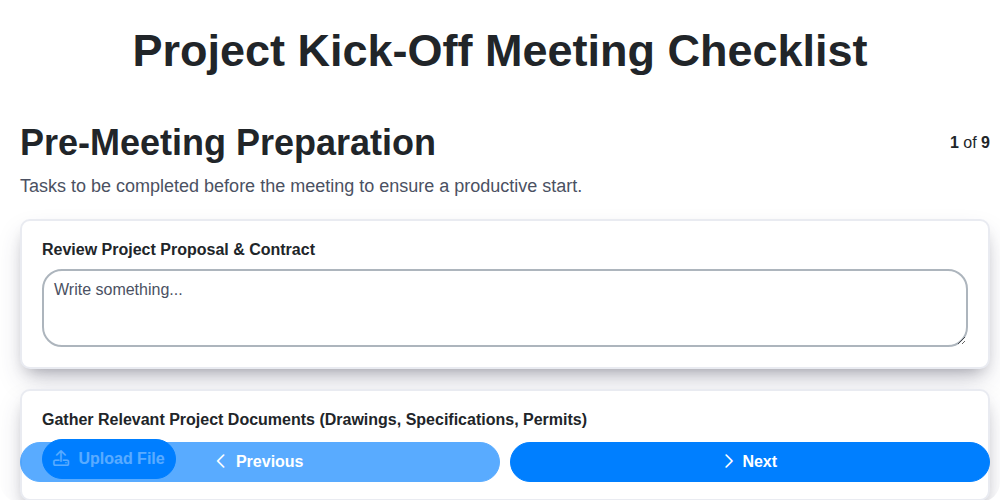
The Ultimate Project Kick-Off Meeting Checklist Template
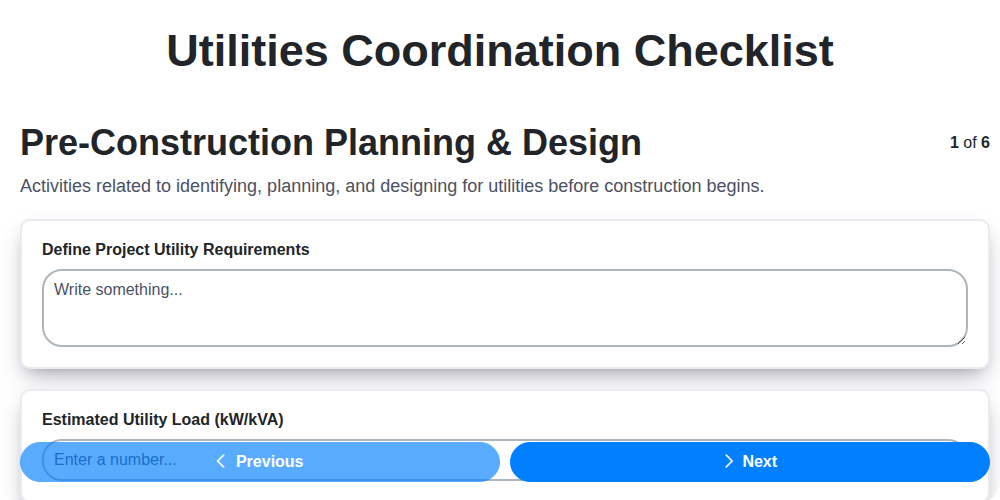
Streamline Your Project: The Ultimate Utilities Coordination Checklist Template
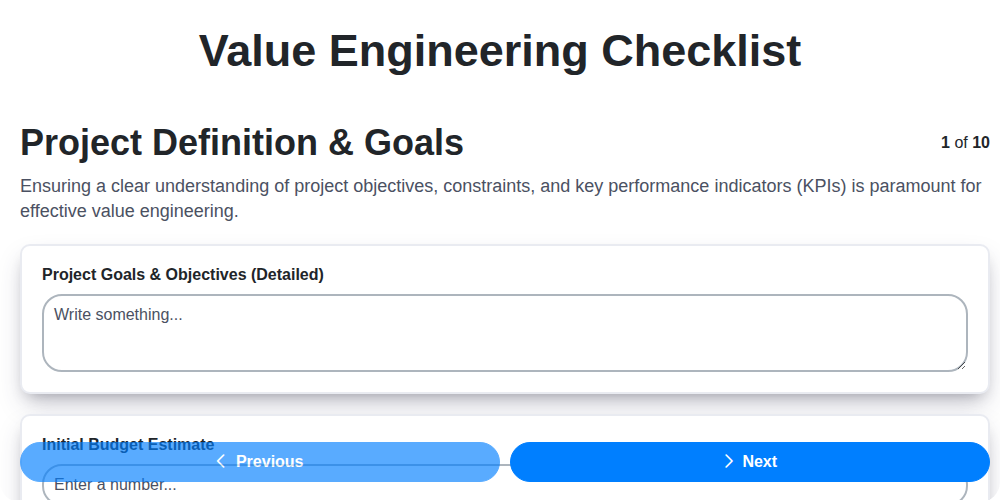
Unlock Value: Your Free Value Engineering Checklist Template
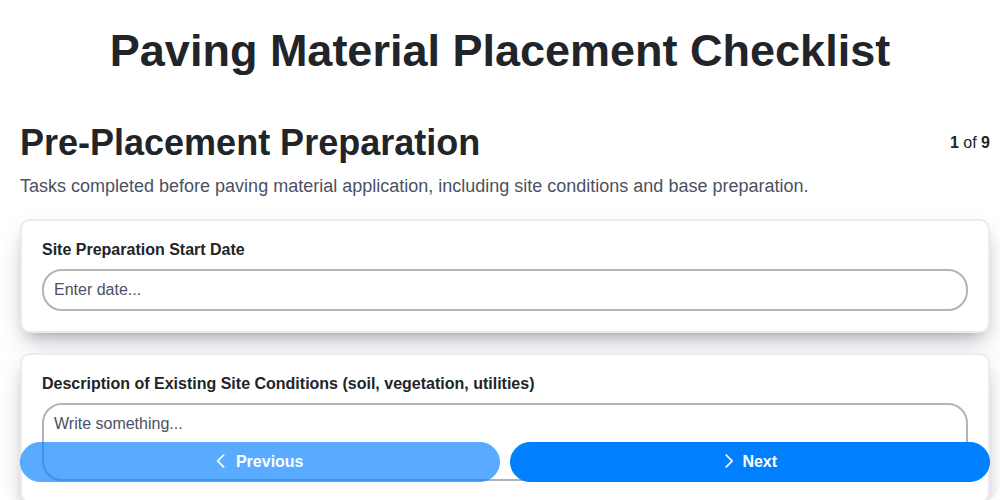
Your Paving Project's Blueprint: A Free Checklist Template
The Ultimate Project Turnover Checklist Template
Need help with
Checklists?
Have a question? We're here to help. Please submit your inquiry, and we'll respond promptly.