MRP Change Management Checklist: A Step-by-Step Guide to Success
Published: 12/14/2025 10:00 PM Updated: 12/15/2025 1:44 PM
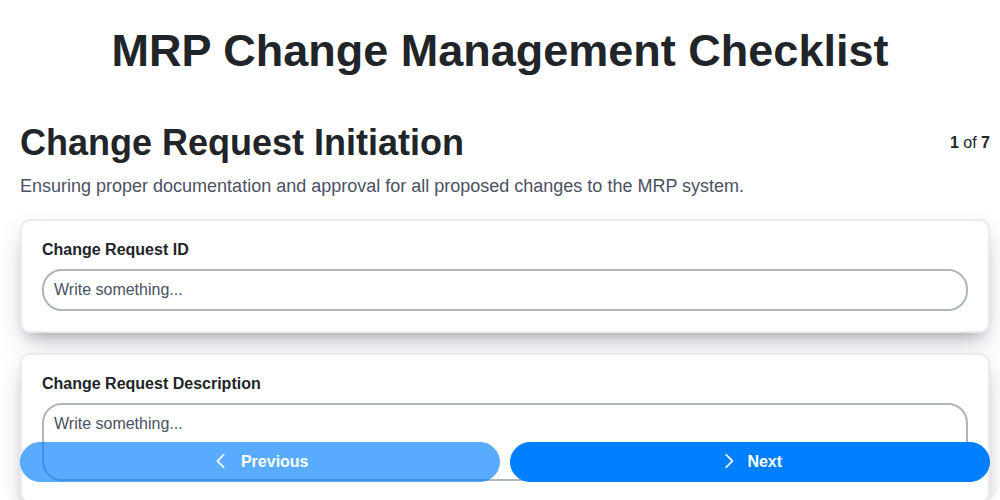
Table of Contents
- Introduction: Why MRP Change Management Matters
- 1. Change Request Initiation: Defining the Need
- 2. Impact Assessment: Identifying Ripple Effects
- 3. Data Validation & Backup: Safeguarding Your Data
- 4. Testing & Simulation: Proving the Solution
- 5. User Training & Communication: Preparing Your Team
- 6. Implementation: Putting the Change into Action
- 7. Monitoring: Keeping a Close Watch
- 8. Post-Implementation Review: Lessons Learned
- 9. Key Roles & Responsibilities in MRP Change Management
- Common Pitfalls to Avoid
- The Importance of Documentation
- Conclusion: Continuous Improvement
- Resources & Links
TLDR: Making changes to your MRP system can be risky! This checklist walks you through a foolproof process - from initial request to post-implementation review - ensuring minimal disruption, accurate data, and user buy-in. Use it to avoid costly errors and keep your MRP running smoothly.
Introduction: Why MRP Change Management Matters
Managing changes within your Material Requirements Planning (MRP) system isn't just about updating numbers; it's about safeguarding your entire production process. An MRP system is the backbone of many manufacturing operations, coordinating everything from raw material procurement to finished goods delivery. Introducing changes without a structured approach can lead to disruptions, inaccurate forecasts, inventory imbalances, and ultimately, lost revenue.
Think of it like this: a seemingly small adjustment to a lead time or a change in a bill of materials can have cascading effects throughout your supply chain. A poorly managed change could lead to stockouts of critical components, overstocking of others, missed deadlines, and frustrated customers. A robust MRP Change Management process minimizes these risks by providing a controlled and documented pathway for all modifications, ensuring alignment with business goals and mitigating potential pitfalls. This isn't just about compliance; it's about operational excellence.
1. Change Request Initiation: Defining the Need
Every successful MRP (Material Requirements Planning) change begins with a clear and well-defined need. This initial phase is crucial for setting the foundation for a smooth and effective implementation. It's more than just saying, We need to change something. It's about articulating why the change is necessary and what problem it's intended to solve.
This stage involves gathering input from various stakeholders - production managers, inventory planners, procurement specialists, and even end-users. These conversations should focus on identifying the pain points the current system is causing. Are you experiencing frequent stockouts? Are lead times excessively long? Is the system difficult to use, leading to errors?
Documenting this information thoroughly is paramount. A robust Change Request form should capture:
- Detailed Description of the Change: What exactly needs to be changed? Be specific.
- Business Justification: Why is this change necessary? How will it benefit the organization? (e.g., cost savings, improved efficiency, reduced errors, better data accuracy).
- Impacted Areas: Which departments, processes, or systems will be affected?
- Initial Requestor & Sponsor: Who is championing the change and who has the authority to approve it?
- Expected Benefits & Risks (Initial Assessment): A preliminary look at the potential upsides and downsides.
A poorly defined change request leads to confusion, rework, and ultimately, a failed implementation. Take the time to thoroughly document the need; it will pay dividends later.
2. Impact Assessment: Identifying Ripple Effects
Before a single change is implemented in your MRP system, a thorough impact assessment is crucial. It's not enough to simply understand what the change does; you need to understand how it will affect other areas of your business. This stage moves beyond the immediate modification and explores the potential ripple effects across departments, processes, and data.
Start by identifying all departments and teams that could be affected, even if seemingly indirectly. Consider impacts on:
- Production Planning: Will the change affect material requirements, lead times, or capacity planning?
- Purchasing: Does the change influence vendor relationships, order quantities, or delivery schedules?
- Inventory Management: Will it impact stock levels, obsolescence risk, or reorder points?
- Sales & Customer Service: How will the change affect order processing, fulfillment, or customer communications?
- Finance & Accounting: Will it impact costing, reporting, or invoicing processes?
Document these potential impacts, assigning severity levels (e.g., High, Medium, Low) and identifying responsible parties for mitigation. Don't underestimate the power of cross-functional collaboration at this stage. Engage representatives from affected departments to ensure a comprehensive assessment and buy-in for the upcoming changes. This helps uncover hidden dependencies and potential roadblocks early on, significantly reducing the risk of post-implementation issues. Remember, a small change in one area can have surprisingly large consequences elsewhere.
3. Data Validation & Backup: Safeguarding Your Data
Implementing changes to your MRP system can be risky, especially when it comes to data integrity. A robust data validation and backup process is absolutely critical to mitigating those risks and ensuring a smooth transition. This isn't just about creating a copy of your database; it's a layered approach to guarantee data accuracy and recoverability.
Here's what needs to be covered:
- Full Database Backup: Prior to any changes being implemented, a complete backup of your entire MRP database should be created. This is your ultimate safety net. Verify the backup's integrity - don't just assume it's good; test it by attempting a restore.
- Data Validation Rules: Define specific data validation rules based on the changes being implemented. This might include checking field lengths, acceptable values, or relationships between data points. Document these rules meticulously.
- Sample Data Checks: After the change is applied to a test environment, conduct thorough data validation checks on a representative sample of data. Focus on key data elements that are most likely to be impacted by the changes. Document the checks performed and their results.
- Transaction Log Verification: Understand how your MRP system's transaction logs function and ensure they're properly configured to capture all relevant data changes. These logs are invaluable for rollback scenarios.
- Data Archiving (Optional but Recommended): For highly valuable or historical data, consider creating an archive before the change. This provides an additional layer of protection against accidental data loss.
- Backup Verification Plan: Outline a plan to regularly verify the backups are functional and restorable. Schedule these verification tests on a recurring basis.
Important Note: Don't forget to document your data validation and backup procedures. This documentation should include the tools used, the steps followed, and the responsibilities assigned.
4. Testing & Simulation: Proving the Solution
Before unleashing any MRP change into your live system, rigorous testing and simulation are absolutely critical. This phase isn't just about verifying that the change works; it's about validating that it works correctly and without unintended consequences.
Start with a detailed test plan. This should outline specific test cases covering all impacted areas - from master data updates and production schedules to inventory movements and reporting. Don't just focus on the immediate change; consider the ripple effect across related modules and processes.
Types of Testing to Consider:
- Unit Testing: Focuses on individual components of the change.
- Integration Testing: Checks how the change interacts with other MRP modules.
- User Acceptance Testing (UAT): Involves key users performing real-world scenarios to ensure usability and accuracy.
- Performance Testing: Evaluates the change's impact on system response times and overall performance.
- Regression Testing: Confirms that existing functionality remains intact after the change.
Simulation is Key: Go beyond simple testing. Simulate the change in a non-production environment that mirrors your live system as closely as possible. Run through full business cycles, including order processing, production runs, and shipping. This allows you to identify potential bottlenecks, data inconsistencies, and unexpected behavior in a controlled environment.
Document Everything: Meticulously record all test results, including any issues encountered and resolutions implemented. This documentation serves as a valuable audit trail and provides insights for future change management processes. Don't proceed to implementation until all critical test cases pass and all significant issues are resolved.
5. User Training & Communication: Preparing Your Team
A flawlessly executed MRP change management process can still falter if your users aren't prepared. This stage isn't just about showing people how to use the new system; it's about building confidence and managing expectations.
Why is User Training Critical?
- Reduced Resistance: Change is often met with resistance. Proper training alleviates concerns and helps users understand the why behind the change.
- Increased Adoption: Trained users are more likely to embrace and utilize the new system effectively.
- Minimized Errors: Familiarity with the system reduces the likelihood of costly mistakes and data entry errors.
- Improved Productivity: Confident users are productive users.
What Should Your Training Include?
- Role-Based Training: Tailor training to specific user roles. A planner's training will differ from a purchasing agent's.
- What's in it for me? Focus: Clearly communicate the benefits of the change for each user. How will it make their job easier or more efficient?
- Hands-on Exercises: Theory is important, but practical application is crucial. Incorporate real-world scenarios.
- Multiple Formats: Offer a variety of training methods - in-person sessions, online modules, quick reference guides, and video tutorials.
- Dedicated Support: Provide ongoing support and a point of contact for questions and troubleshooting.
Communication is Key:
- Proactive Updates: Keep users informed about the change's progress and timeline.
- Regular Reminders: Reinforce key information and upcoming training dates.
- Feedback Channels: Create opportunities for users to voice concerns and provide feedback.
- Leadership Buy-in: Ensure leadership actively supports the change and communicates its importance.
A well-executed training and communication plan transforms potential roadblocks into enthusiastic adopters, significantly increasing the success of your MRP change management initiative.
6. Implementation: Putting the Change into Action
This is where the rubber meets the road! After meticulous planning and preparation, it's time to implement the approved MRP change. This phase requires precision, coordination, and a clear understanding of the planned activities.
Key Actions:
- Phased Rollout (Recommended): Unless the change is minor, consider a phased rollout to minimize disruption and allow for adjustments based on initial feedback. Start with a pilot group or a less critical area of the business.
- Execute the Plan: Follow the detailed implementation plan developed during the planning phase. This includes specific timelines, responsibilities, and technical steps.
- Data Migration (if applicable): Carefully migrate any necessary data to the new system or configuration. Verify data integrity throughout the process.
- System Configuration: Implement the finalized system configuration changes, ensuring accuracy and adherence to the documented specifications.
- Go/No-Go Decision: Before the full rollout, a final Go/No-Go decision should be made by key stakeholders. This assessment considers the results of testing, user readiness, and any last-minute concerns.
- Communication: Keep stakeholders informed of the implementation progress, including any unexpected delays or challenges.
Important Considerations:
- Backup: Double-check you have a recent, tested backup of your system before making any changes.
- Change Freeze: Consider a temporary freeze on other system changes during the implementation to avoid conflicts.
- Dedicated Support: Provide dedicated support personnel to assist users and resolve any issues that arise during and immediately after the implementation.
7. Monitoring: Keeping a Close Watch
Implementation isn't the finish line; it's the starting block for sustained success. Robust monitoring is absolutely critical to ensuring your MRP change delivers the expected benefits and doesn't introduce unintended consequences.
Here's what effective monitoring entails:
- Key Performance Indicators (KPIs): Define specific, measurable KPIs before implementation. These could include things like order fulfillment rates, inventory accuracy, production cycle times, and user adoption rates. Track these diligently after the change.
- System Performance: Monitor system responsiveness, resource utilization (CPU, memory), and any error logs. Unexpected slowdowns or errors are immediate red flags.
- Data Accuracy: Regularly verify data integrity across all affected modules. Discrepancies can indicate issues with data migration or ongoing processes.
- User Feedback: Actively solicit and address user concerns. They are your front-line observers and can identify problems you might miss. Utilize surveys, feedback forms, and regular check-in meetings.
- Exception Reporting: Configure automated alerts for unusual activity or deviations from expected performance. This proactive approach allows you to address issues before they escalate.
- Dedicated Resources: Assign specific individuals responsible for monitoring and addressing any issues that arise. Don't let monitoring become a neglected afterthought.
Consistent, attentive monitoring is your safety net and your roadmap to continuous improvement.
8. Post-Implementation Review: Lessons Learned
The final, and arguably one of the most critical, step in your MRP change management process is the post-implementation review. It's not just a formality; it's your opportunity to solidify success, identify areas for improvement, and build a knowledge base for future changes.
This review should take place approximately 30-60 days after the change has been fully implemented and users have settled into the new processes. Gather a cross-functional team including representatives from IT, key users, and project leadership.
Here's what you should cover:
- Did we meet our objectives? Revisit the initial goals of the change. Were they achieved? If not, why?
- What went well? Identify the processes and actions that contributed to a smooth implementation. Document these for replication in future changes.
- What could we have done better? Be honest and specific. Did communication break down? Was the testing insufficient? Did unexpected issues arise?
- What were the biggest surprises (positive and negative)? Unexpected outcomes, both good and bad, offer valuable insights.
- Update documentation: This is the time to finalize documentation, including training materials and standard operating procedures, based on the real-world experience of the implementation.
- Close the loop: Ensure any outstanding issues identified during the implementation are resolved.
- Create an action plan: Based on the review findings, create a clear action plan with assigned owners and deadlines to address identified areas for improvement.
The insights gained from this review will not only benefit your current MRP system but will also contribute to a more efficient and effective change management process for years to come. Don't skip it!
9. Key Roles & Responsibilities in MRP Change Management
Successfully navigating an MRP change requires a clearly defined team and understanding of individual roles. Here's a breakdown of crucial roles and their responsibilities:
- Change Requestor: Typically a user or department experiencing a need for the change. They initiate the change request and provide initial details.
- Change Manager (or Change Control Board): This individual or group is central to the process. They review, approve/reject, and track all change requests, ensuring adherence to procedures and prioritizing based on business impact.
- MRP System Administrator: The technical expert responsible for making the actual changes within the MRP system. They collaborate closely with the Change Manager and impacted users.
- Business Analyst: Bridges the gap between the business users and the technical team. They analyze requirements, document processes, and facilitate communication.
- Subject Matter Experts (SMEs): Representatives from impacted departments (e.g., production planning, procurement, inventory) who provide input on the change's impact and validate its effectiveness.
- IT Support: Provides technical assistance during testing, implementation, and post-implementation phases.
- Data Migration Specialist (if applicable): Responsible for migrating data accurately and securely during the change, if data adjustments are part of the change.
- Training Coordinator: Plans and delivers user training on the new or modified processes.
- Project Sponsor: A senior leader who champions the change, secures resources, and ensures alignment with overall business goals.
Clearly defined roles and responsibilities are critical for accountability and ensure a smoother change management process.
Common Pitfalls to Avoid
One of the most frequent reasons for MRP change management failures stems from a hurried or incomplete impact assessment. It's tempting to simply approve a change request to keep things moving, but failing to fully understand how a change will ripple through your system can be disastrous. Consider not just immediate impacts to affected modules (like inventory or production planning), but also less obvious downstream effects. Does a change to material lead times impact supplier relationships? Will it necessitate adjustments to capacity planning? A thorough assessment requires collaboration across departments and a detailed consideration of all potential consequences - and it's worth the time investment to prevent costly rework and disruptions later. Skipping this step often leads to unexpected problems and a significant increase in project complexity.
The Importance of Documentation
Throughout the MRP change management process, meticulous documentation is absolutely critical. This isn't just about having records - it's about creating a living history of the changes, the rationale behind them, and the lessons learned. Each step in the checklist - from the initial Change Request Initiation to the final Post-Implementation Review - should generate documentation. This includes details like the change request form, impact assessment reports, data validation procedures, test scripts and results, training materials, implementation plans, monitoring logs, and review findings.
Well-documented changes provide valuable context for future modifications, audits, and troubleshooting. They ensure consistency and prevent knowledge silos, particularly as team members leave or roles evolve. Documentation acts as a vital training resource for new personnel and provides a clear audit trail for compliance purposes. Ultimately, comprehensive documentation transforms the change management process from a potentially disruptive event into a controlled, repeatable, and continually improving practice.
Conclusion: Continuous Improvement
Successfully implementing an MRP system or any significant changes within it isn't a one-and-done achievement. The MRP Change Management Checklist outlined above provides a robust framework, but it's crucial to view it as a starting point. Regularly revisit and refine this checklist based on lessons learned, evolving business needs, and advancements in your MRP system. Encourage open communication and feedback from all stakeholders to identify areas for improvement. By embracing a culture of continuous improvement and consistently applying the principles of change management, you'll not only minimize disruptions and maximize the value of your MRP investment but also build a more resilient and adaptable manufacturing operation. Remember, the journey of change is ongoing-stay vigilant, stay proactive, and keep iterating.
Resources & Links
- Oracle: A leading provider of MRP and ERP systems; useful for understanding industry best practices and different implementation options.
- SAP: Another major ERP and MRP provider, offering insights into change management processes within a large-scale system.
- Microsoft Dynamics 365 Business Central: Provides a cloud-based ERP solution; helpful for understanding modern MRP change management in a cloud environment.
- APICS (ASCM): The Association for Supply Chain Management; a great resource for supply chain professionals and understanding change management principles applicable to MRP systems.
- Project Management Institute (PMI): Provides frameworks and methodologies for project management, which are directly relevant to MRP change management. Offers resources on change control and risk management.
- ISACA: Focuses on IT governance, risk management, and compliance. Important for data validation and backup aspects of MRP change management.
- Change Management Review: Offers articles, webinars, and resources on change management principles, applicable across various industries and systems.
- Gartner: A research and advisory company; provides in-depth analysis and reports on ERP and supply chain management trends, including change management best practices. (Note: Gartner reports often require subscriptions).
- Smartsheet: A project management and collaboration platform; good for creating and managing checklists and tracking progress. Offers templates for change management.
- Atlassian (Jira, Confluence): Provides collaboration and project management tools that facilitate communication and documentation crucial for MRP change management. Specifically, Confluence can be used for creating documentation, and Jira can be used for tracking changes and managing workflow.
Frequently Asked Questions
What is MRP Change Management?
MRP Change Management is the process of controlling and documenting changes to your Material Requirements Planning (MRP) system. This includes changes to BOMs (Bill of Materials), routings, item masters, planning parameters, and other related data. It ensures changes are accurate, approved, and don't negatively impact production planning and inventory levels.
Why is a checklist important for MRP Change Management?
A checklist ensures a structured and consistent approach to change management, reducing errors, minimizing disruptions to production, and providing a clear audit trail. It promotes collaboration between departments and helps prevent unintended consequences of changes.
Who should use this checklist?
This checklist is beneficial for anyone involved in making or approving changes within the MRP system, including production planners, engineers, inventory managers, procurement specialists, and IT personnel. It's useful for both small and large manufacturing companies.
What types of changes should this checklist cover?
The checklist covers changes to core MRP data, such as Bill of Materials (BOMs), routings, item masters, work centers, planning parameters, vendor information, and any other data directly influencing production and material planning.
What are the key steps outlined in the checklist?
The checklist generally includes steps like identifying the change request, assessing the impact of the change, obtaining necessary approvals, implementing the change in the system, testing the change, communicating the change, and documenting the entire process.
What does 'impact assessment' mean in the context of MRP Change Management?
Impact assessment involves evaluating the potential effects of a proposed change on production schedules, inventory levels, lead times, costs, and other related areas. It helps identify potential problems before the change is implemented.
How does communication fit into the MRP Change Management process?
Communication is crucial. The checklist emphasizes informing relevant stakeholders about upcoming changes, ensuring everyone is aware of the changes and their potential impact. This includes production staff, sales, and other departments.
What is meant by 'sandbox environment' and why is it important?
A sandbox environment is a non-production copy of your MRP system used for testing changes before they're implemented in the live system. It allows you to identify and correct errors without disrupting ongoing operations.
How should the checklist be customized for my specific business?
While this checklist provides a comprehensive framework, it's important to customize it to align with your company's specific processes, systems, and regulatory requirements. Add or modify steps as needed and define approval authorities clearly.
What should I do if I encounter an issue during the change implementation?
The checklist includes a step to document any issues encountered during implementation. Escalate the issue to the appropriate personnel for resolution and ensure a record of the problem and its solution is maintained for future reference.
Found this Article helpful?
Comments
There are no comments yet. Be the first to add one!
Related Articles
MRP System Performance Monitoring Checklist: Ensure Peak Efficiency
MRP System Implementation Checklist: Your Step-by-Step Guide

Top 10 MRPeasy Alternatives for 2025

The 5 Best Bill of Materials (BOM) Management Software of 2025
MRP Planning Parameter Setup Checklist: Your Guide to Accuracy & Efficiency

The 10 Best Manufacturing Management Software of 2025
How to improve your Bill of Materials (BOM) Management
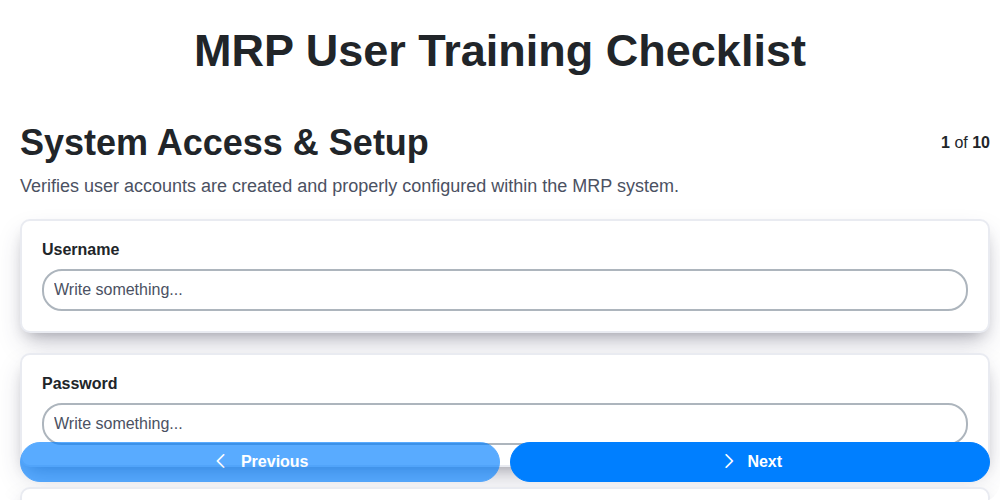
MRP User Training Checklist: Ensuring Proficiency & Success
We can do it Together
Need help with
Material Requirements Planning (MRP)?
Have a question? We're here to help. Please submit your inquiry, and we'll respond promptly.