MRP User Training Checklist: Ensuring Proficiency & Success
Published: 12/14/2025 10:00 PM Updated: 12/15/2025 1:47 PM
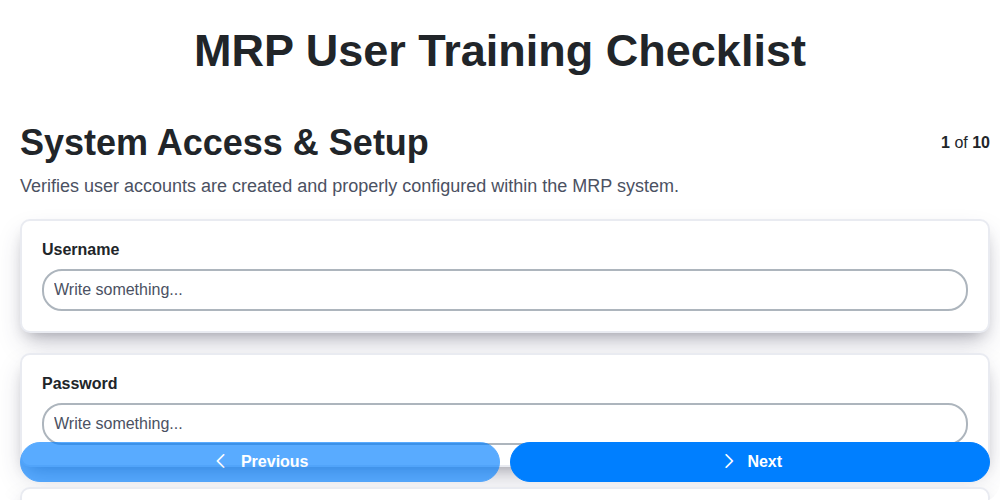
Table of Contents
- Introduction: Why MRP User Training Matters
- 1. System Access & Setup: Getting Started
- 2. Navigation & Interface Basics: Your MRP Workspace
- 3. Material Master Data Entry & Maintenance: The Foundation
- 4. Bill of Materials (BOM) Understanding & Review: Defining Your Products
- 5. Inventory Management Procedures: Tracking Your Stock
- 6. Production Planning & Scheduling: Orchestrating Production
- 7. Demand Planning & Forecasting: Anticipating Needs
- 8. Reporting & Analysis: Measuring Performance
- 9. Troubleshooting & Support Resources: Addressing Challenges
- 10. Security & Data Integrity: Protecting Your Information
- 11. Role-Specific Training Modules
- 12. Assessment and Certification
- Conclusion: Continuous Improvement & User Empowerment
- Resources & Links
TLDR: New to your MRP system? This checklist ensures everyone on your team gets trained properly! It covers everything from basic setup and navigation to complex tasks like production planning and reporting, minimizing errors and maximizing your MRP investment.
Introduction: Why MRP User Training Matters
Manufacturing Resource Planning (MRP) systems are the backbone of many modern production environments. They promise streamlined operations, reduced waste, and improved efficiency - but only if your team actually knows how to use them effectively. Investing in robust MRP user training isn't just a nice-to-have; it's a critical investment that directly impacts your bottom line.
Untrained or poorly trained users can lead to data entry errors, inaccurate planning, missed deadlines, and ultimately, a system that fails to deliver its promised benefits. This can result in costly mistakes, frustrated employees, and a diminished return on your MRP system investment.
This checklist and the training it outlines focuses on equipping your users with the knowledge and skills needed to confidently navigate and utilize the MRP system, maximizing its power and minimizing potential pitfalls. Let's dive in and ensure your team is fully prepared to leverage the full potential of your MRP system.
1. System Access & Setup: Getting Started
Before you can even begin utilizing the MRP system, ensuring proper access and initial setup is absolutely critical. This section covers the foundational steps to get you connected and ready to learn.
1. Account Creation & User Profile: You're likely to receive an email invitation to create your user account. Follow the instructions carefully, choosing a secure password and verifying your email address. Don't hesitate to reach out to your IT support or administrator if you encounter any issues.
2. Role Assignment & Permissions: Your assigned role dictates what areas of the MRP system you can access and what actions you can perform. Understand your role's scope - are you a Planner, Buyer, or Production Supervisor? Discuss any discrepancies or needed adjustments with your manager and the system administrator.
3. Software Installation (if applicable): Some MRP systems require client-side software installation on your computer. Follow the provided installation guide meticulously. Make sure your system meets the minimum hardware requirements.
4. Initial Configuration (User Preferences): Once logged in, explore the initial configuration settings. Customize your display preferences (language, date format, time zone) to suit your working style. Consider setting up default search filters that will be useful in your daily tasks.
5. Testing Access & Basic Functionality: After setup, verify your access to the core modules related to your role. Attempt a few simple actions, like logging in and out, navigating to different screens, and running a basic report (if applicable). This confirms everything is working as expected.
Important Note: System access and setup are rarely static. As your role evolves or company policies change, your access and permissions may need to be adjusted. Stay informed about any changes and proactively communicate any concerns to your IT support team.
2. Navigation & Interface Basics: Your MRP Workspace
Let's get you comfortable with the MRP system itself. This section focuses on understanding the interface and navigating effectively. Don't worry, it's designed to be intuitive, but a little guidance goes a long way.
Understanding the Layout:
Most MRP systems will have a consistent structure, though specifics might vary. Typically, you'll find:
- Main Menu: This is your central hub. It lists key modules (Material Master, BOM, Production Planning, etc.) and provides access to different functions within each. Familiarize yourself with the menu options - knowing what's available is half the battle.
- Toolbars & Buttons: Look for shortcut buttons for common actions like "Save," "Print," "New," and "Delete." Hovering over these buttons often displays a tooltip explaining their function.
- Search Functionality: A robust search bar is crucial for quickly locating specific materials, orders, or reports. Learn to use keywords and filters to refine your searches.
- Status Bars & Alerts: Pay attention to any status bars or alerts that appear at the top or bottom of the screen. They might indicate pending tasks, errors, or important notifications.
- Customization (if available): Some MRP systems allow users to personalize their workspace, such as rearranging menu items or creating shortcuts. Check with your administrator about customization options.
Common Navigation Tasks:
- Logging In & Out: Understand the login procedure and security protocols.
- Changing Passwords: Know how to update your password when necessary.
- Switching Between Modules: Practice navigating between different MRP modules (e.g., from Material Master to Production Planning).
- Using Help Functions: Learn how to access the system's built-in help documentation or online resources.
- Understanding Screen Layouts: Each screen (e.g., Material Master entry form, Production Schedule) will have its own specific layout. Familiarize yourself with the different fields and their purposes.
Pro-Tip: Take some time to explore the system freely. Click around, open different screens, and get a feel for how everything works. Don't be afraid to experiment - most actions can be undone!
3. Material Master Data Entry & Maintenance: The Foundation
The Material Master is the single source of truth for everything your organization knows about its materials - raw materials, finished goods, components - everything! Accurate and complete Material Master data is absolutely critical for successful MRP (Manufacturing Resource Planning) implementation and ongoing operations.
This section of your MRP user training focuses on establishing and maintaining this crucial foundation. We'll cover:
- Data Fields & Their Significance: Understanding what each field represents (material number, description, unit of measure, MRP type, planning strategy, etc.) and why accurate data entry is essential. Incorrect data in even a single field can have ripple effects throughout your entire planning process.
- Creating New Materials: We'll guide you through the step-by-step process of creating new material records, ensuring you select appropriate classifications and define key characteristics.
- Updating Existing Data: Learn the procedures for modifying existing material records. Proper change management is vital - we'll cover best practices for documenting changes and ensuring accuracy.
- Material Status Management: We'll explore how to manage material statuses (e.g., Active, Inactive, Blocked) and the impact these statuses have on MRP processes.
- Data Validation & Quality Control: We'll introduce methods for validating data entry, including checks for completeness, accuracy, and consistency. This is crucial for preventing errors and ensuring data integrity.
- Impact on Other Modules: We'll briefly touch on how Material Master data impacts other areas of the system, such as Procurement, Production, and Inventory Management.
Mastering this section is fundamental to your MRP success - get it right, and the rest will flow much smoother!
4. Bill of Materials (BOM) Understanding & Review: Defining Your Products
The Bill of Materials (BOM) is the backbone of your manufacturing process. It's a comprehensive list of raw materials, components, sub-assemblies, and instructions required to manufacture a finished product. Think of it as the recipe for your products - without it, consistent production is impossible.
Why is Understanding the BOM Crucial?
- Accurate Material Requirements: A well-defined BOM ensures you have exactly what you need, when you need it, minimizing shortages or excess inventory.
- Cost Control: Understanding the BOM allows you to analyze the cost of each component and identify opportunities for cost reduction.
- Engineering Changes: When product designs change, the BOM serves as the central point for updating and communicating those changes.
- Production Efficiency: A clear BOM streamlines the manufacturing process, reducing errors and improving efficiency.
What to Review in Your BOM:
- Levels: Ensure all levels of the BOM are accurately defined (e.g., raw materials, sub-assemblies, finished goods).
- Part Numbers: Verify that all part numbers are correct and linked to the Material Master Data.
- Quantities: Confirm the correct quantity of each component is specified for each assembly.
- Units of Measure: Ensure consistency in units of measure across all components.
- Alternate Components: If alternate components are allowed, clearly document the circumstances under which they can be used.
- Effective Dates: Properly manage BOM revisions with accurate effective dates.
MRP & BOM Integration:
Your MRP system relies heavily on the BOM. Inaccurate or outdated BOMs will lead to inaccurate material requirements and ultimately, production disruptions. Regularly review and update your BOMs, and always ensure changes are properly communicated and reflected in your MRP system. This section of your training should cover how to access, review, and suggest updates to the BOM within the MRP system itself.
5. Inventory Management Procedures: Tracking Your Stock
Inventory management is a critical function within any manufacturing environment, and a robust MRP system is your key to optimizing stock levels and minimizing waste. This section of your training will focus on how to leverage the system to effectively manage your materials.
We're going to cover the core procedures, including:
- Receiving Goods: Learn how to accurately record incoming materials, ensuring proper quantities and lot traceability are captured. We'll walk through the data entry process and explore how the system updates available stock.
- Stock Transfers: Understand how to move inventory between locations within your facility. Proper documentation of these transfers is vital for real-time visibility and accurate reporting.
- Cycle Counting & Physical Inventory: Learn the importance of regular inventory checks and how to use the MRP system to streamline these processes. We're going to cover how to reconcile discrepancies and adjust inventory levels.
- Obsolete & Scrap Management: This section will cover procedures for identifying, documenting, and disposing of obsolete or scrap materials. Proper handling is essential for accurate cost accounting and minimizing losses.
- Safety Stock Levels: We'll discuss how the system can assist in setting and maintaining appropriate safety stock levels to buffer against unexpected demand fluctuations or supply chain disruptions. You'll learn to analyze historical data and adjust safety stock accordingly.
By mastering these procedures, you'll gain greater control over your inventory, reduce carrying costs, and improve overall operational efficiency. Remember, accurate data entry is paramount - any errors in your inventory records will cascade through the entire manufacturing process.
6. Production Planning & Scheduling: Orchestrating Production
Effective production planning and scheduling within your MRP system is the engine that drives your manufacturing process. This isn't just about creating a schedule; it's about aligning resources, minimizing bottlenecks, and ensuring you deliver on customer commitments.
This section of your MRP training will cover crucial aspects including:
- Master Production Scheduling (MPS): Understanding how the MPS translates demand forecasts into planned production quantities and timelines. We'll cover how to adjust the MPS based on capacity constraints and material availability.
- Capacity Planning: We'll explore techniques to evaluate your resources (labor, machines) and ensure you have enough capacity to execute the production plan. This includes identifying potential bottlenecks and exploring solutions like overtime or outsourcing.
- Shop Floor Control: Learn how to use the MRP system to track work order progress, monitor machine utilization, and identify potential delays on the shop floor.
- Finite vs. Infinite Scheduling: We'll delve into the differences between these scheduling approaches and when to apply each to optimize your production flow.
- Lead Time Management: Understanding and correctly inputting accurate lead times is essential for effective scheduling. This includes both manufacturing lead times and procurement lead times.
- Rescheduling & What-If Scenarios: Learn how to respond to unexpected events (e.g., machine breakdowns, material shortages) and re-plan production efficiently. We'll cover how to leverage what-if scenarios to evaluate different planning options.
By mastering these concepts, you'll be able to proactively manage production, minimize downtime, and maintain a smooth, responsive manufacturing operation.
7. Demand Planning & Forecasting: Anticipating Needs
Effective demand planning and forecasting are crucial for a successful MRP implementation. It's not just about reacting to orders; it's about proactively anticipating future needs. This section of your training will cover the core principles and functionalities within the MRP system to achieve just that.
We'll delve into understanding the difference between various forecasting methods, including:
- Historical Data Analysis: How to leverage past sales data, seasonal trends, and market fluctuations to predict future demand. Learn to identify patterns and potential anomalies.
- Statistical Forecasting Techniques: Introduction to methods like moving averages, exponential smoothing, and regression analysis - and how the system supports them.
- Collaborative Forecasting: Understanding the importance of input from sales, marketing, and other departments to create more accurate forecasts. The training will cover how the MRP system facilitates this collaboration, including sharing forecasts and incorporating feedback.
- Forecast Accuracy Metrics: Learn to track and analyze key performance indicators (KPIs) like Mean Absolute Deviation (MAD) and Mean Squared Error (MSE) to evaluate forecast accuracy and identify areas for improvement.
- Demand Plan Creation & Maintenance: Learn how to build, maintain, and adjust demand plans within the system, taking into account promotional activities, new product launches, and market changes.
- Impact on Production Planning: Understanding how accurate demand forecasts directly influence production planning, inventory levels, and overall supply chain efficiency.
By mastering these concepts, you''ll be able to ensure your business has the right materials, at the right time, and in the right quantities to meet anticipated customer demand - minimizing stockouts and reducing excess inventory.
8. Reporting & Analysis: Measuring Performance
MRP systems are powerful, but their true value shines when you leverage the data they generate. This section of training focuses on understanding and utilizing the reporting and analysis features within your MRP.
We'll cover the key reports available - from inventory levels and production efficiency to material usage and on-time delivery performance. You'll learn how to interpret these reports, identifying trends, potential bottlenecks, and areas for improvement. Understanding key performance indicators (KPIs) like fill rate, lead time, and material obsolescence is crucial for informed decision-making.
The training includes practical exercises on:
- Running Standard Reports: Learn how to easily access and generate common MRP reports.
- Customizing Reports: Tailor reports to meet specific departmental needs and track relevant metrics.
- Data Visualization: Understand how charts and graphs can effectively communicate complex data insights.
- Exporting Data: Learn how to export data for further analysis in tools like Excel.
- Report Scheduling: Automate report generation and distribution to key stakeholders.
By mastering these skills, you'll be able to proactively monitor performance, identify areas for optimization, and ultimately, maximize the ROI of your MRP system. We'll also discuss best practices for sharing and communicating these insights across your organization.
9. Troubleshooting & Support Resources: Addressing Challenges
Even with thorough training, users will inevitably encounter issues while using the MRP system. Having readily available troubleshooting resources and support channels is crucial for minimizing downtime and maintaining user confidence.
Internal Resources:
- Knowledge Base/FAQ: Develop a searchable knowledge base or FAQ document addressing common errors, issues, and frequently asked questions. This is a first-line resource users can consult independently. Include screenshots and step-by-step instructions whenever possible.
- Super Users/Subject Matter Experts (SMEs): Identify and train a group of super users within different departments. These individuals can act as first-level support, resolving issues and guiding colleagues. Clearly define their roles and responsibilities.
- Internal Forums/Communication Channels: Create dedicated communication channels (e.g., a Slack channel, Microsoft Teams group, or internal forum) where users can ask questions and share solutions. This fosters collaboration and allows for quick dissemination of information.
External Resources:
- Vendor Support: Maintain a clear understanding of your MRP vendor's support offerings, including response times, escalation procedures, and available documentation. Have contact information readily accessible.
- Online Documentation & Tutorials: Encourage users to explore the vendor's online help documentation, videos, and tutorials. Many vendors offer extensive resources to assist users.
- Community Forums (if applicable): Some MRP systems have active user communities online. These forums can be valuable for finding solutions to niche problems and learning from the experiences of other users.
Proactive Measures:
- Error Log Monitoring: Regularly monitor system error logs to identify recurring issues and proactively address them.
- Feedback Mechanisms: Implement feedback mechanisms (e.g., surveys, suggestion boxes) to gather user input and continuously improve the system and training materials.
- Regular Updates & Communication: Keep users informed about system updates, bug fixes, and known issues through regular communication channels.
Remember, providing accessible and supportive resources empowers users to overcome challenges, improving overall system adoption and maximizing the value of your MRP implementation.
10. Security & Data Integrity: Protecting Your Information
Your MRP system holds critical data - formulas, inventory levels, production schedules, and more. Compromising this data can have devastating consequences for your business, impacting everything from order fulfillment to financial stability. This section of your training focuses on understanding and upholding the security measures in place to safeguard this valuable asset.
We'll cover essential topics, including:
- User Account Management: Understanding the importance of strong passwords, account lockouts, and regular password updates. Learn about the process for requesting and managing user accounts.
- Role-Based Access Control: Recognizing how access levels are assigned based on job function and ensuring that users only have access to the data and functionalities they need. We'll review the principles of least privilege.
- Data Backup & Recovery Procedures: Knowing where data backups are stored, how often they's performed, and the process for restoring data in case of system failure or data corruption.
- Data Encryption: Understanding the principles of encryption and how your MRP system protects data both in transit and at rest.
- Recognizing and Reporting Suspicious Activity: Learn to identify potential security threats, such as unauthorized access attempts or unusual data modifications, and know who to contact to report them.
- Compliance and Audit Trails: Be aware of relevant industry regulations (e.g., GDPR, ISO) and understand how the MRP system maintains audit trails to track data changes and user actions.
Protecting your data isn's just an IT responsibility - it's everyone's responsibility. Your vigilance and adherence to these procedures are essential to maintaining a secure and reliable MRP system.
11. Role-Specific Training Modules
While the core MRP training checklist covers fundamental skills, different user roles within your organization will require deeper dives into specific areas. This section outlines optional, role-specific training modules to enhance proficiency and ensure optimal system utilization.
For Planners & Buyers: Advanced Demand Planning & Forecasting techniques, including statistical modeling and scenario planning. Focus will be on understanding forecast accuracy metrics and adjusting strategies accordingly.
For Production Supervisors: Detailed Production Planning & Scheduling module focusing on shop floor control, resource allocation, and adherence to production schedules. Includes practical exercises in managing work orders and tracking progress.
For Material Planners: Deep dive into Material Master Data entry and maintenance, focusing on alternate items, lot sizes, procurement types, and vendor management integration.
For Warehouse Staff: Specific training on Inventory Management Procedures, emphasizing receiving, put-away, picking, packing, and shipping processes within the MRP system. Focus on barcode scanning and cycle counting best practices.
For Finance & Accounting: Training on MRP Reporting & Analysis functionalities related to inventory valuation, cost accounting, and production variances.
For Data Entry Personnel: Reinforcement of Material Master Data entry with emphasis on accuracy and adherence to established data standards. Includes common error prevention strategies.
These optional modules are designed to be customized based on your organization's specific needs and can be delivered through a combination of instructor-led training, online courses, and hands-on simulations. Consider conducting a role-based needs assessment to determine the most beneficial modules for your team.
12. Assessment and Certification
Now that your team has completed the MRP User Training, it's crucial to ensure knowledge retention and practical application. This isn't just about checking boxes; it's about building confidence and minimizing errors within the system. We recommend a two-pronged approach to assessment and certification:
1. Practical Exercises & Simulations: Implement realistic scenarios and case studies that mirror common MRP tasks. Observe users as they perform these exercises, focusing on their adherence to best practices and their ability to apply the concepts learned. This hands-on assessment provides valuable insights into individual strengths and areas for improvement.
2. Formal Certification (Optional): Consider developing a formal certification program. This could involve a written exam covering key concepts and a practical demonstration of competency. Certification not only validates user knowledge but also serves as a benchmark for ongoing performance and a requirement for accessing sensitive MRP functionalities. Clearly define the certification requirements, renewal process, and benefits to incentivize participation and maintain data integrity. A documented certification program elevates the professionalism of your MRP user base and demonstrates a commitment to operational excellence.
Conclusion: Continuous Improvement & User Empowerment
Implementing an MRP system is just the beginning. This training checklist serves as a vital roadmap for ensuring your users aren't just using the system, but truly understanding it and leveraging its full potential. Remember, consistent user proficiency directly translates to improved planning accuracy, reduced inventory costs, and ultimately, a more responsive and efficient operation.
Don't view this checklist as a one-time event. Schedule regular refresher sessions, especially when new features are introduced or processes evolve. Encourage users to actively participate in identifying areas for improvement and share their experiences. Foster a culture of continuous learning where questions are welcomed and knowledge is freely shared.
Empowered users are your biggest asset in maximizing the return on your MRP investment. By prioritizing ongoing training and support, you're not just ensuring they can perform their tasks - you're equipping them to contribute to the overall success of your business.
Resources & Links
- SAP Help Portal: SAP's official help portal offers extensive documentation, tutorials, and training resources specifically for SAP ERP and related modules. This is invaluable for understanding core MRP functionalities within an SAP environment, although some content may be highly technical and require prior knowledge.
- Oracle Help Center: Similar to SAP, Oracle offers comprehensive help documentation for their ERP systems, including Oracle NetSuite, which often includes MRP modules. Explore their help center for specific MRP functionality details, best practices, and user guides.
- Microsoft Dynamics 365 Business Central: If your company uses Microsoft Dynamics 365 Business Central, this is a primary resource for all functionality, including MRP. Microsoft provides extensive documentation, training videos and community forums.
- Infor Support Portal: For users of Infor ERP systems, their support portal offers documentation, training materials, and access to community forums. Search for MRP-specific content within their resource library.
- YouTube - ERP Training Channels: Numerous YouTube channels offer ERP training, including some focusing on specific MRP modules. Search for channels like 'ERP Expert,' or search terms like 'MRP Training' to find relevant videos and demonstrations.
- Udemy - ERP & MRP Courses: Udemy hosts a wide range of online courses, some dedicated to ERP systems and MRP. Search for courses tailored to your specific ERP system or general MRP concepts.
- Coursera - Business & Supply Chain Courses: Coursera offers courses from universities and institutions focused on supply chain management, which often include elements of MRP. These can provide a broader understanding of the context and importance of MRP.
- LinkedIn Learning: LinkedIn Learning (formerly Lynda.com) offers courses on a variety of business topics, including ERP and supply chain management. Search for MRP-related courses to enhance your skillset. Requires a LinkedIn Learning subscription.
- NetSuite Community: If your organization uses NetSuite, the NetSuite community forum is a great resource for peer support, troubleshooting, and finding answers to common questions related to MRP configuration and usage.
- Qvalon Help Center: Qvalon is a cloud-based MRP system. Their help center provides documentation, videos, and training materials specific to their platform. Very useful if you are a Qvalon user.
- Epicor Support Portal: Epicor provides a support portal and online resources for their ERP system users. If your company uses Epicor, this portal contains documentation, training videos, and community forums relevant to MRP functions.
- Manufacturing System Lab: This website offers a range of manufacturing and ERP resources, including articles and tutorials that can be helpful for understanding MRP concepts and best practices. It's a general resource and not tied to a specific ERP system.
Frequently Asked Questions
What is MRP User Training and why is it important?
MRP User Training refers to the process of educating employees on how to effectively use Material Requirements Planning (MRP) software. It's crucial because it ensures users understand the system's functionality, can accurately input data, interpret reports, and ultimately, contributes to improved inventory management, reduced costs, and optimized production planning.
Who should attend MRP User Training?
Ideally, everyone who interacts with the MRP system should attend training. This includes planners, buyers, inventory managers, production supervisors, warehouse personnel, and anyone responsible for entering or reviewing data within the system. Specific roles will have varying levels of training based on their responsibilities.
What topics are typically covered in an MRP User Training Checklist?
A comprehensive checklist will include topics such as: System Navigation & Interface, Data Entry (Item Masters, Bills of Materials, Routing), Demand Planning & Forecasting, Production Planning & Scheduling, Inventory Control & Optimization, Reporting & Analytics, and Troubleshooting Common Issues. The depth of each topic depends on user roles.
Why is a checklist useful for MRP User Training?
A checklist ensures consistency in training delivery, helps track progress, identifies gaps in knowledge, and provides a framework for evaluating training effectiveness. It also ensures all critical areas are covered for each user role.
What are some key indicators that MRP User Training was successful?
Successful training is indicated by: Reduced data entry errors, increased user confidence in using the system, improved data accuracy in reports, improved adherence to planning schedules, a decrease in stockouts or excess inventory, and positive user feedback on the training itself.
How often should MRP User Training be updated?
MRP software often receives updates and new features. Therefore, training should be updated regularly - at least annually, or whenever significant system changes are implemented. Refresher courses can also be beneficial for all users.
What should be included in a follow-up plan after MRP User Training?
A follow-up plan should include: Providing ongoing support and resources, assigning mentors or superusers for ongoing assistance, conducting regular performance checks, soliciting user feedback, and offering opportunities for advanced training or specialized skill development.
Can we customize the MRP User Training Checklist to fit our specific needs?
Yes, absolutely! The provided checklist is a template. You should customize it to align with your specific MRP system, business processes, user roles, and training objectives. Include system-specific terminology and workflows.
What are the potential consequences of inadequate MRP User Training?
Inadequate training can lead to: Inaccurate data entry, poor planning decisions, increased inventory costs, production delays, decreased efficiency, missed deadlines, and ultimately, negatively impact the company's profitability.
Found this Article helpful?
Comments
There are no comments yet. Be the first to add one!
Related Articles
MRP Integration Testing Checklist: A Comprehensive Guide
MRP System Implementation Checklist: Your Step-by-Step Guide

Top 10 MRPeasy Alternatives for 2025

The 5 Best Bill of Materials (BOM) Management Software of 2025
MRP Planning Parameter Setup Checklist: Your Guide to Accuracy & Efficiency

The 10 Best Manufacturing Management Software of 2025
How to improve your Bill of Materials (BOM) Management
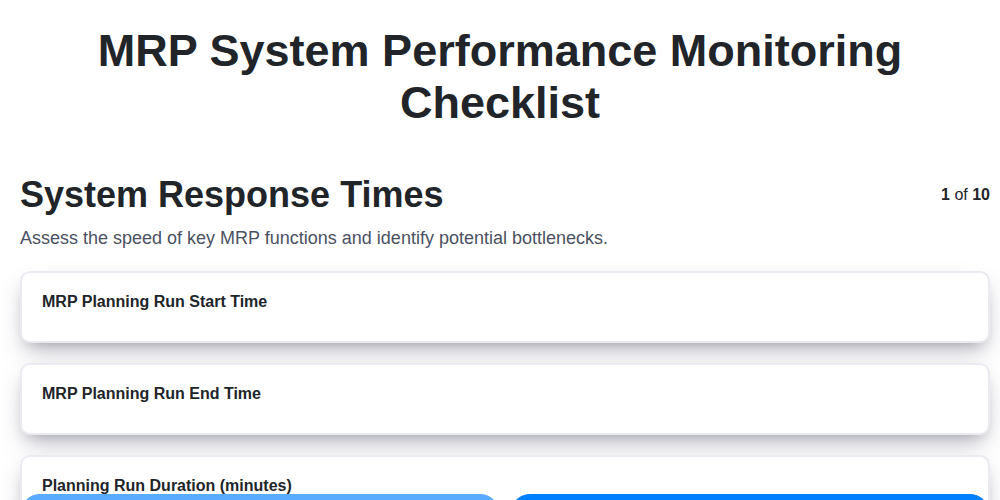
MRP System Performance Monitoring Checklist: Ensure Peak Efficiency
We can do it Together
Need help with
Material Requirements Planning (MRP)?
Have a question? We're here to help. Please submit your inquiry, and we'll respond promptly.