The 10 Best Material Requirements Planning (MRP) Management Software of 2025
Published: 12/15/2025 10:00 PM Updated: 12/16/2025 6:48 AM
Table of Contents
- What is Material Requirements Planning (MRP)? A Quick Overview
- Why Your Business Needs MRP Software in 2025
- Key Features to Look for in an MRP System
- 1. <a href="https://www.netsuite.com/portal/products/erp/supply-planning/mrp.shtml" target="_blank">NetSuite MRP</a>
- 2. <a href="https://www.odoo.com/app/manufacturing" target="_blank">Odoo MRP</a>
- 3. <a href="https://www.fishbowlinventory.com/" target="_blank">Fishbowl Inventory</a>
- 4. <a href="https://www.unleashedsoftware.com/" target="_blank">Unleashed Software</a>
- 5. <a href="https://katanamrp.com/" target="_blank">Katana MRP</a>
- 6. <a href="https://www.mrpeasy.com/" target="_blank">MRPeasy</a>
- 7. <a href="https://www.infor.com/industries/industrial-manufacturing" target="_blank">Infor CloudSuite Industrial</a>
- 8. <a href="https://plex.rockwellautomation.com/en-us/smart-manufacturing-platform.html" target="_blank">Plex Smart Manufacturing</a>
- 9. <a href="https://www.acumatica.com/cloud-erp-software/manufacturing-management/material-requirements-planning-mrp/" target="_blank">Acumatica MRP</a>
- 10. <a href="https://www.sap.com/products/erp/business-one.html" target="_blank">SAP Business One</a>
- 11. <a href="https://checklistguro.com/solutions/mrp" target="_blank">ChecklistGuro</a>: BPM-Powered MRP Management
- MRP Software: Pricing and Implementation Considerations
- Choosing the Right MRP System for Your Business
- Resources & Links
TLDR: Overwhelmed by managing inventory and production? This guide reveals the top 10 MRP software solutions for 2025, breaking down what they do (forecast demand, plan production, manage inventory) and helping you choose the best fit for your business size and complexity. Stop guessing and start optimizing your manufacturing process!
What is Material Requirements Planning (MRP)? A Quick Overview
MRP, or Material Requirements Planning, is a system designed to help manufacturers and businesses manage their inventory and production processes. Think of it as a detailed roadmap for ensuring you have the right materials, in the right quantities, at the right time, to meet customer demand.
At its core, MRP takes your sales forecasts and production schedules and works backward to determine exactly what materials and components you'll need, when you're going to need them, and how much you should order. It's far more sophisticated than simple reorder points; it considers lead times, batch sizes, safety stock levels, and the bill of materials (BOM) - a comprehensive list of all the components required to manufacture a finished product.
A good MRP system doesn't just manage raw materials; it streamlines the entire production process, improving efficiency, reducing waste, and minimizing costly delays. It helps you answer critical questions like:
- What materials do I need to manufacture my products?
- How much of each material do I need?
- When do I need to order these materials?
- What's the impact of changes in demand?
Why Your Business Needs MRP Software in 2025
The manufacturing landscape is evolving rapidly. Relying on spreadsheets and manual tracking simply isn's sustainable anymore. In 2025, businesses that thrive will be those that embrace automation and data-driven decision making. That's where Material Requirements Planning (MRP) software comes in.
Here's why your business needs MRP software in the coming year:
- Increased Efficiency: MRP automates the process of planning and managing your production schedule, reducing errors and saving valuable time for your team.
- Reduced Costs: By accurately forecasting demand and optimizing inventory levels, you're minimizing waste, preventing stockouts, and lowering carrying costs. Overstocking ties up capital; stockouts halt production. MRP finds the sweet spot.
- Improved Accuracy: Say goodbye to guesswork! MRP uses historical data, current demand, and lead times to generate precise production plans, minimizing the risk of errors and delays.
- Better Inventory Management: Avoid both shortages and surpluses. MRP helps you maintain optimal inventory levels, ensuring you have the right materials on hand when you need them, without overspending.
- Enhanced Customer Satisfaction: Meeting deadlines and fulfilling orders consistently leads to happier customers and a stronger reputation. MRP directly contributes to on-time delivery.
- Scalability for Growth: As your business expands, manual processes become increasingly difficult to manage. MRP provides the foundation for scalable growth, allowing you to handle increased complexity without sacrificing efficiency.
- Data-Driven Insights: MRP systems provide valuable data and reporting capabilities, allowing you to identify trends, optimize processes, and make informed business decisions.
In short, MRP isn't just a nice-to-have anymore - it's a critical tool for survival and success in a competitive marketplace.
Key Features to Look for in an MRP System
When evaluating MRP systems, don't just look at the price tag. Consider the features that will truly impact your operations. Here's a breakdown of essential capabilities:
- Demand Forecasting: Accurate forecasting is the cornerstone of effective MRP. Look for systems utilizing statistical algorithms, historical data analysis, and even AI-powered predictions to anticipate future material needs.
- Bill of Materials (BOM) Management: A robust BOM system allows you to define the components and materials needed for each product, streamlining procurement and reducing errors. Look for easy modification and version control.
- Inventory Management: Real-time inventory tracking, reorder point calculations, and lot/serial number tracking are crucial for minimizing stockouts and overstocking.
- Production Planning & Scheduling: Look for features that optimize production schedules, consider machine capacity, and account for lead times. Kanban boards or similar visual scheduling tools can be a huge advantage.
- Purchasing Management: Automated purchase order generation, vendor management, and price comparison tools can significantly reduce procurement costs and improve supplier relationships.
- Capacity Planning: Ensure the system can accurately assess available production capacity and identify potential bottlenecks.
- Shop Floor Control: Ideally, your MRP system should integrate with shop floor data collection to provide real-time insights into production progress.
- Reporting & Analytics: Comprehensive reporting dashboards should offer insights into inventory levels, production costs, lead times, and other key performance indicators.
- Integration Capabilities: Consider how the MRP system integrates with your existing accounting, CRM, and e-commerce platforms. Open APIs are a significant plus.
- User-Friendliness: A complex system that's difficult to use won't be adopted by your team. Prioritize intuitive interfaces and robust training resources.
1. NetSuite MRP
NetSuite MRP stands out as a comprehensive, cloud-based solution often considered an industry leader. It's more than just MRP; it's an ERP system with robust MRP capabilities built-in. This makes it ideal for businesses looking for a unified platform to manage everything from financials to supply chain.
Key Features & Benefits:
- Integrated ERP: Seamlessly connects MRP with other critical business functions like accounting, CRM, and e-commerce.
- Demand Forecasting: Utilizes advanced algorithms to accurately predict future demand, reducing stockouts and overstocking.
- Production Planning: Optimizes production schedules and allocates resources effectively.
- Inventory Management: Provides real-time visibility into inventory levels and locations.
- Work Order Management: Simplifies the creation, tracking, and execution of work orders.
- Capacity Planning: Ensures you have the right resources available when needed.
- Supplier Management: Improves communication and collaboration with suppliers.
- Scalability: Easily scales to accommodate growing business needs.
Who it's Best For: Mid-sized to large enterprises seeking a fully integrated ERP and MRP solution with advanced capabilities and a long-term investment.
Potential Drawbacks: Can be expensive and complex to implement, requiring significant training and resources. The breadth of functionality might be overkill for smaller businesses with simpler requirements.
2. Odoo MRP
Odoo MRP stands out as a highly customizable and integrated solution, often lauded for its comprehensive suite of business applications beyond just material requirements planning. It's more than just an MRP system; it's a full ERP (Enterprise Resource Planning) platform, covering areas like accounting, sales, CRM, and more, all working seamlessly together.
What makes Odoo MRP a strong contender?
- Modularity: You only pay for the modules you need. This makes it attractive to businesses of all sizes, allowing for scalability. Start with MRP and expand as your needs grow.
- Integration: The tight integration between MRP and other Odoo modules eliminates data silos and provides a holistic view of your operations. Sales forecasts directly impact production planning, for example.
- Customization: Odoo's open-source nature allows for extensive customization, tailored to your specific workflows and business processes. You can develop custom modules or adapt existing ones.
- Work Order Management: Effectively manage production orders, track progress, and control costs throughout the manufacturing process.
- Bill of Materials (BOM) Management: Easily create and manage detailed BOMs, ensuring accuracy and minimizing errors.
- Capacity Planning: Optimize resource utilization and avoid bottlenecks with robust capacity planning features.
Who is Odoo MRP best for?
Odoo is particularly well-suited for businesses already using or considering a full-fledged ERP system. It's a powerful choice for manufacturing companies seeking a highly customizable and integrated solution, but be prepared for a steeper learning curve and potentially more complex implementation compared to some simpler MRP tools. The flexibility comes with a level of technical expertise often needed for successful utilization.
3. Fishbowl Inventory
Fishbowl Inventory stands out as a robust, all-in-one solution particularly well-suited for manufacturing and warehousing businesses already using QuickBooks. It's not just an MRP system; it's a complete inventory management powerhouse. What sets it apart is its deep integration with QuickBooks, streamlining your accounting processes and avoiding data silos.
Key Strengths:
- QuickBooks Integration: Seamlessly connects with QuickBooks for accounting, eliminating manual data entry and reconciliation.
- Manufacturing Features: Includes bill of materials (BOM), work orders, shop floor control, and capacity planning.
- Warehouse Management: Offers features like barcode scanning, kitting, and location tracking for efficient warehouse operations.
- Serial/Lot Number Tracking: Provides detailed tracking of individual items for quality control and traceability.
- Scalability: Can handle complex manufacturing environments and large inventory volumes.
Potential Drawbacks:
- Cost: Can be more expensive than some other options, especially for smaller businesses.
- Complexity: The breadth of features can make it slightly more complex to learn and implement initially.
- User Interface: While functional, the user interface isn's the most modern or intuitive.
Who it's Ideal For: Manufacturing companies, especially those already using QuickBooks, needing a comprehensive inventory and production management solution with robust tracking capabilities.
4. Unleashed Software
Unleashed Software positions itself as a cloud-based inventory management and order management solution designed for growing businesses, particularly those in the manufacturing, wholesale, and distribution sectors. While not solely an MRP system, its robust inventory features and integrations make it a compelling option for businesses seeking to streamline material planning and production.
Key Strengths:
- Real-Time Inventory Visibility: Unleashed offers a comprehensive view of inventory levels across multiple locations, enabling proactive material planning and reducing stockouts.
- Manufacturing Resource Planning (MRP) Capabilities: While not its primary focus, Unleashed incorporates basic MRP functionalities like bill of materials (BOM) management, work order management, and production scheduling. You can define the components needed for your finished goods and track the production process.
- Sales Order Management: Seamlessly integrate sales orders with inventory and production planning to ensure accurate forecasting and timely fulfillment.
- Barcode Scanning & Mobile Accessibility: Enhances efficiency and accuracy in inventory tracking and order fulfillment through barcode scanning and mobile app functionality.
- Integrations: Offers a wide range of integrations with popular e-commerce platforms (Shopify, Amazon), accounting software (Xero, QuickBooks), and other business tools, creating a connected ecosystem.
Potential Drawbacks:
- Limited Advanced MRP Features: Businesses requiring sophisticated MRP functionalities like capacity planning or advanced scheduling might find Unleashed's offerings somewhat limited.
- Pricing: Depending on your business size and feature requirements, the cost can be a factor to consider.
- Learning Curve: While generally user-friendly, mastering all of Unleashed's features can take some time.
Who is it a good fit for? Small to medium-sized manufacturing businesses, wholesalers, and distributors who need a user-friendly, cloud-based solution to manage inventory, track orders, and perform basic material planning. It's an excellent choice for companies that want to move beyond simple spreadsheets and adopt a more integrated and automated approach to inventory management.
5. Katana MRP
Katana MRP stands out with its visually driven approach, particularly well-suited for smaller to medium-sized manufacturers who want a highly intuitive interface. It's essentially a shop floor management system at its core, blending MRP functionality with shop floor control.
Key Strengths:
- Visual Production Planning: Katana uses a Kanban board style interface, allowing users to visually track orders through various production stages. This provides exceptional clarity and facilitates easy drag-and-drop adjustments to production schedules.
- Real-Time Visibility: Gain immediate insights into inventory levels, work-in-progress, and finished goods. The software connects directly to your sales orders and production schedules, eliminating guesswork and improving responsiveness.
- Integration with E-commerce Platforms: Seamlessly integrates with popular e-commerce platforms like Shopify and Amazon, automating order import and inventory updates.
- BOM & Routing Management: Robust Bill of Materials (BOM) and Routing functionality allows for detailed production planning and cost tracking.
- Cloud-Based Accessibility: Being entirely cloud-based means access from anywhere with an internet connection, facilitating collaboration between team members.
Potential Drawbacks:
- Limited Advanced Features: While excellent for visual planning, users needing highly complex planning or advanced analytics might find its feature set slightly limited compared to some larger-scale MRP systems.
- Pricing: Can be more expensive for smaller operations looking for basic MRP functionality, although the visual clarity and productivity gains can justify the cost.
Who is it for? Ideal for small to medium-sized manufacturers, especially those utilizing make-to-order or assemble-to-order production models and those who value visual clarity and ease of use.
6. MRPeasy
MRPeasy stands out with its focus on simplicity and affordability, making it an excellent choice for small to medium-sized manufacturers and distributors just starting with MRP. It's designed to be intuitive and easy to implement, minimizing the learning curve for your team. Key features include robust inventory management, sales forecasting, purchase order management, and basic production planning. While it may not offer the advanced customization options of some competitors, MRPeasy excels in providing essential MRP functionality at a competitive price point. Their user interface is clean and modern, contributing to its ease of use. Notably, MRPeasy also offers integrations with popular e-commerce platforms like Shopify and Amazon, streamlining your order fulfillment process. They offer tiered pricing plans, making it accessible for businesses of various sizes and budgets. A significant advantage is its comprehensive support resources, including tutorials and a responsive support team to guide you through implementation and ongoing use.
7. Infor CloudSuite Industrial
Infor CloudSuite Industrial (CSI) is a robust, cloud-based MRP system geared towards mid-sized to large manufacturers. It's particularly well-suited for companies in the process manufacturing, discrete manufacturing, and repetitive manufacturing industries. What sets CSI apart is its focus on industry-specific functionality; Infor offers tailored solutions for aerospace and defense, food and beverage, industrial machinery, and more.
Key Features & Strengths:
- Comprehensive Functionality: CSI covers a wide range of manufacturing processes, including production planning, shop floor control, inventory management, quality management, and supply chain management.
- Cloud-Native Architecture: Offers scalability, accessibility, and reduced IT overhead.
- Advanced Analytics & Reporting: Provides real-time visibility into key performance indicators (KPIs) and supports data-driven decision-making.
- Integration Capabilities: Integrates with other Infor products and third-party applications, enabling seamless data flow across the organization.
- User-Friendly Interface: While feature-rich, Infor CSI aims for a relatively intuitive user experience, with customizable dashboards and role-based access.
- Traceability: Strong capabilities for tracking materials and products throughout the entire manufacturing process, vital for industries with strict regulatory requirements.
- Designed for Growth: Offers flexibility to adapt to changing business needs and scale operations.
Potential Drawbacks:
- Implementation Complexity: Due to its breadth of features, implementing Infor CSI can be a complex and lengthy process, often requiring significant resources.
- Cost: It tends to be a higher-cost option compared to some of the more basic MRP systems on this list.
- Learning Curve: While designed to be user-friendly, mastering all aspects of the system requires time and training.
Who is it for? Mid-sized to large manufacturers needing a comprehensive, industry-specific solution and willing to invest in implementation and training.
8. Plex Smart Manufacturing
Plex Smart Manufacturing positions itself as a comprehensive, cloud-based ERP solution, going beyond basic MRP functionality. It's particularly well-suited for mid-sized and larger manufacturers operating in industries like automotive, food & beverage, and industrial machinery.
What sets Plex apart is its focus on the entire manufacturing lifecycle, from product design and execution to quality management and service. While it includes robust MRP capabilities, it's more than just an MRP system; it aims to integrate all your shop floor activities into a single platform.
Key MRP Features:
- Demand Forecasting: Utilizes advanced analytics to predict future demand and adjust production plans accordingly.
- Production Planning & Scheduling: Offers sophisticated scheduling tools to optimize resource utilization and minimize lead times.
- Inventory Management: Provides real-time visibility into inventory levels, locations, and costs.
- Bill of Materials (BOM) Management: Supports multi-level BOMs and engineering change management.
- Capacity Planning: Helps ensure you have the right resources at the right time to meet production demands.
- Traceability: Offers extensive traceability capabilities for quality control and regulatory compliance.
Who is it for? Plex is a powerful solution best suited for manufacturers who need a complete ERP system rather than just an MRP module. The implementation can be complex and requires a dedicated team. The cost is also a significant factor, typically targeting larger companies with more resources.
Pricing: Plex's pricing is not publicly available and requires a direct quote. Expect it to be on the higher end of the spectrum.
9. Acumatica MRP
Acumatica stands out as a comprehensive cloud-based ERP system with robust MRP capabilities, particularly well-suited for rapidly growing businesses and those with complex supply chain needs. While it's more than just MRP, its material requirements planning functionality is a core strength.
What sets Acumatica MRP apart?
- Complete ERP Integration: Unlike standalone MRP solutions, Acumatica integrates seamlessly with other crucial business functions like accounting, CRM, sales order management, and project accounting. This unified view minimizes data silos and improves overall operational efficiency.
- Advanced Planning & Scheduling: Acumatica offers advanced scheduling features, including finite capacity scheduling, allowing you to optimize resource utilization and reduce bottlenecks. You can model your entire production process, account for machine downtime, and prioritize orders effectively.
- Demand Forecasting: Utilize Acumatica's demand forecasting tools to predict future material needs and proactively adjust production plans. These tools incorporate historical data, seasonality, and other relevant factors.
- BOM and Routing Management: Easily manage Bills of Materials (BOMs) and routings, ensuring accurate material consumption and production costs. Version control and change management capabilities keep your data accurate and reliable.
- Work Order Management: Streamline your production processes with detailed work order management, tracking labor, materials, and machine time.
- Cloud-Based and Scalable: Access your data from anywhere with a web browser, and easily scale your system as your business grows.
- Customization & Automation: Acumatica's platform allows for significant customization, so you can tailor the system to your specific business requirements. Workflow automation further streamlines processes.
Potential Drawbacks:
- Cost: Acumatica is typically more expensive than some other MRP solutions, particularly for smaller businesses.
- Complexity: The breadth of features can make it more complex to implement and learn. Requires a dedicated implementation partner in many cases.
Ideal for: Mid-sized to large manufacturing companies needing a full-featured ERP system with strong MRP capabilities, and those willing to invest in a robust, scalable solution.
10. SAP Business One
SAP Business One stands out as a robust, albeit potentially complex, option for smaller to mid-sized businesses. It's an integrated ERP system, meaning MRP functionality is just one piece of a larger suite of tools covering financials, CRM, and more. While this integration is a significant advantage for businesses needing a holistic solution, it also means a steeper learning curve and potentially higher implementation costs compared to dedicated MRP software.
Key features include demand forecasting, production planning, capacity planning, and materials management. SAP Business One excels in providing a detailed view of the entire supply chain, allowing for better control over inventory levels and production schedules. However, be prepared for a more involved setup process and potentially ongoing training needs for your team. Customization options are available, but require specialist expertise. It's a powerful solution for businesses ready to invest in a full ERP system, but might be overkill for those with simpler needs.
Ideal for: Growing businesses needing integrated ERP functionality, with a budget and willingness to invest in training and potentially specialized support.
Pricing: Contact SAP for custom quotes. Generally considered a higher-end solution.
11. ChecklistGuro: BPM-Powered MRP Management
While not a dedicated MRP system, ChecklistGuro offers a unique and surprisingly powerful approach to MRP management by leveraging its Business Process Management (BPM) platform. We understand that traditional MRP systems can be complex and rigid. ChecklistGuro allows businesses to map out their existing material requirements planning processes - from forecasting and inventory control to procurement and production scheduling - as visual, interactive workflows.
Why ChecklistGuro for MRP? We provide a dynamic, flexible alternative. Instead of relying on pre-defined modules, you build your MRP processes using checklists and automated workflows. This allows for exceptional customization to match your specific business needs and adapt quickly to changing market conditions.
- Process Visualization: Clearly define and visualize every step of your MRP process, identifying bottlenecks and areas for improvement.
- Automated Workflows: Automate repetitive tasks like purchase order creation, inventory level checks, and supplier communication.
- Real-Time Visibility: Track progress and identify potential issues in real-time, allowing for proactive intervention.
- Integration Capabilities: Integrate with existing accounting, ERP, and other business systems to streamline data flow (integration options are expanding).
- Exceptional Customization: Mold the solution to precisely fit your processes, rather than forcing your processes to fit a software mold.
Ideal For: ChecklistGuro is particularly well-suited for businesses that require highly customized MRP processes, are looking for a more agile solution than traditional MRP systems, or want to improve visibility and control over their supply chain.
MRP Software: Pricing and Implementation Considerations
Choosing the right MRP software isn't just about features; it's also about understanding the financial and logistical investment involved. Here's a breakdown of pricing and implementation considerations to keep in mind:
Pricing Models: MRP software pricing varies significantly. You're likely to encounter these models:
- Subscription-Based (SaaS): The most common model, where you pay a recurring fee (monthly or annually) based on factors like the number of users, modules used, or transaction volume. This offers flexibility and typically lower upfront costs.
- Perpetual License: You purchase the software license outright, which comes with a significant initial investment. You'll also likely pay ongoing maintenance fees.
- Tiered Pricing: Software vendors often have different tiers (e.g., Basic, Pro, Enterprise) with increasing functionality and higher prices.
- Free/Open Source: Some options exist, but often lack comprehensive features or robust support.
Implementation Costs: Don't underestimate the cost of implementation. This includes:
- Data Migration: Moving your existing data (inventory levels, bills of materials, customer orders) into the new system. This can be complex and time-consuming.
- Customization: Most MRP systems require some level of customization to align with your unique business processes.
- Training: Your employees will need adequate training to effectively use the new software.
- Consulting: Many businesses opt to hire consultants to assist with implementation and training.
- Hardware/Infrastructure: While most are cloud-based now, you might need to upgrade hardware or network infrastructure for optimal performance.
Hidden Costs: Be aware of potential hidden costs:
- Integration: Integrating with existing accounting, CRM, or e-commerce systems can incur additional fees.
- Support: Check the levels of support included and the costs for premium support.
- Upgrades: Consider the cost of future software upgrades and maintenance.
Thoroughly research and obtain quotes from several vendors to get a complete picture of the total cost of ownership.
Choosing the Right MRP System for Your Business
Before diving into the software reviews, it's crucial to understand what factors should influence your decision. Selecting an MRP system isn't a one-size-fits-all scenario. Here's a breakdown of key considerations:
- Business Size & Complexity: A small manufacturing shop won't need the same features as a multinational corporation. Consider your number of employees, product lines, and production processes.
- Industry Specific Needs: Certain industries (like food & beverage or pharmaceuticals) have unique regulatory requirements that the MRP system should support.
- Budget: MRP systems range from affordable cloud-based options to expensive on-premise solutions. Define your budget early on.
- Integration Capabilities: Does the MRP system need to integrate with your existing accounting, CRM, or e-commerce platforms? Seamless integration streamlines operations and reduces errors.
- User Friendliness: A powerful system is useless if your team can't use it effectively. Prioritize ease of use and training resources.
- Scalability: Choose a system that can grow with your business. Consider future expansion plans and ensure the software can handle increased data volume and user load.
- Deployment Options: Cloud-based (SaaS) systems offer flexibility and lower upfront costs, while on-premise solutions provide more control over data security.
- Features: Think about your core needs - BOM management, inventory control, production scheduling, capacity planning, purchasing, sales forecasting, and reporting.
Resources & Links
- NetSuite: A comprehensive ERP solution including robust MRP capabilities. Explore their features and learn how NetSuite can integrate with other business processes.
- Odoo: A modular ERP system that allows businesses to choose only the modules they need, including a powerful MRP module. Check out their website for pricing and feature details.
- Fishbowl Inventory: Specifically designed for manufacturing and warehouse management, Fishbowl offers a user-friendly approach to MRP. Learn more about their unique features.
- Unleashed Software: A cloud-based inventory management and MRP system that provides real-time visibility. Discover how Unleashed can streamline your supply chain.
- Katana MRP: Focused on small to medium-sized manufacturers, Katana offers a visual and intuitive MRP experience. Explore their solutions for production planning.
- MRPeasy: Designed for small businesses, MRPeasy offers a straightforward MRP solution with easy-to-understand features. See how they simplify production planning.
- Infor: A global technology company providing industry-specific cloud solutions, including Infor CloudSuite Industrial for comprehensive manufacturing management. Investigate their offerings.
- Plex Smart Manufacturing: A leading provider of smart manufacturing solutions, Plex offers a unified platform for managing all aspects of your manufacturing operations. Learn more about their capabilities.
- Acumatica: An ERP system that provides a broad range of features, including MRP, with a flexible cloud-based platform. Discover how Acumatica can scale with your business.
- SAP Business One: An ERP solution tailored for small to mid-sized businesses, SAP Business One offers integrated MRP functionality. Explore the benefits of SAP's expertise.
- APICS: A professional organization for supply chain and operations professionals. Offers resources, certifications, and insights related to MRP and supply chain management.
- Investopedia: A finance and investment website with clear definitions and explanations of financial terms, including MRP. A good reference for understanding terminology.
Frequently Asked Questions
What is Material Requirements Planning (MRP)?
Material Requirements Planning (MRP) is a system used to manage and plan manufacturing processes. It helps businesses plan and purchase materials, components, and products needed for manufacturing, ensuring you have the right materials at the right time and in the right quantities. It considers current inventory, production schedules, and sales forecasts to calculate material needs.
Why should I use MRP management software?
MRP management software helps streamline your production process, reduce inventory costs, avoid stockouts, improve on-time delivery, and increase overall efficiency. It automates many manual processes, freeing up your team to focus on strategic tasks.
What factors were considered when selecting the '10 Best' MRP software for 2025?
We considered several factors including functionality (planning, scheduling, inventory management), ease of use, scalability, integration capabilities (with accounting, CRM, etc.), customer support, pricing, and user reviews. We also looked at software suitability for various business sizes and industries.
Are all of these MRP systems suitable for small businesses?
While some are scalable and can handle small business needs, others are better suited for medium to large enterprises. The article details the suitability of each system, noting which are ideal for smaller operations and which are better for larger companies. Please refer to the individual system descriptions within the article.
What is the difference between MRP and ERP?
MRP (Material Requirements Planning) primarily focuses on managing materials and production schedules. ERP (Enterprise Resource Planning) is a much broader system that integrates all facets of a business, including finance, HR, sales, and marketing, in addition to MRP functionality. ERP often incorporates MRP as a module.
How much does MRP management software typically cost?
Pricing varies widely based on the software's features, deployment model (cloud-based vs. on-premise), and number of users. Costs can range from a few hundred dollars per month to several thousand, or even higher for larger implementations. The article provides pricing estimates for each listed system, but these are subject to change.
Do I need to be a technical expert to use these MRP systems?
Most of the listed software options are designed to be user-friendly, even for those without extensive technical expertise. However, implementation and customization may require technical assistance. Many vendors offer training and support to help users get up to speed.
What are the key features I should look for when choosing an MRP system?
Essential features include: Bill of Materials (BOM) management, production planning and scheduling, inventory control, demand forecasting, capacity planning, purchasing, and reporting. Integration capabilities with existing systems are also crucial.
What is the difference between cloud-based and on-premise MRP software?
Cloud-based MRP software is hosted by the vendor and accessed via the internet. On-premise software is installed and managed on your own servers. Cloud solutions typically offer lower upfront costs and easier maintenance, while on-premise solutions may offer greater control over data and security.
When will the next update to this '10 Best' list be released?
We aim to update this list annually to reflect the evolving MRP software landscape and new features and technologies. Expect an updated list in late 2025 or early 2026.
Found this Article helpful?
Comments
There are no comments yet. Be the first to add one!
Related Articles
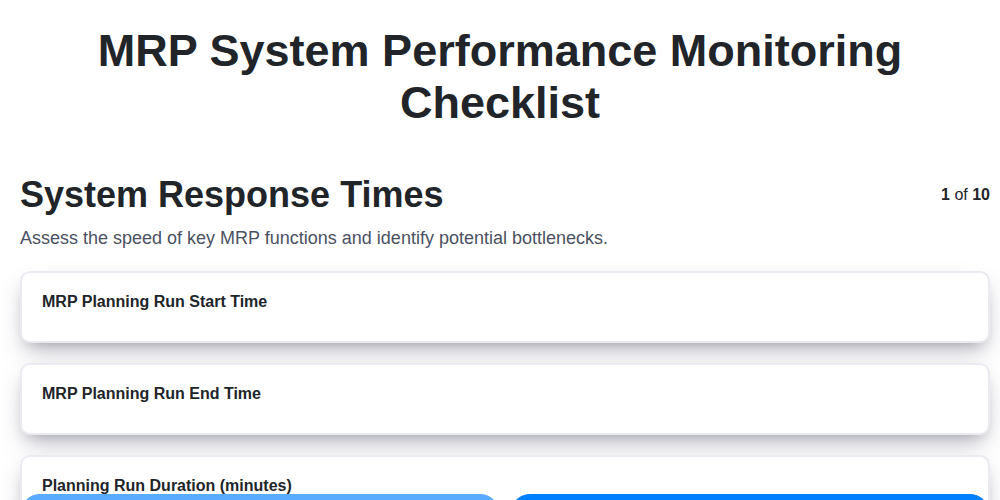
MRP System Performance Monitoring Checklist: Ensure Peak Efficiency
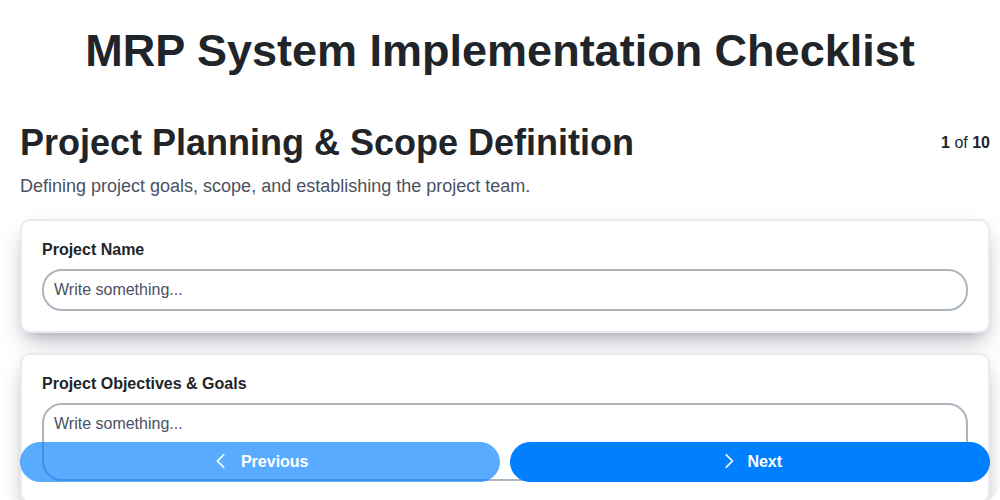
MRP System Implementation Checklist: Your Step-by-Step Guide

Top 10 MRPeasy Alternatives for 2025

The 5 Best Bill of Materials (BOM) Management Software of 2025
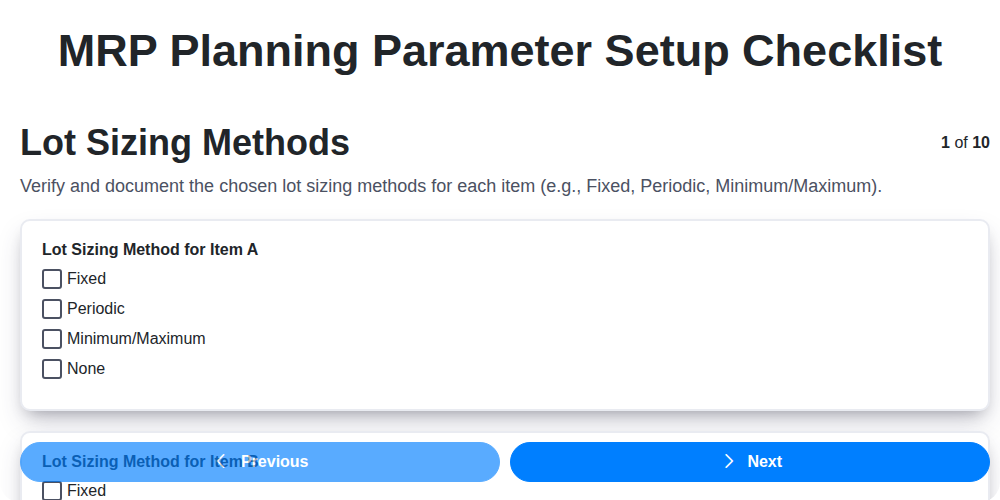
MRP Planning Parameter Setup Checklist: Your Guide to Accuracy & Efficiency

The 10 Best Manufacturing Management Software of 2025
How to improve your Bill of Materials (BOM) Management
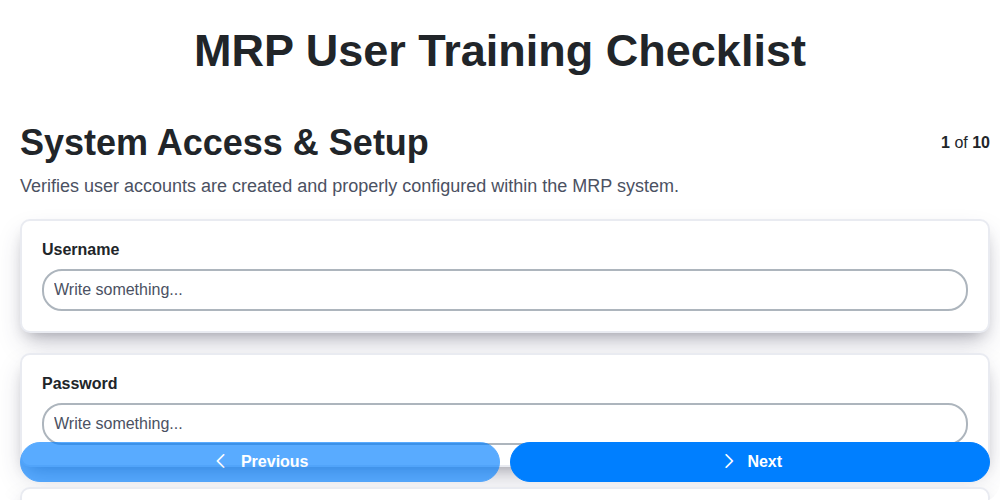
MRP User Training Checklist: Ensuring Proficiency & Success
We can do it Together
Need help with
Checklists?
Have a question? We're here to help. Please submit your inquiry, and we'll respond promptly.