 ChecklistGuro
 Automotive Warranty Claim Processing Checklist
Streamline your automotive warranty claims! This checklist ensures accuracy, compliance, and faster payouts, reducing errors and maximizing efficiency for dealerships and service centers. Download now and optimize your warranty process.
This Template was installed 4 times.
Claim Initiation & Verification
Initial steps to start the warranty claim process and confirm eligibility.
Claim Number
Claim Submission Date
Warranty Type
Claim Status
VIN (Vehicle Identification Number)
Brief Description of Issue (Initial)
Customer Information & Vehicle Details
Gathering and verifying all necessary customer and vehicle information.
Customer First Name
Customer Last Name
Customer Phone Number
Customer Email Address
Vehicle VIN
Vehicle Year
Vehicle Make
Vehicle Model
Vehicle Mileage
Failure Description & Diagnosis
Documenting the issue, diagnostic steps taken, and confirming warranty coverage.
Detailed Description of Failure
Mileage at Time of Failure
Date of Failure Observed
Initial Suspected Cause
Diagnostic Procedures Performed
Results of Diagnostic Procedures
Parts Identification & Ordering
Identifying and ordering the correct replacement parts covered by the warranty.
Parts Quantity
Parts Vendor
Parts Vendor Order Number
Parts Description
Parts Coverage (Warranty)
Parts Cost (Estimate)
Parts Catalog/Reference Image
Repair Authorization & Scheduling
Obtaining authorization for the repair and scheduling the service appointment.
Estimated Repair Cost
Repair Authorization Status
Scheduled Service Date
Scheduled Service Time
Service Advisor Assigned
Authorization Notes (if applicable)
Repair Execution & Documentation
Performing the repair and documenting all work completed, parts used, and labor hours.
Detailed Description of Repair Performed
Labor Hours Used
Mileage at Time of Repair
Parts Replaced (Select All That Apply)
Supporting Photos/Videos (e.g., Damage before/after repair)
Repair Completion Date
Technician Signature
Claim Submission & Validation
Submitting the claim to the warranty provider and validating all information.
Claim Number
Warranty Provider
Submission Date
Summary of Repair Details (for validation)
Supporting Documentation (e.g., Diagnostic Reports)
Claim Status
Authorized Signature (if required)
Claim Payment & Reconciliation
Receiving payment from the warranty provider and reconciling the claim.
Claim Payment Amount Received
Payment Received Date
Payment Reference Number
Payment Notes (e.g., any discrepancies or adjustments)
Labor Hours Billed (for reconciliation)
Parts Cost Billed (for reconciliation)
Payment Method
Accountant/Finance Review Signature
Customer Communication & Follow-up
Keeping the customer informed throughout the process and addressing any concerns.
Initial Contact Date
Summary of Customer Concerns
Communication Method (Initial)
Date of Repair Authorization Notification
Notes from Repair Authorization Communication
Date of Vehicle Ready Notification
Customer Satisfaction Level (Post-Repair)
Additional Comments or Follow-up Actions
Record Keeping & Compliance
Ensuring all records are accurate, complete, and compliant with warranty regulations.
Claim Creation Date
Claim Submission Date
Claim Resolution Date
Claim Number
Notes on Compliance Adherence
Compliance Checklist Completed?
Supporting Documentation (e.g., repair orders, inspection reports)
Authorized Signatory
Frequently Asked Questions
Can I customize this template after installing it?
Absolutely. Once installed, you can add, remove, or reorder tasks, add custom fields, and adjust deadlines to fit your specific workflow.
Can I add images or photos to these checklist items?
Yes. Our platform allows you to attach photos, signatures, and notes to any checklist item for better verification and proof of completion.
Can I create a custom checklist from scratch instead of using a template?
Yes. You can use our "Create your own checklist" feature to build a unique workflow tailored exactly to your operational requirements.
Can I add dependencies between tasks?
Yes, you can set up conditional logic and dependencies to ensure your team follows the correct sequence of operations.
Can I assign specific checklist items to different team members?
Yes. You can assign individual tasks to specific employees, ensuring clear accountability across your entire team.
Can I use these checklists on mobile devices in the field?
Yes. Our platform is fully responsive, allowing your team to complete, update, and upload photos to checklists directly from any smartphone or tablet.
How do I notify my manager when a checklist is completed?
You can set up automated notifications (via email, push notification, or in-app alerts) to trigger whenever a checklist is finished or if an item fails inspection.
Can multiple people work on the same checklist simultaneously?
Yes, the platform supports real-time updates, allowing multiple users to contribute to a single live checklist.
Where is the data from completed checklists stored?
All completed checklists are stored securely in your Work OS dashboard, creating a permanent, searchable audit trail of your operations.
Can I generate reports based on my checklist results?
Yes. You can track completion rates, identify recurring issues, and monitor team performance through our integrated reporting and analytics tools.
How can I use these checklists for compliance or auditing purposes?
Because our checklists capture timestamps, photos, and digital signatures, they serve as a robust digital paper trail for regulatory compliance and internal audits.
Can I export my completed checklist data for use in other tools?
Yes. You can export your data in various formats (CSV, Excel, etc.) to integrate your operational insights with your other business software.
Comments
There are no comments yet. Be the first to add one!
Automotive Manufacturing Management Solution Demo
Optimize your automotive production! ChecklistGuro digitizes workflows, from parts inspection to final testing. Reduce errors, boost efficiency & ensure quality compliance. Drive results with our Work OS.
Related Checklist Templates
Automotive Dealership Security Audit Checklist
Automotive Customer Loyalty Program Management Checklist
Automotive Electric Vehicle (EV) Charging Station Maintenance Checklist
Automotive Data Privacy Compliance Checklist
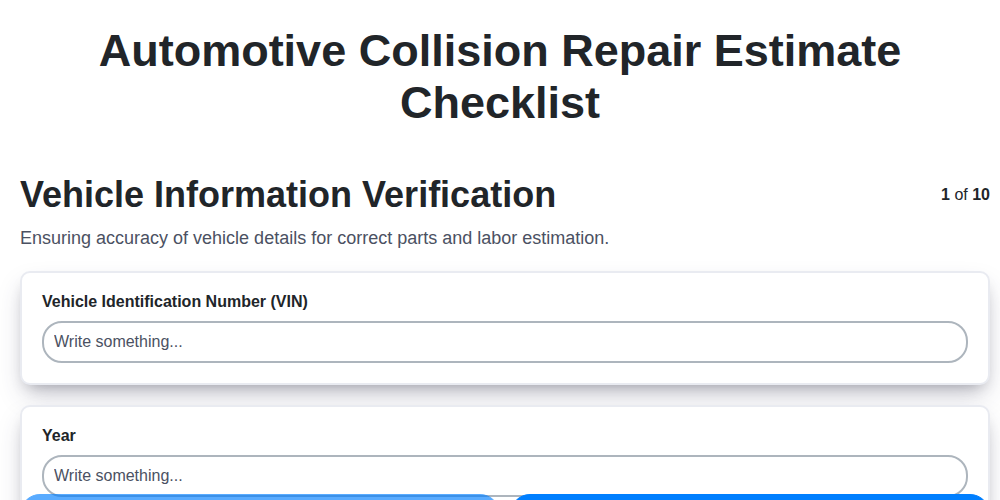
Automotive Collision Repair Estimate Checklist

Automotive Refurbishment Process Checklist

Automotive Workshop Health and Safety Checklist

Automotive Sales Team Performance Tracking Checklist
We can do it Together
Need help with
Automotive?
Have a question? We're here to help. Please submit your inquiry, and we'll respond promptly.