How to increase your efficiency with Warehouse Management System (WMS) Software
Published: 12/20/2025 Updated: 07/02/2026
Table of Contents
- What is a Warehouse Management System (WMS)?
- Why is Warehouse Efficiency Crucial for Your Business?
- The Role of Checklists in WMS Optimization
- Key Warehouse Processes & Corresponding Checklist Examples
- Receiving & Putaway Checklists: Getting it Right from the Start
- Picking & Packing Checklists: Accuracy and Speed
- Shipping & Inventory Control Checklists: Ensuring Order Fulfillment
- How WMS Software Integrates with Checklists
- Benefits of Using Checklist Templates within Your WMS
- Choosing the Right WMS Software: Key Features to Consider
- Implementing WMS Checklists: A Step-by-Step Guide
- Training Your Team on WMS and Checklist Usage
- Measuring the Impact: Tracking Your WMS Efficiency
- Future Trends in WMS and Checklist Automation
- Resources & Links
TLDR: Overwhelmed by warehouse chaos? This post breaks down how Warehouse Management System (WMS) checklists-covering everything from receiving and putaway to picking, packing, and shipping-can streamline your operations, reduce errors, and boost overall warehouse efficiency. We'll show you how these checklists work and how to use them effectively to optimize your processes.
What is a Warehouse Management System (WMS)?
A Warehouse Management System (WMS) is much more than just software; it's a centralized hub for managing all aspects of your warehouse operations. Think of it as the brain of your warehouse. It uses technology to optimize processes from the moment goods arrive until they leave your facility.
Traditionally, warehouses relied on manual processes and spreadsheets - a recipe for inefficiencies, errors, and lost inventory. A WMS takes that burden off your shoulders by automating tasks, providing real-time visibility into inventory levels, and guiding employees through optimized workflows.
Key functionalities often include:
- Inventory Tracking: Knowing exactly what you have, where it is, and its status (available, reserved, damaged, etc.).
- Receiving & Putaway: Efficiently processing incoming shipments and directing inventory to optimal storage locations.
- Order Management: Processing customer orders and generating picking lists.
- Picking & Packing: Guiding employees through the most efficient picking routes and ensuring accurate packing.
- Shipping: Optimizing shipping routes and carrier selection.
- Labor Management: Tracking employee performance and optimizing workload distribution.
- Reporting & Analytics: Providing insights into warehouse performance and identifying areas for improvement.
Why is Warehouse Efficiency Crucial for Your Business?
A well-oiled warehouse is the backbone of a successful supply chain. In today's competitive landscape, simply having product isn't enough; getting it to your customers quickly, accurately, and cost-effectively is paramount. Poor warehouse efficiency translates directly to lost revenue, increased operational costs, and dissatisfied customers.
Consider these potential consequences:
- Increased Costs: Inefficient processes lead to wasted time, labor, and space. This directly impacts your bottom line.
- Delayed Orders: Slow picking, packing, and shipping processes mean delayed deliveries, leading to frustrated customers and potential loss of business.
- Inventory Errors: Misplaced or lost inventory leads to stockouts, overstocking, and inaccurate order fulfillment, eroding trust and leading to costly returns.
- Reduced Profitability: The combination of increased costs and lost sales significantly cuts into your profitability.
- Damaged Reputation: Consistently slow or inaccurate order fulfillment damages your brand reputation and makes it harder to attract and retain customers.
Ultimately, improving warehouse efficiency isn't just about optimizing a single process; it's about building a resilient and profitable business capable of meeting the evolving demands of the market.
The Role of Checklists in WMS Optimization
Checklists aren't just nice-to-haves in a warehouse; they're critical components of a well-oiled WMS. Think of them as the operational backbone ensuring every step in your warehouse processes is completed correctly and consistently. Within a WMS, checklists act as guided procedures, minimizing the risk of human error and ensuring adherence to best practices.
They bridge the gap between the software's capabilities and the practical execution of tasks. For example, a receiving checklist might detail steps for verifying the shipment against the purchase order, inspecting for damage, and accurately recording the received items into the WMS. Similarly, a picking checklist can guide warehouse staff through efficient route optimization and accurate item retrieval.
Furthermore, checklists facilitate training for new employees, providing a step-by-step guide for complex tasks. They also act as a valuable record of completed tasks, providing data for analysis and continuous improvement. By standardizing processes and providing clear instructions, checklists significantly contribute to a more efficient and accurate warehouse operation, ultimately maximizing the return on your WMS investment.
Key Warehouse Processes & Corresponding Checklist Examples
Let's dive into specific warehouse processes and see how WMS checklists can be applied. Here are a few key examples:
1. Receiving: Incoming goods are the start of the process, and mistakes here can ripple through the entire warehouse. A receiving checklist ensures accuracy. It typically includes:
- Verification against Purchase Order (PO): Confirming the quantity and items received match the PO.
- Quality Inspection: Checking for damage or defects.
- Labeling: Applying appropriate labels with SKU, lot numbers, and other relevant data.
- Documentation: Recording discrepancies or issues in the WMS.
2. Putaway: Efficient putaway ensures items are stored in the optimal location. A putaway checklist might include:
- Location Verification: Confirming the assigned putaway location is correct and available.
- Barcode Scanning: Scanning both the item and the location to prevent errors.
- Condition Assessment: Noting any specific storage requirements (e.g., temperature, humidity).
3. Picking: Accuracy and speed are critical in picking. A picking checklist might incorporate:
- Order Validation: Double-checking the order details before starting.
- Location Confirmation: Verifying the item's location before picking.
- Quantity Verification: Ensuring the correct quantity is picked.
- Pick Path Optimization: Following the most efficient route through the warehouse.
4. Packing: Correct and secure packing reduces damage during transit. Checklist elements could include:
- Item Verification: Ensuring the correct items are being packed for the order.
- Packaging Material Selection: Choosing the appropriate packaging based on item size and fragility.
- Weight & Dimensions Verification: Confirming accuracy for shipping carrier calculations.
- Shipping Label Application: Correctly applying shipping labels and documentation.
5. Shipping: The final step, and a chance to avoid costly mistakes. A shipping checklist might cover:
- Shipping Method Confirmation: Ensuring the correct shipping method is selected.
- Tracking Number Generation: Creating and verifying the tracking number.
- Carrier Manifesting: Creating a manifest for the shipping carrier.
- Final Order Review: A last check to ensure everything is accurate.
These are just a few examples, and your specific warehouse will likely have unique processes requiring tailored checklists. A good WMS allows for easy customization and creation of these checklists to perfectly align with your needs.
Receiving & Putaway Checklists: Getting it Right from the Start
Receiving and putaway are foundational steps in warehouse management, and errors here can cascade into problems throughout the entire process. A robust receiving checklist ensures accuracy and prevents costly mistakes. It should cover verifying shipment contents against purchase orders, inspecting for damage, and documenting discrepancies immediately.
Our WMS checklist template for receiving typically includes fields for:
- Purchase Order (PO) Number Verification: Confirming the received goods match the original order.
- Quantity Received: Recording the actual quantity received, compared to the PO.
- Condition of Goods: Noting any damage or defects upon arrival.
- Signature Confirmation: Securing verification from the receiving personnel.
- Discrepancy Reporting: A dedicated section to detail any differences between the PO and what was received.
Once received, the putaway checklist ensures items are placed in the correct locations, maximizing space utilization and simplifying retrieval. This checklist might include fields for:
- Item Identification: Scanning or manually entering the product code to confirm identity.
- Designated Location: Verifying the putaway location matches the WMS instructions.
- Quantity Putaway: Accurately recording the number of units placed in the location.
- Location Confirmation: Scanning the location barcode to confirm the correct placement.
- User Signature: Capturing confirmation from the person performing the putaway.
Using these checklists in conjunction eliminates ambiguity and minimizes the risk of misplaced goods, leading to quicker order fulfillment and improved inventory accuracy.
Picking & Packing Checklists: Accuracy and Speed
Picking and packing are critical steps in the order fulfillment process, often representing significant bottlenecks and error-prone areas. A well-designed checklist here can dramatically improve both accuracy and speed.
What does a picking checklist cover? It ensures the right items are selected based on the order, often including verification steps like barcode scanning and quantity checks against the order details. It can also detail the optimal picking route to minimize travel time within the warehouse. For example, a checklist might include steps like:
- Confirm order number and item list.
- Scan item barcode and compare to order.
- Verify quantity matches order requirement.
- Record picking location for inventory accuracy.
- Mark item as picked in the WMS.
Packing checklists focus on secure and efficient packaging. They ensure items are protected during transit and that necessary documentation is included. This could include:
- Select appropriate box size for order.
- Securely pack items with protective materials.
- Include necessary packing slips and labels.
- Verify shipping address accuracy.
- Seal package securely.
By standardizing these processes and providing clear, actionable steps, these checklists minimize errors, reduce the need for rework, and ultimately, get orders out the door faster. Regular review and updates based on performance data are key to continued improvement.
Shipping & Inventory Control Checklists: Ensuring Order Fulfillment
Shipping and inventory control are two sides of the same coin in a successful warehouse. Errors in either area can lead to delayed shipments, lost inventory, and frustrated customers - all impacting your bottom line. Dedicated checklists are crucial for maintaining accuracy and minimizing risk.
Here's a breakdown of what these checklists typically include:
- Shipping Verification: This checklist ensures the right items are being shipped to the correct address. It covers verifying order details against the picked items, checking packaging integrity, and confirming shipping labels. A simple scan of a barcode can be a powerful tool here, instantly validating details.
- Inventory Cycle Counts: Regular cycle counts are essential for reconciling physical inventory with your WMS records. Checklists guide the counting process, ensure accuracy, and identify discrepancies that require investigation. They should detail what to do with overages or shortages - documenting findings and initiating corrective actions.
- Outbound Quality Control: This checklist focuses on the condition of goods before they leave your warehouse. It includes visual inspections for damage, verifying quantity and confirming product specifications. This proactive step avoids costly returns and maintains customer satisfaction.
- Shipping Documentation Review: Ensuring all necessary shipping documents (packing slips, invoices, customs forms - depending on your business) are complete and accurate before handing off to the carrier is paramount. Checklists simplify this process, reducing the risk of delays or penalties.
- Carrier Compliance: Many carriers have specific requirements for packaging and labeling. A checklist helps ensure you adhere to these guidelines, avoiding rejection of shipments or additional charges.
How WMS Software Integrates with Checklists
WMS software isn't just a database; it's a dynamic control center. Its integration with checklists transforms static documents into interactive, workflow-driven processes. Here's how it works:
- Automated Checklist Generation: The WMS can automatically generate checklists based on specific events within the warehouse. For example, when a new shipment arrives (triggered by a receiving event in the WMS), a Receiving Checklist is instantly created and assigned to the appropriate staff member.
- Real-time Data Updates: As tasks are completed and data is entered into the checklist (e.g., quantity received, damage noted), this information is instantly updated within the WMS. This eliminates manual data entry and ensures everyone has access to the latest inventory and process information.
- Triggered Actions: Checklists can trigger actions within the WMS. Completing a Putaway Checklist, for example, could automatically update the inventory location within the WMS.
- Dynamic Instructions: The WMS can personalize checklist instructions based on the item being processed. A checklist for handling a fragile item might include specific instructions not needed for a more durable product.
- Reporting and Analytics: WMS software can track checklist completion times, identify bottlenecks, and pinpoint areas for process improvement based on the data collected through the checklists. This provides valuable insights into warehouse performance.
Benefits of Using Checklist Templates within Your WMS
Implementing checklist templates directly within your WMS unlocks a powerful combination of process control and data visibility. It moves beyond simply having a WMS to actively leveraging its full potential. Here's a breakdown of the key benefits:
- Reduced Errors: Human error is inevitable, but checklists act as a vital safety net. By providing step-by-step instructions and prompting for key details, they significantly reduce mistakes in receiving, putaway, picking, packing, and shipping. This minimizes costly returns, damages, and customer dissatisfaction.
- Improved Accuracy & Inventory Control: Consistent execution of processes, guided by checklists, ensures accurate inventory counts and locations. This eliminates discrepancies, improves order fulfillment accuracy, and gives you a clear, real-time view of your stock.
- Enhanced Training & Onboarding: New warehouse employees can quickly become proficient with standardized checklist processes. This reduces training time and ensures everyone adheres to best practices, regardless of experience level.
- Increased Productivity & Speed: With clear instructions and a defined workflow, employees can perform tasks more efficiently. This reduces cycle times and increases throughput in your warehouse.
- Better Compliance & Auditability: Checklists provide a documented trail of activities, making it easier to demonstrate compliance with industry regulations and internal policies. This simplifies audits and provides valuable data for continuous improvement.
- Data-Driven Optimization: WMS checklists can collect data on task completion times, error rates, and other key metrics. This data provides valuable insights for identifying bottlenecks, optimizing processes, and improving overall warehouse performance. You can spot trends and areas for improvement far more easily.
Choosing the Right WMS Software: Key Features to Consider
When selecting a WMS solution, don't just look at price tags. Focus on aligning the software's capabilities with your specific warehouse needs and future growth plans. Here are some crucial features to evaluate:
- Real-Time Inventory Tracking: Accurate, up-to-the-minute visibility into stock levels is foundational. Look for features like cycle counting support and barcode scanning integration.
- Receiving and Putaway Optimization: Efficiently process incoming goods, ensuring they's stored in the right location. Look for wave planning and directed putaway capabilities.
- Order Management & Picking Strategies: The system should optimize picking routes and utilize strategies like zone picking, wave picking, or cluster picking based on order volume and complexity.
- Shipping & Packing: Automated packing lists, shipping label generation, and carrier integration will drastically reduce shipping errors and speed up order fulfillment.
- Reporting & Analytics: Robust reporting dashboards should offer insights into key performance indicators (KPIs) like order fulfillment time, inventory turnover, and warehouse utilization.
- Integration Capabilities: Ensure the WMS integrates with your existing ERP, accounting software, and e-commerce platforms to avoid data silos and manual data entry.
- Scalability: Can the system handle your current volume and accommodate future growth? Consider user limits, storage capacity, and potential for expansion.
- User Interface & Ease of Use: A complicated system leads to training bottlenecks and user frustration. Opt for a user-friendly interface that encourages adoption.
Implementing WMS Checklists: A Step-by-Step Guide
Okay, let's break down the implementation process into manageable steps. It's not just about having checklists; it's about integrating them seamlessly into your warehouse workflows.
1. Identify Key Processes & Pain Points: Don't try to checklist everything at once! Start by pinpointing the areas where errors are most frequent, delays are common, or inefficiencies are costing you the most. This could be receiving damaged goods, mis-picks, inaccurate inventory counts, or slow order fulfillment.
2. Choose Your Checklist Format: Will you use paper checklists, digital checklists on tablets, or integrate them directly into your WMS software? Digital checklists offer advantages like real-time data capture, automated reporting, and easy updates. Paper checklists are a good starting point for smaller operations.
3. Design the Checklists - Focus on Clarity: Each checklist should have a clear purpose and be easy to understand. Use concise language and visual cues (like checkboxes or numbered steps). Involve warehouse staff in the design process - they're the experts on the day-to-day operations. Consider these checklist elements:
- Task Description: What needs to be done?
- Responsible Party: Who is accountable for this step?
- Required Tools/Equipment: What's needed to complete the task?
- Acceptance Criteria: What constitutes a successful completion? (e.g., Item scanned and verified, Damage documented)
- Space for Notes/Comments: Capture any deviations from the standard procedure or potential improvements.
4. Pilot Test & Refine: Select a small team and a limited area of the warehouse to test your new checklists. Observe how they are used, gather feedback from the team, and make necessary adjustments. This iterative process is crucial for ensuring the checklists are practical and effective.
5. Train Your Team: Thorough training is essential. Explain the purpose of the checklists, how to use them correctly, and why they'll benefit everyone. Address any questions or concerns they may have.
6. Rollout & Monitor: Gradually expand the use of checklists to other areas of the warehouse. Continuously monitor their performance and make ongoing refinements based on data and feedback. Track key performance indicators (KPIs) like order accuracy, picking speed, and inventory shrinkage to measure the impact of the checklists.
Training Your Team on WMS and Checklist Usage
Effective WMS implementation hinges on a well-trained team. It's not enough to simply deploy the software; your employees need to understand how and why they're using it, and how the checklists within it support their daily tasks.
Here's a breakdown of key training considerations:
- Role-Based Training: Different roles (receiving clerks, pickers, packers, supervisors) have different WMS responsibilities. Tailor training to each role's specific tasks and the relevant checklists they'll be using.
- Hands-on Practice: Dry lectures rarely stick. Incorporate plenty of hands-on practice with simulated scenarios. Let them work through receiving, putaway, picking, and packing using the WMS and accompanying checklists.
- Checklist Walkthroughs: Dedicate time to thoroughly explain each checklist. Don't just show what to do, explain why each step is important. Highlight the benefits of following the checklist - fewer errors, faster processing times, improved accuracy.
- Ongoing Support & Refresher Courses: Learning doesn't stop after the initial training. Provide ongoing support, create a go-to person for questions, and schedule refresher courses periodically, especially when new features or checklists are introduced.
- Feedback Loop: Encourage your team to provide feedback on the WMS and checklists. They're the ones using them daily and can offer valuable insights for improvement. This demonstrates you value their input and fosters a sense of ownership.
- Documentation & Quick Reference Guides: Provide easily accessible documentation and quick reference guides for common tasks. These resources can be invaluable for resolving issues and reinforcing best practices.
Measuring the Impact: Tracking Your WMS Efficiency
Implementing a WMS is only half the battle. To truly reap its benefits, you need to actively monitor and measure its impact on your warehouse efficiency. This isn't about simply ticking boxes; it's about continuous improvement. Here's how to track your progress:
- Key Performance Indicators (KPIs): Identify the most critical KPIs for your warehouse. Common examples include:
- Order Accuracy: Percentage of orders shipped without errors. A WMS should drastically improve this.
- Picking Efficiency: Orders picked per hour or per worker.
- Putaway Time: Time taken to move received goods to their designated storage locations.
- Shipping Time: Time from order placement to shipment dispatch.
- Inventory Accuracy: Percentage of inventory records that match physical stock.
- Warehouse Utilization: How effectively you're using your warehouse space.
- Labor Costs: Track how labor hours and costs change with WMS implementation.
- Baseline Measurement: Before implementing the WMS, establish a baseline for your chosen KPIs. This provides a benchmark against which to measure improvements.
- Regular Reporting: Implement a system for regular reporting on your KPIs-weekly, monthly, or quarterly. This allows you to identify trends and areas for further optimization.
- Compare Pre- and Post-Implementation Data: The most obvious way to gauge the impact is to directly compare KPIs before and after implementing the WMS. Look for statistically significant improvements.
- Utilize WMS Reporting Features: Most WMS solutions offer built-in reporting capabilities. Leverage these features to gain insights into warehouse performance. Customize reports to focus on the metrics that matter most to your business.
- Employee Feedback: Don't underestimate the value of employee feedback. They are on the front lines and can provide valuable insights into the WMS's effectiveness and identify potential bottlenecks.
By consistently tracking and analyzing these metrics, you can refine your WMS configuration, optimize workflows, and maximize your return on investment.
Future Trends in WMS and Checklist Automation
The future of WMS isn't just about managing inventory; it's about predictive capabilities and seamless integration with emerging technologies. Here's a glimpse of what's on the horizon:
- AI-Powered Optimization: Expect to see more WMS solutions leveraging Artificial Intelligence (AI) to analyze data, predict demand fluctuations, optimize warehouse layouts, and even automate task assignments to maximize throughput. Think dynamic routing for pickers and automated reordering based on consumption patterns.
- Robotics and Automation Integration: WMS will become even more critical in coordinating automated warehouse systems. Expect deeper integration with Autonomous Mobile Robots (AMRs), Automated Guided Vehicles (AGVs), and robotic picking arms, all orchestrated through the WMS. Checklists will evolve to monitor robotic performance, flag maintenance needs, and ensure safe operation.
- Internet of Things (IoT) Connectivity: Real-time data from IoT sensors-tracking temperature, humidity, equipment location, and even product condition-will feed directly into the WMS. This allows for proactive interventions, improved product quality, and data-driven decision making. Checklist templates will be instrumental in validating IoT data and ensuring corrective actions are taken.
- Blockchain Integration: Increased visibility and traceability are driving demand for blockchain solutions in warehousing. WMS will integrate with blockchain to track products throughout the supply chain, combating counterfeiting and enhancing consumer trust. Checklists will be used to verify data integrity at each step of the process.
- No-Code/Low-Code Customization: WMS solutions will offer more user-friendly interfaces allowing businesses to customize workflows and create new checklists without extensive coding knowledge. This empowers users to adapt the system to their unique needs and rapidly respond to changing business requirements.
- Voice-Enabled WMS: Hands-free operation is becoming increasingly important, especially in fast-paced environments. Expect to see widespread adoption of voice-enabled WMS systems, allowing warehouse workers to perform tasks and update checklists using voice commands.
Resources & Links
- Zebra Technologies - Warehouse Management Solutions: Provides an overview of warehouse management solutions, including technology and strategies for efficiency.
- Infor WMS: A leading WMS provider; this link provides information on their WMS features and capabilities.
- Blue Prism - Warehouse Management System: Offers insights into intelligent automation for warehouse management, complementing WMS implementation.
- SAP Warehouse Management: Provides information on SAP's WMS solutions and their capabilities in optimizing warehouse operations.
- ChecklistGuro: Our platform where you can build, manage, and utilize digital checklists for seamless workflow optimization - a key element for WMS integration.
- DC-Ware: Offers warehouse management software; useful for comparing features and functionalities with other WMS options.
- Netstock: Provides inventory optimization and demand forecasting solutions - crucial for efficient warehouse operations and WMS integration.
- Oracle Warehouse Management Cloud: Offers cloud-based WMS solutions; provides a comparative look at cloud-based options.
- HighJump: A leading provider of warehouse execution systems (WES); provides a deep dive into advanced warehouse technologies.
- 3PL Insider: Resource for 3PLs; useful for understanding industry best practices and benchmarks regarding WMS efficiency.
Frequently Asked Questions
What is a Warehouse Management System (WMS)?
A Warehouse Management System (WMS) is software that helps businesses manage and control warehouse operations from the receiving and put-away stages, to picking and packing, and finally shipping. It optimizes inventory levels, improves order accuracy, and streamlines warehouse processes overall.
Why should I consider implementing a WMS?
A WMS offers numerous benefits including increased picking accuracy, reduced labor costs, optimized inventory levels, improved order fulfillment speed, better warehouse space utilization, and enhanced visibility into warehouse operations. These advantages contribute to increased efficiency and profitability.
How can a WMS increase my efficiency?
WMS software optimizes processes by automating tasks (like receiving and putaway), guiding employees with optimized picking routes, providing real-time inventory data to minimize stockouts and overstocking, and improving overall warehouse layout for efficient flow. It reduces manual errors and provides data-driven insights to improve performance.
What are the key features I should look for in a WMS?
Key features to consider include: Receiving and putaway management, inventory tracking (including lot/serial number tracking), order management, picking and packing optimization, shipping and carrier integration, reporting and analytics, and potentially, mobile device compatibility and barcode scanning capabilities.
What types of warehouses benefit most from a WMS?
While virtually any warehouse can benefit, WMS solutions are particularly valuable for businesses with high order volumes, complex inventory, multiple locations, rapid growth, or businesses experiencing inefficiencies in their current processes.
What's the difference between a basic inventory system and a full-fledged WMS?
A basic inventory system primarily focuses on tracking stock levels. A WMS goes far beyond that by encompassing all warehouse operations, including receiving, putaway, picking, packing, shipping, and labor management. WMS systems offer more robust features and automation capabilities.
How long does it typically take to implement a WMS?
Implementation time varies greatly depending on the complexity of your warehouse, the chosen WMS solution, and the level of customization required. It can range from a few weeks for simple systems to several months for more complex deployments. Proper planning and training are crucial for a smooth implementation.
How much does a WMS cost?
WMS costs vary widely based on factors like system size, features, and deployment model (cloud-based vs. on-premise). Costs can range from a few hundred dollars per month for smaller cloud-based solutions to tens of thousands of dollars for enterprise-level systems. Consider subscription fees, implementation costs, and ongoing maintenance.
What is a cloud-based WMS and how does it differ from an on-premise solution?
A cloud-based WMS is hosted by a third-party provider and accessed over the internet. An on-premise WMS is installed and managed on your own servers. Cloud solutions typically have lower upfront costs and easier maintenance, while on-premise solutions offer more control over data and infrastructure.
How can I ensure my employees are properly trained on the WMS?
Comprehensive training is essential. Provide initial onboarding sessions, ongoing refreshers, and create training materials (videos, manuals). Assign 'super users' to act as internal resources and provide support. Consider role-based training to tailor the learning experience.
How do I measure the success of my WMS implementation?
Key performance indicators (KPIs) to track include: order accuracy, picking efficiency, inventory turnover rate, labor costs, shipping costs, and order fulfillment time. Regularly analyze these metrics to identify areas for improvement and demonstrate the ROI of your WMS investment.
Comments
There are no comments yet. Be the first to add one!
WMS - Warehouse Management System Solution Demo
Optimize your warehouse operations & boost efficiency! ChecklistGuro's WMS streamlines inventory management, order fulfillment, and shipping. Reduce errors, improve accuracy, & maximize space utilization. Manage it all with our Work OS.
Related Articles
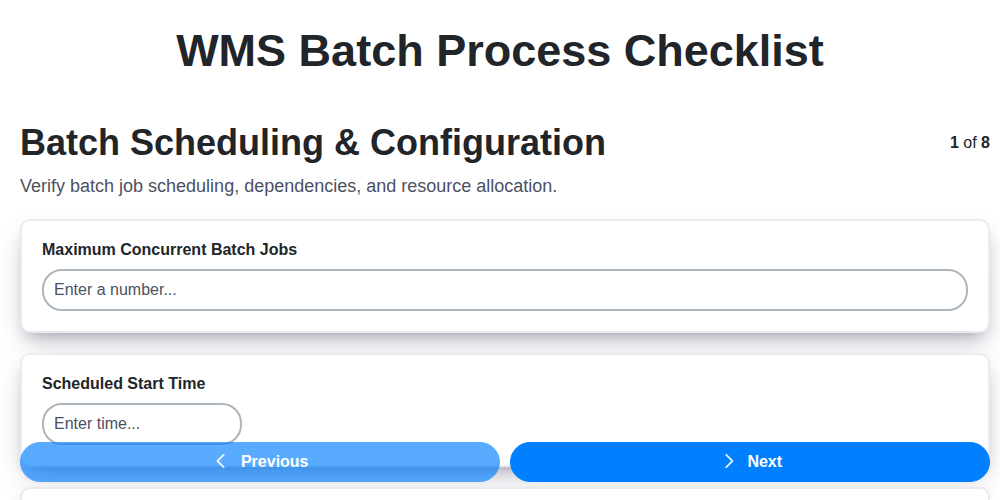
Ensuring Success: Your WMS Batch Process Checklist Template

Seamless RFID Integration: Your WMS Checklist Template for Success

WMS System Performance Monitoring Checklist: A Comprehensive Guide

Mastering Your Yard: A Warehouse WMS Yard Management Checklist Template

Ensuring Success: Your WMS Automation Validation Checklist Template

Warehouse Data Integrity: Your WMS Checklist Template

Mastering Warehouse Labeling: Your WMS Process Checklist Template

Warehouse WMS Security Checklist: A Comprehensive Guide to Protecting Your Operations
We can do it Together
Need help with
Checklists?
Have a question? We're here to help. Please submit your inquiry, and we'll respond promptly.