Ensuring Success: Your WMS Batch Process Checklist Template
Published: 12/19/2025 Updated: 12/20/2025
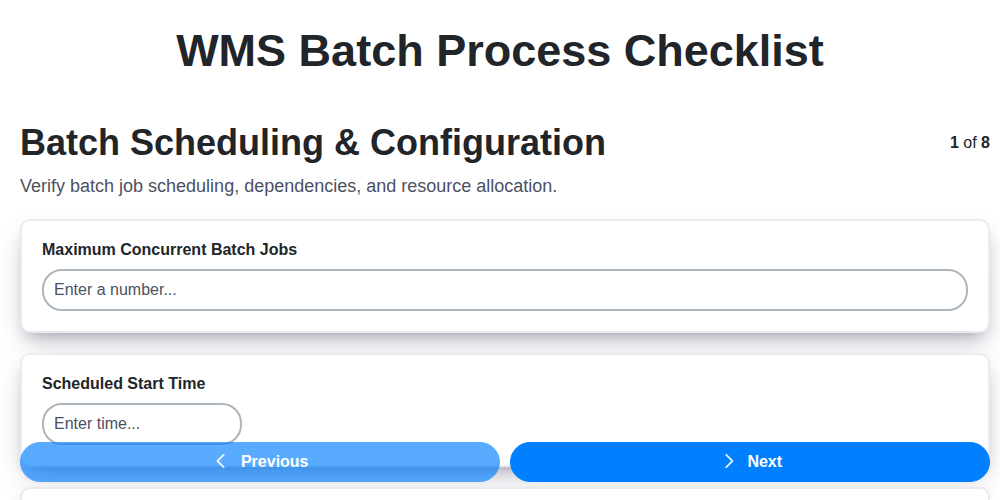
Table of Contents
- Introduction: Why a WMS Batch Process Checklist Matters
- 1. Batch Scheduling & Configuration: Setting the Foundation
- 2. Data Extraction & Transformation: Ensuring Data Integrity
- 3. Data Loading & Validation: Accuracy is Key
- 4. Error Handling & Logging: Proactive Problem Solving
- 5. Security & Permissions: Protecting Your Data
- 6. Performance Monitoring: Optimizing Batch Process Speed
- 7. Dependencies and Integrations: Managing External Factors
- 8. Backup and Recovery: Disaster Preparedness
- 9. Defining Clear Batch Process Ownership
- 10. Checklist Automation Opportunities
- 11. Regular Review and Updates
- 12. Documentation & Training
- Conclusion: Maintaining a Reliable WMS Batch Process
- Resources & Links
TLDR: Running WMS batch processes? This checklist template ensures smooth, reliable operations. It covers everything from scheduling and data loading to security and backups, minimizing errors and maximizing performance. Use it to standardize your process, identify potential issues proactively, and keep your warehouse running efficiently.
Introduction: Why a WMS Batch Process Checklist Matters
Warehouse Management Systems (WMS) are the backbone of modern logistics, managing everything from inventory to order fulfillment. Often, critical WMS tasks aren't performed in real-time but are handled through scheduled batch processes - think nightly inventory updates, cycle count reconciliation, or complex reporting. While seemingly automated, these batch processes are prone to errors, inefficiencies, and even security vulnerabilities if not carefully managed.
A well-defined WMS Batch Process Checklist isn't just a nice-to-have; it's essential for maintaining data integrity, ensuring operational stability, and mitigating risk. Without a structured checklist, you're relying on memory, tribal knowledge, or inconsistent procedures - all breeding grounds for errors that can lead to inaccurate inventory, delayed shipments, and ultimately, dissatisfied customers. This checklist provides a roadmap for reliable execution, repeatable results, and proactive problem-solving within your WMS environment. It ensures accountability, minimizes downtime, and helps your team consistently deliver accurate and timely data to support informed decision-making.
1. Batch Scheduling & Configuration: Setting the Foundation
The success of any WMS batch process hinges on meticulous scheduling and configuration. This initial stage defines when and how your data moves, directly impacting efficiency and accuracy. It's more than just setting a time; it's about understanding your business needs and aligning them with system capabilities.
Here's what needs careful consideration:
- Define Batch Windows: Determine optimal times for batch processing. Consider peak business hours, system load, and the impact on downstream systems. Aim for windows that minimize disruption while maximizing processing speed.
- Batch Size Determination: Don't make batches too large or too small. Large batches improve efficiency but can overwhelm the system. Smaller batches offer better control but may slow down overall processing. Experiment to find the sweet spot for your data volume and system resources.
- Scheduling Frequency: Is this a daily, weekly, or monthly process? The frequency should be driven by data change rates and business requirements.
- Prioritization: If you run multiple batches, establish a clear priority order. Critical processes should always take precedence.
- Configuration Validation: Double-check all parameters: start times, end times, resource allocation, and any associated scripts or programs. Automated validation tests are a powerful addition here.
- Dependencies Awareness: Understand which systems or processes this batch relies on, and ensure they're also scheduled appropriately.
2. Data Extraction & Transformation: Ensuring Data Integrity
This phase is arguably the most critical in your WMS batch process. It's where raw data from various sources - your ERP system, order management platform, legacy databases, and more - is pulled and prepared for loading into the WMS. A flawed extraction or transformation can ripple through the entire system, leading to inaccurate inventory levels, order fulfillment errors, and ultimately, dissatisfied customers.
Extraction Considerations:
- Source System Compatibility: Understand the data structures and formats of each source. Different systems use different naming conventions, data types, and encoding. Ensure your extraction process accounts for these differences.
- Incremental vs. Full Extraction: Determine whether you need a full data extract each time or if incremental extraction (only pulling changes since the last run) is feasible. Incremental extraction reduces processing time and minimizes impact on source systems.
- Data Volume and Frequency: Plan for potentially large data volumes. Optimize extraction queries to minimize resource consumption and avoid overloading source systems.
Transformation Rules - The Heart of Cleanliness:
This is where the magic happens, but also where errors are most common. Transformations should include:
- Data Type Conversions: Convert data to the correct format required by the WMS (e.g., string to numeric, date formats).
- Data Cleansing: Remove or correct invalid characters, handle missing values, and standardize formats (e.g., address standardization).
- Unit Conversions: If dealing with different units of measure (e.g., kilograms vs. pounds), perform accurate conversions.
- Business Rule Application: Implement business logic to map data to the appropriate WMS entities and attributes. This might involve splitting concatenated fields, deriving new values, or applying complex calculations.
- Data Enrichment: Consider enriching the data with additional information from external sources, if beneficial for the WMS functionality.
Validation is Key:
After transformation, implement validation checks. These checks should verify:
- Data Completeness: Ensure all required fields have values.
- Data Accuracy: Verify that transformed data aligns with expected values and business rules.
- Referential Integrity: Check that relationships between data entities are maintained.
Properly implemented data extraction and transformation not only ensures data integrity, but also forms a solid foundation for a reliable and efficient WMS batch process.
3. Data Loading & Validation: Accuracy is Key
This phase is arguably the most critical in your WMS batch process. It's not enough to simply move data; you need to ensure its accuracy and integrity. A faulty data load can ripple through your entire WMS, leading to inaccurate inventory counts, order fulfillment errors, and ultimately, dissatisfied customers.
Here's a breakdown of key considerations:
- Staging Area: Implement a designated staging area where the transformed data resides before loading into the WMS. This provides a buffer and allows for final checks.
- Data Type Matching: Rigorously verify that data types in the source data align perfectly with the expected data types in the WMS. Mismatched types (e.g., attempting to load text into a numeric field) are common pitfalls.
- Mandatory Field Checks: Enforce mandatory field validations. Ensure all required data fields are populated. Prevent records with missing crucial information from entering the WMS.
- Range and Constraint Checks: Implement checks to ensure data falls within acceptable ranges. For example, check that quantities are positive numbers, dates are valid, and product codes conform to established formats.
- Lookup Table Validation: If your batch process uses lookup tables (e.g., for translating product codes or units of measure), ensure the data being loaded actually exists in those tables.
- Duplicate Detection: Establish mechanisms to identify and handle potential duplicate records. Decide whether to discard, merge, or flag duplicates based on your business rules.
- Incremental vs. Full Loads: Consider whether you're performing incremental (only loading changes) or full loads. Incremental loads require careful management of change tracking.
- Auditing: Maintain detailed audit trails of data loaded, including timestamps, user IDs, and any validation errors encountered.
Proper data loading and validation significantly reduces downstream issues and guarantees the reliability of your WMS data.
4. Error Handling & Logging: Proactive Problem Solving
A robust WMS batch process isn't just about getting data in; it's about gracefully managing what happens when things go wrong. Thorough error handling and comprehensive logging are absolutely critical for minimizing downtime and ensuring data integrity.
Beyond Simple Error Messages: Don't settle for generic error messages. Your error handling should be proactive, anticipating potential pitfalls and providing specific guidance. This includes:
- Detailed Error Codes: Implement a standardized system of error codes that allow for quick identification and resolution.
- Contextual Error Information: Log not just what failed, but where it failed (file name, record number, timestamp, etc.). This dramatically reduces debugging time.
- Automated Retries: For transient errors (like network hiccups), configure automated retry mechanisms with exponential backoff to prevent repeated failures.
- Alerting & Notifications: Set up alerts triggered by specific error types or critical thresholds. Notify the responsible team immediately, so they can intervene quickly.
Logging: Your Detective's Notebook: Think of logging as your detective's notebook, meticulously recording every step of the batch process. Good logging includes:
- Start and End Markers: Clearly mark the beginning and end of each process, allowing easy identification of execution times.
- Data Transformation Records: Log transformations performed on the data, especially during complex processes. This helps with auditing and debugging data discrepancies.
- Status Updates: Record the status of each stage (e.g., Data Extraction Complete, Data Transformation Started, Data Loading in Progress).
- Audit Trails: Maintain a complete audit trail of all actions performed, including user logins and data modifications.
A well-structured error handling and logging system transforms potential disasters into manageable challenges, empowering your team to troubleshoot, learn, and continuously improve your WMS batch process.
5. Security & Permissions: Protecting Your Data
The WMS batch process handles sensitive data, making robust security and granular permissions absolutely critical. A compromised batch process can expose inventory data, customer information, and more, leading to serious repercussions. This checklist step isn't just about ticking boxes; it's about building a layered defense.
Here's what you need to consider:
- Role-Based Access Control (RBAC): Implement RBAC to restrict access to the batch process and its components based on user roles. Clearly define roles (e.g., Batch Operator, Data Analyst, Administrator) and assign appropriate permissions. Never grant blanket access.
- Authentication & Authorization: Verify user identities through strong authentication methods (multi-factor authentication is highly recommended). Ensure users are only authorized to perform actions relevant to their roles within the batch process.
- Data Encryption: Encrypt data both in transit (during extraction, transformation, and loading) and at rest (in staging areas and target databases). Use strong encryption algorithms and manage encryption keys securely.
- Audit Trails: Implement comprehensive audit trails to track all activities performed within the batch process. This includes user logins, data modifications, and error occurrences. Regular review of audit logs is vital for identifying and investigating potential security breaches.
- Regular Security Reviews: Periodically review security configurations, user permissions, and access controls. Conduct vulnerability scans and penetration testing to identify and remediate potential weaknesses.
- Least Privilege Principle: Adhere to the principle of least privilege - grant users only the minimum permissions necessary to perform their assigned tasks.
Proper security and permission management within your WMS batch process is an ongoing effort, not a one-time configuration. Consistent monitoring and updates are key to maintaining a secure environment.
6. Performance Monitoring: Optimizing Batch Process Speed
A well-designed WMS batch process should be efficient, but even the best processes can degrade over time. Consistent performance monitoring is crucial for identifying bottlenecks and ensuring timely completion of your batch jobs. Here's what you need to track and how to leverage that data:
Key Metrics to Monitor:
- Run Time: The most obvious metric. Track the total execution time of each batch process. Significant increases often signal underlying issues.
- Stage Duration: Break down the total run time by each step in the checklist (scheduling, extraction, loading, validation, etc.). This pinpointing allows you to identify the specific phase causing delays.
- Resource Utilization: Monitor CPU usage, memory consumption, and I/O operations during the batch process. High resource usage can indicate inefficient code or infrastructure limitations.
- Throughput: Measure the number of records or transactions processed per unit of time. A decreasing throughput may indicate issues with data volume, processing complexity, or system capacity.
- Queue Lengths: If your batch process involves queues, monitor queue lengths. Long queues can indicate bottlenecks and delays.
Optimization Strategies Based on Monitoring:
- Index Optimization: Slow data extraction often points to missing or inefficient database indexes.
- Code Profiling: Identify performance hotspots within your transformation logic through code profiling.
- Parallelization: Explore opportunities to parallelize tasks within the batch process to leverage multi-core processors.
- Hardware Upgrades: If resource utilization consistently peaks, consider upgrading hardware resources (CPU, memory, disk I/O).
- Configuration Tuning: Fine-tune WMS configuration parameters to optimize batch process behavior.
- Data Volume Management: Strategically manage data volume to prevent overwhelming the batch process. Consider archiving older data or implementing data partitioning.
Regularly review these metrics, establish baseline performance, and proactively address any deviations to maintain optimal batch process efficiency.
7. Dependencies and Integrations: Managing External Factors
A WMS batch process rarely exists in a vacuum. It almost certainly relies on other systems and data sources, creating a web of dependencies that need careful management. Failing to account for these integrations can lead to batch failures, data inconsistencies, and overall system instability.
Here's what to consider:
- Identify All Dependencies: Meticulously document every system the batch process interacts with. This includes ERP systems (for order data, inventory), shipping platforms (for tracking updates), e-commerce platforms (for product information), and even internal databases. Don't underestimate seemingly minor connections - they can be critical.
- API and Data Format Compatibility: Ensure your batch process can successfully communicate with these external systems. Verify API versions, data formats, and authentication methods. Changes in any of these can break your integration. Regularly check for deprecations and planned changes on the external systems.
- Error Propagation: Understand how errors in external systems propagate into your batch process. Implement robust error handling that accounts for potential failures in dependencies. Can you gracefully handle a temporary API outage in the ERP system, for example?
- Data Synchronization and Timing: Recognize that data latency exists. Consider how timing and synchronization with external systems affect your batch processing. Do you need to account for delays or schedule your batch process accordingly?
- Version Control & Communication: Establish a process for managing changes to integrated systems. Communicate proactively with teams responsible for those systems to understand upcoming changes and potential impacts.
- Testing & Monitoring: Include integrated systems in your testing regimen. Monitor the performance of these integrations to identify bottlenecks or issues proactively.
Addressing these factors ensures your WMS batch process remains reliable, even when reliant on external systems.
8. Backup and Recovery: Disaster Preparedness
The reality is, system failures do happen. Hardware malfunctions, data corruption, unforeseen outages - they're not a matter of if, but when. Having a robust backup and recovery plan for your WMS batch processes isn't just a good practice; it's essential for business continuity.
Here's what your backup and recovery checklist for WMS batch processes should include:
- Regular Data Backups: Implement a scheduled backup routine (daily, weekly, or based on criticality) of your WMS batch process data, configuration files, and any related databases. Consider both full and incremental backups to optimize storage and recovery time.
- Backup Storage Location: Store backups offsite and ideally in a geographically diverse location. This protects against localized disasters (fire, flood, etc.) that could compromise both your primary systems and your backups. Cloud-based storage is an excellent option.
- Backup Verification: Don't just assume your backups are good. Regularly test your backup restores. This confirms the integrity of your backups and validates your recovery procedures. Document these test results.
- Recovery Time Objective (RTO) & Recovery Point Objective (RPO): Clearly define your RTO (how long it takes to restore operations) and RPO (the maximum acceptable data loss). Your backup strategy should be aligned with these objectives.
- Disaster Recovery Documentation: Maintain detailed, up-to-date documentation outlining the step-by-step process for recovering your WMS batch processes in a disaster scenario. This documentation should be accessible to relevant personnel, even if primary systems are unavailable.
- Training and Awareness: Ensure that your team is trained on the backup and recovery procedures and understands their roles in a disaster recovery scenario. Conduct periodic drills to reinforce these procedures.
- Version Control: Implement version control for configuration files and scripts used in your batch processes. This allows you to revert to previous versions if necessary during a recovery.
By proactively addressing backup and recovery, you're safeguarding your WMS data and minimizing the impact of unforeseen disruptions, ensuring your warehouse operations can weather any storm.
9. Defining Clear Batch Process Ownership
Batch processes, while powerful, can quickly become chaotic if responsibilities aren't clearly defined. Who's accountable for scheduling? Who troubleshoots data errors? Who ensures backups are running and recoverable? The answer to these questions shouldn't be everyone - it needs to be specific roles with documented ownership.
Establish a RACI matrix (Responsible, Accountable, Consulted, Informed) to outline responsibilities for each step within the WMS batch process checklist. This matrix should clearly identify who is responsible for performing the task, who is accountable for its successful completion, who needs to be consulted during the process, and who needs to be informed of its progress or completion.
Consider these roles:
- Batch Process Scheduler: Responsible for creating and maintaining batch schedules.
- Data Engineer/ETL Developer: Accountable for data extraction, transformation, and loading.
- Data Quality Analyst: Accountable for data validation and error resolution.
- Security Administrator: Accountable for security and permissions management.
- System Administrator: Accountable for backup and recovery procedures and performance monitoring.
Document these assignments and ensure everyone understands their roles and the escalation paths for issues. Regularly review and update the RACI matrix as your WMS environment and processes evolve. Clear ownership prevents finger-pointing, speeds up problem resolution, and ultimately improves the reliability of your batch processes.
10. Checklist Automation Opportunities
Manually running and verifying a WMS batch process checklist, as detailed above, is inherently prone to human error and consumes valuable time. Fortunately, many of these steps are ripe for automation. Consider these opportunities:
- Automated Scheduling: Integrate your checklist tasks directly into the WMS scheduler. This eliminates manual trigger steps and ensures consistent execution.
- Data Extraction & Transformation Scripting: Parameterize your data extraction and transformation scripts, allowing for automated adjustments based on batch requirements. Version control these scripts for traceability.
- Automated Validation Rules: Implement automated data validation checks within your WMS or connected systems. These can flag inconsistencies in real-time, reducing the need for manual review.
- Alerting and Notifications: Configure automated alerts via email or other channels when errors are detected or performance thresholds are breached. This promotes proactive intervention.
- Scripted Error Handling: Develop automated scripts to attempt to resolve common errors (e.g., retrying failed connections, correcting data format inconsistencies).
- Security & Permission Auditing: Automate periodic checks of user permissions and access controls, ensuring compliance with security policies.
- Performance Threshold Monitoring & Reporting: Set up automated performance dashboards that track key metrics and generate reports for ongoing optimization.
- Dependency Checks: Script automated checks to confirm the availability and functionality of integrated systems before the batch process begins.
- Backup Verification: Automate the verification process for backups, ensuring recoverability in case of disaster.
- Checklist Execution Scripting: Ultimately, a complete automation could involve scripting the entire checklist execution, with automated logging of each step's success or failure.
11. Regular Review and Updates
A WMS batch process isn't a set it and forget it operation. The needs of your warehouse and business evolve, and so too should your batch process. Schedule regular reviews - ideally quarterly, but potentially more frequently depending on the volume and criticality of your data.
During these reviews, evaluate the following:
- Process Efficiency: Are the batch processes running within acceptable timeframes? Are there bottlenecks?
- Data Accuracy: Are the results consistent and reliable? Have there been any recent changes in source systems that might impact data integrity?
- Configuration Alignment: Does the current configuration still accurately reflect warehouse operations and business rules?
- Error Handling Effectiveness: Are errors being adequately captured and resolved? Are escalation procedures in place?
- Security Posture: Reassess permissions and access controls to ensure they remain appropriate and aligned with organizational policies.
Don't be afraid to make adjustments! These updates can include refining scheduling parameters, optimizing data transformations, improving error handling routines, or even introducing new data sources. Document all changes meticulously to maintain auditability and facilitate future troubleshooting. A proactive approach to review and updates will keep your WMS batch processes running smoothly and efficiently, minimizing disruption and maximizing value.
12. Documentation & Training
A robust WMS batch process isn't just about the technology; it's about the people who manage and maintain it. Comprehensive documentation and effective training are critical for long-term success and minimizing disruptions.
Documentation should include:
- Process Flow Diagrams: Visual representations of the entire batch process, highlighting key steps and dependencies.
- Detailed Step-by-Step Guides: Clear instructions for each stage of the process, suitable for both experienced and new team members.
- Troubleshooting Guides: Common error messages and their resolutions, empowering users to resolve issues independently.
- Configuration Details: Records of all configurations, parameters, and settings used within the batch process. Version control is crucial here.
- Data Dictionary: A clear explanation of all data fields used in the process, their meaning, and source.
Training should cover:
- Process Overview: A high-level understanding of the batch process and its role within the wider WMS system.
- Operational Procedures: Hands-on training on how to schedule, monitor, and manage batch jobs.
- Error Handling & Troubleshooting: Equipping users with the skills to identify and resolve common issues.
- Security & Permissions: Reinforcing security protocols and responsible usage practices.
- Change Management: Training on how to request, test, and implement changes to the batch process.
Regular refresher training and updates to documentation are essential to ensure continued competence and adaptation to evolving processes.
Conclusion: Maintaining a Reliable WMS Batch Process
Implementing a robust WMS batch process checklist isn't a one-and-done task; it's a commitment to continuous improvement and operational stability. By diligently following the steps outlined - from meticulous scheduling and configuration to vigilant error handling and performance monitoring - you've laid the groundwork for a reliable and efficient warehouse management system.
Remember that WMS environments evolve. New data sources are integrated, processes are optimized, and security landscapes shift. Regularly review and update your checklist to ensure it remains relevant and effective. Proactive maintenance, periodic audits, and a culture of continuous learning will be your greatest allies in minimizing disruptions and maximizing the value of your WMS. Don't treat this checklist as a burden, but as a vital tool for unlocking the full potential of your warehouse operations and achieving long-term success.
Resources & Links
- Gartner: Gartner provides research and analysis on warehouse management systems (WMS) and related technologies. Their reports can provide context on industry best practices and emerging trends related to batch processing.
- APICS (The Association for Supply Chain Management): APICS offers certifications and resources related to supply chain management and logistics, which often involve complex batch processes within a WMS.
- ISC² (International Information System Security Certification Consortium): Relevant for the 'Security & Permissions' section. ISC² provides information and certifications focused on cybersecurity, a vital consideration for WMS batch processes.
- Amazon Web Services (AWS): If your WMS uses cloud infrastructure, AWS offers various services (like S3 for backups, Lambda for automation) that are relevant to batch process management and disaster recovery. This applies to similar cloud providers like Azure and Google Cloud.
- Oracle: If you're using Oracle's WMS solutions, Oracle's documentation and support resources are essential for understanding their batch process capabilities and best practices.
- SAP: Similar to Oracle, if using SAP's WMS solutions, SAP's documentation and knowledge base are key resources for detailed information on their batch processing features.
- Blue Prism: For the 'Checklist Automation Opportunities' section, Blue Prism is a leading Robotic Process Automation (RPA) vendor. RPA can automate many aspects of a batch process checklist.
- Automation Anywhere: Another leading RPA vendor. Automation Anywhere can be used to automate repetitive tasks within the WMS batch process checklist. Provides great articles and documentation around automation best practices.
- IBM: IBM offers various WMS and associated technologies. Their documentation and case studies can provide insights into real-world batch processing implementations.
- Microsoft: Microsoft's cloud offerings and business intelligence tools (Power BI, for example) can be used for monitoring and analysis of WMS batch processes. Especially relevant for those using Dynamics 365 for Supply Chain Management.
- JDB Software: Specializes in WMS implementation and optimization. Their blog and resources may contain helpful information and templates related to batch processes.
- Infor: Another prominent WMS provider. Explore Infor's knowledge base and support materials if you're using their WMS solution.
Frequently Asked Questions
What is a WMS batch process and why is it important?
A WMS batch process is a scheduled, automated sequence of tasks within a Warehouse Management System (WMS). It's important because it handles repetitive tasks like inventory updates, report generation, and task assignments efficiently, minimizing manual intervention and potential errors, leading to improved warehouse operations and reduced costs.
What is the purpose of the checklist template?
The checklist template is designed to guide you through the key steps needed to ensure your WMS batch processes are configured correctly, running smoothly, and achieving the desired results. It provides a structured approach to setup, testing, and ongoing monitoring.
Who should use this checklist template?
This checklist is beneficial for a wide range of individuals involved in warehouse management, including WMS administrators, IT personnel, warehouse managers, process improvement specialists, and anyone responsible for ensuring efficient warehouse operations.
What types of batch processes are typically covered by this checklist?
The checklist covers common WMS batch processes such as inventory reconciliation, cycle counting updates, order fulfillment status updates, putaway task generation, reporting (e.g., shipping manifests, inventory aging), and data transfers to other systems (e.g., ERP).
Is this checklist customizable?
Yes, the checklist is designed to be customizable. You can add, remove, or modify items to align with your specific WMS version, business requirements, and batch process needs. We encourage tailoring it to your unique operational context.
What does 'scheduling parameters' refer to in the checklist?
Scheduling parameters refer to the settings that control when a batch process runs, such as the frequency (daily, weekly, hourly), start time, and end time. The checklist ensures these parameters are appropriately configured based on business needs.
What is meant by 'data validation' in the checklist?
Data validation involves verifying that the data being processed by the batch process is accurate, complete, and consistent. The checklist prompts you to check for data integrity and handle potential errors gracefully.
What should I do if a batch process fails during testing?
If a batch process fails, meticulously review the error logs, identify the root cause of the failure (e.g., data error, scheduling conflict, code issue), correct the problem, and re-test the process until it runs successfully. Document the failure and resolution.
How often should I review and update the checklist?
We recommend reviewing and updating the checklist at least annually, or whenever significant changes are made to your WMS, warehouse operations, or business requirements. Regular review ensures the checklist remains relevant and effective.
Where can I find additional resources for WMS batch process troubleshooting?
Your WMS vendor's documentation and support resources are the best places to start. Online forums and communities dedicated to warehouse management can also provide helpful insights and troubleshooting tips.
Comments
There are no comments yet. Be the first to add one!
WMS - Warehouse Management System Solution Demo
Optimize your warehouse operations & boost efficiency! ChecklistGuro's WMS streamlines inventory management, order fulfillment, and shipping. Reduce errors, improve accuracy, & maximize space utilization. Manage it all with our Work OS.
Related Articles

Seamless RFID Integration: Your WMS Checklist Template for Success

Mastering Warehouse Labeling: Your WMS Process Checklist Template
The Ultimate Supply Chain Inventory Accuracy Audit Checklist: A Step-by-Step Guide
Mastering Putaway: Your WMS Optimization Checklist

Mastering Your Yard: A Warehouse WMS Yard Management Checklist Template

Warehouse Data Integrity: Your WMS Checklist Template

WMS System Performance Monitoring Checklist: A Comprehensive Guide
Warehouse WMS Error Handling Checklist: A Proactive Guide to Minimizing Disruptions
We can do it Together
Need help with
Warehouse Management System (WMS)?
Have a question? We're here to help. Please submit your inquiry, and we'll respond promptly.