MRP Data Migration Checklist: Your Step-by-Step Guide to Success
Published: 12/14/2025 10:00 PM Updated: 12/15/2025 1:50 PM
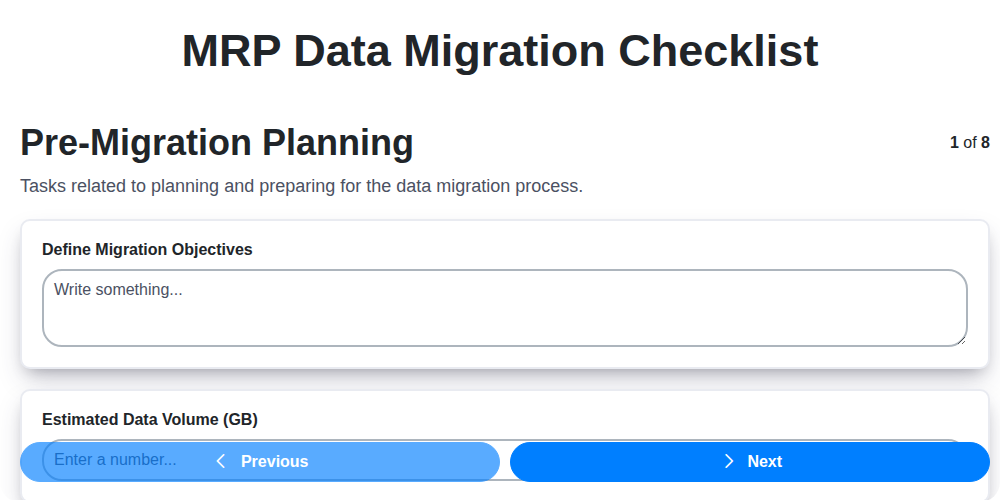
Table of Contents
- Introduction: Why MRP Data Migration Matters
- 1. Pre-Migration Planning: Laying the Foundation
- 2. Defining Scope and Objectives
- 3. Data Extraction & Cleansing: Preparing Your Legacy Data
- 4. Data Transformation & Mapping: Bridging the Gap
- 5. Data Loading & Verification: Getting Data into the New System
- 6. Post-Migration Validation & Reconciliation: Ensuring Accuracy
- 7. User Acceptance Testing (UAT): Validation by the End Users
- 8. Cutover & Go-Live: The Moment of Truth
- 9. Developing a Detailed Cutover Plan
- 10. Post-Implementation Support & Monitoring: Ongoing Stability
- 11. Risk Mitigation and Contingency Planning
- 12. Communication and Stakeholder Management
- 13. Documentation: A Record of Your Journey
- Resources & Links
TLDR: Migrating your MRP data? Don't risk chaos! This checklist breaks down the entire process - from planning to post-go-live support - into manageable steps. It ensures data accuracy, minimizes disruption, and sets you up for a successful MRP implementation. Use it to stay organized, avoid costly errors, and achieve a smooth transition.
Introduction: Why MRP Data Migration Matters
Migrating data into a new MRP (Manufacturing Resource Planning) system is rarely a simple task. It's a critical project that impacts virtually every aspect of your business, from production scheduling and inventory management to procurement and finance. A poorly executed data migration can lead to inaccurate planning, disrupted operations, lost productivity, and ultimately, significant financial losses. Conversely, a well-planned and executed migration sets the stage for a successful MRP implementation, enabling you to leverage the system's full potential for improved efficiency, better decision-making, and a competitive edge. This checklist provides a framework to ensure a smooth and accurate transition, minimizing risks and maximizing the return on your MRP investment. Ignoring the complexities of data migration is a shortcut to potential disaster; let's ensure yours is a success.
1. Pre-Migration Planning: Laying the Foundation
A successful MRP data migration isn't just about moving data; it's about meticulously planning the entire process. This initial phase is the bedrock of the entire project and significantly impacts the overall success rate. Rushing this stage is a recipe for disaster, leading to costly rework, delays, and frustrated users.
Here's what a thorough pre-migration planning phase should encompass:
- Define Clear Objectives: What are you hoping to achieve with this migration? Increased efficiency? Better reporting? Improved data accuracy? Document these goals - they're your guiding stars.
- Scope Definition: Precisely identify which data will be migrated. Don't automatically assume everything needs to move. Consider archiving outdated or irrelevant data.
- Stakeholder Identification & Communication Plan: Identify all stakeholders - IT, business users, department heads - and establish a clear communication plan for updates and potential issues.
- Risk Assessment: Identify potential risks (data corruption, system downtime, user resistance) and develop mitigation strategies.
- Team Formation: Assemble a dedicated migration team with expertise in both the legacy and new MRP systems, data cleansing, and project management.
- Data Governance & Security: Establish guidelines for data ownership, access controls, and security protocols throughout the migration.
- Timeline & Budget: Develop a realistic timeline and budget, accounting for potential contingencies.
- Legacy System Analysis: Thoroughly understand the data structure, business rules, and limitations of the current MRP system.
2. Defining Scope and Objectives
Before diving into the technical aspects of MRP data migration, it's crucial to meticulously define the scope and objectives. This phase lays the groundwork for a successful migration and prevents costly rework down the line. A clearly defined scope clarifies what data will be migrated, where it's going, and why it's being moved.
Start by identifying the specific modules and data entities that need to be migrated. Are you moving all data, or just a subset (e.g., active BOMs, specific customer records)? Documenting this explicitly avoids surprises later.
Next, define measurable objectives. Do you aim for 100% data accuracy? A specific migration timeframe? Reduced data redundancy? These objectives should be SMART: Specific, Measurable, Achievable, Relevant, and Time-bound.
Consider dependencies - how does the migrated data impact other business processes and systems? Outline these dependencies and potential risks. Finally, establish clear roles and responsibilities for the migration team, including decision-makers who can resolve conflicts and approve critical steps. A well-defined scope and objectives provide a roadmap for a smoother, more successful MRP data migration.
3. Data Extraction & Cleansing: Preparing Your Legacy Data
This phase is arguably one of the most critical - garbage in, garbage out applies directly to data migration. Simply moving data without proper preparation will likely result in errors, inconsistencies, and ultimately, a failed implementation.
Extraction: Begin by identifying all relevant data sources. This likely includes multiple systems (ERP, spreadsheets, legacy databases). Document the data formats, relationships, and any associated business rules. Extract the data into an interim format, ideally something neutral like CSV or a dedicated staging database. Consider using automated extraction tools to improve efficiency and reduce manual errors, but always review the extracted data.
Cleansing: Once extracted, the data needs rigorous cleaning. This involves several steps:
- Identify and correct errors: Look for typos, incorrect dates, invalid codes, and other common data entry errors.
- Handle missing values: Decide how to address missing data. Options include imputation (filling in with estimated values), assigning default values, or excluding records (with appropriate documentation).
- Standardize data formats: Ensure consistency in data types (dates, numbers, text) and units of measure. For example, consistently use 'MM/DD/YYYY' for dates or standardize units to 'kilograms' instead of mixing 'kgs' and 'kilograms'.
- De-duplicate data: Identify and remove duplicate records, ensuring each entity is represented accurately.
- Validate data against business rules: Confirm that data adheres to defined business rules. For instance, check that material codes exist in a master list or that production quantities are within acceptable ranges.
Data cleansing can be labor-intensive. Prioritize cleansing efforts based on the criticality of the data and potential impact on the new MRP system. Investing time and resources here will significantly reduce headaches later on. Thorough documentation of cleansing rules and actions taken is essential for auditability and future reference.
4. Data Transformation & Mapping: Bridging the Gap
The heart of a successful MRP data migration lies in accurate data transformation and mapping. This isn't simply about moving data from one system to another; it's about ensuring its meaning and functionality are preserved. The old system's data structure and terminology likely differ from the new MRP system. This section details how to bridge that gap.
First, thoroughly analyze both the source and target data models. Understand the field definitions, data types, and business rules in each. Create a detailed mapping document that explicitly defines how each field in the old system corresponds to a field in the new system. This document should include:
- Field Mapping: Clear correspondence between source and target fields.
- Data Type Conversions: Specify any necessary data type changes (e.g., text to numeric, date format conversions).
- Business Rule Application: Document any business rules or calculations that need to be applied during the transformation process. This might involve combining fields, splitting fields, or applying complex formulas.
- Default Values: Define default values to be used for fields where source data is missing.
- Error Handling: Outline how data transformation errors will be handled and reported.
Automation is key here. Utilize ETL (Extract, Transform, Load) tools or scripting languages to perform the transformations efficiently and consistently. Manual transformations are prone to error and are impractical for large datasets. Validate the transformations at each stage using sample data to catch any discrepancies early. This iterative approach of transformation, validation, and refinement is essential for a reliable migration. Remember, inaccurate transformations can lead to incorrect inventory levels, production schedules, and ultimately, business disruption.
5. Data Loading & Verification: Getting Data into the New System
This is arguably one of the most critical phases - actually moving the cleaned and transformed data into your new MRP system. A rushed or inaccurate load can derail the entire project. Here's a breakdown of what's involved:
1. Phased Loading Approach: Don't dump everything at once! Employ a phased approach. Start with a small subset of data - perhaps a specific product line or a single plant - to test the loading process thoroughly. This allows for early detection and correction of errors without impacting the entire organization.
2. Incremental Loads: Once the initial load proves successful, move to incremental loads. These are smaller batches of data that allow for ongoing monitoring and validation as the migration progresses.
3. Data Validation During Load: Implement validation rules during the loading process. This goes beyond simply ensuring data types match. It involves checking for logical inconsistencies, required fields, and adherence to business rules. Examples include verifying that material numbers exist, bill of materials are complete, and routing operations are valid.
4. Detailed Logging: Implement robust logging mechanisms to track every step of the data loading process. This includes timestamps, user IDs, record counts, and any errors encountered. Comprehensive logs are invaluable for troubleshooting and auditing.
5. Reconciliation Checks: After each load, perform reconciliation checks to compare data counts and critical values between the legacy system and the new MRP system. This ensures that nothing has been missed or corrupted during the transfer. Focus on key data elements such as material quantities, open orders, and vendor balances.
6. Error Handling and Correction: Define a clear process for handling errors encountered during the data load. This includes identifying the root cause, correcting the data, and re-loading it. Assign responsibility for error resolution to ensure timely and effective correction.
By prioritizing accuracy and implementing rigorous validation steps, you can significantly reduce the risk of data integrity issues in your new MRP system.
6. Post-Migration Validation & Reconciliation: Ensuring Accuracy
The excitement of go-live can be blinding, but resist the urge to declare victory just yet! Post-migration validation and reconciliation are critical steps to guarantee your MRP data is accurate, complete, and functioning as expected in the new system. This isn't just about confirming records were moved; it's about ensuring the meaning and relationships between data points are preserved.
Here's what this phase entails:
- Key Data Reconciliation: Focus on critical master data elements like BOMs (Bill of Materials), routings, work centers, item masters, vendor records, and customer data. Compare key fields and totals between the legacy and new system. Don't just check counts; verify individual values.
- Transaction Verification: Scrutinize a representative sample of transactions - sales orders, purchase orders, work orders, inventory adjustments - to confirm they're processing correctly and triggering the right workflows in the new MRP.
- Reporting Comparison: Generate essential reports in both systems (legacy and new) and directly compare the results. This highlights any discrepancies in calculations or data aggregation.
- Inventory Cycle Count Verification: Conduct a thorough cycle count of key inventory items to validate accuracy post-migration.
- Establish Baseline Metrics: Document key performance indicators (KPIs) in the legacy system before migration. Re-establish these in the new system and track them to identify any performance degradation.
- Documentation & Issue Tracking: Meticulously document any identified discrepancies, their root cause, and the corrective actions taken. A dedicated issue tracking system is invaluable here.
Don't skip this vital phase - it's your last line of defense against costly errors and operational disruptions.
7. User Acceptance Testing (UAT): Validation by the End Users
User Acceptance Testing (UAT) is arguably one of the most critical phases of MRP data migration. This isn't about technical validation - that's been handled previously. UAT is about ensuring the migrated data actually meets the needs of your business users and supports their daily operations within the new system.
Here's what UAT entails:
- Identify Key Users: Select a representative group of end-users who regularly use the data in the existing system and will be the primary users of the new MRP.
- Develop UAT Scenarios: These scenarios should mimic real-world business processes and data usage patterns. Focus on critical functionalities like order entry, inventory management, production planning, and financial reporting.
- Provide Training & Support: Ensure users understand the new system and have access to support during UAT. This fosters collaboration and facilitates problem identification.
- Structured Testing: Provide users with clear instructions and test scripts outlining the steps to follow and expected results. Encourage detailed feedback and documentation of any discrepancies.
- Focus on Business Logic: Users should be validating that the data makes sense within a business context. Are quantities correct? Are part numbers mapped appropriately? Do calculations yield accurate results?
- Iterative Approach: Don't expect UAT to be perfect the first time around. Expect feedback, address issues, and re-test until users are comfortable and confident in the migrated data.
- Formal Sign-off: Once UAT is complete and all critical issues have been resolved, obtain formal sign-off from the user representatives, confirming their acceptance of the migrated data. This provides crucial validation before cutover.
Without thorough UAT, you risk introducing new business challenges alongside your modern MRP system.
8. Cutover & Go-Live: The Moment of Truth
This is it. The culmination of weeks, potentially months, of planning, preparation, and painstaking effort. The Cutover & Go-Live phase represents the actual transition from your legacy MRP system to the new one. It's a high-pressure period, and meticulous execution is paramount.
Here's what needs to be covered:
- Detailed Cutover Plan: This isn't just a checklist; it's a minute-by-minute (or even more granular) roadmap outlining every step required to switch systems, including timings, responsible personnel, and contingency plans. Consider a dress rehearsal or mock cutover to identify potential issues beforehand.
- Freeze Legacy System: A critical step is to freeze the legacy system to prevent any further data changes that could complicate the migration and reconciliation processes. Communication regarding this freeze is vital to all users.
- Final Data Load: This is typically the final, complete data load into the new MRP system. Timing is crucial - execute this during a period of minimal business activity to minimize disruption.
- System Switchover: The formal switch from the legacy system to the new system. This involves deactivating the legacy system and activating the new one.
- Immediate Post-Go-Live Monitoring: Have dedicated resources readily available to monitor system performance and address any immediate errors or issues that arise. Logs should be actively reviewed.
- Communication is Key: Keep stakeholders informed throughout the go-live process with regular updates and transparent communication about progress, issues, and resolutions.
A well-executed cutover and go-live minimizes downtime, reduces disruption, and sets the foundation for a successful MRP implementation.
9. Developing a Detailed Cutover Plan
The cutover phase is arguably the most critical and high-pressure period of any MRP data migration. A poorly planned cutover can result in significant disruption to operations, data loss, and a delayed return on your investment. This section outlines the essential elements of a robust cutover plan.
1. Define the Cutover Window: This is the agreed-upon timeframe for the actual data migration and system switchover. Consider factors like production schedules, order volumes, and potential business impact. Minimize downtime as much as possible, but prioritize accuracy and stability.
2. Sequencing of Activities: Create a precise sequence of steps, including dependencies. For example, data loading must precede UAT, and UAT must be successfully completed before the go-live. Outline each task with clear start and end times.
3. Rollback Plan: A comprehensive rollback plan is essential. Define specific triggers that would necessitate reverting to the legacy system, and detail the exact steps to execute the rollback. This provides a safety net for unforeseen issues.
4. Communication Plan: A clear communication plan is paramount. Identify key stakeholders (users, IT, management) and establish communication channels and frequency for updates during the cutover.
5. Resource Allocation: Assign roles and responsibilities for each cutover activity. Ensure sufficient personnel are available to handle all tasks, including troubleshooting and support. Include backups for critical roles.
6. Dry Runs & Rehearsals: Conduct multiple dry runs of the cutover plan, mimicking the actual process as closely as possible. Identify bottlenecks and refine the plan based on lessons learned.
7. Data Freeze Window: Define a data freeze period before the cutover. During this time, no changes are made to the legacy system to ensure data integrity and accuracy for migration.
8. Go/No-Go Decision: Establish clear criteria for making a final go/no-go decision on the cutover. This decision should be made by a designated decision-maker based on the results of dry runs, data validation, and overall system readiness.
10. Post-Implementation Support & Monitoring: Ongoing Stability
The go-live celebration is fantastic, but it's just the beginning of the MRP data migration journey. Post-implementation support and ongoing monitoring are absolutely crucial for ensuring long-term system stability and realizing the full benefits of your new MRP system. This phase is about catching any lingering issues, fine-tuning performance, and providing users with the continued support they need to succeed.
Here's what this phase entails:
- Dedicated Support Team: Establish a dedicated support team (internal or external) readily available to address user queries, troubleshoot errors, and handle unexpected issues. Clear escalation paths are essential.
- Issue Tracking System: Implement a robust issue tracking system to document, prioritize, and resolve all reported problems. This creates a historical record and allows for trend analysis.
- Performance Monitoring: Continuously monitor system performance metrics like data processing times, report generation speed, and overall system responsiveness. Identify bottlenecks and optimize accordingly.
- Data Quality Checks: Regular data quality checks are vital. These checks should include comparing key data points with the legacy system and verifying data accuracy. Automate these checks where possible.
- User Feedback Loop: Maintain an open channel for user feedback. Regularly solicit input on system usability and data accuracy. Act on this feedback to improve the user experience.
- Scheduled Reviews: Conduct scheduled reviews (weekly, monthly, quarterly) to assess overall system health, identify areas for improvement, and ensure data governance policies are being followed.
- Documentation Updates: Keep all documentation updated - user manuals, training materials, and system configuration guides - to reflect any changes made post-go-live.
- Knowledge Transfer: Ensure thorough knowledge transfer from the migration team to the ongoing support team.
- Security Audits: Periodic security audits should be conducted to ensure data integrity and system security.
This ongoing support and monitoring phase is an investment in the long-term success of your MRP implementation. It's about proactive problem-solving, continuous improvement, and building user confidence in the new system.
11. Risk Mitigation and Contingency Planning
Data migration is inherently risky. Unexpected issues can derail timelines and impact business operations. A robust risk mitigation and contingency plan is crucial for a successful MRP data migration. Here's what that should include:
- Identify Potential Risks: Brainstorm all potential risks. Consider data corruption, system downtime, user resistance, integration failures, and inaccurate data. Document the likelihood and potential impact of each risk.
- Develop Mitigation Strategies: For each identified risk, create a proactive mitigation strategy. For example, if data corruption is a concern, implement rigorous data validation rules during extraction and transformation. For user resistance, prioritize communication and training.
- Create Contingency Plans: What happens if something does go wrong? Have clearly defined fallback plans for critical areas. This might include reverting to the legacy system, isolating problem data, or having a dedicated team ready to troubleshoot.
- Data Backup and Recovery: Regular, comprehensive backups of both the source and target systems are non-negotiable. Test the recovery process to ensure it's reliable.
- Communication Plan: Establish a clear communication protocol to inform stakeholders about progress, potential issues, and downtime windows.
- Rollback Plan: A detailed, tested rollback plan is essential. This outlines the steps to revert to the original system if major issues arise after go-live. It's your safety net.
- Dedicated Support Team: Designate a skilled team to handle issues during and after go-live, capable of resolving problems quickly.
Proactive planning significantly reduces the probability of major issues and minimizes potential business disruption.
12. Communication and Stakeholder Management
Data migration, especially for a critical system like your MRP, is a team effort involving numerous stakeholders. Clear, consistent, and proactive communication is absolutely vital to a successful migration. It's not just about informing people what is happening; it's about managing expectations, addressing concerns, and keeping everyone aligned with the project's progress and potential impact.
Here's what we recommend:
- Identify Key Stakeholders: Map out everyone impacted - users, department heads, IT, leadership, and potentially even external vendors.
- Establish a Communication Plan: Outline the frequency, method (email, meetings, dashboards), and content of updates for each stakeholder group.
- Regular Status Updates: Provide scheduled updates highlighting progress, risks, and any deviations from the plan. Don't shy away from highlighting challenges; transparency builds trust.
- Feedback Mechanisms: Create channels for stakeholders to provide feedback, ask questions, and raise concerns. Actively address these concerns promptly.
- Training Communication: Keep users informed about training schedules and resources well in advance of the go-live date.
- Cutover Notification: Provide clear and timely notification of the cutover schedule - dates, times, and expected downtime.
- Post-Go-Live Communication: Continue providing updates after the go-live, focusing on stability and addressing any issues encountered.
Ultimately, consistent and transparent communication minimizes disruption, fosters collaboration, and maximizes user adoption - all contributing to a more successful MRP data migration.
13. Documentation: A Record of Your Journey
Throughout the MRP data migration process, meticulous documentation is absolutely critical. This isn't just about having records; it's about creating a living document that serves as a roadmap for the project, a troubleshooting guide for potential issues, and a valuable resource for future reference.
Your documentation should encompass every stage of the migration. Start with the initial planning phase - document your scope, objectives, and assumptions. As you extract and cleanse data, record any anomalies discovered and the resolutions applied. The transformation and mapping rules are especially crucial; detailed, well-commented mappings are invaluable.
Don't forget to document your validation and reconciliation steps. What checks were performed? What were the acceptable thresholds? Record UAT results, including user feedback and resulting adjustments. The cutover plan, including timelines and rollback procedures, must be documented. Finally, as you provide post-implementation support, capture recurring issues, workarounds, and any modifications made to the system.
Think of this documentation as your legacy. It will be invaluable for future upgrades, troubleshooting, and onboarding new team members. A well-documented MRP data migration isn't just about getting data into a new system; it's about setting the foundation for long-term success.
Resources & Links
- NetSuite: A leading provider of cloud-based ERP software. Their site offers resources and articles on data migration, implementation, and best practices, often relevant to MRP systems.
- Microsoft Dynamics 365: Microsoft's ERP solution. Offers data migration guides and resources, especially helpful if migrating to or from a Microsoft ERP system.
- SAP: A major ERP vendor. SAP's website hosts documentation and insights regarding data migration best practices applicable to many MRP systems, even those not directly using SAP solutions.
- Oracle: Offers a broad range of ERP solutions and data management tools. Their website provides information on data integration and migration strategies that can inform the MRP data migration process.
- Gartner: Provides research and analysis on IT and business topics. Useful for understanding industry trends and best practices regarding ERP systems and data migration.
- TDWI (Data Warehousing Institute): Focuses on data warehousing and business intelligence. Their publications often contain relevant data governance and quality best practices, crucial for successful data migration.
- Dataversity: An online community and resource for data professionals. Provides articles, webinars, and events related to data management, including migration and quality.
- Infor: Provides industry-specific ERP solutions. Offers resources and case studies around data migration, particularly relevant if your MRP system is an Infor product.
- TechRepublic: Provides technology news, tutorials, and how-to guides. Search for articles specifically related to data migration or ERP implementation for practical tips.
- ITS (Information Technology Services): A consulting firm specializing in ERP implementations and data migration. Their website contains articles, white papers, and case studies that might provide valuable insights.
Frequently Asked Questions
What does MRP data migration entail?
MRP data migration is the process of transferring your existing data (bills of materials, routings, inventory levels, work orders, etc.) from a legacy system (or a spreadsheet) to a new MRP system. It's more than just copying files; it involves cleansing, transforming, and validating the data to ensure accuracy and functionality in the new system.
Why is a checklist important for MRP data migration?
A checklist provides a structured, organized approach to the migration process. It helps prevent errors, omissions, and ensures a smoother transition to the new MRP system. Skipping steps can lead to inaccurate data, disrupted operations, and ultimately, a failed migration.
Who should be involved in developing and executing the MRP data migration checklist?
A cross-functional team is crucial. This should include representatives from: IT (for technical aspects), operations (to validate data accuracy), finance (for cost and budget considerations), procurement (for material data), and the MRP system implementation team. End-user involvement is also key.
What are the typical phases of an MRP data migration project?
Generally, phases include: 1. Planning & Scope Definition: Defining objectives, timeline, and data scope. 2. Data Assessment & Cleansing: Identifying data quality issues and preparing data for migration. 3. Data Mapping: Defining how data fields in the old system correspond to the new system. 4. Data Transformation: Converting data to the new system's format. 5. Data Loading: Importing data into the new system. 6. Validation & Testing: Verifying data accuracy and system functionality. 7. Go-Live & Support: Transitioning to the new system and providing ongoing support.
What kind of data cleaning is usually required before migrating to a new MRP system?
Common cleaning tasks include: Removing duplicates, correcting errors in product codes or descriptions, standardizing units of measure, verifying accuracy of material costs, and ensuring complete and accurate bill of materials and routing information.
How do I handle data mapping when fields don't directly correspond between systems?
Careful analysis and documentation are crucial. You might need to create custom fields, use transformation rules, or combine data from multiple fields to achieve accurate mapping. A detailed data mapping document is essential.
What is the importance of data validation after the migration?
Validation is the most critical step. It verifies that the migrated data is accurate, complete, and consistent with the old system. This typically involves comparing reports, performing reconciliation, and conducting user acceptance testing (UAT).
What are some common pitfalls to avoid during MRP data migration?
Common pitfalls include: Underestimating the effort required, neglecting data cleansing, inadequate testing, insufficient user training, lack of clear communication, and failing to have a rollback plan in place.
How do I create a rollback plan for the MRP data migration?
A rollback plan outlines the steps to revert to the old system if the migration fails. This includes identifying critical data and processes, creating backups, and defining clear rollback triggers. It's a safety net to minimize disruption if issues arise.
What kind of documentation is important to maintain throughout the MRP data migration process?
Key documentation includes: Data mapping documents, data cleansing procedures, migration scripts, validation reports, user training materials, and a detailed project plan with timelines and responsibilities.
Found this Article helpful?
Comments
There are no comments yet. Be the first to add one!
Related Articles
MRP System Performance Monitoring Checklist: Ensure Peak Efficiency
MRP System Implementation Checklist: Your Step-by-Step Guide

Top 10 MRPeasy Alternatives for 2025

The 5 Best Bill of Materials (BOM) Management Software of 2025
MRP Planning Parameter Setup Checklist: Your Guide to Accuracy & Efficiency

The 10 Best Manufacturing Management Software of 2025
How to improve your Bill of Materials (BOM) Management
MRP User Training Checklist: Ensuring Proficiency & Success
We can do it Together
Need help with
Material Requirements Planning (MRP)?
Have a question? We're here to help. Please submit your inquiry, and we'll respond promptly.