MRP Simulation & Validation: Your Checklist for Success
Published: 12/14/2025 10:00 PM Updated: 12/15/2025 1:38 PM
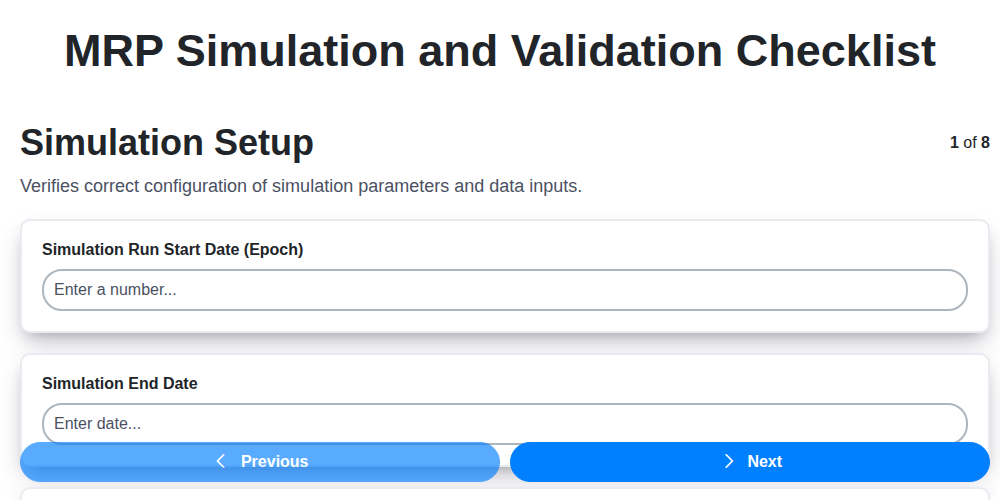
Table of Contents
- Introduction: Why MRP Simulation & Validation Matters
- 1. Simulation Setup: Laying the Foundation
- 2. Data Accuracy Verification: The Cornerstone of Reliable Results
- 3. Defining Realistic Scenarios: Testing the MRP System's Limits
- 4. Executing the Simulation: Running the Process
- 5. Output Analysis - Material Requirements: Diving into Material Needs
- 6. Output Analysis - Capacity Constraints: Assessing Resource Limitations
- 7. Cost Impact Assessment: Understanding Financial Implications
- 8. Plan Adjustments and Refinement: Fine-Tuning the System
- 9. Validation: Ensuring Accuracy and Reliability
- 10. Documentation: Recording the Simulation Process
- 11. Reporting: Communicating Findings and Recommendations
- 12. Key Performance Indicators (KPIs) for Simulation Success
- Conclusion: Continuous Improvement with MRP Simulation
- Resources & Links
TLDR: Running MRP simulations is crucial for accurate planning, but complex! This checklist guides you through setup, data checks, scenario testing, output analysis (materials, capacity, costs), adjustments, validation, and thorough documentation. Use it to minimize errors, optimize production, and confidently trust your MRP system's output.
Introduction: Why MRP Simulation & Validation Matters
MRP (Material Requirements Planning) is the backbone of many manufacturing operations, but simply having an MRP system isn't enough. It needs to be accurate and reliable to avoid costly mistakes, production delays, and frustrated stakeholders. That's where MRP simulation and validation come in.
Think of it like this: you wouldn't fly an airplane without rigorous testing, right? MRP simulation and validation are your flight checks for your production plan. They allow you to proactively identify potential problems - from inaccurate data to unrealistic schedules - before they disrupt your actual production.
Running simulations allows you to stress-test your MRP system under various scenarios, uncover hidden bottlenecks, and ensure your plan aligns with your business goals. Without validation, you're essentially flying blind, hoping your MRP system is working as intended. This blog post will outline a comprehensive checklist to ensure your MRP simulations are thorough and your production plans are robust - leading to greater efficiency, reduced costs, and improved customer satisfaction.
1. Simulation Setup: Laying the Foundation
Before you can even begin to interpret results, a robust and accurate simulation setup is absolutely critical. This initial phase dictates the reliability of your entire MRP validation process. It's more than just entering data; it's about crafting a simulation environment that realistically mirrors your operational landscape.
First, ensure you've selected the appropriate MRP simulation tool. Consider factors like its compatibility with your current ERP system, its ability to handle your business complexity, and ease of use. Once the tool is chosen, configure it to reflect your facility layout, bill of materials (BOM) structure, routing processes, and lead times.
Next, clearly define the simulation's scope and duration. Are you simulating a specific product family, a particular time period, or the entire operation? Consider seasonality, planned maintenance, and other factors that influence demand.
Finally, establish clear parameters for the simulation itself. This includes defining the start date, ending date, forecasting methods, safety stock levels, and any constraints you want to explicitly test. A well-defined setup will set you up for meaningful insights and actionable results. Don't rush this step - it's the cornerstone of a successful MRP validation.
2. Data Accuracy Verification: The Cornerstone of Reliable Results
MRP simulations are only as good as the data they's fed. Garbage in, garbage out - it's a cliché for a reason! Before you even think about running a simulation, rigorous data accuracy verification is absolutely critical. This isn't just a quick glance; it's a thorough, systematic review.
Here's what you need to focus on:
- Bill of Materials (BOM): This is the foundation. Verify that every component and raw material is correctly linked to the finished product, with accurate quantities. Missing or incorrect components will lead to flawed planning.
- Inventory Levels: Confirm accurate stock levels for all items. Discrepancies here will directly impact planned orders and potential shortages. Regularly reconcile physical inventory counts with system records.
- Lead Times: Lead times for procurement and internal operations must be up-to-date. Errors here will distort planned order quantities and delivery dates.
- Routing Information: Ensure routings accurately reflect the steps and resources needed for production. Incorrect routings can throw off capacity planning and material requirements.
- Unit of Measure Consistency: Pay close attention to units of measure. Inconsistencies can lead to significant errors in calculations.
- Supplier Data: Verify supplier lead times and minimum order quantities. Changes in supplier performance directly impact your plan.
- Demand Forecasts: Scrutinize the accuracy of your demand forecasts. These are the drivers of the entire MRP process, so inaccuracies will ripple through the entire plan.
How to Validate Data:
- Cross-Referencing: Compare data from multiple sources (ERP system, spreadsheets, supplier portals).
- Physical Verification: Conduct periodic physical inventory counts and compare them to system records.
- Data Audits: Implement regular data audits to identify and correct errors.
- User Training: Ensure all users involved in data entry are properly trained on data entry procedures and the importance of accuracy.
Don't underestimate the time and effort required for this step. Investing in data accuracy verification upfront will save you significant headaches and costly errors down the line.
3. Defining Realistic Scenarios: Testing the MRP System's Limits
A robust MRP simulation isn't just about running the system with "typical" data. It's about proactively identifying potential bottlenecks and vulnerabilities. This requires defining scenarios that push the system to its limits and expose hidden weaknesses.
Think beyond your average week's production. Consider these scenario types:
- Demand Spikes: Simulate sudden, unexpected surges in customer orders. How does the system react? Does it trigger unnecessary orders, or can it gracefully handle the increased demand? Vary the magnitude and duration of the spike.
- Supply Disruptions: Model a key supplier experiencing delays or shortages. Explore different degrees of disruption - a few days, a week, a month - and assess the impact on production schedules and inventory levels.
- Engineering Changes: Introduce a new product or a significant change to an existing one. How does the MRP system handle the revised BOMs (Bill of Materials) and routing instructions?
- Unexpected Machine Downtime: Simulate a critical machine breaking down and being unavailable for a defined period. Evaluate the rescheduling capabilities and the impact on overall production.
- Inventory Accuracy Issues: Intentionally introduce minor discrepancies in on-hand inventory levels to see how the system compensates and if it flags the inconsistencies.
When defining these scenarios, don't be afraid to be pessimistic. The goal is to discover vulnerabilities before they become real-world problems impacting your business. Document the assumptions behind each scenario clearly to facilitate analysis and reproducibility.
4. Executing the Simulation: Running the Process
Now that your simulation environment is set up and your data has been rigorously verified, it's time to actually run the simulation. This phase is where the rubber meets the road, and where you'll begin to see how your MRP system responds to defined scenarios.
Scenario Definition and Execution: Before pressing go, clearly define the scenarios you want to test. These should represent realistic, and potentially challenging, situations. Consider variations in demand (spikes, drops, seasonality), lead time fluctuations, supplier delays, and changes in production schedules. Each scenario should have a defined start and end date, and be documented along with its purpose.
The execution itself is typically straightforward within your MRP system's simulation module. Input the parameters defined in your scenario - the start date, demand forecasts, etc. - and initiate the simulation run. Avoid making any changes to the system during the simulation; the goal is to observe its behavior under the defined parameters. The simulation's execution time will vary depending on the complexity of your model and the data volume.
Monitoring During Execution: While the simulation runs, monitor the process, if your system allows. Look for any immediate errors or warnings that might indicate issues. Keep a log of the start and end times for each simulation run, as well as any observed anomalies. This log will be invaluable for later analysis and troubleshooting. Remember, the more information you capture during this stage, the easier it will be to understand the simulation's results.
5. Output Analysis - Material Requirements: Diving into Material Needs
The MRP simulation isn't just about running the system; it's about rigorously examining the resulting material requirements plan. This stage is critical for identifying potential issues before they impact production.
Start by scrutinizing the planned order releases. Are the quantities reasonable and aligned with anticipated demand? Look for any unexpectedly high or low order quantities - these often flag errors in demand forecasting, bill of materials (BOM) definitions, or lead time settings. Pay close attention to early planned order releases; these are the first indicators of issues that can ripple through the entire plan.
Next, analyze the planned order dates. Do they make sense given your vendor lead times and internal processing times? Investigate any instances where planned orders are released very early or very late - these can indicate constraints elsewhere in the plan.
Don't forget to look at the material requirements for all levels of the BOM. A seemingly minor error in a component requirement can have a significant impact on higher-level assemblies.
Finally, compare the output against historical data and current inventory levels. Are the projected material needs consistent with past experiences? Are current safety stock levels adequate to cover potential fluctuations in demand or supply? Any significant discrepancies should be investigated further to ensure the MRP system accurately reflects your material needs. This phase should involve close collaboration between planning, procurement, and production teams.
6. Output Analysis - Capacity Constraints: Assessing Resource Limitations
The Material Requirements Planning (MRP) simulation isn't just about confirming you can build something; it's about understanding how you're going to build it, and whether your resources can handle the load. This section focuses specifically on analyzing capacity constraints revealed by your simulation.
Start by meticulously reviewing the MRP output related to workload per resource. This includes workstations, machines, and even labor hours. Are any resources consistently showing as overloaded? Look beyond simply seeing a red flag; dig deeper to understand why the constraint exists. Is it a lack of equipment, insufficient staffing, or bottlenecks in the process itself?
Pay particular attention to:
- Bottleneck Identification: Which resources are the most consistently overloaded? These are your critical bottlenecks.
- Load Profiles: Analyze the load over time. Are there specific periods of peak demand that exacerbate the constraints? Understanding cyclical patterns is crucial for effective planning.
- Setup Times: Don't forget to account for setup times. These can significantly impact capacity and aren't always immediately obvious.
- Maintenance Schedules: Factor in planned maintenance downtime. This impacts available capacity and should be considered in your simulation setup.
- Alternative Resources: Can tasks be shifted to alternative resources or outsourced? The simulation will help you evaluate the impact of these options.
A clear understanding of capacity constraints allows for proactive adjustments. Ignoring them can lead to missed deadlines, increased costs, and ultimately, dissatisfied customers. This output analysis isn't just about identifying problems; it's about building a plan to overcome them.
7. Cost Impact Assessment: Understanding Financial Implications
MRP simulations aren't just about schedules and material flow; they're powerful tools for predicting and managing costs. This phase drills down into the financial impact of your simulated plan.
What to Consider:
- Material Cost Fluctuations: The simulation should incorporate current material costs. However, it's crucial to assess sensitivity - what happens if raw material prices increase? Use "what-if" scenarios to gauge the impact of price volatility.
- Inventory Holding Costs: Accurate simulation output allows you to identify potential overstocking situations. Calculate the cost of holding excess inventory, including storage, insurance, and obsolescence. The goal is to minimize these costs without risking stockouts.
- Labor Costs: Consider the labor involved in production runs - setup times, machine operation, and quality control. Changes in production schedules, identified through simulation, can directly impact labor costs. Factor in potential overtime.
- Tooling and Setup Costs: Changes in the production sequence or product mix can affect tooling and setup costs. The simulation should highlight any increases that result from these adjustments.
- Transportation Costs: Changes in material orders and finished goods shipments directly influence transportation expenses. Analyze the cost implications of changes in order quantities and delivery schedules.
- Impact of Delays: If the simulation reveals potential delays, quantify the associated costs. These might include expedited shipping charges, penalties for late deliveries, or lost sales opportunities.
Actionable Steps:
- Develop Cost Models: Create simple models that link production variables (material usage, labor hours, machine time) to cost drivers.
- Scenario Analysis: Run simulations with varying cost assumptions to understand the range of potential financial outcomes.
- Sensitivity Analysis: Identify the cost drivers that have the greatest impact on the overall plan and focus on managing those variables effectively.
- Compare to Baseline: Compare the costs projected in the simulation against your current cost structure to identify areas for improvement.
8. Plan Adjustments and Refinement: Fine-Tuning the System
The simulation and validation process isn't just about identifying problems; it's about building a robust and reliable MRP system. The insights gained from the previous steps-particularly the output analyses and cost impact assessments-should directly inform plan adjustments and refinement. This is where you move from diagnosis to solution.
Consider these common adjustment areas:
- Bill of Materials (BOM) Revisions: Simulation might reveal inaccuracies in BOM structure, leading to excessive or insufficient material requirements. Adjustments here are critical.
- Lead Time Modifications: Perhaps a supplier's lead time is consistently underestimated. Fine-tune these values based on observed performance.
- Safety Stock Optimization: The simulation can highlight whether safety stock levels are too high (tying up capital) or too low (creating shortages). Adjust accordingly.
- Production Scheduling Rules: Are the rules prioritizing the right orders? Do they account for machine capabilities and setup times accurately? Revise as needed.
- Routing Adjustments: If bottlenecks are consistently exposed, re-evaluate the production routes and consider alternative methods.
- Resource Allocation: Based on capacity constraint analysis, redistribute resources to alleviate bottlenecks and optimize overall throughput.
Don't make changes in a vacuum. Each adjustment should be carefully documented, with clear justification for the change and an expectation of the impact. After each adjustment, rerun the simulation to validate that the change achieved the desired outcome and didn't introduce unintended consequences elsewhere in the system. This iterative refinement process is key to achieving optimal MRP performance. This is not a one-and-done process; continuous monitoring and adjustment are necessary to keep your MRP system aligned with evolving business needs.
9. Validation: Ensuring Accuracy and Reliability
Simulation and validation aren't just about running a scenario; they's about proving the simulation delivers trustworthy results. This final stage is critical for building confidence in your MRP system and avoiding costly errors in production.
Validation moves beyond just checking for immediate failures. It involves a layered approach:
- Compare Simulated Results with Historical Data: Run simulations using historical demand and production data. How do the simulated results (material usage, lead times, etc.) align with what actually happened? Significant deviations require investigation and adjustment of your simulation parameters.
- What-If Analysis with Known Outcomes: Introduce small, controlled changes to your simulation (e.g., a slight increase in demand for a specific item) and observe the ripple effect. Do the changes propagate logically through the system? This helps confirm the simulation accurately reflects dependencies.
- User Acceptance Testing (UAT): Involve key users (production planners, buyers) to review the simulation results and workflows. Their practical experience and understanding of the business can uncover issues the technical team might miss.
- Sensitivity Analysis: Vary key input parameters (lead times, safety stock levels) within reasonable ranges to understand the impact on the overall plan. This identifies critical areas where small changes can have a significant impact.
- Document Discrepancies and Adjustments: Any discrepancies found during validation must be meticulously documented along with the corrective actions taken. This creates an audit trail and provides a reference point for future simulations.
Successful validation isn't about achieving perfection; it's about identifying and mitigating risks, increasing confidence in your MRP system, and ultimately, enabling better production decisions.
10. Documentation: Recording the Simulation Process
Thorough documentation is the unsung hero of MRP simulation and validation. It's not just about ticking a box; it's about creating a repeatable, auditable record of your process, enabling continuous improvement and ensuring reliability. This documentation should be comprehensive and accessible to all relevant stakeholders.
What should you document? Start with the basics: the simulation's objective - what were you hoping to achieve? Clearly outline the simulation parameters used, including the version of the MRP system, any custom settings, and the date the simulation ran. Detail the data used - identify data sources, any modifications made, and who was responsible for data input.
Crucially, record everything you do. Note any deviations from the original plan, unexpected results, and the rationale behind any adjustments made during the validation process. Document the team involved, their roles, and contact information. Create a version history for the simulation model itself, outlining changes and their impact.
Finally, ensure that your documentation includes a clear summary of the conclusions reached - highlighting areas of strength, potential weaknesses, and recommendations for future improvements. This record isn't just for this simulation; it's a valuable resource for refining your MRP processes and ensuring future simulations are even more effective. A well-documented simulation is a testament to a rigorous and trustworthy validation process.
11. Reporting: Communicating Findings and Recommendations
The final, and crucial, step in MRP simulation and validation is clear and concise reporting. This isn't just about compiling data; it's about translating complex simulation results into actionable insights for stakeholders. Your report should be tailored to your audience - a C-suite audience will require a high-level overview with key takeaways, while production planners might need more granular details.
Here's what your reporting should include:
- Executive Summary: A brief overview of the simulation's purpose, key findings, and recommendations. This should be easily digestible and highlight the most critical issues and potential benefits.
- Methodology: Briefly describe the simulation setup, data sources, and assumptions made. This lends credibility and allows for scrutiny.
- Key Findings: Present the results of each analysis area - Material Requirements, Capacity Constraints, Cost Impact - clearly and visually. Charts and graphs are invaluable here. Highlight any significant discrepancies or red flags.
- Recommendations: This is the actionable part of the report. Clearly state what adjustments are needed - changes to planning parameters, inventory levels, capacity, or processes. Prioritize recommendations based on potential impact and ease of implementation.
- Supporting Data: Include tables and detailed data for those who want to dig deeper.
- Limitations: Acknowledge any limitations of the simulation - data gaps, simplifying assumptions, etc. - to manage expectations.
- Next Steps: Outline the plan for implementing recommendations and scheduling follow-up simulations to monitor progress.
Effective reporting ensures that the time invested in simulation and validation translates into tangible improvements in your MRP system and overall operational efficiency.
12. Key Performance Indicators (KPIs) for Simulation Success
MRP simulations are valuable, but only if you can definitively say they're delivering accurate and reliable results. To do this, you need to track specific Key Performance Indicators (KPIs) throughout the simulation process and beyond. Here are some crucial KPIs to monitor:
- Data Accuracy Rate: Track the percentage of data points (BOMs, lead times, inventory levels) that were accurately reflected in the simulation. A lower rate necessitates further data cleansing efforts.
- Scenario Coverage: What percentage of your most common or critical production scenarios did you include in the simulation? Higher coverage indicates a more robust validation.
- Deviation from Actuals (Material Requirements): Compare predicted material requirements from the simulation with actual material usage over a defined period. A low deviation signifies a well-calibrated simulation.
- Constraint Identification Accuracy: How accurately did the simulation identify capacity bottlenecks compared to observed bottlenecks in actual production?
- Cost Variance: Monitor the difference between simulated costs and actual costs. Significant variances warrant investigation and potential model adjustments.
- Plan Adherence Rate: After implementing changes based on simulation results, track how closely the production plan adheres to the revised schedule.
- Simulation Execution Time: Track the time it takes to run the simulation. Optimizing this time allows for more frequent simulations and faster decision-making.
- User Adoption Rate: Are the users comfortable and confident using the simulation model? Low adoption may point to usability or training issues.
- Exception Handling Rate: Track the number of exceptions or unexpected events flagged by the simulation that required manual intervention.
- Lead Time Reduction: Measure any reduction in lead times resulting from improvements identified and implemented through the simulation.
- Inventory Turns Improvement: Track how simulation-driven adjustments impact inventory turnover rates.
- Decision Confidence Level: Assess the team's confidence in making production decisions based on the simulation results - a subjective but vital indicator of simulation value.
Conclusion: Continuous Improvement with MRP Simulation
MRP simulation isn't a one-and-done activity. It's a crucial component of a continuous improvement cycle for your manufacturing processes. The validation checklist outlined in this article provides a solid framework, but remember that your business is dynamic. Market conditions change, product lines evolve, and supplier performance fluctuates. Regularly revisiting your simulation models - perhaps quarterly or annually, or even more frequently depending on your industry - ensures they remain relevant and accurate. Use the insights gained from each simulation to refine your planning parameters, identify opportunities for process optimization, and proactively address potential bottlenecks. By embedding MRP simulation and validation into your ongoing operations, you're not just reacting to problems; you're actively building a more resilient, efficient, and responsive supply chain.
Resources & Links
- APICS (The Association for Supply Chain Management): A leading professional organization for supply chain and operations professionals. Offers resources, certifications (like CPIM & CSCP), and research related to MRP and production planning.
- Oracle (Manufacturing Cloud): A major ERP provider with a strong focus on manufacturing. Offers insights and documentation related to MRP functionality within their systems, even if not directly using Oracle, their guides can be helpful.
- SAP (SAP S/4HANA): Another leading ERP provider with extensive MRP capabilities. Offers documentation, tutorials, and best practices for MRP simulation within the SAP ecosystem. Similar to Oracle, it offers a wealth of information even for non-SAP users.
- NetSuite (Oracle NetSuite): A cloud-based ERP system often used by mid-sized businesses. Provides resources and documentation specific to MRP simulation within the NetSuite platform.
- Infor: Another ERP vendor with manufacturing-focused solutions. Provides information on MRP simulation and best practices tailored to their systems.
- MFG Automator: Blog and resource site dedicated to manufacturing automation and optimization. Contains articles and tutorials covering MRP systems, simulation best practices, and related topics.
- Supply Chain Dive: A news website providing in-depth coverage of the supply chain industry. Can offer articles and insights on emerging trends in MRP and simulation techniques.
- Gartner: A research and advisory company. Provides reports and analysis on ERP and supply chain management technologies, including MRP and simulation. (Note: Often requires paid subscription for full access.)
- The Knowledge Group: Offers industry-specific research and training. Provides webinars and articles about MRP and manufacturing process optimization.
- Manufacturing Leadership Magazine: Magazine covering the latest trends and best practices in manufacturing. Articles often discuss MRP, planning, and simulation strategies.
Frequently Asked Questions
What is MRP simulation and why is it important?
MRP (Material Requirements Planning) simulation involves running a 'what-if' scenario within your MRP system to forecast material needs based on changes in demand, production schedules, or other factors. It's important because it allows you to proactively identify potential shortages, excess inventory, or bottlenecks *before* they impact production and customer orders, allowing for adjustments and mitigating risks.
What is MRP validation and how does it differ from simulation?
MRP validation is the process of verifying that your MRP system's calculations and planning outputs are accurate and reliable. While simulation explores future scenarios, validation ensures the system itself is performing correctly using historical data and current settings. Validation confirms the system is calculating material requirements accurately; simulation uses that accurate system to predict outcomes.
Who should be involved in MRP simulation and validation?
A cross-functional team is ideal. This should include representatives from planning, procurement, production, finance, and potentially sales. Each department brings a different perspective and understanding of the business that is crucial for accurate analysis and informed decision-making.
What are the key steps in the MRP validation checklist?
Key steps include: data accuracy verification (BOMs, routings, inventory levels, lead times); formula and algorithm review; report validation (comparing system output to manual calculations); system configuration checks; and finally, user acceptance testing to confirm the system meets business needs.
What are common pitfalls to avoid during MRP simulation?
Common pitfalls include: using unrealistic demand forecasts; neglecting transportation lead times; not accounting for planned downtime or constraints; failing to consider supplier capacity; and not simulating the impact of changes on downstream processes.
How often should MRP simulations be performed?
The frequency depends on your business's volatility. Generally, simulations should be run at least monthly, more frequently (weekly or even daily) for companies with highly variable demand or short lead times. Significant changes to the master data (BOMs, routings, supplier lead times) also warrant immediate simulations.
What are some key metrics to track during MRP simulation?
Key metrics include: net inventory levels; planned order quantities; supplier lead time impact; production schedule adherence; material shortages; and total cost of inventory (holding costs + shortage costs).
What documentation should be maintained for MRP validation and simulation?
Document all validation and simulation runs, including: the parameters used; the results obtained; any assumptions made; any corrective actions taken; and the individuals responsible for each step. This documentation provides an audit trail and facilitates continuous improvement.
How can I improve the accuracy of my MRP simulation results?
Improve accuracy by: refining demand forecasting techniques; regularly updating master data; incorporating constraint-based planning; using statistical modeling; reviewing and adjusting planning parameters based on historical performance; and regularly training planning staff.
What role does data governance play in successful MRP simulation and validation?
Data governance is critical. Accurate and consistent data is the foundation of reliable MRP simulations and validations. A robust data governance program ensures data quality, standardization, and accessibility, minimizing errors and improving the integrity of the planning process.
Found this Article helpful?
Comments
There are no comments yet. Be the first to add one!
Related Articles
MRP System Performance Monitoring Checklist: Ensure Peak Efficiency
MRP System Implementation Checklist: Your Step-by-Step Guide

Top 10 MRPeasy Alternatives for 2025

The 5 Best Bill of Materials (BOM) Management Software of 2025
MRP Planning Parameter Setup Checklist: Your Guide to Accuracy & Efficiency

The 10 Best Manufacturing Management Software of 2025
How to improve your Bill of Materials (BOM) Management
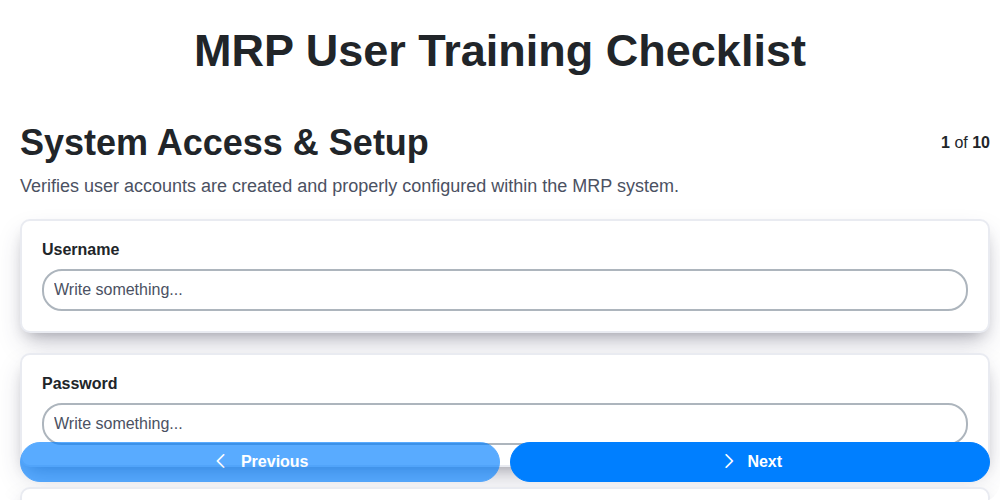
MRP User Training Checklist: Ensuring Proficiency & Success
We can do it Together
Need help with
Material Requirements Planning (MRP)?
Have a question? We're here to help. Please submit your inquiry, and we'll respond promptly.