MRP System Documentation Checklist: A Comprehensive Guide
Published: 12/14/2025 10:00 PM Updated: 12/15/2025 1:29 PM
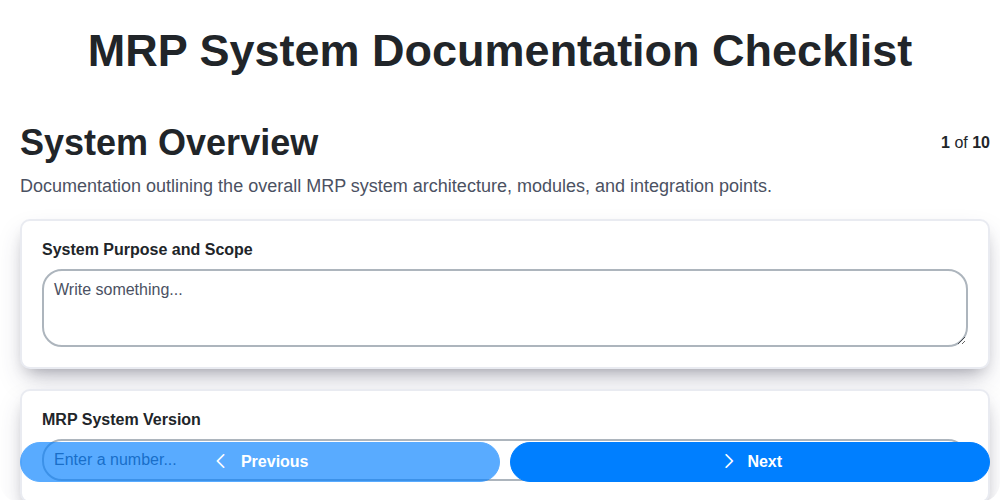
Table of Contents
- Introduction: Why Robust MRP Documentation is Crucial
- 1. System Overview: Laying the Foundation
- 2. Master Data Definitions: Defining Your Assets
- 3. Configuration Settings: Documenting the Setup
- 4. Process Flows: Mapping the Work
- 5. User Manuals: Empowering Your Team
- 6. System Interface Guides: Connecting the Pieces
- 7. Security Protocols: Protecting Your Data
- 8. Troubleshooting Guide: Addressing Common Issues
- 9. Release Notes: Tracking Updates and Changes
- 10. Disaster Recovery Plan: Ensuring Business Continuity
- 11. Version Control and Updates: Maintaining Accuracy
- 12. Accessibility and Distribution: Making Documentation Available
- Conclusion: The Value of a Well-Documented MRP System
- Resources & Links
TLDR: Implementing or maintaining an MRP system? This checklist ensures you have all the critical documentation covered - from system setup and data definitions to troubleshooting and disaster recovery. Use it to avoid costly errors, streamline training, and keep your MRP system running smoothly!
Introduction: Why Robust MRP Documentation is Crucial
Manufacturing Resource Planning (MRP) systems are the backbone of many modern production environments. They streamline processes, optimize inventory, and ultimately, drive profitability. However, even the most sophisticated MRP system is only as effective as its documentation. Think of your MRP system as a complex machine - without a comprehensive manual, users will struggle, errors will multiply, and the entire system's potential will remain untapped.
This isn't just about having a few scattered documents; it's about creating a living and accessible resource that supports every stage of the MRP lifecycle, from initial implementation to ongoing maintenance and upgrades. Poor documentation leads to frustration, increased training time, reliance on a few "expert" users, and a significant risk of data corruption or system failure. Investing in robust MRP documentation isn't an expense; it's an investment in efficiency, stability, and the long-term success of your manufacturing operations. This checklist outlines the essential components that contribute to a truly effective and maintainable MRP system.
1. System Overview: Laying the Foundation
A robust MRP system documentation starts with a comprehensive System Overview. This isn't just a brief description; it's the bedrock upon which all other documentation rests. This section should clearly articulate the purpose of your MRP system - what problems it solves and what business processes it supports.
Detail the scope of the system, outlining which modules are included (e.g., Production Planning, Inventory Management, Purchasing) and any integrated systems. Briefly describe the architecture - whether it's a cloud-based solution, on-premise installation, or a hybrid. Include a high-level diagram illustrating the system components and their interdependencies.
For new users or those unfamiliar with the overall setup, this section provides essential context. For experienced users, it acts as a handy reference point. Ultimately, the System Overview establishes a shared understanding of what the MRP system is and why it's in place, paving the way for more detailed documentation to follow.
2. Master Data Definitions: Defining Your Assets
Master data within your MRP system is the bedrock of accurate planning and execution. It represents the core entities - materials, BOMs (Bills of Materials), routings, vendors, customers - that your business operates on. A well-defined and consistently maintained master data set is crucial for preventing errors, improving data integrity, and ultimately, driving efficiency.
Your MRP documentation checklist should dedicate a significant section to detailing your master data definitions. This isn't just about listing fields; it's about explaining the meaning behind them. Consider including the following:
- Data Ownership: Clearly define who is responsible for creating, updating, and approving each master data record.
- Data Standards: Outline the acceptable formats, units of measure, and value ranges for each field. For example, material codes, vendor part numbers, or lead times.
- Approval Workflows: Document the steps required to create, modify, and delete master data records, including approval authorities and timelines.
- Data Validation Rules: Specify the validation checks in place to ensure data accuracy and prevent errors. This might include mandatory fields, allowable character lengths, or range checks.
- Version Control: Explain how different versions of master data records are managed and tracked.
- Cross-Referencing: Illustrate how different master data elements relate to each other (e.g., how a material is linked to a BOM and a routing).
- Examples: Provide concrete examples of correctly populated master data records for common scenarios.
A comprehensive master data definition section helps ensure everyone understands the meaning, purpose, and governance of your core business data within the MRP system, paving the way for reliable planning and execution.
3. Configuration Settings: Documenting the Setup
This section is arguably the heart of your MRP system documentation. It details how the system is set up to meet your specific business needs. This isn't just a list of checkboxes; it's a comprehensive record of decisions made and parameters defined.
What to Include:
- Module-Specific Configurations: Break down configurations by module (e.g., Production Planning, Inventory Management, Purchasing). For each module, list every key parameter that has been altered from the default settings. Be specific! Increased safety stock levels isn't enough; document which items have increased safety stock, by how much, and the rationale behind the change.
- Parameter Justification: Why was a setting adjusted? This is crucial for future users (including yourself!) to understand the logic behind the configuration. Refer to business requirements or approvals where applicable.
- Units of Measure: Clearly document all units of measure used within the system and how they relate to your business processes.
- Version Control: Track which configuration changes were made when, by whom, and why. A simple revision history table is incredibly valuable.
- Default Values & Customizations: Note any default values that were overridden and any customizations implemented.
- Integration Settings: If the MRP system integrates with other systems (e.g., accounting, CRM), detail the integration settings - connection details, data mapping, and scheduling.
- Screenshots & Diagrams: Visual aids can make complex configurations easier to understand. Capture screenshots of critical settings screens and use diagrams to illustrate data flows.
- Approval Process: Document the approval process for any configuration changes.
Example Configuration Elements to Document:
- Lead Times (raw materials, work orders, finished goods)
- Lot Sizing Rules
- Work Center Definitions and Capacity
- Routing Procedures
- Inventory Valuation Methods
- Planning Horizons
- BOM (Bill of Materials) Defaults
4. Process Flows: Mapping the Work
MRP systems aren't just databases; they're engines driving your manufacturing processes. Documenting these processes with clear and concise flowcharts is critical for both initial implementation and ongoing maintenance. Your MRP documentation checklist must include detailed process flow diagrams.
What should these diagrams cover? Think about everything from order entry to production planning, shop floor execution, and finally, shipping. Each flow should:
- Start and End Points: Clearly define where the process begins and ends.
- Decision Points: Highlight key decision points and the logic behind them (e.g., If material availability < required quantity, then...).
- Roles & Responsibilities: Indicate which individuals or departments are involved in each step.
- System Transactions: Show the specific MRP system transactions (e.g., creating a purchase order, releasing a production order) that occur.
- Data Input/Output: Illustrate the data that is entered and produced at each stage.
Don't just focus on the "happy path." Include alternate flows for exceptions and error handling - what happens when a supplier is late, or a machine breaks down? This level of detail ensures users understand the entire scope of the process and how to respond to various scenarios. Consider using standard flowchart symbols for consistency and clarity. Regularly review and update these flowcharts to reflect any process changes within the manufacturing environment.
5. User Manuals: Empowering Your Team
Your MRP system is powerful, but its power is only realized when your team understands how to use it effectively. Comprehensive user manuals are absolutely critical for successful adoption and ongoing operation. These shouldn't just be dry technical documents; they should be practical, step-by-step guides designed for all levels of users, from seasoned planners to newer administrative staff.
Consider breaking down your user manuals into distinct sections based on user roles and common tasks. For example, you might have separate manuals for:
- Planners: Covering material requirements planning, production scheduling, and inventory management.
- Buyers: Focusing on purchase order creation, vendor management, and price negotiations.
- Warehouse Staff: Detailing receiving, put-away, picking, and shipping procedures.
- Administrators: Covering system maintenance tasks and user account management (with appropriate security restrictions, of course).
Include screenshots, clear language, and plenty of examples to make the information easily digestible. Regularly review and update your user manuals to reflect system changes and evolving workflows. Think of them as living documents that grow alongside your MRP system. Don't underestimate the impact of well-crafted user manuals - they're a direct investment in user competency and overall system performance.
6. System Interface Guides: Connecting the Pieces
Your MRP system rarely operates in a vacuum. It likely needs to communicate with other critical business applications - accounting software, CRM systems, warehouse management platforms, and more. That's where System Interface Guides become absolutely crucial.
These guides document exactly how your MRP system integrates with these other applications. They detail the data formats exchanged, the protocols used (API calls, file transfers, etc.), the frequency of synchronization, and the responsible parties for each integration. A good System Interface Guide should cover:
- Data Mapping: Clearly define which fields in the MRP system correspond to fields in the integrated system. Ambiguity here can lead to data corruption and inaccurate reporting.
- Communication Methods: Outline the specific technologies used for data exchange (e.g., REST APIs, FTP, EDI).
- Error Handling: Detail procedures for identifying, resolving, and logging errors that occur during data transfer. What happens when a transaction fails? Who gets notified?
- Scheduling and Frequency: Specify the schedule for data synchronization (e.g., daily, hourly, real-time).
- Security Considerations: Describe any security measures in place to protect sensitive data during transfer.
Without comprehensive System Interface Guides, troubleshooting integration issues becomes a nightmare, upgrades are risky, and maintaining data consistency across your business is nearly impossible. They are not optional; they are foundational for a smoothly functioning MRP environment.
7. Security Protocols: Protecting Your Data
Your MRP system houses critical data - supplier information, inventory levels, production schedules, and more. Robust security protocols are non-negotiable to safeguard this data from unauthorized access, breaches, and potential disruptions. This section of your documentation should meticulously detail the measures in place.
Key areas to cover within your security protocols documentation:
- Access Control: Describe the user roles and permissions system. Who has access to what data, and how are these permissions managed and reviewed? Include details on multi-factor authentication (MFA) if implemented.
- Password Management: Outline password complexity requirements, expiration policies, and procedures for password resets.
- Data Encryption: Detail whether data is encrypted at rest and in transit. Specify the encryption methods used.
- Firewall Configuration: Explain how firewalls protect the system from external threats.
- Regular Security Audits: Document the frequency and scope of security audits, including details on vulnerability scanning and penetration testing.
- Data Loss Prevention (DLP): If DLP measures are in place to prevent sensitive data from leaving the system, outline their functionality and configuration.
- Incident Response Plan: Briefly describe the process for handling security incidents and data breaches. Reference the full Incident Response Plan document.
- Compliance Requirements: List any relevant compliance standards (e.g., GDPR, HIPAA) and how the system adheres to them.
This documentation is not just for IT personnel; it should also be accessible to key stakeholders to ensure everyone understands their role in maintaining system security.
8. Troubleshooting Guide: Addressing Common Issues
An effective MRP system is a powerful tool, but like any complex software, it can encounter hiccups. A comprehensive Troubleshooting Guide is essential for minimizing downtime and empowering your team to resolve common issues quickly. This guide shouldn't just list errors; it should provide solutions.
Here's what a solid troubleshooting guide should cover:
- Error Code Explanations: A clear explanation of common error codes and their underlying causes. Don't assume everyone knows what "Error 404" means - explain it in the context of your MRP system.
- Step-by-Step Resolutions: Detailed, step-by-step instructions for resolving frequent errors. Use screenshots or diagrams where helpful.
- Common Data Errors: Address typical data entry mistakes and provide validation rules or prompts to prevent them in the first place. (e.g., "Incorrect unit of measure used: Verify the BOM and inventory records.")
- Integration Issues: If your MRP system integrates with other platforms, include troubleshooting steps for common integration failures. (e.g., "Unable to sync with Accounting Software: Check network connection and API credentials.")
- Performance Bottlenecks: Include sections on identifying and resolving performance slowdowns. (e.g., Slow report generation: Check database indexing and server load.)
- Contact Information: Provide clear contact information for internal IT support and/or external vendor support. Categorize contacts based on issue severity.
- Escalation Procedures: Outline the process for escalating issues that can't be resolved by the troubleshooting guide.
- Regular Updates: This guide isn't a set it and forget it document. Regularly update it based on user feedback and emerging issues.
Example Snippet:
Error Code: INV-007 - "Inventory Quantity Discrepancy"
Possible Causes: Data entry error, inaccurate cycle counts, system synchronization issue.
Resolution Steps:
- Verify the physical inventory count against the system record.
- Check for any recent adjustments or transactions that might have affected the quantity.
- If discrepancy persists, compare the system record with the last cycle count report.
- If problem continues, contact inventory control for further investigation.
9. Release Notes: Tracking Updates and Changes
Release notes are arguably one of the most overlooked but critically important documents within your MRP system documentation. They serve as a chronological record of every change, update, and enhancement made to the system. Think of them as the system's memory - they capture what happened, when it happened, and often why it happened.
Good release notes aren't just a list of version numbers. They should detail:
- Version Number: Clearly identify the release.
- Date of Release: Essential for tracking history and rollback potential.
- Summary of Changes: A concise overview of what's new or different.
- Bug Fixes: Specify the bugs addressed and their impact.
- New Features: Describe the functionality introduced.
- Enhancements: Explain improvements made to existing features.
- Known Issues: Acknowledge any unresolved issues that users should be aware of.
- Impact on Users: Highlight any necessary user training or adjustments to workflows.
Maintaining accurate and detailed release notes minimizes confusion, facilitates troubleshooting, and provides a valuable audit trail for system modifications. They are invaluable for both internal teams and, depending on your organization's practices, potentially for key users or even clients. Neglecting release notes can lead to a frustrating and difficult-to-manage MRP system.
10. Disaster Recovery Plan: Ensuring Business Continuity
An MRP system holds critical data - your inventory levels, production schedules, supplier information, and more. Losing access to this data, even temporarily, can halt operations and severely impact your business. A comprehensive Disaster Recovery (DR) plan is non-negotiable.
This plan should outline the steps your organization will take to restore MRP functionality and data in the event of a disruptive incident - whether it's a natural disaster, a cyberattack, or a system failure.
Key components of a robust MRP Disaster Recovery Plan include:
- Data Backup and Replication: Clearly define backup frequency, storage location (offsite is highly recommended), and procedures for restoring data from backups. Automated replication to a secondary location is ideal.
- Alternative System Access: Plan for an alternative method to access critical MRP data, such as a cloud-based backup system or a mirrored server.
- Recovery Time Objective (RTO) and Recovery Point Objective (RPO): Define acceptable downtime (RTO) and the maximum data loss you can tolerate (RPO). This dictates the urgency and sophistication of your DR solution.
- Failover Procedures: Document the steps for transitioning to the backup system or alternative access method.
- Communication Plan: Outline how you'll communicate the disaster, the recovery process, and updates to stakeholders (employees, suppliers, customers).
- Testing and Maintenance: Regularly test the DR plan (at least annually) to identify weaknesses and ensure it remains effective. This should include data restoration and failover simulations.
- Roles and Responsibilities: Clearly assign roles and responsibilities to specific individuals or teams involved in the disaster recovery process.
A well-documented and tested Disaster Recovery Plan provides peace of mind and ensures your business can quickly recover from unforeseen events, minimizing disruption and protecting your bottom line.
11. Version Control and Updates: Maintaining Accuracy
MRP systems aren't static; they evolve with your business. This means your documentation must evolve too. A robust version control system is critical. Clearly label each document with a version number (e.g., v1.0, v1.1, v2.0) and a date. Include a change log within each document outlining specific modifications, the author of those changes, and the reason for the update.
Consider a centralized repository (like SharePoint, Confluence, or a dedicated documentation platform) to manage these versions and control access. This prevents accidental overwrites and ensures everyone is working with the most current information. Regularly review your documentation, ideally as part of scheduled system audits or whenever significant system changes are implemented. Communicate these updates to all relevant users, perhaps through a brief announcement or training session, to maximize adoption and avoid confusion. Outdated documentation can lead to errors and inefficiencies; proactive version control and clear communication keep your MRP documentation a valuable asset.
12. Accessibility and Distribution: Making Documentation Available
Creating comprehensive documentation is only half the battle; ensuring your team can access it is equally crucial. A fantastic troubleshooting guide locked away on a forgotten shared drive is utterly useless. Here's how to make your MRP system documentation readily available and usable:
- Centralized Repository: Establish a single, accessible location for all documentation. This could be a shared network drive, a dedicated documentation platform (like Confluence, SharePoint, or a knowledge base), or even a cloud-based storage solution. Consistency is key - avoid scattered documents across multiple locations.
- Intuitive Organization: Implement a clear and logical folder structure that aligns with the checklist items (System Overview, Master Data, etc.). Use descriptive filenames and tagging to facilitate easy searching.
- Search Functionality: Ensure the chosen platform has robust search capabilities. Users should be able to quickly find what they need by keyword.
- Permissions and Access Control: Define appropriate access levels. Some documents (like security protocols or disaster recovery plans) may require restricted access.
- Version Control: Crucially important! Implement version control to track changes and prevent confusion. Clearly label document versions and maintain an archive of older versions.
- Regular Review & Updates: Schedule periodic reviews to ensure documentation remains accurate and reflects any system changes. Communicate updates to the team.
- Training & Onboarding: Incorporate documentation access and usage into employee onboarding and ongoing training. Demonstrate how to find and utilize the resources.
- Feedback Mechanism: Provide a way for users to provide feedback on the documentation-highlighting areas needing improvement or clarification.
Conclusion: The Value of a Well-Documented MRP System
A robust, well-documented MRP system isn't just about ticking boxes on a checklist; it's an investment in the long-term health and efficiency of your manufacturing operation. It empowers your team, minimizes errors, streamlines training for new hires, and provides a vital safety net during critical events. Neglecting this documentation can lead to costly downtime, frustrated users, and a system that ultimately fails to deliver its promised benefits. By prioritizing a comprehensive MRP system documentation checklist - encompassing everything from system overviews to disaster recovery plans - you're building a foundation for sustainable growth and ensuring your manufacturing processes remain reliable and adaptable to future challenges. It's not an optional extra; it's essential.
Resources & Links
- APICS (The Association for Supply Chain Management): A leading professional organization offering resources, certifications, and events related to supply chain management, including MRP principles and best practices. Great for understanding the underlying concepts and industry standards.
- Oracle: Oracle is a major MRP system vendor. Their website has extensive documentation on their specific MRP solution, which can provide context and examples for various documentation topics. While focused on Oracle, the concepts are often applicable across different systems.
- SAP: Similar to Oracle, SAP is a prominent MRP vendor. Their site offers documentation and support materials related to their MRP system, providing examples and insights into robust documentation.
- NetSuite: Another leading cloud-based ERP system including MRP functionality. Their website contains information on their solution's features and potentially related documentation practices.
- Microsoft Dynamics 365: Microsoft's ERP suite with MRP capabilities. Provides documentation and resources relevant to understanding and implementing MRP systems, including guidance on documentation.
- ISACA (Information Systems Audit and Control Association): Focuses on IT governance, security, and compliance. Provides valuable insights into security protocols documentation, particularly relevant for the 'Security Protocols' section of the checklist.
- TechTarget: A broad IT resource portal with numerous articles and definitions related to ERP, MRP, and IT documentation best practices. Good for general context and understanding common terminology.
- Atlassian (Confluence, Jira): While primarily known for project management and collaboration tools, Atlassian's Confluence is commonly used for internal documentation. Provides a practical platform for distributing and managing your MRP documentation.
- Gartner: A leading research and advisory company. While some resources are behind a paywall, they offer insights into ERP and MRP trends, which can inform your documentation strategy. Useful for understanding industry best practices.
- Smartsheet: Offers project management and collaboration tools which can be used to manage the development, revision and distribution of the MRP documentation. Provides useful templates and guidance.
- Process Street: Offers workflow and checklist software that could be used to maintain and version control MRP documentation processes, facilitating updates and ensuring consistency.
Frequently Asked Questions
What is an MRP system and why do I need documentation?
MRP (Material Requirements Planning) systems are software solutions that plan and manage manufacturing processes. Documentation is crucial for training new users, troubleshooting issues, ensuring consistent processes, and auditing compliance. Without it, efficiency suffers and errors increase.
Who should use this checklist?
This checklist is designed for anyone involved in MRP system implementation, maintenance, training, or auditing, including project managers, system administrators, end-users, and IT professionals.
What types of documentation are covered in this checklist?
The checklist covers various documentation types, including system configuration guides, user manuals, training materials, process flow diagrams, disaster recovery plans, and reporting guidelines. It's broken down into categories for clarity.
How detailed should the documentation be?
The level of detail depends on the complexity of your MRP system and the expertise of your users. Aim for clarity and completeness, ensuring users can perform their tasks confidently. Regularly review and update documentation to reflect changes.
What is a System Configuration Guide and why is it important?
A System Configuration Guide documents the specific settings and customizations made to the MRP system. This ensures that the system can be reliably reproduced or restored, and that changes are understood and controlled.
What's the difference between a User Manual and Training Materials?
A User Manual provides detailed instructions on how to use specific features and functions within the MRP system. Training Materials are designed to onboard new users and provide a more structured learning experience, often incorporating practical exercises.
How often should I update my MRP documentation?
Documentation should be updated whenever changes are made to the system configuration, processes, or user roles. A general rule is to review and update documentation at least annually, or more frequently if significant changes occur.
What is a Disaster Recovery Plan in the context of MRP documentation?
A Disaster Recovery Plan outlines the steps required to restore the MRP system and data in the event of a system failure or natural disaster. It should be documented and tested regularly.
Where should I store MRP documentation?
Documentation should be stored in a centralized, accessible location, preferably in a digital format with version control. This ensures everyone can easily find and access the information they need.
Are there any specific legal or compliance requirements I need to consider when documenting my MRP system?
Depending on your industry and location, there may be specific legal or compliance requirements that dictate certain documentation practices. Consult with legal and compliance experts to ensure adherence to relevant regulations.
Found this Article helpful?
Comments
There are no comments yet. Be the first to add one!
Related Articles
MRP System Performance Monitoring Checklist: Ensure Peak Efficiency
MRP System Implementation Checklist: Your Step-by-Step Guide

Top 10 MRPeasy Alternatives for 2025

The 5 Best Bill of Materials (BOM) Management Software of 2025
MRP Planning Parameter Setup Checklist: Your Guide to Accuracy & Efficiency

The 10 Best Manufacturing Management Software of 2025
How to improve your Bill of Materials (BOM) Management
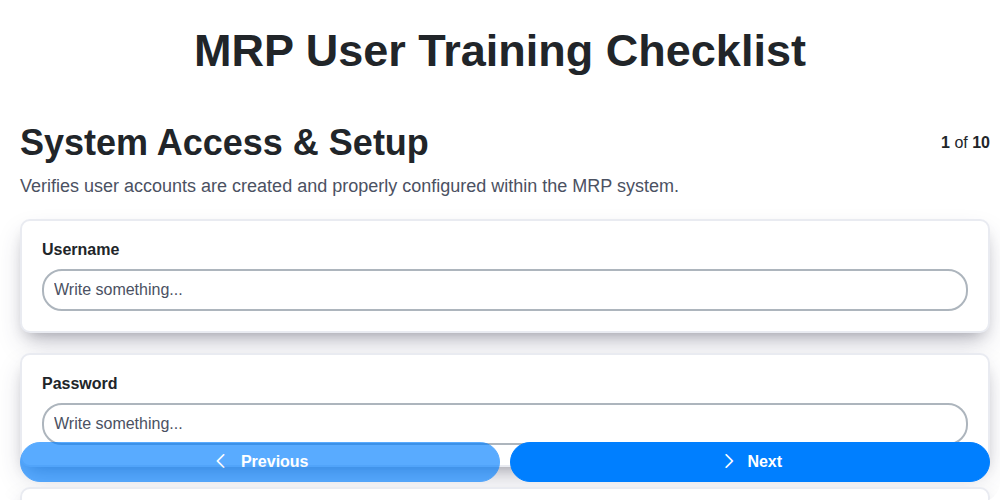
MRP User Training Checklist: Ensuring Proficiency & Success
We can do it Together
Need help with
Material Requirements Planning (MRP)?
Have a question? We're here to help. Please submit your inquiry, and we'll respond promptly.