The 10 Best Warehouse Management System (WMS) Software of 2025
Published: 12/21/2025 Updated: 12/22/2025
Table of Contents
- What is a Warehouse Management System (WMS)?
- Why Your Business Needs a WMS in 2025
- Key Features to Look for in a WMS
- 1. Fishbowl Inventory
- 2. NetSuite WMS
- 3. Zoho Inventory
- 4. Infor WMS
- 5. Manhattan Associates WMS
- 6. Blue Yonder WMS
- 7. ShipHero
- 8. Cin7 Omni
- 9. Wasp InventoryCloud
- 10. Katana MRP
- 11. ChecklistGuro: BPM for Streamlined Warehouse Operations
- Choosing the Right WMS for Your Business
- WMS Implementation: What to Expect
- Resources & Links
TLDR: Overwhelmed by warehouse chaos? This guide breaks down the top 10 WMS software for 2025, covering everything from basic inventory tracking to advanced automation. We explain what each system does, who it's best for, and what key features you should consider to streamline your operations and boost efficiency - so you can finally get a handle on your warehouse!
What is a Warehouse Management System (WMS)?
A Warehouse Management System (WMS) is more than just a software program; it's the brain behind your warehouse operations. Think of it as a centralized hub that manages and optimizes every aspect of your warehousing processes, from the moment inventory arrives until it ships out to the customer.
Traditionally, warehouses relied on manual processes and spreadsheets, which are prone to errors, inefficiencies, and bottlenecks. A WMS automates and streamlines these tasks, offering a real-time view of your inventory, location, and movement.
Here's a breakdown of what a WMS typically does:
- Inventory Management: Tracks stock levels, location, and expiration dates.
- Receiving & Putaway: Guides employees on where to store incoming goods for maximum efficiency.
- Order Management: Prioritizes and manages orders for optimal fulfillment.
- Picking & Packing: Optimizes picking routes and ensures accurate packing.
- Shipping: Automates shipping processes and generates labels.
- Labor Management: Tracks employee performance and optimizes workflows.
- Reporting & Analytics: Provides insights into warehouse performance and identifies areas for improvement.
Ultimately, a WMS helps businesses reduce costs, improve order accuracy, enhance inventory visibility, and boost overall warehouse productivity.
Why Your Business Needs a WMS in 2025
The landscape of warehousing is rapidly evolving. Relying on spreadsheets and manual processes simply won't cut it in 2025 and beyond. Here's why implementing a Warehouse Management System (WMS) isn't just a nice-to-have, but a necessity for businesses of all sizes:
- Rising Customer Expectations: Customers demand faster delivery and order accuracy. A WMS optimizes picking, packing, and shipping, ensuring orders are fulfilled quickly and correctly.
- Increased Competition: E-commerce has intensified competition. Efficient warehouse operations directly impact pricing and profitability. A WMS gives you the edge.
- Rising Operational Costs: Labor costs, rent, and utilities are constantly increasing. A WMS improves inventory accuracy, reduces waste, and optimizes space utilization, lowering overall expenses.
- Inventory Visibility & Accuracy: Eliminate costly stockouts and overstocks. Real-time inventory tracking and reporting give you a clear picture of your stock levels.
- Scalability: As your business grows, a WMS can easily scale to handle increased order volumes and complexity.
- Automation & Efficiency: Automate repetitive tasks, reduce manual errors, and improve overall warehouse efficiency, freeing up your team to focus on strategic initiatives.
- Data-Driven Insights: Gain valuable insights into warehouse performance with detailed reports and analytics to identify areas for improvement.
Key Features to Look for in a WMS
Choosing the right WMS isn't just about picking a name; it's about aligning functionality with your specific warehouse needs. Here's a breakdown of key features to seriously consider:
- Inventory Management: This is the bedrock of any WMS. Look for real-time tracking, cycle counting, lot/batch tracking, and barcode/RFID scanning capabilities. Can it handle different units of measure? Can you easily adjust inventory levels?
- Receiving & Putaway: Efficient receiving processes minimize delays. Features like advance shipping notices (ASN) integration, dock scheduling, and optimized putaway strategies are crucial.
- Order Management & Picking: Look for capabilities like wave picking, zone picking, and pick-to-light functionality to improve order fulfillment speed and accuracy. Can the system prioritize orders based on urgency?
- Shipping & Packing: Integration with shipping carriers, automated packing slips, and optimized packing routes are essential for timely delivery and reduced shipping costs.
- Reporting & Analytics: Comprehensive reports on inventory levels, order fulfillment rates, and labor productivity will allow you to identify bottlenecks and optimize performance.
- Integration Capabilities: Does the WMS integrate with your existing ERP, accounting software, and e-commerce platforms? Seamless integration reduces manual data entry and improves data accuracy.
- Mobile Functionality: A mobile app for warehouse staff enables real-time data capture and improves communication across the warehouse.
- Scalability: Can the system handle future growth in terms of inventory volume, users, and locations?
- User Interface & Ease of Use: A user-friendly interface minimizes training time and improves employee adoption.
- Security: Robust security measures are crucial for protecting sensitive inventory data.
1. Fishbowl Inventory
Fishbowl Inventory stands out as a popular choice, particularly for small to medium-sized businesses already using QuickBooks. It's a robust, all-in-one system designed to manage manufacturing, wholesale distribution, and warehousing operations. Unlike some WMS solutions, Fishbowl Inventory isn't solely focused on warehousing; it integrates seamlessly with accounting, order management, and manufacturing processes - making it ideal for businesses with complex workflows.
Key Strengths:
- QuickBooks Integration: This is arguably its biggest draw. The integration simplifies accounting and order processing significantly.
- Manufacturing Focus: It includes features for work orders, bills of materials, and shop floor control, making it a good fit for manufacturers.
- Bill of Materials (BOM) Management: Easily track and manage components needed for production.
- Serial/Lot Number Tracking: Maintain detailed records for quality control and traceability.
- Multi-Location Support: Manage inventory across multiple warehouses or retail locations.
Potential Drawbacks:
- User Interface: Some users find the interface to be dated compared to newer, more modern WMS systems.
- Customization Limitations: While functional, extensive customization may require third-party development.
- Learning Curve: The depth of features can result in a steeper learning curve for some users.
Pricing: Fishbowl Inventory's pricing is tiered and based on the number of users and modules needed. You'll need to contact them for a custom quote.
2. NetSuite WMS
NetSuite Warehouse Management System (WMS) stands out as a comprehensive solution, particularly well-suited for rapidly growing businesses and those already invested in the broader NetSuite ERP ecosystem. It's more than just a WMS; it's a deeply integrated component of a complete business management platform.
Key Strengths:
- Full ERP Integration: The biggest advantage is its seamless integration with NetSuite's other modules - financials, CRM, e-commerce, and more. This eliminates data silos and provides a unified view of your entire operation.
- Advanced Features: Offers sophisticated functionality including landed cost management, putaway strategies, wave planning, and advanced shipping and receiving.
- Scalability: Easily handles increasing volumes and complexity as your business grows, supporting multiple warehouses and locations.
- Real-Time Visibility: Provides accurate, real-time inventory data and order status updates, improving decision-making and customer service.
- User-Friendly Interface (relative to other ERPs): While still a robust platform, NetSuite has continually improved its user interface, making it more accessible for a wider range of users.
Potential Drawbacks:
- Cost: NetSuite is a premium solution and comes with a higher price tag compared to more specialized WMS options.
- Implementation Complexity: Implementation can be complex and may require significant resources and expertise. It's not a plug-and-play solution.
- Steep Learning Curve: While improved, the sheer breadth of features can still present a learning curve for new users.
- Best For: Mid-sized to large businesses experiencing rapid growth and needing a unified business management platform beyond just warehouse functionality.
3. Zoho Inventory
Zoho Inventory shines as a robust and adaptable solution, particularly appealing to businesses already embedded within the Zoho ecosystem. It's more than just a WMS; it's a comprehensive inventory management system that integrates seamlessly with Zoho's suite of business applications, including Zoho CRM, Zoho Books, and Zoho Retail.
Key Strengths:
- Tight Integration: This is Zoho Inventory's biggest advantage. The bidirectional sync between its various modules dramatically reduces manual data entry and errors.
- Multi-Channel Sales: Manage orders from various sales channels - online stores (Shopify, Magento, etc.), marketplaces (Amazon, eBay), and traditional retail - all within a single platform.
- Order Management: Streamlined order processing from creation to fulfillment, including drop shipping capabilities.
- Kitting & Bundling: Easily manage complex products created from combining multiple components.
- Warehouse Management Features: Offers standard WMS functionality, including barcode scanning, location tracking, and cycle counting.
- Affordable Pricing: Zoho Inventory offers competitive pricing plans suitable for small to medium-sized businesses.
Potential Drawbacks:
- Reporting Capabilities: While improving, Zoho Inventory's reporting features are sometimes perceived as less sophisticated compared to some specialized WMS platforms.
- Learning Curve: The extensive feature set can present a steeper learning curve for new users.
Who is it Best For? Zoho Inventory is an excellent choice for growing businesses that require integrated inventory and order management, particularly those already utilizing other Zoho applications. Its scalability makes it suitable for companies looking to expand their operations without switching systems.
4. Infor WMS
Infor WMS stands out as a robust and scalable solution, particularly well-suited for mid-sized to large enterprises with complex supply chain requirements. It's more than just a WMS; it's often integrated within a broader Infor ERP suite, allowing for seamless data flow between finance, manufacturing, and warehouse operations.
Key Strengths:
- Advanced Functionality: Infor WMS offers a wide range of capabilities, including task interleaving, yard management, labor management, and sophisticated wave planning. This means it can handle intricate processes, like coordinating multiple tasks simultaneously for warehouse staff and optimizing yard operations.
- Industry-Specific Solutions: Infor's strength lies in its deep industry knowledge. They offer tailored WMS solutions for sectors like food & beverage, retail, manufacturing, and healthcare, each designed to meet the unique challenges of that industry.
- Cloud or On-Premise Deployment: You have the flexibility to choose between a cloud-based deployment for faster implementation and lower upfront costs or an on-premise solution for greater control over your data.
- Integration Capabilities: Its ability to integrate with Infor's ERP and other third-party systems provides a comprehensive view of your supply chain.
Potential Drawbacks:
- Complexity: Due to its breadth of features, Infor WMS can be complex to implement and requires specialized training.
- Cost: It tends to be a more expensive option, particularly for smaller businesses.
- Implementation Time: Full implementation can take longer compared to simpler WMS solutions.
Ideal For: Mid-sized to large enterprises in manufacturing, retail, food & beverage, or healthcare looking for a highly customizable and scalable WMS with advanced functionality.
5. Manhattan Associates WMS
Manhattan Associates WMS isn't just a warehouse management system; it's a supply chain execution suite. This makes it a powerful, but potentially complex, option for businesses with larger, more intricate operations. Known for its robust functionality and scalability, it caters particularly well to companies in retail, distribution, and manufacturing.
Key Strengths:
- Advanced Order Management: Manhattan's strength lies in its ability to handle sophisticated order fulfillment processes, including omni-channel order management, direct-to-consumer fulfillment, and complex routing.
- Labor Management: Offers comprehensive labor management capabilities to optimize workforce productivity, track performance, and improve efficiency.
- Slotting Optimization: Helps optimize warehouse layout and product placement to minimize travel time and improve picking accuracy.
- Inventory Optimization: Provides advanced inventory planning and forecasting capabilities to reduce stockouts and minimize excess inventory.
- Scalability & Integration: Designed to scale with your business and integrates with other enterprise systems like ERP and TMS.
Potential Drawbacks:
- Cost: One of the more expensive WMS solutions on the market, making it less accessible for smaller businesses.
- Complexity: The extensive functionality can be overwhelming to implement and learn, requiring significant training and potentially specialized consultants.
- Implementation Time: Due to its complexity, implementation timelines can be lengthy.
Who is it for? Large enterprises and rapidly growing businesses with complex supply chain needs and the resources for a significant investment and implementation effort. They often have high volumes of orders, a diverse product range, and require a high degree of visibility and control across their operations.
6. Blue Yonder WMS
Blue Yonder (formerly JDA Software) stands as a heavyweight in the WMS space, catering primarily to large enterprises and complex supply chains. Their WMS solution isn't just about managing inventory; it's a comprehensive platform designed to orchestrate the entire warehouse-to-consumer journey. Think of it as more than just software - it's a strategic asset.
What makes Blue Yonder WMS stand out?
- Advanced Capabilities: Expect robust features like labor management, slotting optimization, yard management, and advanced analytics. They excel in handling high-volume, high-complexity environments.
- AI & Machine Learning: Blue Yonder increasingly leverages AI and machine learning to improve forecasting, optimize routing, and automate tasks, leading to significant operational gains. Their Luminate platform is central to this.
- Scalability & Flexibility: The system is built to scale with your business, handling massive volumes and supporting diverse warehouse types - from distribution centers to manufacturing facilities. They offer both cloud and on-premise deployment options.
- Integration Power: Blue Yonder WMS integrates with a wide range of ERP, transportation management systems (TMS), and other business applications.
- Focus on Retail & Manufacturing: While adaptable, Blue Yonder has a particularly strong pedigree in the retail and manufacturing sectors.
Who is it for?
Blue Yonder WMS isn't for every business. It's a powerful (and expensive) solution best suited for:
- Large Enterprises: Businesses with significant warehousing operations and complex supply chains.
- Retailers: Companies with extensive distribution networks and diverse product lines.
- Manufacturers: Organizations requiring precise inventory control and efficient production flow.
- Companies with dedicated IT Resources: Implementation and maintenance require a skilled IT team.
Things to consider:
- Cost: Blue Yonder is one of the most expensive WMS solutions on the market.
- Complexity: The system's breadth of features can be overwhelming for smaller businesses or those with limited WMS experience.
- Implementation Time: Expect a lengthy and involved implementation process.
7. ShipHero
ShipHero stands out as a WMS particularly well-suited for e-commerce businesses experiencing rapid growth. It's designed to simplify order fulfillment, especially for direct-to-consumer (DTC) brands. Unlike some of the more complex, enterprise-level systems, ShipHero prioritizes ease of use and integrates seamlessly with major e-commerce platforms like Shopify, BigCommerce, and WooCommerce.
Key strengths of ShipHero include its focus on multi-channel order management, automated picking and packing workflows, and real-time inventory visibility. It boasts a user-friendly interface that minimizes the learning curve for warehouse staff. They offer a robust set of reporting features, helping you analyze fulfillment performance and identify areas for improvement.
However, ShipHero's pricing can be a bit higher than some competitors, especially as your order volume scales. Also, while their integrations are strong with popular platforms, businesses using less common e-commerce solutions might find the connectivity more limited. It's best suited for businesses already operating with an online sales focus and requiring a balance of power and simplicity in their WMS.
8. Cin7 Omni
Cin7 Omni stands out as a robust, cloud-based WMS and ERP solution built for omnichannel retailers and manufacturers. It's more than just a WMS; it manages your entire business-from order management and manufacturing to shipping and accounting-all in one place. This integrated approach is a major advantage for businesses juggling multiple sales channels (like online stores, marketplaces, and brick-and-mortar locations).
Key Strengths:
- True Omnichannel Integration: Seamlessly handles orders and inventory across all your sales channels, eliminating data silos and improving order accuracy.
- Manufacturing Capabilities: Offers detailed manufacturing modules for tracking raw materials, work orders, and finished goods. Ideal for businesses that produce their own products.
- Advanced Inventory Control: Supports various inventory valuation methods, lot tracking, and expiry date management.
- Automated Workflows: Reduces manual processes with automated routing of orders and workflows.
- Real-time Visibility: Provides a centralized dashboard with real-time insights into inventory levels, order status, and shipping performance.
- Good for growing businesses: Scales well with growing complexity and increasing transaction volumes.
Potential Downsides:
- Complexity: Due to its extensive functionality, Cin7 Omni can have a steeper learning curve compared to simpler WMS solutions. Training may be required for your team.
- Cost: Generally positioned as a higher-end solution, so it may be more expensive than some alternatives, particularly for smaller businesses.
- Implementation: The breadth of features means implementation can be a more involved process.
Best For: Mid-sized to large omnichannel retailers, manufacturers, and businesses with complex inventory and order fulfillment needs.
9. Wasp InventoryCloud
Wasp InventoryCloud positions itself as a user-friendly, cloud-based WMS solution aimed at small to medium-sized businesses. It emphasizes ease of use and quick deployment, often appealing to those with limited technical expertise or resources. Key features include barcode scanning, real-time inventory tracking, order management, and basic reporting.
What sets Wasp InventoryCloud apart is its focus on simplicity. The interface is clean and intuitive, making it relatively easy for employees to adopt quickly. While it may not offer the extensive customization options of some enterprise-level WMS solutions, its accessibility and affordability make it an attractive option for businesses needing a foundational system.
Ideal For: Businesses needing a straightforward, cloud-based solution for basic inventory control and order fulfillment, particularly those with limited budgets or technical resources.
Pricing: Tiered pricing based on the number of users and features required. Free trial available.
Pros: Easy to use, quick deployment, affordable, cloud-based access.
Cons: Limited advanced features and customization options compared to more robust WMS platforms. Might not scale effectively for very large or complex warehouse operations.
10. Katana MRP
Katana MRP is a strong contender, particularly for small to medium-sized manufacturers and businesses dealing with make-to-order or engineer-to-order processes. It's more than just a WMS; it's a comprehensive Manufacturing Resource Planning (MRP) system with robust warehouse functionalities integrated.
What sets Katana apart is its visually intuitive interface that mimics a shop floor. The 'Kanban board' style layout allows you to easily track work orders and inventory flow. You'll find features like batch tracking, landed cost tracking, and real-time inventory visibility. It excels at connecting your sales orders directly to production and inventory, giving you excellent control over your entire workflow.
Who it's Best For: Manufacturers, businesses using make-to-order or engineer-to-order models, those seeking a combined MRP and WMS solution.
Key Features:
- Visual Kanban Boards: Track work orders and inventory visually.
- Real-time Inventory Tracking: Stay on top of stock levels across multiple locations.
- Bill of Materials (BOM) Management: Easily manage complex product structures.
- Batch Tracking: Trace products back to their origins.
- Sales Order Integration: Seamlessly connect sales with production and inventory.
- Reporting and Analytics: Gain insights into your warehouse performance.
Pricing: Starts at $49/month (Starter Plan). Higher tiers unlock more advanced features and users.
While it offers strong manufacturing-focused capabilities, those solely seeking a simple WMS might find its feature set slightly more complex than required.
11. ChecklistGuro: BPM for Streamlined Warehouse Operations
While our goal was to highlight the top 10 WMS solutions, we believe it's important to showcase innovative alternatives that can address specific warehouse challenges. ChecklistGuro isn't strictly a traditional WMS, but its Business Process Management (BPM) platform offers a surprisingly powerful and flexible approach to warehouse optimization.
Instead of replacing your existing WMS, ChecklistGuro integrates with it, allowing you to model, automate, and continuously improve critical warehouse processes like:
- Receiving and Putaway
- Picking and Packing
- Shipping and Inventory Management
- Quality Control & Inspections
- Returns Processing
Our low-code/no-code platform allows you to visually design workflows, automate tasks, and enforce standard operating procedures. This results in increased efficiency, reduced errors, and improved visibility across your entire warehouse operation. Think of it as a layer of intelligent process management on top of your current WMS, tackling the areas where rigid systems often fall short.
Key Benefits for Warehouse Management:
- Process Automation: Automate repetitive tasks to free up employee time and reduce errors.
- Customization: Tailor workflows to your specific warehouse layout and processes - no complex coding required.
- Real-time Visibility: Monitor process performance and identify bottlenecks in real-time.
- Compliance & Audit Trails: Easily document and demonstrate adherence to industry regulations.
- Integration Capabilities: Connect to your existing WMS, ERP, and other critical systems.
Choosing the Right WMS for Your Business
Okay, let's dive into what to really consider when selecting a WMS. It's not just about bells and whistles; it's about finding a system that aligns with your current needs and future growth plans. Here's a breakdown of crucial factors:
1. Business Size & Complexity: A small business with a single warehouse has very different needs than a rapidly expanding e-commerce giant with multiple locations. Some WMS are designed for simplicity and ease of use, while others are robust platforms built for intricate operations.
2. Integration Capabilities: Your WMS won't exist in a vacuum. It needs to seamlessly integrate with your existing systems - accounting software (like QuickBooks or Xero), your e-commerce platform (Shopify, WooCommerce, Magento), and your transportation management system (TMS). Consider APIs and pre-built integrations. Lack of integration leads to data silos and manual workarounds, defeating the purpose of automation.
3. Features - Needs vs. Nice-to-Haves: Make a list of essential features. Common ones include:
- Inventory Management: Real-time tracking of stock levels, location, and condition.
- Order Management: Processing and fulfilling orders efficiently.
- Receiving & Putaway: Optimizing the receiving and storage process.
- Picking & Packing: Streamlining order fulfillment.
- Shipping & Returns: Managing outbound shipments and handling returns.
- Reporting & Analytics: Providing insights into warehouse performance.
Then, identify "nice-to-have" features that could enhance your operations but aren't critical for immediate functionality.
4. Scalability: Can the WMS grow with your business? As your warehouse expands and your order volume increases, will the system be able to handle the additional load? Consider factors like user limits, storage capacity, and processing power.
5. Deployment Options: Cloud-based (SaaS) WMS offer accessibility and ease of maintenance, while on-premise solutions provide more control over data security. Evaluate your IT infrastructure and security requirements.
6. Budget: WMS pricing varies widely, depending on the features, deployment model, and vendor. Factor in not only the software cost but also implementation fees, training costs, and ongoing maintenance.
7. User-Friendliness: A complex and difficult-to-use WMS will frustrate your employees and hinder adoption. Look for a system with an intuitive interface and robust training resources. Consider a demo or trial period to assess usability.
WMS Implementation: What to Expect
Implementing a Warehouse Management System (WMS) is a significant undertaking, far beyond simply installing software. It's a transformative process that requires careful planning, commitment, and a realistic understanding of what's involved. Here's a breakdown of what you can expect:
1. Planning & Requirements Gathering (2-6 Weeks): This initial phase is crucial. It's not just about listing desired features; it's about deeply understanding your current workflows, identifying pain points, and defining clear, measurable goals for the WMS. This includes mapping processes (receiving, putaway, picking, packing, shipping), assessing current hardware and infrastructure, and defining user roles and access levels. Don't skimp on this - a poorly defined scope leads to scope creep and frustration later.
2. Data Migration & Cleansing (1-4 Weeks): Your existing data (inventory levels, locations, product information) needs to be migrated into the new WMS. This is often more complex than anticipated. Data cleansing - correcting errors, standardizing formats, and eliminating duplicates - is absolutely critical. Garbage in, garbage out. Consider hiring data migration specialists to ensure accuracy and minimize disruption.
3. System Configuration & Customization (2-8 Weeks): Even the best-of-the-box WMS will likely require some configuration to align with your specific needs. This could involve setting up user permissions, defining locations, creating custom reports, and integrating with other systems (ERP, accounting software, shipping carriers). Some level of customization might be necessary for unique processes.
4. Training & User Adoption (1-4 Weeks): Your team must be proficient in using the new system. Comprehensive training for all users - from warehouse staff to managers - is essential for successful adoption. Address concerns and provide ongoing support. Early adopters and super-users can be invaluable in championing the change.
5. Testing & Go-Live (1-2 Weeks): Thorough testing - including unit testing, integration testing, and user acceptance testing (UAT) - is vital to identify and fix any bugs or usability issues before launch. A phased go-live approach (e.g., starting with a pilot area or product line) can minimize risk and allow for adjustments.
6. Ongoing Optimization & Support: Post-implementation, it's crucial to monitor system performance, gather user feedback, and make ongoing adjustments to optimize workflows and address any emerging issues. Regularly review your WMS configuration and consider updates or enhancements as your business evolves.
Implementing a WMS is an investment, but with proper planning and execution, it can deliver significant returns in terms of increased efficiency, reduced costs, and improved customer satisfaction.
Resources & Links
- Fishbowl Inventory: Official website for Fishbowl Inventory, offering details about their features, pricing, and integrations. Useful for in-depth product information and case studies.
- NetSuite WMS: NetSuite's official WMS product page, providing comprehensive information about its capabilities and integration with other NetSuite modules.
- Zoho Inventory: Zoho's dedicated inventory management and WMS solution page, showcasing their features and benefits for small to medium-sized businesses.
- Infor WMS: The official Infor WMS page, offering a detailed overview of their warehouse management solutions for various industries.
- Manhattan Associates WMS: Manhattan Associates' WMS solutions page, highlighting their advanced warehouse management capabilities for larger enterprises.
- Blue Yonder (JDA) WMS: Blue Yonder's WMS solutions page, offering insights into their AI-powered warehouse management solutions.
- ShipHero: Official ShipHero website, detailing their order fulfillment and shipping platform - a good resource for understanding its WMS functionalities.
- Cin7 Omni: Cin7's website showcasing Cin7 Omni, their comprehensive inventory and order management platform, which includes strong WMS features.
- Wasp InventoryCloud: Wasp's official website for InventoryCloud, a cloud-based inventory management solution with WMS capabilities aimed at smaller businesses.
- Katana MRP: Katana MRP's website, focusing on their manufacturing ERP system that incorporates strong inventory and warehouse management functionality.
- APQC: APQC's website offering benchmarking data and resources related to supply chain and warehouse management performance metrics. Provides context for evaluating WMS effectiveness.
- Supply Chain Dive: A leading resource for industry news and insights on supply chain and warehouse management trends, helpful for understanding the evolving WMS landscape.
Frequently Asked Questions
Where can I learn more about each WMS listed?
The article provides links to the official websites of each WMS vendor, where you can find detailed information about their features, pricing, and implementation processes. We encourage you to explore these resources and request demos to find the best fit for your business.
Comments
There are no comments yet. Be the first to add one!
WMS - Warehouse Management System Solution Demo
Optimize your warehouse operations & boost efficiency! ChecklistGuro's WMS streamlines inventory management, order fulfillment, and shipping. Reduce errors, improve accuracy, & maximize space utilization. Manage it all with our Work OS.
Related Articles
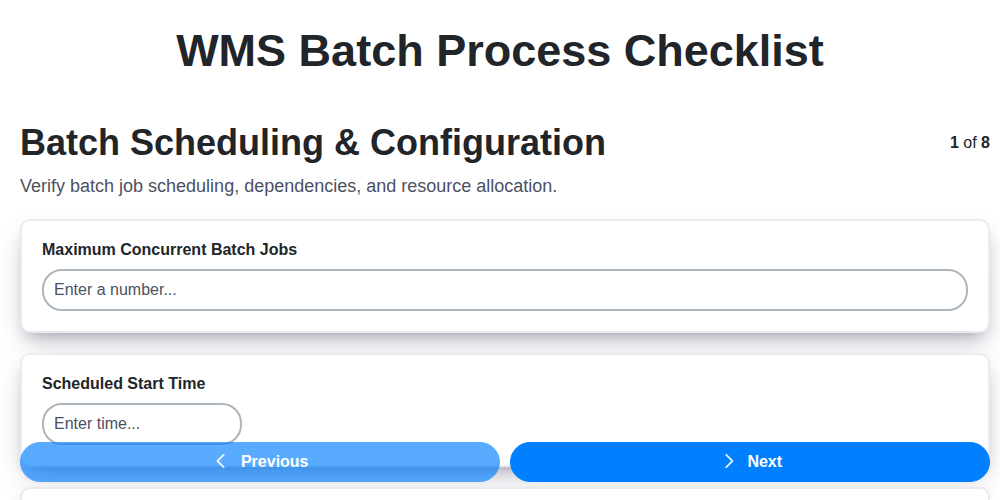
Ensuring Success: Your WMS Batch Process Checklist Template

Seamless RFID Integration: Your WMS Checklist Template for Success

WMS System Performance Monitoring Checklist: A Comprehensive Guide

Mastering Your Yard: A Warehouse WMS Yard Management Checklist Template

Ensuring Success: Your WMS Automation Validation Checklist Template

Warehouse Data Integrity: Your WMS Checklist Template

Mastering Warehouse Labeling: Your WMS Process Checklist Template

Warehouse WMS Security Checklist: A Comprehensive Guide to Protecting Your Operations
We can do it Together
Need help with
Checklists?
Have a question? We're here to help. Please submit your inquiry, and we'll respond promptly.