Ensuring Accuracy: Your WMS Data Integrity Checklist Template
Published: 12/20/2025 10:00 PM Updated: 12/21/2025 6:18 AM
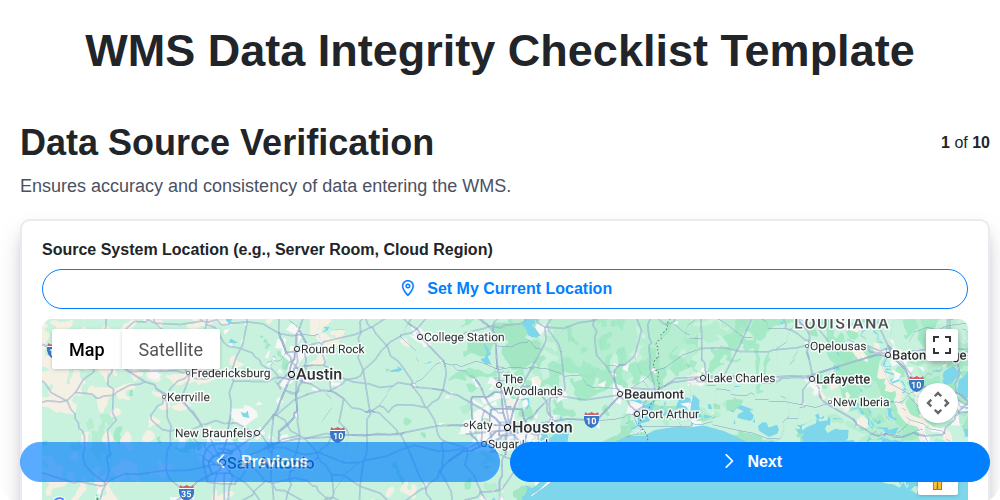
Table of Contents
- Why Data Integrity Matters in Your WMS
- Introducing the WMS Data Integrity Checklist Template
- 1. Data Source Verification: The Foundation of Accuracy
- 2. Master Data Validation: SKUs, Locations, and Users
- 3. Transaction Data Accuracy: Receiving, Putaway, Picking, and Shipping
- 4. Inventory Count Reconciliation: Bridging the Gap
- 5. User Access & Permissions Audit: Controlling the Flow
- 6. Data Backup & Recovery Procedures: Protecting Your Assets
- 7. Data Mapping & Integration Validation: Seamless Communication
- 8. Data Cleansing & Deduplication: Removing the Noise
- 9. Audit Trail Review: Tracking Changes and Identifying Issues
- 10. Error Reporting & Resolution: A Proactive Approach
- 11. Checklist Implementation: Best Practices
- 12. Continuous Improvement: Maintaining Data Integrity
- 13. The Cost of Ignoring Data Integrity
- Resources & Links
TLDR: Your Warehouse Management System (WMS) is only as good as its data. This checklist template helps you proactively safeguard that data! It covers everything from verifying data sources and master data to ensuring accurate transactions, regular backups, and user access controls - preventing costly errors and optimizing your warehouse operations. Download it and start ensuring data integrity today!
Why Data Integrity Matters in Your WMS
In today's competitive landscape, efficient warehouse management is no longer a luxury - it's a necessity. And at the heart of any effective Warehouse Management System (WMS) lies data integrity. Without it, you're essentially operating blind.
Think about it: inaccurate data can trigger a domino effect of problems. Imagine shipping the wrong product to a customer, leading to returns, dissatisfied customers, and potential lost revenue. Or, picture discrepancies between your WMS inventory and the actual physical stock, leading to costly stockouts or overstocking situations.
Beyond the immediate operational impacts, compromised data integrity erodes trust - both internally within your team and externally with your customers and partners. It hinders decision-making, making it difficult to accurately forecast demand, optimize processes, and track performance. Ultimately, poor data integrity impacts your bottom line and can jeopardize your entire supply chain. Investing in robust data integrity practices isn't just about fixing errors; it's about building a foundation for a reliable, efficient, and profitable warehouse operation.
Introducing the WMS Data Integrity Checklist Template
Maintaining data integrity within your Warehouse Management System (WMS) isn't just about having a functional system; it's about ensuring the accuracy and reliability of the information that drives your entire warehouse operation. Inaccurate data leads to costly errors, inefficient processes, and ultimately, dissatisfied customers.
That's why we've developed a comprehensive WMS Data Integrity Checklist Template designed to proactively identify and mitigate data integrity risks. This isn't just a 'nice-to-have'; it's a critical tool for optimizing your warehouse performance and safeguarding your bottom line.
This checklist provides a structured approach to regularly auditing your WMS data, covering essential areas from data source validation to error resolution. Think of it as your early warning system, helping you pinpoint vulnerabilities before they impact your operations. By incorporating this checklist into your routine processes, you'll foster a culture of data quality and minimize the risk of costly mistakes. Let's dive into the key areas this checklist addresses, ensuring your WMS is a source of truth and a driver of efficiency.
1. Data Source Verification: The Foundation of Accuracy
Before any other data integrity checks can be meaningful, you must verify the data sources feeding your Warehouse Management System (WMS). This isn't just about confirming the connection; it's a deep dive into where the data originates and its reliability.
Start by identifying all data sources - this includes external systems like ERPs, supplier portals, EDI feeds, and even manual data entry points. Document each source and its purpose. Then, implement checks like:
- Connection Status: Regularly monitor connection stability and error logs for any interruptions or failures.
- Data Format Validation: Ensure data received from each source adheres to the expected format and data types. Discrepancies can lead to parsing errors and inaccurate data within the WMS.
- Data Completeness Checks: Verify that all required fields are populated. Missing data can cripple essential warehouse processes.
- Data Consistency Checks: Compare data between the source system and the WMS to identify any discrepancies. For example, compare a supplier's product description with the one in the WMS.
- Data Timeliness: Confirm data is being transmitted and updated in a timely manner to avoid delays and inaccuracies. Set acceptable latency thresholds.
Neglecting this crucial first step can undermine the entire data integrity process, making subsequent checks virtually pointless. A solid data source verification process is the bedrock of a reliable WMS.
2. Master Data Validation: SKUs, Locations, and Users
Master data forms the foundation of your Warehouse Management System (WMS). Inaccurate or inconsistent master data - encompassing your SKUs, locations, and user profiles - can trigger a cascade of errors throughout your warehouse operations, impacting everything from order fulfillment to inventory accuracy. This section of the WMS data integrity checklist focuses on ensuring this crucial data is pristine.
SKU (Stock Keeping Unit) Validation:
- Regular Review: Schedule routine audits of your SKU master data. This includes verifying descriptions, dimensions, weights, unit of measure, and associated costs.
- New SKU Verification: Implement a rigorous process for adding new SKUs, requiring multiple approvals and cross-checking against supplier information and product specifications.
- Obsolete SKU Management: Define a clear process for identifying and removing obsolete SKUs from the system to prevent confusion and inaccurate reporting.
- Alias & Synonym Control: Maintain a controlled list of SKUs and their associated aliases to avoid duplicate entries and ensure consistent referencing.
Location Validation:
- Physical vs. System Mapping: Regularly compare your physical warehouse layout with the locations defined within the WMS. Reconcile any discrepancies promptly.
- Location Capacity Management: Ensure the WMS accurately reflects the storage capacity of each location, preventing overstocking and potential bottlenecks.
- Location Status Tracking: Maintain accurate status flags for locations (e.g., active, blocked, maintenance) to direct putaway and picking operations correctly.
- Zone & Aisle Consistency: Verify the accuracy of zone and aisle assignments within the WMS and their alignment with the physical layout.
User Validation:
- User Account Review: Periodically review user accounts, removing inactive users and verifying contact information.
- Role Assignment Validation: Confirm that user roles and associated permissions accurately reflect their responsibilities within the warehouse.
- Password Policy Enforcement: Enforce strong password policies and regular password updates to maintain system security.
- New User Onboarding: Implement a standardized onboarding process for new users, including training on WMS functionality and data entry protocols.
3. Transaction Data Accuracy: Receiving, Putaway, Picking, and Shipping
The accuracy of your WMS hinges on flawless execution during key transactional processes. Errors at any stage - receiving, putaway, picking, or shipping - ripple through the entire system, leading to inaccurate inventory records, order fulfillment issues, and ultimately, dissatisfied customers. Here's a breakdown of crucial checks for each:
Receiving:
- Verify PO Alignment: Ensure received goods precisely match Purchase Order details (quantities, descriptions, lot numbers, expiration dates). Discrepancies must be investigated and resolved before recording receipts.
- Label Integrity: Confirm labels are legible, accurate, and properly applied. Damaged or missing labels trigger a re-labeling process and a record of the correction.
- Quality Inspection Alignment: Link receiving records with quality inspection results. Any rejected goods need to be flagged and handled separately, avoiding incorrect inventory addition.
Putaway:
- Location Accuracy: Confirm putaway actions record goods in the correct designated locations. Misplaced inventory is a major cause of picking errors.
- Unit of Measure Verification: Ensure the correct units of measure are used when recording putaway quantities.
- Lot/Batch Tracking: If applicable, meticulously record lot or batch numbers during putaway to maintain traceability.
Picking:
- Order Validation: Prior to picking, review order details (items, quantities, locations) against the WMS-generated picking list.
- SKU Verification: Implement a visual verification step (scan, check) to confirm the correct SKU is being picked.
- Quantity Confirmation: Double-check the picked quantity against the order quantity before marking the order as fulfilled.
Shipping:
- Packing List Alignment: Ensure the shipped contents precisely match the packing list and the original order.
- Shipping Label Accuracy: Verify shipping labels include the correct address, carrier information, and tracking number.
- Weight Confirmation: Confirm the package weight aligns with the expected weight for the shipped goods. Significant discrepancies need investigation.
Regular audits and spot checks within these transactional workflows are vital for maintaining WMS data integrity.
4. Inventory Count Reconciliation: Bridging the Gap
Inventory count reconciliation is where the rubber meets the road in WMS data integrity. Discrepancies between physical counts and the system records are inevitable - shrinkage, miscounts, and system errors all contribute. However, a robust reconciliation process is your early warning system for deeper data integrity problems.
This isn't just about correcting the numbers; it's about understanding why they differ. Your reconciliation process should involve:
- Regular Cycle Counts: Don't rely solely on annual physical inventories. Frequent cycle counts of smaller segments of inventory allow for faster identification and correction of discrepancies.
- Root Cause Analysis: When a discrepancy is found, don't just adjust the system. Investigate the cause. Was it a receiving error? A picking mistake? A WMS configuration issue? Document these findings.
- Standardized Procedures: Create clear, documented procedures for reconciliation, including who is responsible, how discrepancies are recorded, and escalation paths for larger issues.
- Reporting and Trending: Track reconciliation data over time. Are certain SKUs consistently off? Are specific locations problematic? This trend data can reveal systemic issues needing attention.
- Integration with Other Checks: Reconciliation findings should trigger reviews of related data. For example, a frequent discrepancy in a certain location might warrant a closer look at putaway processes for items assigned to that location.
5. User Access & Permissions Audit: Controlling the Flow
In a Warehouse Management System (WMS), data integrity isn't solely about the accuracy of the data itself; it's also about who has access to it and what they can do. A robust user access and permissions audit is a vital component of your WMS data integrity checklist.
Think of your WMS as a highly valuable asset. You wouldn't leave the doors unlocked, would you? Similarly, limiting access based on role and responsibility is crucial. This audit should encompass:
- Role-Based Access Review: Regularly verify that user roles align with their job functions. Does a packer really need access to modify master data? Probably not.
- Privilege Level Validation: Examine the specific permissions granted to each user within their assigned role. Are there any unnecessary or overly permissive privileges?
- Regular User Account Review: Actively review user accounts - particularly those of former employees or users who have changed roles - to ensure accounts are disabled or appropriately adjusted.
- Least Privilege Principle: Consistently enforce the principle of least privilege, granting users only the access necessary to perform their specific tasks.
- Documentation: Keep meticulous records of user access reviews and any changes made.
Neglecting this step can lead to unauthorized data modifications, accidental errors, and increased security vulnerabilities. A proactive and regular user access and permissions audit is a critical layer of defense for your WMS data integrity.
6. Data Backup & Recovery Procedures: Protecting Your Assets
Your Warehouse Management System (WMS) holds the lifeblood of your warehouse operations. Losing that data - due to hardware failure, cyberattack, or human error - can be catastrophic. Robust data backup and recovery procedures aren't just a best practice; they're a business necessity.
This checklist item focuses on verifying that you have a comprehensive and tested plan in place. Here's what you need to assess:
- Backup Frequency: Are backups performed regularly, and is the frequency appropriate for your business's data change rate? Daily backups are common, but some operations might require more frequent snapshots.
- Backup Type: Are you using full, incremental, or differential backups? Understand the pros and cons of each and ensure the selected method aligns with your recovery time objectives (RTO) and recovery point objectives (RPO).
- Backup Location & Storage: Are backups stored offsite or in a separate, secure location to protect against physical damage or local disasters? Cloud-based backups offer excellent accessibility and redundancy.
- Recovery Testing: This is crucial. Simply having backups isn't enough. Regularly test your recovery procedures - ideally, quarterly - to ensure data can be restored quickly and accurately. Document the results and address any identified issues.
- Documentation: Is the backup and recovery process clearly documented, including contact information for responsible personnel and step-by-step instructions?
- Retention Policy: How long are backups retained? Ensure your retention policy complies with legal and regulatory requirements, and business needs.
7. Data Mapping & Integration Validation: Seamless Communication
Your Warehouse Management System (WMS) rarely operates in a silo. It likely integrates with ERP systems, e-commerce platforms, shipping carriers, and other crucial business tools. This integration is only as good as its data mapping - the process of ensuring data flows correctly and consistently between these systems. A flawed mapping can lead to order fulfillment errors, inaccurate financial reporting, and frustrated customers.
This section of the checklist focuses on validating these connections. Here's what to examine:
- Identify all integrations: List every system your WMS interacts with.
- Review data flow diagrams: These diagrams should clearly illustrate how data moves between systems. Are they up-to-date and accurate?
- Verify field mappings: Double-check that fields in the WMS correspond correctly to fields in integrated systems (e.g., SKU codes, address formats, order statuses).
- Test data transmission: Simulate transactions and verify that data is transmitted accurately and completely across all integrated systems. Look for discrepancies and data loss.
- Document transformation rules: If data transformations occur during integration (e.g., unit conversions, address standardization), ensure these rules are documented and validated.
- Regularly monitor integration performance: Implement monitoring tools to detect errors or slowdowns in data transmission.
A robust data mapping and integration validation process isn't just about fixing errors - it's about proactively ensuring the entire warehouse ecosystem functions efficiently and reliably.
8. Data Cleansing & Deduplication: Removing the Noise
Data integrity in your Warehouse Management System (WMS) isn't just about accuracy; it's also about eliminating unnecessary clutter. Duplicate records and inaccurate data, even if technically correct, can bog down performance, skew reporting, and lead to costly errors down the line. This is where data cleansing and deduplication become crucial.
Think of it like spring cleaning for your warehouse data. We're looking to identify and eliminate:
- Duplicate Records: Multiple entries for the same SKU, location, or even user. These can arise from import errors, system glitches, or manual entry mistakes.
- Inconsistent Data: Variations in formatting (e.g., different date formats, inconsistent unit of measure notations) that lead to misinterpretations.
- Outdated or Irrelevant Data: Information that's no longer accurate or applicable to current warehouse operations.
How to Address it:
- Identify Root Causes: Investigate why duplicates are occurring. This might require examining import processes, user training, or system configuration.
- Standardize Data Entry: Enforce strict data entry protocols. Utilize dropdown menus and validation rules whenever possible to minimize variations.
- Deduplication Tools: Leverage your WMS's built-in deduplication tools, or consider third-party solutions designed to identify and merge duplicate records.
- Regular Audits: Schedule periodic audits specifically focused on data cleansing. Don't make it a one-time effort; make it part of your ongoing data integrity program.
- Establish Data Governance: Clearly define roles and responsibilities for data maintenance and cleansing.
By proactively tackling data cleansing and deduplication, you're not just cleaning up your WMS; you're ensuring its reliability and maximizing its value for your warehouse operations.
9. Audit Trail Review: Tracking Changes and Identifying Issues
The audit trail is your warehouse management system's (WMS) historical record - a chronological log of every change made within the system. Regularly reviewing this trail is critical for maintaining data integrity and proactively identifying potential problems. It's more than just compliance; it's a powerful detective tool.
What to Look For:
- Unexpected Changes: Scrutinize changes made by users, especially to critical data like pricing, inventory levels, or user permissions. Unexplained alterations should trigger immediate investigation.
- User Behavior Anomalies: Identify unusual activity patterns. Did a user unexpectedly access or modify data they shouldn't? This could indicate compromised credentials or unauthorized access.
- Error Source Identification: If you're experiencing data discrepancies or errors, the audit trail can pinpoint the specific transactions or actions that led to the problem.
- Process Compliance: Verify that processes are being followed correctly. For example, ensure approvals for price changes are documented and authorized as required.
- Time Stamps & User IDs: Confirm accurate time stamps and proper user identification for every action. Mismatches can signal unauthorized activity or system glitches.
Best Practices:
- Define Review Frequency: Establish a regular schedule for audit trail review - weekly, bi-weekly, or monthly, depending on your warehouse's activity level.
- Assign Responsibility: Designate specific individuals or a team responsible for conducting and documenting audit trail reviews.
- Document Findings: Keep detailed records of audit trail reviews, including any discrepancies found, investigations undertaken, and corrective actions implemented.
- Integration with Alerts: Ideally, integrate audit trail monitoring with alert systems that notify designated personnel of suspicious activity.
10. Error Reporting & Resolution: A Proactive Approach
Data integrity isn't about eliminating errors entirely - it's about catching them quickly and efficiently. A robust error reporting and resolution process is the final, crucial layer of your WMS data integrity checklist. It's not just about fixing what's broken; it's about preventing future occurrences.
Beyond Reactive Fixes: Don't wait for users to complain. Implement a system where errors are expected to be reported. Encourage employees to actively flag discrepancies they encounter, regardless of how small they seem. This requires fostering a culture of open communication and ensuring reporting mechanisms are easy to use - think dedicated email addresses, internal ticketing systems, or simple reporting forms.
Structured Resolution: Errors shouldn't just be logged; they need to be addressed systematically. Define clear roles and responsibilities for error resolution. This includes investigating the root cause of the error - was it a data entry mistake, a system configuration issue, or a process flaw? Document these investigations thoroughly.
Prioritization is Key: Implement a prioritization system based on the impact of the error. A mislabeled SKU affecting hundreds of orders demands immediate attention, while a minor discrepancy in a seldom-used location can be handled with less urgency.
Feedback Loop & Prevention: The most valuable part of error resolution is the feedback loop. Once an error is resolved, analyze the process that led to it. Implement changes to prevent recurrence. This might involve additional training for users, improved data validation rules within the WMS, or adjustments to operational procedures. Consider implementing preventative measures like automated data validation checks and regular data audits to proactively identify and correct errors.
11. Checklist Implementation: Best Practices
Implementing a WMS Data Integrity Checklist isn't just about having the document; it's about embedding it into your operational workflow for consistent and reliable results. Here's how to maximize its effectiveness:
- Schedule Regular Reviews: Don't let the checklist become a one-time event. Establish a recurring schedule (weekly, monthly, quarterly) based on your warehouse volume and risk assessment.
- Assign Ownership: Clearly designate individuals or teams responsible for performing each checklist item. This ensures accountability and prevents tasks from falling through the cracks.
- Training is Key: Ensure all personnel involved in data management and warehouse operations receive comprehensive training on the checklist items, the importance of data integrity, and how to identify and report anomalies.
- Documentation of Findings: Don't just complete the checklist; meticulously document any errors, discrepancies, or deviations found. Include dates, descriptions, and corrective actions taken.
- Continuous Improvement: The checklist shouldn't be static. Regularly review and update it based on audit findings, process changes, and evolving business needs. Feedback from the team performing the checks is invaluable.
- Automate Where Possible: Look for opportunities to automate aspects of the checklist, especially for repetitive tasks like data source verification or user permission audits. This reduces manual effort and improves accuracy.
- Integrate with Incident Management: When errors are identified, link them directly to your incident management system to track resolution and prevent recurrence.
- Communication and Reporting: Share checklist findings and progress with relevant stakeholders, including management and IT, to foster a culture of data integrity.
- Focus on Prevention: Use checklist findings to proactively identify and address root causes of data errors, moving beyond just correcting the symptoms.
- Make it Visible: Post the checklist and results (in summarized form) in a location accessible to the team, reinforcing its importance and promoting transparency.
12. Continuous Improvement: Maintaining Data Integrity
Data integrity isn't a one-time project; it's an ongoing journey. The WMS data integrity checklist is a powerful tool, but its effectiveness diminishes if it's only used sporadically. To truly safeguard your data, you need to embed continuous improvement into your workflow.
This means regularly reviewing the checklist itself - are the steps still relevant to your evolving business processes? Are there gaps? Are there new data sources or integrations that require scrutiny? Encourage feedback from users across all departments; they're on the front lines and often have valuable insights into data discrepancies.
Implement a system for tracking data integrity issues and resolutions. Analyze these trends to identify root causes and prevent recurrence. Consider using Key Performance Indicators (KPIs) like data accuracy rates or the number of data-related errors per month to monitor progress. Schedule regular review meetings to discuss these KPIs and brainstorm improvements to the checklist and the processes surrounding it. Embrace a culture of data ownership and accountability, where everyone understands their role in maintaining data quality. Remember, a proactive approach to data integrity minimizes errors, improves efficiency, and ultimately supports better business decisions.
13. The Cost of Ignoring Data Integrity
Ignoring data integrity in your Warehouse Management System (WMS) isn't just an annoyance; it's a silent drain on your business, manifesting in tangible financial losses. Think beyond just a few misplaced items. Consider the cascading effects.
Incorrect SKUs lead to order fulfillment errors, resulting in returns, refunds, and frustrated customers - all impacting your bottom line. Inaccurate location data breeds inefficiencies in putaway and picking, slowing down operations and increasing labor costs. Faulty transaction data leads to inaccurate inventory reporting, potentially triggering costly stockouts or excess inventory write-offs.
The costs extend beyond direct monetary losses. Damage to your brand reputation due to order inaccuracies, increased operational inefficiencies requiring more employee hours, and potential legal ramifications from inaccurate reporting all add up. Implementing and maintaining data integrity isn't an expense; it's an investment that protects your profits and strengthens your business's resilience. The cost of not doing so can far outweigh the effort and resources required for proper data management.
Resources & Links
- WMS Providers (General): A starting point to explore different Warehouse Management System providers and their features related to data integrity and reporting. Many offer whitepapers and guides on best practices.
- GS1 Standards: GS1 is a standards organization providing barcoding, RFID, and other data capture standards crucial for accurate data input and traceability within a WMS. Their website offers information on implementing these standards.
- APICS (ASCM): The Association for Supply Chain Management (ASCM) provides education and certifications related to supply chain management and logistics. They offer resources and training that can enhance data integrity practices.
- ISC² (Information Systems Security): While focused on security, ISC² offers resources related to data governance and control, aspects vital for ensuring data integrity in your WMS. Relevant for User Access & Permissions and Data Backup sections.
- ISO Standards: ISO (International Organization for Standardization) provides standards for quality management, which can be applied to data integrity processes within a WMS. Look for ISO 9001 specifically.
- NIST (National Institute of Standards and Technology): NIST provides guidelines and standards for data management, security, and quality, offering valuable resources for establishing robust data integrity practices in your WMS. Particularly useful for Error Reporting & Resolution.
- Oracle WMS Cloud: If your WMS is Oracle, this is the primary resource for documentation, support, and updates concerning data integrity and related features.
- SAP Extended Warehouse Management (EWM): If your WMS is SAP EWM, this is the official resource for data integrity features, documentation, and support.
- Blue Yonder (Formerly JDA): For those using Blue Yonder WMS solutions, this is the portal to access documentation and resources for data integrity and related functionalities.
- Zebra Technologies: Zebra provides barcode scanners and other data capture devices. Their website offers information on how to integrate these devices into your WMS to improve data accuracy and traceability.
Frequently Asked Questions
What is WMS data integrity and why is it important?
WMS (Warehouse Management System) data integrity refers to the accuracy, consistency, and reliability of the data stored within your WMS. It's crucial for accurate inventory counts, efficient order fulfillment, optimized warehouse operations, and informed decision-making. Poor data integrity leads to errors, delays, and increased costs.
Who should use this WMS data integrity checklist template?
This checklist is designed for anyone involved in warehouse operations, including warehouse managers, operations supervisors, data analysts, inventory specialists, and WMS administrators. Anyone responsible for maintaining or verifying WMS data can benefit from this template.
How often should I use this checklist?
The frequency depends on your warehouse's activity level and risk tolerance. We recommend performing a full check monthly, with spot checks weekly or even daily for critical data like inventory levels or receiving information. The template provides guidelines for different frequencies.
What kind of data does the checklist cover?
The checklist covers various aspects of WMS data integrity, including master data (items, locations), transactional data (receiving, putaway, picking, shipping), user access and permissions, system integration data, and data cleansing procedures.
Can I customize this checklist template?
Absolutely! This template is designed to be a starting point. Feel free to add, remove, or modify checklist items to align with your specific warehouse processes, WMS configuration, and industry regulations.
What is the difference between 'Accuracy' and 'Completeness' in the checklist?
'Accuracy' refers to the correctness of the data (e.g., is the item description correct?). 'Completeness' refers to whether all required data fields are filled out (e.g., is the lot number entered for all items?). Both are vital components of data integrity.
We use a cloud-based WMS. Does this checklist still apply?
Yes, the principles of data integrity apply regardless of whether your WMS is cloud-based or on-premise. The checklist will help you identify potential vulnerabilities and ensure data accuracy across your entire system.
What should I do if I identify an error during the checklist review?
Document the error, investigate the root cause, correct the data, and implement preventative measures to avoid recurrence. Also, inform relevant stakeholders and update training materials if necessary.
The checklist mentions 'Data Reconciliation'. What does that mean?
Data reconciliation involves comparing data from your WMS with data from other systems (e.g., ERP, accounting software) to ensure consistency and identify discrepancies. This is a critical step in maintaining overall data integrity.
Are there any tools or software that can help automate some of the checklist items?
Yes, there are various data quality and WMS auditing tools available that can automate data validation, reconciliation, and reporting. These tools can significantly reduce manual effort and improve efficiency. Explore options based on your WMS and budget.
Found this Article helpful?
Comments
There are no comments yet. Be the first to add one!
WMS - Warehouse Management System Solution Demo
Optimize your warehouse operations & boost efficiency! ChecklistGuro's WMS streamlines inventory management, order fulfillment, and shipping. Reduce errors, improve accuracy, & maximize space utilization. Manage it all with our Work OS.
Related Articles

Seamless RFID Integration: Your WMS Checklist Template for Success

Mastering Warehouse Labeling: Your WMS Process Checklist Template
The Ultimate Supply Chain Inventory Accuracy Audit Checklist: A Step-by-Step Guide
Mastering Putaway: Your WMS Optimization Checklist

Mastering Your Yard: A Warehouse WMS Yard Management Checklist Template

Warehouse Data Integrity: Your WMS Checklist Template

WMS System Performance Monitoring Checklist: A Comprehensive Guide
Warehouse WMS Error Handling Checklist: A Proactive Guide to Minimizing Disruptions
We can do it Together
Need help with
Warehouse Management System (WMS)?
Have a question? We're here to help. Please submit your inquiry, and we'll respond promptly.