 ChecklistGuro
 Low Stock Alert and Alert Management Workflow
Never miss a restock opportunity again with our Low Stock Alert and Alert Management Workflow. Automate your inventory monitoring, set intelligent threshold triggers, and streamline real-time notifications to prevent stockouts, reduce manual tracking, and ensure seamless supply chain continuity. Optimize your replenishment process and maintain perfect stock levels with ease.
This Template was installed 2 times.
Start
Start of the Workflow/Process.
1. Fetch Inventory Levels
Retrieve all entries from the Inventory Data Model to check current stock quantities against minimum thresholds.
2. Fetch Reorder Thresholds
Retrieve the 'Minimum Stock Level' values from the Inventory Data Model for comparison.
3. Identify Stock Deficit
Calculate the difference between Current Stock and Minimum Threshold (Current Stock - Min Threshold) for each item.
4. Total Value of Low Stock Items
Sum the total monetary value of all items currently identified as being in a 'Low Stock' state.
5. Create Low Stock Alert Entry
Create a new entry in the 'Alerts' Data Model containing the item ID, the deficit amount, and the timestamp.
6. Assign Reorder Task
Create a task assigned to the Procurement Officer to initiate a purchase order for the depleted items.
7. Warehouse Audit Task
Create a task for the Warehouse Manager to physically verify the stock count to rule out data entry errors.
8. Notify Procurement Team
Send an automated email to the procurement department with a list of items requiring immediate replenishment.
9. Urgent Stock Alert SMS
Send an SMS notification to the Warehouse Manager if the stock level of a 'Critical' item falls below a specific extreme limit.
10. Update Inventory Status
Update the 'Status' property of the specific Inventory Entry from 'Healthy' to 'Low Stock'.
11. Mark Alert as Resolved
Update the Alert Data Model entry to 'Resolved' once the new stock has been received and logged.
12. Weekly Low Stock Summary Report
Generate a report summarizing all Low Stock Alerts and Reorder Tasks completed during the week.
End
End of the Workflow/Process.
Start of the Workflow/Process.
Retrieve all entries from the Inventory Data Model to check current stock quantities against minimum thresholds.
Retrieve the 'Minimum Stock Level' values from the Inventory Data Model for comparison.
Calculate the difference between Current Stock and Minimum Threshold (Current Stock - Min Threshold) for each item.
Sum the total monetary value of all items currently identified as being in a 'Low Stock' state.
Create a new entry in the 'Alerts' Data Model containing the item ID, the deficit amount, and the timestamp.
Create a task assigned to the Procurement Officer to initiate a purchase order for the depleted items.
Create a task for the Warehouse Manager to physically verify the stock count to rule out data entry errors.
Send an automated email to the procurement department with a list of items requiring immediate replenishment.
Send an SMS notification to the Warehouse Manager if the stock level of a 'Critical' item falls below a specific extreme limit.
Update the 'Status' property of the specific Inventory Entry from 'Healthy' to 'Low Stock'.
Update the Alert Data Model entry to 'Resolved' once the new stock has been received and logged.
Generate a report summarizing all Low Stock Alerts and Reorder Tasks completed during the week.
End of the Workflow/Process.
Frequently Asked Questions
Comments
There are no comments yet. Be the first to add one!
Inventory Management Solution Demo
Optimize your inventory & boost profitability! ChecklistGuro streamlines tracking, ordering, & fulfillment. Reduce waste, minimize stockouts, & improve efficiency. Manage it all with our Work OS.
Related Workflow Templates

Inventory Turnover Ratio Analysis Process

Inventory Movement and Log Tracking Process

Backorder Management and Notification Process

Vendor Managed Inventory (VMI) Workflow

Kit Assembly and Bundle Management Workflow

E-commerce Order Fulfillment Process

Inventory Reconciliation and Discrepancy Process
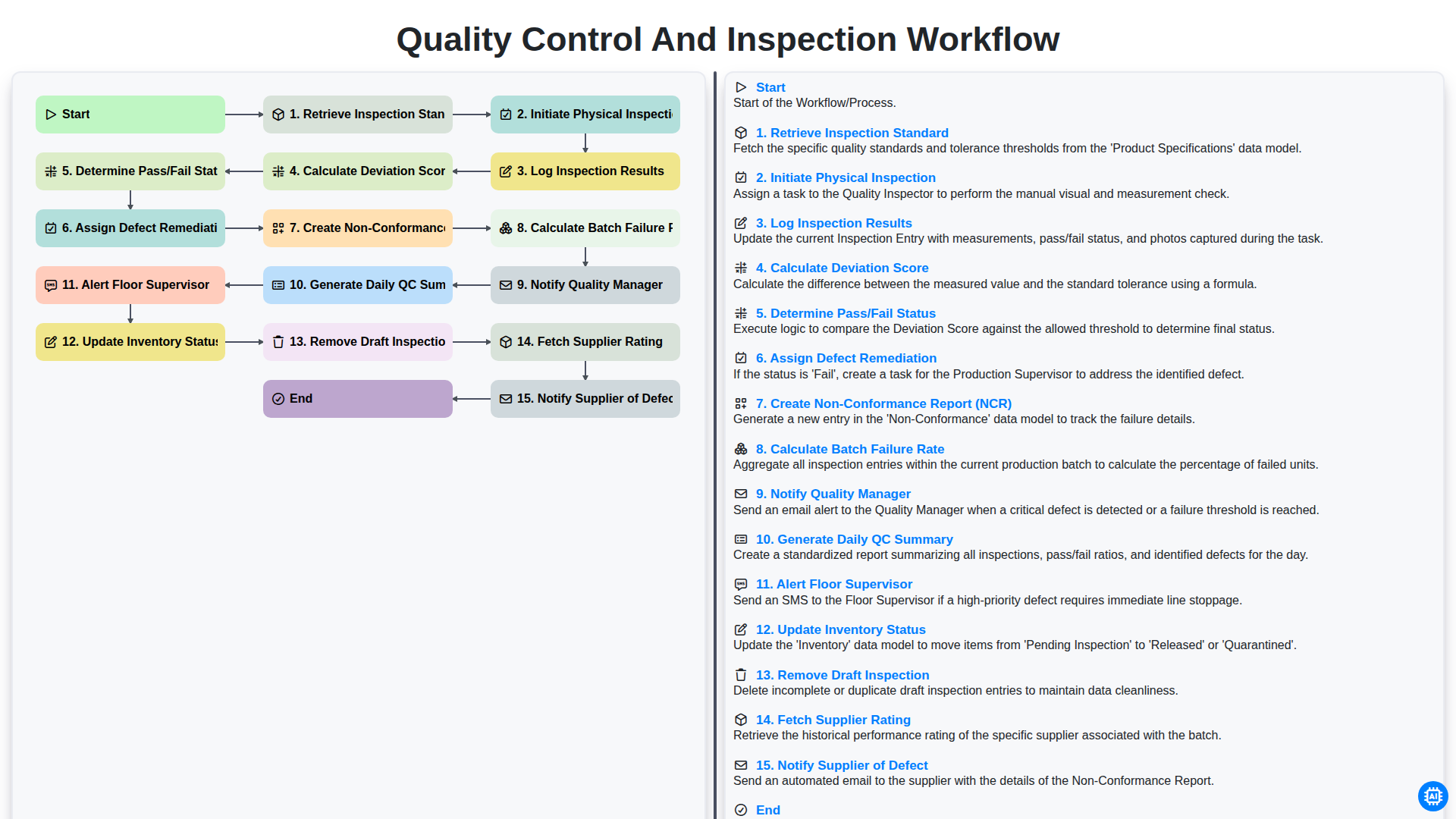
Quality Control and Inspection Workflow
We can do it Together
Need help with
Inventory Management?
Have a question? We're here to help. Please submit your inquiry, and we'll respond promptly.