Protect Your Warehouse: A WMS Data Backup Checklist Template
Published: 12/20/2025 10:00 PM Updated: 12/21/2025 6:15 AM
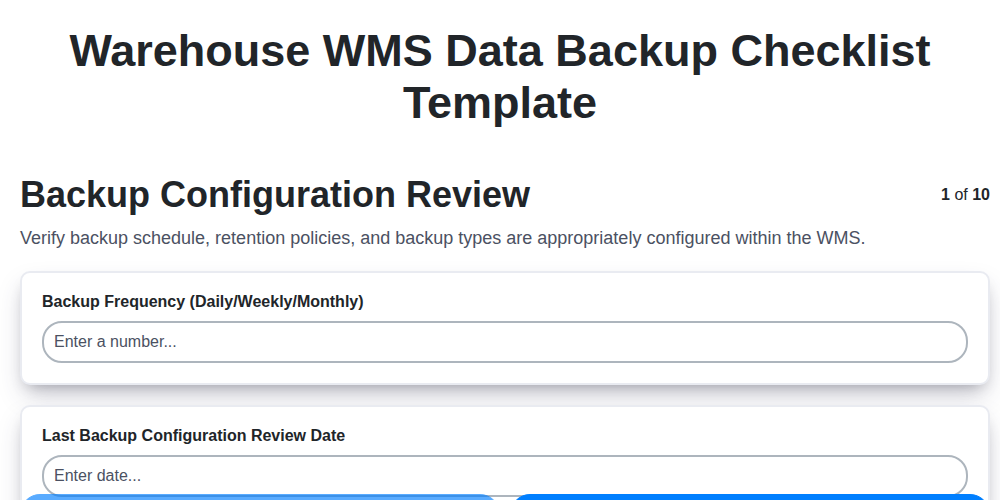
Table of Contents
- Introduction: Why WMS Data Backup is Critical
- 1. Backup Configuration Review: Setting the Foundation
- 2. Backup Software Validation: Ensuring Functionality
- 3. Database Backup Verification: The Core of Your WMS
- 4. File System Backup Verification: Don't Forget the Files!
- 5. Backup Media Integrity: Checking for Corruption
- 6. Offsite Storage Verification: Your Safety Net
- 7. Backup Restoration Testing: The Ultimate Test
- 8. Documentation Review: Keeping Records Straight
- 9. Access Control Verification: Who Can Backup & Restore?
- 10. Monitoring & Alerting: Early Warning Signals
- 11. Recovery Time Objective (RTO) and Recovery Point Objective (RPO) Alignment
- Checklist Template & Frequency
- Conclusion: Data Security for Warehouse Success
- Resources & Links
TLDR: Losing your warehouse data is a nightmare. This checklist template ensures your Warehouse Management System (WMS) data is regularly backed up and recoverable. It covers everything from software validation to restoration testing, giving you peace of mind and a safety net against data loss due to accidents, cyberattacks, or system failures. Download it, use it, and protect your business!
Introduction: Why WMS Data Backup is Critical
Your Warehouse Management System (WMS) is the central nervous system of your warehouse operations. It manages inventory, optimizes workflows, and provides critical visibility into your entire supply chain. Losing that data - whether through accidental deletion, system failure, cyberattack, or natural disaster - can be catastrophic. It's not an exaggeration to say it can bring your business to a standstill, leading to order fulfillment delays, inaccurate inventory counts, lost revenue, and damaged reputation. A robust and regularly tested WMS data backup and recovery plan isn't just a good idea; it's a business imperative. This checklist provides a practical framework to ensure your data is protected and recoverable when you need it most.
1. Backup Configuration Review: Setting the Foundation
A robust warehouse WMS (Warehouse Management System) relies on accurate and accessible data. Losing that data due to system failure, corruption, or disaster can cripple operations. The first crucial step in your data backup checklist is a thorough Backup Configuration Review. This isn't just about confirming settings are present; it's about verifying they's correct and align with your recovery time objectives (RTOs) and recovery point objectives (RPOs).
Here's what to examine:
- Backup Schedule: Is the backup frequency adequate for your RPO? Daily, weekly, or something more granular?
- Scope of Backup: Does the configuration cover all critical WMS data - databases, configuration files, historical data, and any custom integrations? Don't leave anything out!
- Backup Type: Are you using full, incremental, or differential backups? Is the chosen method appropriate for your data volume and recovery needs?
- Retention Policy: How long are backups retained? Does this comply with legal requirements and business needs?
- Compression & Encryption: Are backups compressed to save space and encrypted for security?
- Backup Destination: Is the backup destination accessible and reliable? Are you using local, network, or cloud storage?
A flawed configuration here sets the stage for potential disaster, so meticulous review is essential.
2. Backup Software Validation: Ensuring Functionality
Simply having backup software installed isn't enough; you need to validate that it's working correctly. This goes beyond a cursory check - it requires active verification of its core functions. Begin by reviewing the software's configuration settings against best practices and your WMS vendor's recommendations. Are the backup schedules accurate? Are the data types selected for backup appropriate for your warehouse WMS data (transaction logs, configuration files, user data, etc.)?
Next, execute a test backup without impacting regular operations. Carefully monitor the process:
- Check logs: Thoroughly examine the backup software logs for any errors or warnings. Even seemingly minor entries can indicate underlying issues.
- Verify completion: Confirm the backup completed successfully and the resulting backup files are present in the designated location.
- File size & integrity: Check the size of the backup files against expected values and, if possible, perform a checksum verification to ensure data integrity.
- Compression & Encryption: If compression or encryption is enabled, verify these features are functioning as intended. This might involve checking file sizes after compression or confirming encryption status.
Finally, document your validation process and any findings. This documentation is crucial for auditing and future troubleshooting. Don't just assume the software works; prove it.
3. Database Backup Verification: The Core of Your WMS
Your Warehouse Management System (WMS) thrives on data - inventory levels, order details, shipment tracking, and so much more. The database is the heart of this, and its backup is the lifeblood. Simply having a database backup isn't enough; you need to verify it. This is arguably the most critical step in your entire WMS backup process.
Here's what to check:
- Backup File Integrity: Don't just assume the backup file is complete. Use your database management system's built-in tools (like
SUMfor SQL Server, orpg_dumpverification for PostgreSQL) to calculate checksums and compare them to the originals. Mismatched checksums indicate corruption. - Backup Size Validation: Monitor backup file sizes. Significant deviations from historical norms often signal a problem. A drastically smaller backup might indicate a partial or failed backup.
- Restore Test (Trial Run): Regularly perform a test restore to a non-production environment. This isn't a full recovery drill (covered later), but a brief, controlled restore to confirm the backup's usability and identify any immediate compatibility issues.
- Consistency Checks: After a test restore, run basic consistency checks within the restored database. Are relationships intact? Are indexes functioning? This helps uncover subtle issues that might not be apparent from a simple size comparison.
- Transaction Log Verification: If your WMS uses transaction logs (and it likely does!), ensure these are being backed up and verified alongside the main database backup. Transaction logs are crucial for point-in-time recovery.
- Encryption Validation: If your database backups are encrypted, confirm the encryption is functioning correctly and that you have access to the decryption keys.
Proper database verification isn't just a formality; it's your safety net against data loss and business disruption.
4. File System Backup Verification: Don't Forget the Files!
Beyond the critical database backups, your warehouse WMS relies heavily on file systems - think configuration files, image directories (product photos!), reports, and potentially even custom scripts. A failure here can cripple operations just as effectively.
This step focuses on verifying that your file system backups are actually capturing everything they should. Don't assume it's happening correctly!
Here's what to check:
- Backup Scope: Confirm the backup jobs include all necessary directories and file types. Are there any crucial folders accidentally excluded? Consult your WMS documentation and engage with your IT team to ensure nothing is missed.
- File Integrity: After a backup completes, randomly select a few files (images, reports, configuration files) and compare their sizes and timestamps against the originals. Any discrepancies suggest a corrupted backup.
- Retention Policies: Verify file system backups adhere to your defined retention policies. Are older files being purged as intended?
- Permission Verification: Ensure the backups are capturing the correct file permissions. This is vital for restoring files with the appropriate access rights.
- Large File Handling: Specifically test the backup and restore of large files (high-resolution product images, for instance). Large files are often a point of failure if not handled correctly.
Ignoring this file system verification step leaves you vulnerable to data loss and operational disruption. Take the time to ensure those essential files are safe!
5. Backup Media Integrity: Checking for Corruption
Verifying the integrity of your backup media is a critical, often overlooked, step. Simply having backups isn't enough; they need to be reliable. This involves more than just confirming the media exists. We need to actively check for corruption.
Here's what to do:
- Media Rotation & Inspection: Regularly rotate your backup media (tapes, hard drives, etc.). Visually inspect each piece for any physical damage - scratches, dents, discoloration - which could indicate potential data corruption.
- Integrity Checks: Most backup software provides built-in integrity check tools (often referred to as 'scrubbing' or 'verification'). Run these checks routinely. This process scans the backup data and compares it to checksums or hashes to identify any discrepancies.
- Checksum Validation: If your backup software doesn't automatically perform checksum validation, consider implementing a separate process. This could involve calculating checksums on your primary data and comparing them to those calculated on the backup media.
- Error Logging: Carefully review error logs generated by your backup software and any integrity check tools. Even seemingly minor errors should be investigated to prevent larger data loss events.
- Labeling & Tracking: Meticulously label your backup media with clear dates and content descriptions. Implement a tracking system to ensure proper handling and minimize the risk of misplaced or damaged backups.
6. Offsite Storage Verification: Your Safety Net
Having a robust backup isn't enough; you need to ensure that backup actually exists and is accessible when disaster strikes. This is where offsite storage verification becomes absolutely critical. Your primary warehouse WMS data backup might be stored locally, but a fire, flood, or other on-site catastrophe could render it useless.
This step goes beyond simply having tapes or cloud backups. It means actively verifying their existence and integrity. Here's what that verification should involve:
- Regular Physical Checks (for tape backups): Periodically retrieve your offsite storage media (tapes, disks) and visually inspect them. Look for signs of damage or degradation.
- Cloud Storage Access Tests: Confirm you can successfully log in to your cloud storage provider and browse the backup data.
- Data Integrity Verification: Utilize checksums or other data integrity tools to compare the local and offsite copies. This confirms the data hasn't been corrupted in transit or storage.
- Accessibility Simulation: Pretend your primary site is unavailable. Can your IT team (or a designated individual) locate, access, and initiate a restoration from the offsite location quickly?
- Location Security Audit: Periodically assess the security of your offsite storage location. Is it protected from theft, environmental hazards, and unauthorized access?
Consistent verification is paramount. Don't just assume your offsite backups are safe - prove it.
7. Backup Restoration Testing: The Ultimate Test
Let's be honest: a backup is only as good as your ability to restore from it. Configuration reviews, software validation - they're all vital, but they don't guarantee your data is recoverable when disaster strikes. Backup restoration testing is the crucial, often overlooked, final step.
This isn't a simple did the process run? check. This is a full-scale simulation of a data loss event. You need to:
- Define Recovery Objectives: Before you start, clearly define your Recovery Time Objective (RTO) and Recovery Point Objective (RPO). How quickly must you be back online? How much data loss can you tolerate?
- Test Different Scenarios: Don't just test a full system restoration. Simulate individual file corruption, database errors, and hardware failures.
- Verify Data Integrity: Once restored, meticulously verify the accuracy and completeness of the recovered data. Don't just check if files are present, but that the data within those files is correct.
- Document the Process: Record every step of the restoration process, including any issues encountered and resolutions implemented. This documentation is invaluable for future restorations.
- Regular Intervals: Restoration testing shouldn't be a one-time event. Schedule regular testing (at least annually, and ideally more frequently) to ensure your procedures remain effective.
Failure to test your backups means you're operating on faith - a very risky proposition in the high-stakes world of warehouse management. The ultimate test is restoration, and passing it ensures the resilience of your entire operation.
8. Documentation Review: Keeping Records Straight
Your warehouse WMS data backup process is only as good as the documentation that supports it. Regularly reviewing your documentation is a crucial, often overlooked, step in maintaining a robust and reliable backup strategy. This isn't just about having procedures written down; it's about ensuring they's accurate, up-to-date, and accessible to those responsible for executing the backups.
Here's what a thorough documentation review should encompass:
- Backup Procedures: Are the step-by-step instructions for backups clearly defined and easy to follow? Do they reflect any recent changes to your WMS or infrastructure?
- Recovery Plans: Similar to backups, recovery plans need to be meticulously documented. Include detailed steps for restoring data, including contact information for key personnel.
- Change Logs: Keep a record of any modifications to the backup configuration, software versions, or processes. This helps track changes and troubleshoot issues if they arise.
- Contact Information: Ensure contact details for backup administrators, IT support, and key stakeholders are current and readily available.
- Retention Policies: Clearly outline your data retention policies and how they are implemented.
- Regular Updates: Schedule periodic reviews - at least annually, and ideally more frequently - to ensure accuracy and relevance.
A well-maintained documentation library isn't just for troubleshooting; it's a critical component of business continuity and disaster recovery planning.
9. Access Control Verification: Who Can Backup & Restore?
Data security isn't just about if backups are performed, but who can perform them. Robust access controls are critical to prevent unauthorized modifications, deletions, or even the outright theft of your valuable warehouse WMS data.
This step focuses on validating that access permissions for backup and restore operations are strictly defined and meticulously enforced. Don't assume everyone who works in IT should have backup privileges.
Here's what to verify:
- Principle of Least Privilege: Ensure that only personnel with a legitimate business need for backup/restore functions have the necessary permissions. Limit access to the minimum required.
- Role-Based Access: Implement role-based access control (RBAC). Define roles like Backup Administrator or Restore Operator with specifically tailored privileges. This simplifies management and reduces error.
- Multi-Factor Authentication (MFA): Require MFA for all users with backup or restore access. This adds a critical layer of security against compromised credentials.
- Regular Access Reviews: Conduct periodic reviews (at least annually, ideally more frequently) of user access permissions. Revoke access for individuals who no longer require it.
- Audit Trails: Verify that all backup and restore activities are meticulously logged, including user identity, timestamp, and specific operations performed. Review these logs regularly for suspicious activity.
- Password Policies: Enforce strong password policies and regular password resets for all users with elevated access.
Failing to control access can lead to devastating consequences - whether it's accidental data loss or malicious data compromise. Prioritize this crucial step to maintain the integrity and security of your warehouse WMS data.
10. Monitoring & Alerting: Early Warning Signals
Your warehouse WMS data backup isn't just about having backups; it's about knowing they're working. Robust monitoring and alerting are crucial for proactive backup management. This means setting up systems that continuously check the health of your backup processes and immediately notify you of any anomalies.
What to Monitor:
- Backup Success/Failure Rates: Track the success rate of each backup job. A sudden drop in success rates signals a potential problem.
- Backup Completion Times: Significant increases in backup duration can indicate performance bottlenecks or growing data volumes.
- Backup Storage Space Utilization: Monitor the available space on your backup media. Running out of space during a backup is catastrophic.
- Error Logs: Regularly review error logs for any warnings or errors related to the backup software or hardware.
- Backup Software Health: Ensure the backup software itself is running correctly and receiving updates.
Alerting Configuration:
- Thresholds: Define clear thresholds for acceptable performance. For instance, Alert me if a backup job fails twice in a row, or Alert me if backup storage is at 80% capacity.
- Notification Channels: Choose appropriate notification methods (email, SMS, integration with ticketing systems) to ensure timely responses.
- Escalation Procedures: Implement an escalation matrix so that critical alerts reach the right personnel quickly. Don't let a critical backup failure sit unnoticed.
Effective monitoring and alerting transform your data backup from a periodic task into a continuously protected asset, providing the early warning signals needed to avoid data loss disasters.
11. Recovery Time Objective (RTO) and Recovery Point Objective (RPO) Alignment
Your warehouse WMS data backup isn't just about having backups; it's about ensuring they meet your business needs. This is where Recovery Time Objective (RTO) and Recovery Point Objective (RPO) come into play. RTO defines the maximum acceptable downtime after an incident, while RPO determines the maximum acceptable data loss.
Think of it this way: If your RTO is 4 hours, you need to be able to restore your WMS and get it operational within 4 hours of an outage. Your RPO dictates how far back in time your data can go - if your RPO is 24 hours, you can tolerate losing up to a day's worth of data.
Your backup strategy must be designed to meet both of these objectives. Frequent, automated backups (short RPO) can minimize data loss but might increase the load on your systems and require more recovery time (potentially impacting RTO). Conversely, less frequent backups reduce system load but increase the risk of significant data loss.
During your periodic backup checklist review, explicitly assess whether your current backup processes consistently meet your defined RTO and RPO. Document any gaps and develop mitigation plans. This might involve adjusting backup frequency, exploring different backup technologies, or streamlining the restoration process. Failure to align these objectives can lead to costly disruptions and potentially irreparable business consequences.
Checklist Template & Frequency
To ensure consistent and reliable data protection for your warehouse WMS, implementing a structured checklist and adhering to a regular frequency is crucial. Below is a template incorporating the steps outlined above. This is intended as a starting point - tailor it to your specific WMS configuration and business needs.
Warehouse WMS Data Backup Checklist
| Task | Description | Frequency | Responsible Party | Date Completed | Notes/Findings |
|---|---|---|---|---|---|
| Backup Configuration Review | Verify backup schedules, retention policies, and backup types match documented requirements. | Quarterly | IT Administrator/WMS Specialist | ||
| Backup Software Validation | Confirm backup software is properly installed, licensed, and functioning as expected. | Annually | IT Administrator | ||
| Database Backup Verification | Test database backup integrity; check for errors or corruption. | Monthly | Database Administrator | ||
| File System Backup Verification | Verify file system backups (including application files, configuration files, and user data) are complete and accurate. | Monthly | IT Administrator/WMS Specialist | ||
| Backup Media Integrity | Physically inspect backup media (tapes, disks) for damage; perform media integrity checks. | Quarterly | IT Administrator | ||
| Offsite Storage Verification | Confirm backups are successfully transferred and stored at the designated offsite location; verify access permissions. | Monthly | IT Administrator | ||
| Backup Restoration Testing | Simulate a data loss scenario and perform a full or partial backup restoration to a test environment. | Semi-Annually | IT Administrator/WMS Specialist | ||
| Documentation Review | Review and update backup procedures, recovery plans, and contact information. | Annually | WMS Specialist/IT Manager | ||
| Access Control Verification | Verify only authorized personnel have access to backup systems and data. | Quarterly | IT Security | ||
| Monitoring & Alerting | Confirm backup monitoring systems are functioning and alerts are being received for backup failures or errors. | Continuous (with weekly review) | IT Administrator |
Frequency Key:
- Continuous: Real-time monitoring, immediate alerts.
- Weekly: Review logs and status reports.
- Monthly: Standard verification tasks.
- Quarterly: More detailed checks and physical inspections.
- Semi-Annually: Full restoration testing.
- Annually: Comprehensive review and updates.
Remember to document all findings and corrective actions taken. Regular audits of this checklist and the WMS backup process are strongly recommended.
Conclusion: Data Security for Warehouse Success
Protecting your warehouse data isn't just about compliance; it's about safeguarding your business's efficiency, reputation, and financial stability. Implementing and diligently maintaining a comprehensive data backup process, guided by a checklist like the one outlined above, is a proactive investment that pays dividends. A well-executed backup and recovery plan minimizes downtime, reduces the potential for costly errors, and provides peace of mind knowing you can weather unexpected data loss events. Don't treat data backup as an afterthought - integrate it into your warehouse WMS operational rhythm, regularly review and update your checklist, and empower your team to be vigilant. In today's data-driven world, reliable data security is a cornerstone of warehouse success.
Resources & Links
- Microsoft SQL Server Backup & Restore Documentation: Official Microsoft documentation detailing SQL Server backup and restore procedures, crucial for database backup verification (as many WMS systems use SQL Server).
- AWS Backup: Cloud-based backup services like AWS Backup are increasingly used to supplement on-premise solutions. Helpful for understanding cloud backup principles and potential integration.
- Veritas: A leading provider of data protection, backup, and recovery solutions. Offers insights into advanced backup strategies and technologies.
- IBM Storage: IBM offers a range of storage solutions, including backup and recovery options, providing valuable information on data protection strategies.
- Veeam: A popular vendor of backup and disaster recovery solutions. Offers resources on best practices and validation techniques.
- Commvault: Provides enterprise data management and backup solutions. Relevant for understanding comprehensive data protection strategies.
- CISA (Cybersecurity and Infrastructure Security Agency): Provides resources and best practices for cybersecurity, including data protection and disaster recovery - vital for access control verification and overall security.
- NIST (National Institute of Standards and Technology): Offers frameworks and guidelines for data security and risk management, particularly relevant for aligning with RTO/RPO and documentation review.
- Disaster Recovery Journal: A resource for articles and insights on disaster recovery planning and best practices, covering topics like RTO/RPO and testing.
- SearchStorage.com: Provides articles, news, and analysis on storage technologies and data protection strategies.
- Spiceworks: Community-driven IT platform with forums and resources related to backup and recovery, offering practical advice and troubleshooting insights.
Frequently Asked Questions
What is a WMS data backup and why is it important?
A WMS (Warehouse Management System) data backup is a copy of all the data stored within your WMS, including inventory levels, locations, order history, and user information. It's crucial because data loss can lead to operational disruptions, financial losses, inaccurate order fulfillment, and compliance issues. Backups protect against accidental deletion, system failures, cyberattacks, and natural disasters.
Who is this checklist template for?
This checklist is designed for warehouse managers, IT professionals, and anyone responsible for ensuring the safety and security of WMS data. It's beneficial for businesses of all sizes, from small warehouses to large distribution centers.
What types of WMS data should be included in a backup?
The checklist covers backing up essential data like: master data (products, locations), transactional data (orders, receipts, shipments), user accounts and permissions, configuration settings, and any custom reports or integrations.
How often should I back up my WMS data?
The checklist provides guidance on backup frequency, ranging from daily backups for critical data to weekly backups for less frequently changed information. Consider the Recovery Point Objective (RPO) - how much data are you willing to lose in the event of a failure - to determine the appropriate frequency.
What are the different backup methods mentioned in the checklist?
The checklist details several backup methods including full backups (all data), incremental backups (changes since last backup), and differential backups (changes since last full backup). It also discusses cloud backups and on-site solutions.
What is a Recovery Time Objective (RTO) and how does it relate to backups?
RTO (Recovery Time Objective) is the maximum acceptable time it should take to restore your WMS after a data loss event. It's a key factor in determining backup methods and disaster recovery plans. The checklist helps you consider your RTO when choosing a backup solution.
How can I test my WMS data backups?
The checklist emphasizes the importance of regular testing. This involves performing test restores to verify data integrity and ensure the recovery process works as expected. It suggests documenting the testing process and addressing any issues found.
What security measures should be in place for WMS data backups?
The checklist highlights security best practices like encrypting backups, controlling access to backup storage, and securely storing backup media. It stresses the need to protect backups from unauthorized access and malware.
Can this checklist be customized?
Absolutely. The checklist is provided as a template and can be modified to fit the specific needs and requirements of your warehouse and WMS implementation. Add or remove steps as needed.
Where can I find support if I have questions or need help implementing these backups?
The checklist includes links to resources and suggestions for seeking assistance from your WMS vendor, IT support team, or external consultants specializing in data backup and disaster recovery.
Found this Article helpful?
Comments
There are no comments yet. Be the first to add one!
WMS - Warehouse Management System Solution Demo
Optimize your warehouse operations & boost efficiency! ChecklistGuro's WMS streamlines inventory management, order fulfillment, and shipping. Reduce errors, improve accuracy, & maximize space utilization. Manage it all with our Work OS.
Related Articles

Seamless RFID Integration: Your WMS Checklist Template for Success

Mastering Warehouse Labeling: Your WMS Process Checklist Template
The Ultimate Supply Chain Inventory Accuracy Audit Checklist: A Step-by-Step Guide
Mastering Putaway: Your WMS Optimization Checklist

Mastering Your Yard: A Warehouse WMS Yard Management Checklist Template

Warehouse Data Integrity: Your WMS Checklist Template

WMS System Performance Monitoring Checklist: A Comprehensive Guide
Warehouse WMS Error Handling Checklist: A Proactive Guide to Minimizing Disruptions
We can do it Together
Need help with
Warehouse Management System (WMS)?
Have a question? We're here to help. Please submit your inquiry, and we'll respond promptly.