Warehouse WMS Disaster Recovery Checklist: Your Guide to Business Resilience
Published: 12/19/2025 10:00 PM Updated: 12/20/2025 12:16 PM
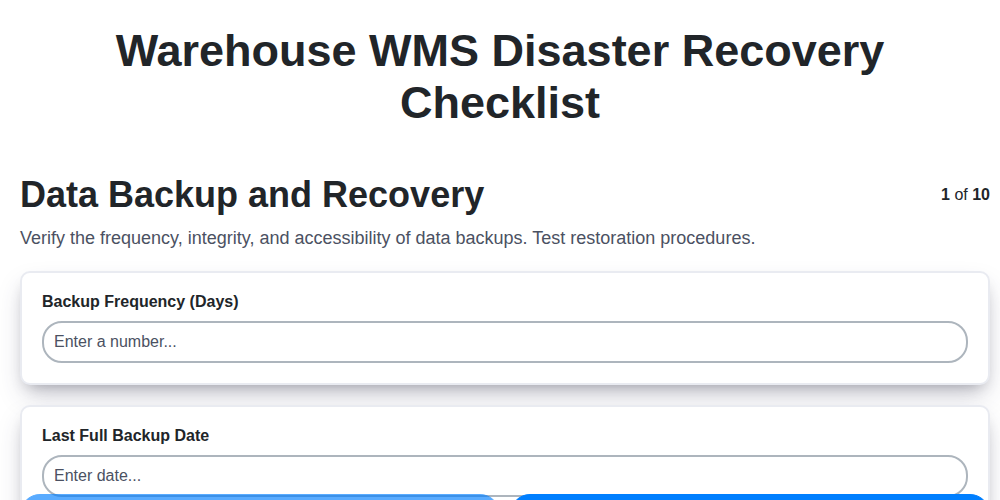
Table of Contents
- Introduction: Why WMS Disaster Recovery Matters
- 1. Data Backup and Recovery: The Foundation of Resilience
- 2. System Redundancy: Ensuring Continuous Operation
- 3. Network Connectivity: Maintaining Access and Communication
- 4. Hardware and Infrastructure: Protecting Your Physical Assets
- 5. Business Continuity Plan Alignment: A Holistic Approach
- 6. User Access and Authentication: Security in a Crisis
- 7. Documentation and Training: Empowering Your Team
- 8. Vendor Support and Agreements: Leveraging External Expertise
- 9. Testing and Validation: Proving Your Plan's Effectiveness
- 10. Post-Disaster Review: Learning and Improvement
- 11. Data Recovery Time Objective (RTO) and Recovery Point Objective (RPO) Considerations
- 12. Prioritizing Critical WMS Functions
- Conclusion: Building a Future-Proof Warehouse
- Resources & Links
TLDR: A warehouse WMS disaster recovery checklist is your safety net! It ensures your critical data, systems, and operations can bounce back quickly after any disruption (fire, cyberattack, etc.). This checklist covers everything from data backups and redundant systems to user access and vendor support - giving you peace of mind and minimizing downtime. Use it to build a resilient warehouse operation!
Introduction: Why WMS Disaster Recovery Matters
A warehouse Management System (WMS) is the central nervous system of your warehouse operations. It manages inventory, optimizes workflows, and orchestrates fulfillment - essentially, it's critical to your ability to serve customers and maintain profitability. But what happens when disaster strikes? A fire, flood, cyberattack, or even a prolonged power outage can bring your WMS to a grinding halt, crippling your entire warehouse and potentially impacting your entire supply chain.
Ignoring disaster recovery for your WMS isn't a gamble you can afford to take. The costs associated with downtime - lost orders, damaged reputation, penalties, and recovery expenses - can be devastating. This isn't about hypothetical scenarios; it's about preparing for the inevitable. A robust WMS disaster recovery plan ensures you can swiftly restore operations, minimizing disruption and protecting your business from the severe consequences of unexpected events. It's a proactive investment in resilience and business continuity.
1. Data Backup and Recovery: The Foundation of Resilience
Your Warehouse Management System (WMS) holds the lifeblood of your operations: inventory data, order history, shipping information - the list goes on. Losing this data, or being unable to access it, can bring your warehouse to a standstill. A robust data backup and recovery plan is therefore the foundational element of any WMS disaster recovery strategy.
This isn't just about having backups; it's about a comprehensive approach. Consider these key aspects:
- Backup Frequency: How often are your data backups performed? Daily is generally considered a minimum, with hourly or even more frequent backups for critical data segments.
- Backup Location(s): Don't rely on a single backup location. Implement the 3-2-1 rule: three copies of your data, on two different media types, with one copy offsite. This protects against local disasters like fire or theft.
- Backup Types: Implement a mix of full, incremental, and differential backups to optimize storage space and recovery time.
- Data Validation: Regularly verify the integrity of your backups. Corrupted backups are useless backups. Automated validation processes are ideal.
- Recovery Time Objective (RTO) and Recovery Point Objective (RPO): Define your RTO (how long can you afford to be down?) and RPO (how much data loss can you tolerate?). Your backup strategy must be aligned with these objectives.
- Secure Storage: Ensure backups are encrypted both in transit and at rest to protect against unauthorized access.
A well-defined and rigorously tested data backup and recovery plan is the first, crucial step toward ensuring your WMS can weather any disaster.
2. System Redundancy: Ensuring Continuous Operation
System redundancy is your warehouse's safety net. It's not just about having backups; it's about ensuring the WMS keeps running even when components fail. This means designing your system with multiple layers of protection.
Consider these key areas:
- Failover Servers: Implement hot or warm standby servers that automatically take over if the primary server fails. A hot server is actively running and ready to immediately assume operations, while a warm server requires some time to initialize.
- Database Replication: Real-time replication of your database to a secondary location protects against data loss and ensures quick restoration. Explore synchronous and asynchronous replication options, understanding the trade-offs between data consistency and performance.
- Redundant Network Paths: Multiple internet connections and network hardware (routers, switches) prevent outages caused by single points of failure.
- Geographic Distribution: For truly robust protection, consider deploying WMS components in geographically diverse locations. This shields you from regional disasters.
- Load Balancing: Distribute workload across multiple servers to prevent overload and improve overall system performance and availability.
Regularly test your redundancy systems to verify their effectiveness and ensure personnel are familiar with failover procedures.
3. Network Connectivity: Maintaining Access and Communication
A warehouse WMS thrives on constant connectivity. A disruption here can cripple operations, even if other recovery measures are in place. This checklist item goes beyond just having internet access; it's about resilience.
Key Considerations:
- Redundant Internet Service Providers (ISPs): Don't rely on a single ISP. Having a backup connection, preferably from a different provider, is crucial. Implement automatic failover capabilities to switch seamlessly.
- Wireless Network Redundancy: For warehouse floor operations, wireless access points (APs) are essential. Ensure a robust wireless infrastructure with redundant APs, controllers, and power sources. Consider a mesh network for greater coverage and resilience.
- VPN and Remote Access: Verify the functionality of VPN connections for remote users and administrators. Test access from offsite locations to ensure business continuity.
- Network Monitoring: Implement proactive network monitoring tools to detect outages and performance degradation before they impact operations. Set up alerts for critical thresholds.
- Mobile Device Connectivity: Test the connectivity and functionality of mobile devices used for scanning, picking, and putaway - essential for floor-level operations.
- Bandwidth Capacity: Ensure sufficient bandwidth is available to support WMS traffic, especially during peak times and if remote users are accessing the system.
- Physical Security: Protect network equipment from physical damage or theft. Consider backup power supplies (UPS) and generators.
4. Hardware and Infrastructure: Protecting Your Physical Assets
Beyond the software and digital data, your warehouse WMS relies on a physical foundation. A disaster can impact this hardware just as severely as it affects your systems. This section focuses on safeguarding those tangible assets.
- Regular Physical Inspections: Schedule routine inspections of server rooms, network closets, and any hardware supporting your WMS. Look for potential hazards like water leaks, inadequate cooling, and security vulnerabilities.
- Environmental Controls: Ensure consistent temperature and humidity levels in server rooms. Sudden shifts can damage equipment. Implement backup power generators and UPS (Uninterruptible Power Supply) systems to protect against power outages.
- Secure Location & Physical Security: Consider the physical location of your hardware. Is it in a flood zone? Is it prone to earthquakes? Implement physical security measures like access controls, surveillance, and fire suppression systems.
- Hardware Inventory and Maintenance: Maintain a detailed inventory of all hardware, including serial numbers, warranty information, and maintenance schedules. Follow manufacturer recommendations for preventative maintenance to extend the lifespan of your equipment.
- Offsite Hardware Considerations (Optional): For critical components, consider maintaining a minimal set of spare hardware at an offsite location for rapid replacement in case of total site failure. This is a higher-cost solution but offers significantly enhanced resilience.
- Data Center Resilience (If Applicable): If you utilize a third-party data center, review their disaster recovery plans and service level agreements (SLAs) to ensure they meet your warehouse's needs.
5. Business Continuity Plan Alignment: A Holistic Approach
Your Warehouse WMS Disaster Recovery plan shouldn't exist in a silo. It must be intricately woven into your overarching Business Continuity Plan (BCP). Think of it this way: a WMS failure isn't just about inventory data; it impacts order fulfillment, shipping, customer service, and potentially revenue.
Alignment means ensuring your WMS recovery procedures directly support your broader business goals and objectives during a disruption. This includes:
- Defined Roles & Responsibilities: Clearly outline who is responsible for what - both within IT and across departments - during a disaster, and how those roles interact.
- Prioritized Recovery Objectives (RTO/RPO): The Recovery Time Objective (RTO) and Recovery Point Objective (RPO) for your WMS must align with the overall business's tolerance for downtime and data loss. A warehouse operation might have different RTO/RPO requirements than, say, your sales team.
- Communication Protocols: Establish clear and pre-defined communication channels and escalation procedures for informing stakeholders (employees, customers, suppliers) about the disruption and recovery progress.
- Dependencies Identified: Map out all dependencies your WMS has on other systems and processes. A WMS is rarely an island; it relies on ERP, shipping platforms, etc. Account for these connections in your BCP.
- Regular Cross-Department Collaboration: Schedule regular meetings between IT, warehouse management, and other relevant departments to review and update the BCP and WMS disaster recovery plan.
6. User Access and Authentication: Security in a Crisis
A warehouse WMS disaster recovery plan isn't complete without robust user access and authentication protocols. During a crisis, compromised credentials or unauthorized access can compound the problem, leading to data breaches, operational disruption, and regulatory penalties.
Here's why this area is critical and what to consider:
- Multi-Factor Authentication (MFA): Implement MFA for all users accessing the WMS, even in the recovery environment. This adds an extra layer of security beyond usernames and passwords.
- Role-Based Access Control (RBAC): Ensure users only have access to the functionalities they absolutely need. Restricting permissions minimizes potential damage from compromised accounts. Review and update roles in the recovery environment to match the limited operational scope.
- Password Management: Enforce strong password policies and consider a password management system. Regularly rotate passwords, especially for critical accounts.
- Account Lockout Policies: Implement account lockout mechanisms to prevent brute-force attacks during a crisis.
- Emergency User Accounts: Designate a small number of emergency accounts with elevated privileges for disaster recovery personnel. These accounts must be securely managed and their use strictly controlled.
- Regular Audits: Conduct periodic audits of user access and authentication procedures, both in normal operations and within the disaster recovery environment, to identify vulnerabilities.
- Recovery Environment Security: The recovery environment needs the same level of security as the primary system. Don't relax security protocols simply because it's a recovery situation.
7. Documentation and Training: Empowering Your Team
A robust Warehouse Management System (WMS) disaster recovery plan is only as effective as the team that executes it. Comprehensive documentation and consistent training are absolutely vital for ensuring everyone knows their roles and responsibilities when a disruption occurs.
What to Document:
- Detailed Procedures: Don't assume everyone remembers the steps. Document the exact procedures for each disaster recovery scenario (power outage, system failure, network disruption, etc.). Include screenshots and step-by-step instructions.
- Contact Information: Maintain an easily accessible list of key contacts - WMS administrators, IT support, vendor support, and key personnel. Include multiple contact methods (phone, email, mobile).
- Recovery Playbooks: Create dedicated playbooks for common disaster scenarios. These should outline specific actions, timelines, and escalation paths.
- System Architecture Diagrams: Provide clear diagrams illustrating the WMS infrastructure, dependencies, and critical components.
Essential Training:
- Regular Drills: Conduct regular disaster recovery drills to simulate real-world events. This allows teams to practice procedures, identify gaps, and build confidence.
- Role-Specific Training: Tailor training to specific roles. Warehouse staff need to understand their part in manual processes; supervisors need to know escalation procedures; IT staff needs deep technical knowledge.
- New Employee Onboarding: Ensure disaster recovery procedures are included in new employee onboarding.
- Annual Refresher Training: Provide annual refresher training to reinforce knowledge and address any changes to the plan.
- Documentation Accessibility: Ensure all documentation is readily accessible, both digitally and in hard copy in case of system outages.
Without proper documentation and training, even the most technically sound disaster recovery plan can fail due to human error or lack of preparedness. Investing in these areas is an investment in the resilience of your warehouse operations.
8. Vendor Support and Agreements: Leveraging External Expertise
Your Warehouse Management System (WMS) vendor plays a critical role in disaster recovery. Don't assume they're automatically your safety net - proactively verify and document their support capabilities. Review your vendor agreements to understand their responsibilities in a disaster scenario. Key questions to address include:
- Recovery Time Objectives (RTOs) and Recovery Point Objectives (RPOs): What are the vendor's guaranteed recovery times and data loss limits in a disaster? Do these align with your business needs?
- Support Availability: What is the vendor's support availability (24/7, business hours only)? Is escalation support available during a disaster?
- Disaster Recovery Plan: Does the vendor have a documented disaster recovery plan? Request a copy and understand their procedures.
- Contact Information: Ensure you have up-to-date contact information for key vendor personnel, including escalation contacts.
- Maintenance and Updates: How are updates and maintenance handled in a disaster? Will critical updates be delayed or prioritized?
- Third-Party Dependencies: Does your vendor rely on other vendors for their disaster recovery? If so, understand their dependencies and associated risks.
Regularly schedule meetings with your vendor to discuss disaster recovery preparedness and ensure continued alignment with your evolving business needs. A strong vendor partnership is an invaluable asset in navigating unforeseen disruptions.
9. Testing and Validation: Proving Your Plan's Effectiveness
Having a comprehensive Warehouse WMS disaster recovery plan is only half the battle. The real proof lies in its ability to function when disaster strikes. Regular testing and validation are critical to ensure your plan isn't just theoretical; it's practical.
This isn't a set it and forget it scenario. Testing should be a recurring activity, ideally at least annually, and ideally more frequently for critical systems. Here's what to consider:
- Tabletop Exercises: Start with a simulated disaster scenario. Gather key personnel - warehouse managers, IT staff, logistics coordinators - and walk through the recovery process step-by-step. This helps identify gaps in understanding and communication.
- Functional Testing: Focus on specific components. Can you restore data from backups? Does the failover system function as expected? This involves testing individual procedures.
- Full-Scale Drills: The ultimate test. Simulate a complete outage - power, network, or even WMS system failure - and execute the recovery plan. This reveals unforeseen challenges and highlights areas for improvement. These can be disruptive, so plan carefully and communicate extensively beforehand.
- Documentation Review: After every test, review the plan documentation. Did the instructions work? Were there ambiguities? Update the documentation to reflect any lessons learned.
- Metrics and Reporting: Establish metrics to measure recovery time objective (RTO) and recovery point objective (RPO). Track these during testing and compare them to your defined goals. Document the results clearly and communicate them to stakeholders.
Don't shy away from uncomfortable truths. Testing is designed to reveal weaknesses - embrace them as opportunities to strengthen your disaster recovery posture.
10. Post-Disaster Review: Learning and Improvement
Once the immediate crisis is over and warehouse operations have resumed, don't let the momentum stop. A thorough post-disaster review is crucial for continuous improvement and ensuring a more resilient WMS in the future. This isn't just about checking boxes; it's about actively learning from the experience.
Here's what to include in your review:
- Timeline Analysis: Reconstruct the timeline of events - when the disruption occurred, how long it took to recover, and what actions were taken at each stage. This reveals bottlenecks and areas for faster response.
- Plan Effectiveness: Evaluate how well your Disaster Recovery Plan (DRP) performed. Did it accurately reflect the actual scenario? Were the documented procedures followed correctly? Where were the gaps?
- Communication Assessment: How effective was communication - internally within the warehouse team and externally with vendors, customers, and stakeholders? Identify any communication breakdowns and how to prevent them.
- Team Performance: Assess the performance of your team during the disaster. Who stepped up? Where were areas of confusion or hesitation? Recognize successes and identify training needs.
- Cost Analysis: Quantify the financial impact of the disruption - lost productivity, overtime costs, potential penalties, etc. This helps justify future investments in disaster recovery.
- Documentation Updates: Based on your findings, update your WMS Disaster Recovery Checklist and other relevant documentation to reflect what you've learned.
- Plan Revision: Revise your DRP incorporating the lessons learned, addressing identified weaknesses, and clarifying ambiguous steps.
- Feedback Loop: Establish a clear feedback loop so team members feel comfortable sharing their observations and suggestions for improvement.
This post-disaster review isn't a punishment; it's an opportunity to solidify your warehouse's resilience and ensure that future disruptions are handled even more effectively.
11. Data Recovery Time Objective (RTO) and Recovery Point Objective (RPO) Considerations
Successfully recovering your Warehouse Management System (WMS) after a disaster isn't just about restoring data and systems; it's about doing so quickly and with minimal data loss. That's where Recovery Time Objective (RTO) and Recovery Point Objective (RPO) come into play.
RTO defines the maximum acceptable downtime for your WMS. How long can your warehouse operations realistically be suspended before it significantly impacts your business? Consider factors like order fulfillment commitments, customer satisfaction, and potential financial penalties. A lower RTO means faster recovery, but typically requires more robust (and potentially more expensive) infrastructure.
RPO, conversely, dictates the maximum acceptable data loss. How far back in time are you willing to lose data? A near-zero RPO necessitates more frequent backups, increasing the load on your systems and storage.
These objectives aren't arbitrary; they must be realistic and aligned with your business needs. A detailed risk assessment should inform these targets. For example, a high-volume, fast-moving inventory operation will likely demand a shorter RTO and RPO than a warehouse handling less critical items. Regularly review and update your RTO and RPO as your business evolves and your risk tolerance shifts. Ignoring these crucial metrics can lead to costly and disruptive recovery efforts.
12. Prioritizing Critical WMS Functions
Not all WMS functions are created equal when disaster strikes. Identifying and prioritizing the absolutely critical functions that must be restored first is paramount for a swift and effective recovery. Consider these factors when prioritizing:
- Order Fulfillment: Can you process and ship orders? This is often the highest priority.
- Receiving & Putaway: Getting new goods into the warehouse is vital for replenishment and ongoing operations.
- Inventory Visibility: Accurate inventory data is crucial for decision-making and avoiding stockouts.
- Shipping & Manifesting: Ensuring outbound shipments are processed and tracked.
- Basic Reporting: At a minimum, you'll need basic reports to assess the situation and make informed decisions.
Less critical, but still important, functions like advanced analytics, complex integrations, or specific non-essential features should be lower on the priority list. Document these priorities clearly within your Disaster Recovery Plan, ensuring everyone understands the order of restoration. This focused approach prevents wasted effort and ensures the most vital operations resume as quickly as possible.
Conclusion: Building a Future-Proof Warehouse
A robust Warehouse Management System (WMS) disaster recovery plan isn't just a nice-to-have; it's a business imperative. By diligently implementing and regularly testing the checklist outlined in this article, you're not merely reacting to potential disruptions, but proactively building a future-proof warehouse. The effort invested in data backup, redundancy, and training will pay dividends when faced with unforeseen circumstances, ensuring continued operations, minimized losses, and maintained customer trust. Remember, a well-prepared warehouse is a resilient warehouse - one that can weather any storm and continue delivering on its promises. Continuous improvement and periodic review of your DR plan remain critical, ensuring it adapts to evolving technologies, business processes, and potential threats. Don't wait for disaster to strike; prioritize your warehouse's recovery readiness today.
Resources & Links
- National Institute of Standards and Technology (NIST): NIST provides guidelines and frameworks for business continuity and disaster recovery, including publications and resources relevant to IT and data protection. Their Cybersecurity Framework is particularly useful.
- Federal Emergency Management Agency (FEMA): FEMA offers resources and training on disaster preparedness and recovery, covering a wide range of potential disruptions, many applicable to warehousing and logistics.
- International Organization for Standardization (ISO): ISO provides standards, particularly ISO 22301 (Security and resilience - Business continuity management systems), which can be used to develop and manage a robust business continuity program.
- Disaster Recovery Journal: A comprehensive online resource featuring articles, case studies, and news related to disaster recovery and business continuity planning.
- Business Continuity Institute (BCI): BCI is a global organization that provides resources, training, and certification for business continuity professionals. Their website offers a wealth of information and best practices.
- TechTarget (SearchDisasterRecovery): TechTarget's SearchDisasterRecovery provides news, articles, and tutorials on disaster recovery technologies and strategies. Useful for technical aspects of WMS recovery.
- Amazon Web Services (AWS): While focused on cloud services, AWS provides helpful information about data backup, disaster recovery, and high availability that can inform your WMS strategy, even if you're not fully cloud-based. Look for whitepapers and best practices.
- Microsoft: Similar to AWS, Microsoft provides information and tools related to disaster recovery and business continuity for organizations using Microsoft technologies (which are frequently integrated with WMS systems).
- Cisco: Cisco offers networking solutions and resources related to redundancy and resilience which are critical for maintaining network connectivity during a disaster impacting warehouse operations.
- RTOero: A company specializing in disaster recovery as a service (DRaaS), their site offers articles and resources specifically related to RTO and RPO planning and implementation. Provides practical insight.
Frequently Asked Questions
What is a Warehouse WMS Disaster Recovery Plan?
A Warehouse WMS Disaster Recovery (DR) plan outlines the steps to be taken to restore your Warehouse Management System (WMS) and warehouse operations in the event of a disruptive incident, such as natural disasters, cyberattacks, or system failures. It ensures business continuity and minimizes downtime.
Why is a WMS Disaster Recovery Checklist important?
A checklist ensures you systematically address all critical recovery aspects, reducing the risk of overlooking crucial steps that could significantly impact recovery time and data loss. It provides a standardized and repeatable process for resilience.
What types of disasters should be considered in a WMS disaster recovery plan?
Consider a wide range of events including natural disasters (floods, earthquakes, fires), cyberattacks (ransomware, data breaches), power outages, hardware failures, software glitches, and human error. The checklist should be tailored to your specific geographical location and operational risks.
What are the key components of a WMS Disaster Recovery Checklist?
A comprehensive checklist covers data backup and restoration procedures, system failover capabilities, communication plans, manual processes for critical warehouse functions, vendor agreements, and testing/training protocols. It also includes roles and responsibilities for the recovery team.
How often should I test my WMS Disaster Recovery Checklist?
Testing should occur at least annually, and ideally more frequently (semi-annually or quarterly) depending on the criticality of your WMS and the complexity of your recovery procedures. Testing should include simulated disasters and data restoration validation.
What is the difference between a backup and a recovery?
A backup is a copy of your data stored securely in a different location. Recovery is the process of restoring that data and the WMS itself from the backup to a working state after a disaster. The checklist covers both processes.
What role do vendors play in WMS disaster recovery?
Your WMS vendor should provide documentation and support for disaster recovery procedures. The checklist should include vendor contact information, service level agreements (SLAs), and processes for escalation and support during a disaster. Understand their recovery timelines and responsibilities.
How can I minimize downtime during a WMS disaster?
Implementing redundant systems (e.g., replicated servers, failover environments), automating recovery processes, establishing clear communication channels, and having trained personnel ready to execute the recovery plan are crucial for minimizing downtime.
What should be included in the communication plan?
The communication plan should outline how to notify key personnel (employees, vendors, customers) about the disaster and recovery progress. Include multiple communication methods (phone, email, SMS, emergency website) and designated spokespeople.
How does cloud-based WMS impact disaster recovery planning?
Cloud-based WMS typically offers inherent disaster recovery benefits (data replication, geographically diverse infrastructure). However, you still need to verify vendor recovery procedures, ensure data access during an outage, and test failover processes. Don't assume complete resilience; validate it.
Found this Article helpful?
Comments
There are no comments yet. Be the first to add one!
WMS - Warehouse Management System Solution Demo
Optimize your warehouse operations & boost efficiency! ChecklistGuro's WMS streamlines inventory management, order fulfillment, and shipping. Reduce errors, improve accuracy, & maximize space utilization. Manage it all with our Work OS.
Related Articles

Seamless RFID Integration: Your WMS Checklist Template for Success

Mastering Warehouse Labeling: Your WMS Process Checklist Template
The Ultimate Supply Chain Inventory Accuracy Audit Checklist: A Step-by-Step Guide
Mastering Putaway: Your WMS Optimization Checklist

Mastering Your Yard: A Warehouse WMS Yard Management Checklist Template

Warehouse Data Integrity: Your WMS Checklist Template

WMS System Performance Monitoring Checklist: A Comprehensive Guide
Warehouse WMS Error Handling Checklist: A Proactive Guide to Minimizing Disruptions
We can do it Together
Need help with
Warehouse Management System (WMS)?
Have a question? We're here to help. Please submit your inquiry, and we'll respond promptly.