Electronics BOM Accuracy Checklist: A Comprehensive Guide
Published: 12/10/2025 Updated: 12/14/2025
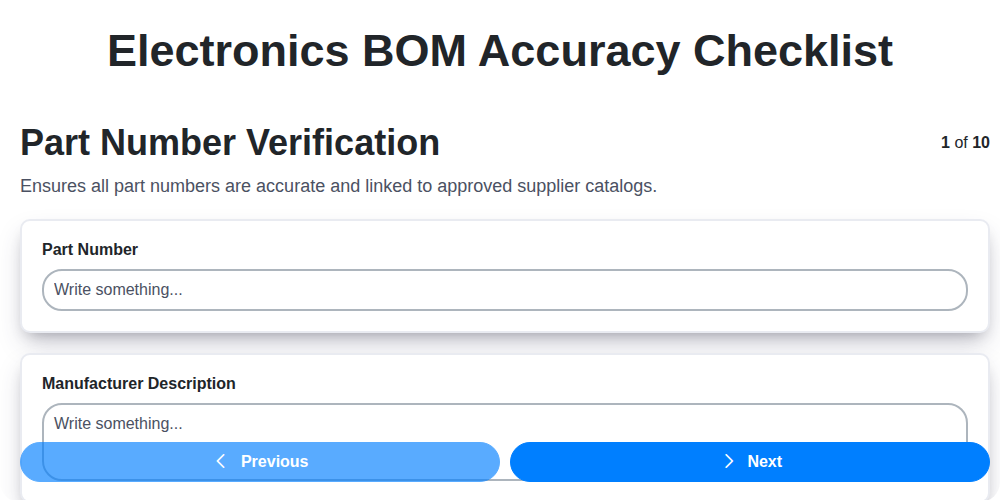
Table of Contents
- Introduction: Why BOM Accuracy Matters
- 1. Part Number Verification: The Foundation of Accuracy
- 2. Quantity and Unit of Measure Validation: Avoiding Order Errors
- 3. Supplier Information Accuracy: Ensuring Reliable Sourcing
- 4. Component Lifecycle Status: Mitigating Obsolescence Risks
- 5. Designator Consistency: Streamlining Assembly
- 6. BOM Revision Control: Tracking Changes Effectively
- 7. Cost & Pricing Verification: Managing Project Budgets
- 8. Material Classification (RoHS, REACH): Compliance is Key
- 9. Engineering Change Order (ECO) Alignment: Keeping BOMs Up-to-Date
- 10. BOM Header Information: Essential Metadata
- 11. Automation and Tools for BOM Accuracy
- 12. Common BOM Errors and How to Prevent Them
- Conclusion: Achieving BOM Excellence
- Resources & Links
TLDR: Losing money and facing delays due to inaccurate Bills of Materials (BOMs)? This checklist is your fix! It ensures your BOMs are spot-on, covering everything from part numbers and quantities to compliance and cost, minimizing errors, boosting efficiency, and keeping your project on track.
Introduction: Why BOM Accuracy Matters
A Bill of Materials (BOM) is the backbone of any electronics manufacturing project. It's more than just a list of parts; it's a comprehensive instruction manual for building your product. However, a flawed BOM can lead to costly delays, production errors, increased expenses, and even product recalls. Inaccurate BOMs ripple through the entire supply chain, impacting everything from procurement and assembly to testing and quality control. Ensuring your BOM is accurate isn't just a best practice; it's a critical factor in achieving efficient, reliable, and profitable electronics manufacturing. This checklist dives into key areas of BOM accuracy, providing a framework for minimizing risk and maximizing success.
1. Part Number Verification: The Foundation of Accuracy
The part number is the single most critical piece of information in your Bill of Materials (BOM). A single incorrect part number can cascade into a chain of errors, leading to delays, increased costs, and even product failures. Don't just assume the part numbers listed are correct - verify them.
This isn't just about a quick visual check. It requires a systematic approach:
- Cross-reference with Manufacturer Data: Always, always compare the part number against the manufacturer's official website or distributor catalogs. Many manufacturers have search tools that allow you to confirm the part number and its specifications.
- Check for Variants & Revisions: Manufacturers often release updated versions or variants of components. Ensure the BOM specifies the exact revision you require. A seemingly minor revision can have significant functional differences.
- Distributor Consistency: Different distributors may use slightly different part number formats. Ensure the part number in the BOM aligns with the distributor's nomenclature you intend to use.
- Internal Part Numbering Systems: If your company uses an internal part numbering system layered on top of the manufacturer's part number, verify that mapping is accurate and up-to-date.
- Documentation is Key: Document your verification process. This creates a record of due diligence and helps with troubleshooting if issues arise later.
A rigorous part number verification process is the bedrock of an accurate BOM. Skimping on this step is a risk you simply can't afford to take.
2. Quantity and Unit of Measure Validation: Avoiding Order Errors
One of the most frequent sources of errors in electronics BOMs, and a costly one at that, revolves around inaccurate quantity and unit of measure (UOM) data. A misplaced decimal point, a forgotten "x1000" suffix, or a misunderstanding of how a component is packaged can lead to massive over- or under-ordering, disrupting production schedules and inflating costs.
This isn't just about simple math errors. It's about understanding how your suppliers package and sell components. Is that resistor a single piece, a reel of 4000, or a tube of 100? Are you specifying pieces, reels, or tubes? Ensure the BOM clearly reflects the packaging you're ordering.
Here's what to check:
- Review Supplier Documentation: Always consult the supplier's datasheet or packaging specifications for accurate UOM. Don't rely solely on internal documentation that may be outdated.
- Standardize UOM: Define clear UOM standards within your organization (e.g., piece, reel, tube) and enforce their use consistently across the BOM.
- Cross-Reference with Purchase History: Compare the quantities listed in the BOM with past purchase orders for the same components. Significant discrepancies warrant investigation.
- Consider Packaging Variations: Some components have multiple packaging options, impacting the quantity needed for a single design requirement. Account for these variations.
- Automated Validation: Where possible, implement automated checks to flag discrepancies between BOM quantities and supplier data.
Ignoring these simple validations can result in significant delays, scrap, and wasted resources. A little extra diligence here pays dividends down the line.
3. Supplier Information Accuracy: Ensuring Reliable Sourcing
A BOM is only as reliable as the information it contains about your suppliers. Inaccurate supplier details can lead to delayed shipments, incorrect components, and ultimately, production bottlenecks. This step goes beyond simply listing supplier names; it's about verifying the accuracy of their information.
Here's what to check:
- Contact Details: Double-check the supplier's contact name, email address, and phone number. Ensure these are current and accessible in case of urgent inquiries or issues.
- Part Number Mapping: Verify that the supplier's part number exactly matches the part number specified in your design and internal records. Subtle variations can result in mismatched components.
- Pricing and Terms: Confirm pricing, payment terms, and delivery schedules align with agreed-upon contracts. Discrepancies can impact budget and project timelines.
- Supplier Qualification Status: Ensure the supplier maintains their qualification status based on your company's supplier management program. This includes aspects like quality audits and performance reviews.
- Authorized Distributors: Are the listed suppliers authorized distributors for the manufacturer of the components? This helps avoid counterfeit parts.
- Shipping Addresses: Validate the designated shipping addresses for both domestic and international orders.
By rigorously verifying supplier information, you build a resilient supply chain and minimize disruptions.
4. Component Lifecycle Status: Mitigating Obsolescence Risks
Component obsolescence is a silent killer of projects. A seemingly reliable part today can be declared obsolete tomorrow, leaving you scrambling for replacements and potentially delaying production or impacting existing products. Proactively managing component lifecycle status is essential for a robust BOM.
Your BOM accuracy checklist must include a dedicated step to verify the lifecycle status of each component. Don't simply assume a part is readily available; actively check manufacturer websites, distributor lifecycle tools (like Octopart, IHS Markit, or similar platforms), and even directly contact component suppliers.
Here's what you're looking for:
- Status Definitions: Understand what each lifecycle stage means (e.g., Active, NRND - Not Recommended for New Designs, Obsolete, Discontinued).
- Last Time Buy (LTB) Planning: If a part is approaching NRND or Obsolete status, determine if an LTB is necessary. This involves identifying potential suppliers willing to commit to a specific quantity.
- Alternative Component Identification: Begin searching for suitable replacements before obsolescence hits. This is far less stressful than a crisis replacement. Document potential alternatives within your BOM.
- Derisking Strategy: Establish a clear strategy for managing obsolescence risks. This might involve stocking critical parts, securing long-term agreements, or designing for alternative components.
- Regular Review: Component lifecycle status isn't static. Regularly (at least annually, or more frequently for high-risk components) review the status of all parts within your BOM and adjust your strategy accordingly.
Failing to address component lifecycle status can lead to costly delays, redesigns, and even product recalls. A simple check now can save you significant headaches later.
5. Designator Consistency: Streamlining Assembly
Designator consistency is a surprisingly common, yet easily overlooked, source of assembly errors. Imagine a scenario where a capacitor is labeled C1 on the schematic, but listed as "C2" in the BOM. This simple discrepancy can lead to misplacement, rework, and ultimately, product failure.
Maintaining consistent designators throughout your schematic, BOM, and pick-and-place files is paramount. This consistency ensures that the assembly team knows exactly which component goes where, minimizing errors and maximizing efficiency.
Here's how to ensure designator consistency:
- Cross-Reference Regularly: Regularly cross-reference the component designators on your schematic against the corresponding entries in your BOM.
- Automated Tools: Leverage BOM management software or CAD tools that offer automatic designator checking and cross-referencing capabilities.
- Team Communication: Foster clear communication between design engineers, procurement teams, and assembly personnel. A shared understanding of designators is crucial.
- Review Before Release: Include designator consistency checks as a mandatory step in the BOM release process. A final review can catch any lingering discrepancies.
By prioritizing designator consistency, you can significantly reduce assembly errors, improve throughput, and enhance the overall quality of your electronic products.
6. BOM Revision Control: Tracking Changes Effectively
A Bill of Materials (BOM) isn't a static document; it's a living record that evolves alongside your product design and manufacturing processes. Without rigorous revision control, you're setting yourself up for confusion, delays, and potentially costly errors. Imagine a manufacturing run using an outdated BOM - the resulting product could be non-functional, require rework, or even be recalled.
Effective BOM revision control goes beyond simply numbering versions (e.g., Rev A, Rev B). It involves a clearly defined process for initiating, approving, and distributing revised BOMs. This includes:
- Unique Version Numbers: Implement a consistent and easily understandable numbering system.
- Change Logs: Maintain detailed records of what changed, why it changed, who authorized it, and the effective date of the change. This is invaluable for troubleshooting and audits.
- Access Control: Limit who can initiate and approve BOM revisions to authorized personnel.
- Distribution Management: Ensure all relevant teams (engineering, procurement, manufacturing, quality) receive the correct, updated BOMs promptly. This often involves integrating the BOM system with ERP or PLM systems.
- Obsolete Version Retention: Keep older BOM versions archived for reference, especially if they're still actively used in production or for warranty claims.
Ignoring these steps leads to version proliferation, conflicting information, and ultimately, compromised product quality and increased costs. A dedicated BOM revision control process is a critical investment in operational efficiency and product integrity.
7. Cost & Pricing Verification: Managing Project Budgets
One of the most critical, and often overlooked, aspects of BOM accuracy is cost and pricing verification. A seemingly minor error in pricing can snowball into significant budget overruns, especially in large production runs. This isn't just about checking the listed price; it's a deeper dive into understanding the true cost of materials.
Here's what to consider during your cost & pricing verification:
- Current Pricing: Ensure the prices listed in the BOM are current. Supplier pricing fluctuates, and old data can lead to unpleasant surprises. Contact suppliers directly or use their online portals to confirm the latest prices.
- Volume Discounts: Are you factoring in volume discounts? Many suppliers offer tiered pricing based on quantity ordered. Make sure the BOM reflects the price tier applicable to your anticipated order volume.
- Shipping & Handling: Don't forget shipping and handling charges! These can significantly impact the overall cost, especially for smaller components or international shipments.
- Lead Times & Availability: Consider the impact of lead times. Higher lead times often correlate with premium pricing due to increased demand or limited availability.
- Currency Fluctuations: If sourcing globally, be mindful of currency fluctuations. Factor in potential exchange rate changes.
- Total Landed Cost: Calculate the total landed cost for each component - this includes the unit price, shipping, handling, duties, and any applicable taxes.
- Regular Review: Establish a schedule for regular cost reviews. As projects progress and supplier relationships evolve, pricing will change.
By proactively verifying and managing component costs, you can stay on track with your budget and avoid costly revisions later in the project lifecycle.
8. Material Classification (RoHS, REACH): Compliance is Key
Navigating the world of electronics manufacturing demands meticulous attention to material composition, particularly concerning environmental regulations. RoHS (Restriction of Hazardous Substances) and REACH (Registration, Evaluation, Authorisation and Restriction of Chemicals) are two of the most critical - and often complex - regulations impacting BOM accuracy.
RoHS restricts the use of specific hazardous materials in electrical and electronic equipment. Failure to comply can lead to significant fines, production delays, and reputational damage. REACH, on the other hand, aims to ensure the safe use of chemicals throughout the supply chain.
Your BOM needs to explicitly state the RoHS and REACH compliance status of each component. This isn't just about checking a box; it's about having detailed documentation from your suppliers. Ask for:
- Material Declarations of Compliance (MDCs): These documents provide detailed information about the materials used in a component and confirm compliance with relevant regulations.
- Supplier Certifications: Verify that your suppliers have the necessary certifications demonstrating their commitment to RoHS and REACH compliance.
- Substance Listings: Ensure components don't contain substances above the allowed threshold levels.
- Updates and Ongoing Monitoring: Regulations change. Establish a process to regularly update your BOM with the latest compliance information and monitor for any changes impacting your products.
Don't treat this as a one-time verification. Integrate compliance checks into your standard BOM review process and make sure your team understands the implications of non-compliance. A proactive approach to material classification protects your business and contributes to a more sustainable future.
9. Engineering Change Order (ECO) Alignment: Keeping BOMs Up-to-Date
Engineering Change Orders (ECOs) are the lifeblood of a dynamic product development process. They represent modifications to a design, and must be meticulously aligned with your Bill of Materials (BOM) to prevent costly errors and delays. A disconnected BOM and ECO process can lead to builds using outdated components, incorrect assembly instructions, and ultimately, a product that doesn't meet specifications.
Here's what you need to ensure regarding ECO alignment:
- ECO Traceability: Every component change initiated by an ECO must have a clear and unambiguous link within the BOM. This means your BOM system should explicitly show which ECO triggered a particular part number, quantity, or specification change.
- Automated Updates (Ideal): Ideally, your BOM system should automatically update the BOM upon ECO approval. This eliminates manual errors and ensures instant visibility of changes.
- Impact Assessment: Before approving an ECO, a thorough impact assessment should be performed, and this assessment must be documented within the ECO itself. This should outline which BOM records will be affected and any downstream impacts (e.g., assembly processes, test procedures).
- Revision History: Maintain a comprehensive revision history for both the ECO and the affected BOM records. This allows for easy auditing and rollback to previous versions if necessary.
- Communication: Effective communication between design engineering, procurement, manufacturing, and quality teams is crucial to ensure everyone is working with the correct BOM version tied to the approved ECO. A disconnected team is a recipe for disaster.
Regular audits of your ECO and BOM alignment processes are essential to maintain accuracy and prevent costly rework.
10. BOM Header Information: Essential Metadata
The BOM header isn't a component itself, but it contains crucial metadata that governs the entire Bill of Materials. Think of it as the title page of your electronics project. Incorrect or missing header information can lead to widespread confusion and errors throughout the entire manufacturing process. Key elements here include:
- Project Name/Code: Clearly identifies the product the BOM relates to. Consistency is vital - use the same naming convention across all related documents.
- BOM Creation Date & Time: Provides a record of when the BOM was created, which is useful for tracking changes and understanding the context of decisions made.
- Revision Number: Ties directly to your BOM Revision Control (point 6) and is paramount for ensuring everyone is working with the correct version.
- Author/Created By: Identifies the individual responsible for the initial BOM creation. Important for escalation if questions arise.
- Approved By: Indicates who has officially signed off on the BOM's accuracy and completeness. A necessary step for production release.
- Customer/Project Reference: If working with a customer, include their reference number for clear communication and traceability.
Regularly review and update this header information alongside any changes to the BOM itself. Don't underestimate its importance!
11. Automation and Tools for BOM Accuracy
Manually maintaining a Bill of Materials (BOM) is a recipe for errors, delays, and increased costs. Thankfully, the modern era offers a wealth of automation and tooling solutions to significantly improve BOM accuracy and streamline the entire process.
Beyond Spreadsheets: Embracing Dedicated BOM Management Systems
Moving beyond simple spreadsheets is the first critical step. Dedicated BOM management systems (BOM tools) centralize your BOM data, allowing for real-time collaboration, automated updates, and robust version control. These systems often integrate with other critical tools like ERP (Enterprise Resource Planning), PLM (Product Lifecycle Management), and CAD (Computer-Aided Design) software.
What to Look For in a BOM Tool:
- Integration Capabilities: Seamlessly connect with your existing design and manufacturing tools.
- Automated Data Extraction: Automatically extract component data from CAD files and supplier catalogs.
- Real-Time Data Synchronization: Ensure all stakeholders have access to the latest BOM revisions.
- Rule-Based Validation: Implement automated checks based on pre-defined rules (e.g., ensuring part numbers match approved supplier lists).
- Lifecycle Management: Track component lifecycle status and proactively identify potential obsolescence issues.
- Reporting and Analytics: Gain insights into BOM data, identify trends, and track accuracy metrics.
- Supplier Portals: Facilitate direct data exchange and updates from suppliers.
Emerging Technologies:
- AI and Machine Learning: AI-powered tools are starting to emerge that can automatically identify errors, predict obsolescence, and even suggest alternative components.
- Blockchain: Blockchain technology offers enhanced traceability and security for BOM data, ensuring data integrity throughout the supply chain.
Investing in the right automation and tooling not only reduces the risk of errors but also frees up valuable engineering time to focus on innovation and product development.
12. Common BOM Errors and How to Prevent Them
Even with meticulous processes, BOM errors creep in. Here's a breakdown of frequent pitfalls and proactive measures to minimize them:
1. Part Number Typos: A single digit error can lead to completely incorrect components being ordered. Prevention: Implement automated part number validation against a trusted database. Use standardized naming conventions and encourage double-checking by multiple team members.
2. Quantity Discrepancies: Ordering too few or too many parts significantly impacts cost and project timelines. Prevention: Clearly define required quantities based on design needs and manufacturing processes. Cross-reference with assembly drawings and simulations.
3. Unit of Measure Confusion: Ordering 1000 instead of 10000 due to a simple 'k' or omitting it altogether is surprisingly common. Prevention: Standardize unit of measure across the entire BOM and validate against supplier catalogs.
4. Supplier Information Inconsistencies: Outdated or incorrect supplier contact details cause delays and order fulfillment issues. Prevention: Regularly audit and update supplier information in the BOM system, linking it to contracts and agreements.
5. Lifecycle Status Mismanagement: Using components that are nearing end-of-life (EOL) can lead to supply chain disruptions. Prevention: Implement a lifecycle management system that tracks component status and flags those approaching EOL. Proactively search for replacements.
6. Designator Mismatches: Inconsistent designators between the BOM, schematic, and layout documents cause assembly errors. Prevention: Enforce a consistent designator system and implement design rule checks that flag discrepancies.
7. Revision Control Chaos: Using the wrong revision of a component can impact functionality and performance. Prevention: Establish a robust revision control system and clearly identify the active revision on the BOM.
8. Pricing and Cost Errors: Incorrect pricing leads to budget overruns and profitability issues. Prevention: Regularly compare BOM costs against supplier quotes and internal cost databases. Automate price validation where possible.
9. Material Classification Blunders (RoHS, REACH): Failing to comply with regulatory requirements results in legal and environmental repercussions. Prevention: Integrate regulatory compliance checks into the BOM system and track material certifications.
10. ECO Misalignment: Components or parameters updated through an ECO must be reflected accurately in the BOM. Prevention: Establish a formal ECO review process that ensures BOM updates are complete and accurate.
11. Header Information Errors: Incorrect or missing information in the BOM header (description, project name, etc.) hinders communication and traceability. Prevention: Standardize BOM header fields and enforce data entry validation.
12. Lack of Cross-Functional Collaboration: Siloed teams lead to information gaps and errors. Prevention: Foster communication and collaboration between engineering, procurement, and manufacturing teams throughout the BOM creation and maintenance process.
Conclusion: Achieving BOM Excellence
Achieving a truly accurate and reliable Electronics Bill of Materials (BOM) isn't a one-time effort; it's an ongoing process. By diligently working through the checklist - verifying part numbers, validating quantities, ensuring supplier accuracy, and maintaining lifecycle awareness - you're not just ticking boxes; you're building a foundation for efficient manufacturing, reduced costs, and minimized risks. Remember that BOM accuracy isn't just about avoiding errors; it's about proactively optimizing your entire electronics supply chain. Embrace the checklist as a living document, continually refining it and integrating it into your workflows. The investment in BOM excellence today will yield significant returns in terms of reduced scrap, improved delivery times, and increased overall project success. A well-managed BOM is a competitive advantage - don't underestimate its power.
Resources & Links
- IPC Association Connecting Electronics Industries: IPC is a global trade association focused on electronics design, manufacturing, and supply chain. Their standards and resources related to BOM management and component traceability are highly valuable. Look for information on IPC-1782 (BOM Management) and related documents.
- ROHM Semiconductor: A major semiconductor manufacturer. Their website often provides component lifecycle information and supply chain insights which can be relevant for verifying component status and anticipating obsolescence.
- Digi-Key Electronics: A leading distributor of electronic components. Digi-Key's website provides extensive component search capabilities, datasheets, and often includes lifecycle status information. Useful for part number verification and cost comparisons.
- Mouser Electronics: Another leading distributor, similar to Digi-Key. Provides parts search, datasheets, and can be useful for cross-referencing part numbers and confirming availability. Good for checking pricing and supplier options.
- Arrow Electronics: A global distributor with a wide range of electronic components and value-added services. Similar to Digi-Key and Mouser for part number and supplier information.
- Texas Instruments: A leading semiconductor manufacturer. TI's website provides detailed information about their products, including lifecycle status and documentation. Good for double-checking specific component specifications and status.
- Vishay Intertechnology: A global manufacturer of semiconductors and passive components. Their website is a resource for component datasheets and lifecycle information.
- BOM Tool: A platform focused on BOM management, revision control and component lifecycle tracking. Offers features for collaborative BOM editing and supplier comparison.
- Altium: Altium is a leading provider of PCB design software. Their site provides information about component management features within their design tools and broader design workflows.
- Cadence: Cadence offers electronic system design and silicon realization platforms. They include BOM management within their broader EDA toolsets.
- Keysight Technologies: Keysight provides advanced measurement solutions. While not directly BOM-focused, understanding component characteristics is crucial for accurate BOMs, and their information can be helpful in that regard.
- ECHA (European Chemicals Agency): For RoHS and REACH compliance information, the ECHA website is the authoritative source. Provides databases and guidance on restricted substances.
- RoHS Compliance: A helpful website dedicated to explaining RoHS directives and how to comply. Contains updated information and resources.
Frequently Asked Questions
What is a BOM and why is accuracy crucial?
A Bill of Materials (BOM) is a comprehensive list of all the components, assemblies, raw materials, and parts needed to manufacture a product. BOM accuracy is crucial because inaccuracies can lead to production delays, cost overruns, quality issues, and ultimately, project failure. Even small errors can have cascading effects.
Who should use this checklist?
This checklist is designed for engineers, procurement specialists, production managers, and anyone involved in the BOM creation and management process, regardless of industry or product complexity.
What types of errors does this checklist cover?
The checklist covers various error types, including part number inaccuracies, quantity discrepancies, missing components, incorrect descriptions, outdated specifications, vendor issues, lifecycle status, and more. It aims for accuracy at all stages from initial design to production.
How does this checklist help improve BOM accuracy?
The checklist provides a structured approach to reviewing a BOM, prompting users to verify key attributes of each component. By systematically checking these attributes, potential errors are identified and corrected before production begins.
Can this checklist be customized?
Yes, absolutely. This checklist serves as a foundation. You should customize it to reflect your specific product, company processes, and industry regulations. Add or remove items as needed to fit your unique BOM needs.
What is the difference between a manufacturing BOM (MBOM) and an engineering BOM (EBOM)?
An Engineering BOM (EBOM) describes the product from an engineering design perspective, listing all components as they are designed. A Manufacturing BOM (MBOM) describes how the product is actually assembled, often consolidating multiple EBOM components into sub-assemblies to reflect the production process. The checklist helps ensure consistency between both.
What is a 'lifecycle status' and why is it important to check it?
Lifecycle status refers to the availability and support of a component (e.g., Active, Obsolete, NRND - Not Recommended for New Design). Checking lifecycle status prevents using components that will soon be unavailable, avoiding costly redesigns or shortages.
What is a 'footprint' and why is it important for PCB BOMs?
A footprint refers to the physical dimensions and layout of a component's pads and terminals on a PCB. Verifying footprint accuracy prevents incorrect component placement and soldering issues, leading to failures.
How do I handle discrepancies if I find an error during the checklist review?
Document the error, investigate the root cause (e.g., design error, data entry mistake, vendor issue), correct the BOM in the source system, and ensure all stakeholders are notified of the change. Implement controls to prevent similar errors in the future.
Are there any tools that can automate parts of this BOM accuracy review?
Yes, various PLM (Product Lifecycle Management) and ERP (Enterprise Resource Planning) systems offer features to automate parts of the BOM accuracy review process, such as automated data validation, lifecycle status checks, and supplier data integration. Consider implementing these tools for enhanced efficiency.
Comments
There are no comments yet. Be the first to add one!
BOM - Bill of Materials Management Solution Demo
Struggling with inaccurate BOMs & costly errors? ChecklistGuro provides a centralized BOM Management solution, connecting your design, engineering, & manufacturing teams for improved collaboration and control. Simplify operations & boost efficiency.
Related Articles
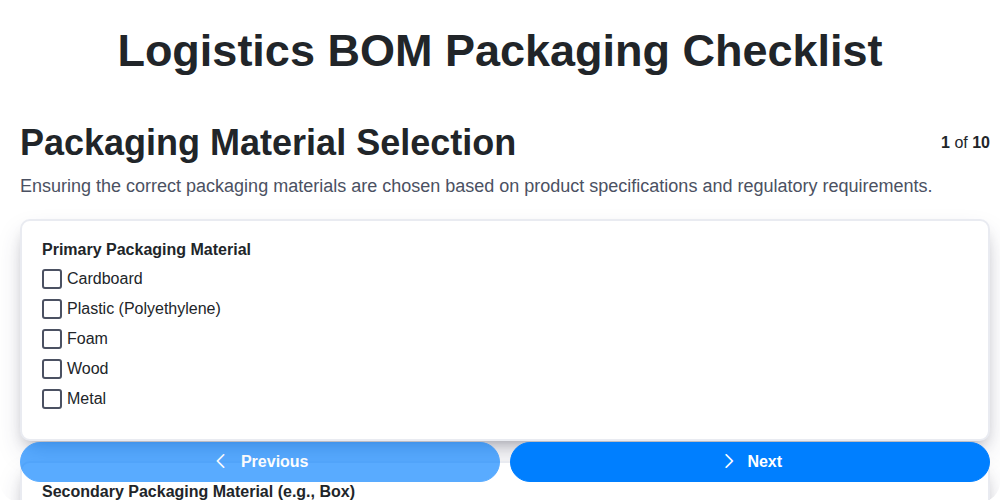
The Ultimate Logistics BOM Packaging Checklist: Ensuring Safe & Efficient Shipments
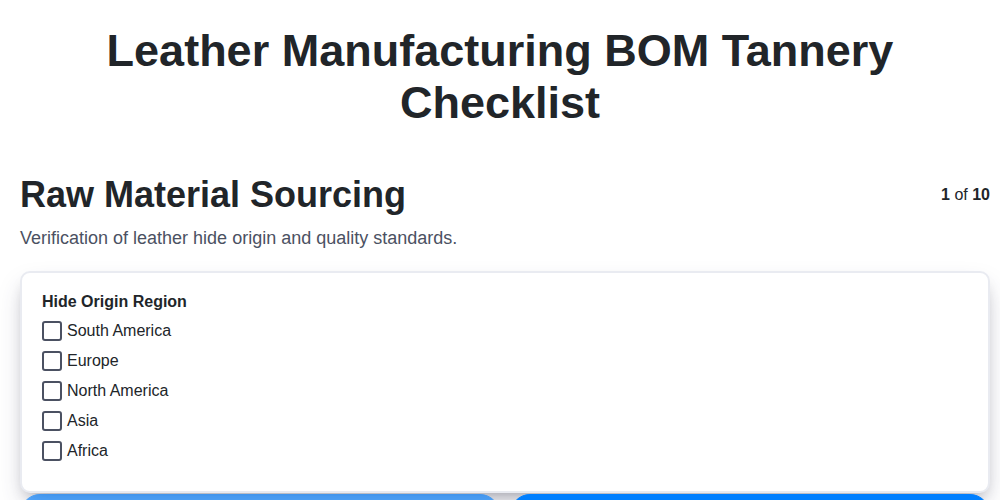
Mastering Leather Manufacturing: Your Tannery BOM & Compliance Checklist
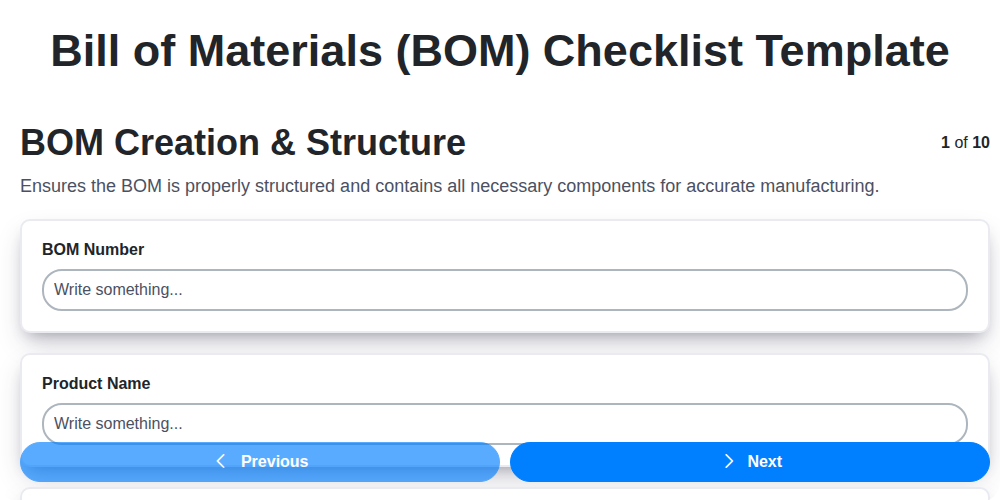
Mastering Your BOM: A Comprehensive Checklist Template for Success
Ensuring Success: Your Oil & Gas BOM Component Approval Checklist Guide
Navigating Medical Device BOM Regulatory Compliance: Your Essential Checklist
The Ultimate Retail BOM Product Definition Checklist: A Step-by-Step Guide
Ensuring Quality: Your Rubber Manufacturing Polymer BOM Checklist Guide
Decoding Origins: Your Construction Materials BOM Origin Checklist Guide
We can do it Together
Need help with
Bill of Materials (BOM) Management?
Have a question? We're here to help. Please submit your inquiry, and we'll respond promptly.